Google’s Windows app unifies local, cloud, web search with AI assistance
New Google desktop app transforms Windows search into powerful AI-driven experience
Unified Google search bar for Windows brings files, Drive, web together seamlessly

For years, Windows users have relied on a mix of search tools – File Explorer for documents, Google Drive for cloud storage, and of course the browser for web queries. Now, Google is trying to simplify that fragmented experience with a new experimental desktop app for Windows PCs. First spotted in Search Labs, the app promises to act as a single command center where users can search across local files, Google’s cloud services, and the wider web, all from one floating bar.
 Survey
This move is significant: it takes Google’s search dominance beyond the browser and embeds it directly into the desktop operating system. But how exactly will it work, and what could it mean for everyday users?


Also read: Google testing Spotlight-like search app for Windows users: Here’s how it may work
A spotlight-like search bar, but with Google’s reach
At the center of this new experiment is a floating, resizable search bar that you can drag anywhere on your screen. Summoned with the Alt + Space keyboard shortcut, it would work like Apple’s Spotlight on macOS, but with one major difference. Instead of being limited to system files and apps, Google’s bar aims to cover the entire spectrum of digital life.
With one query, you’ll be able to:
- Search for files saved locally on your PC
- Find documents, sheets, and slides stored in Google Drive
- Run a traditional Google web search without opening Chrome
- Use Google Lens to run image-based or visual searches right from the desktop
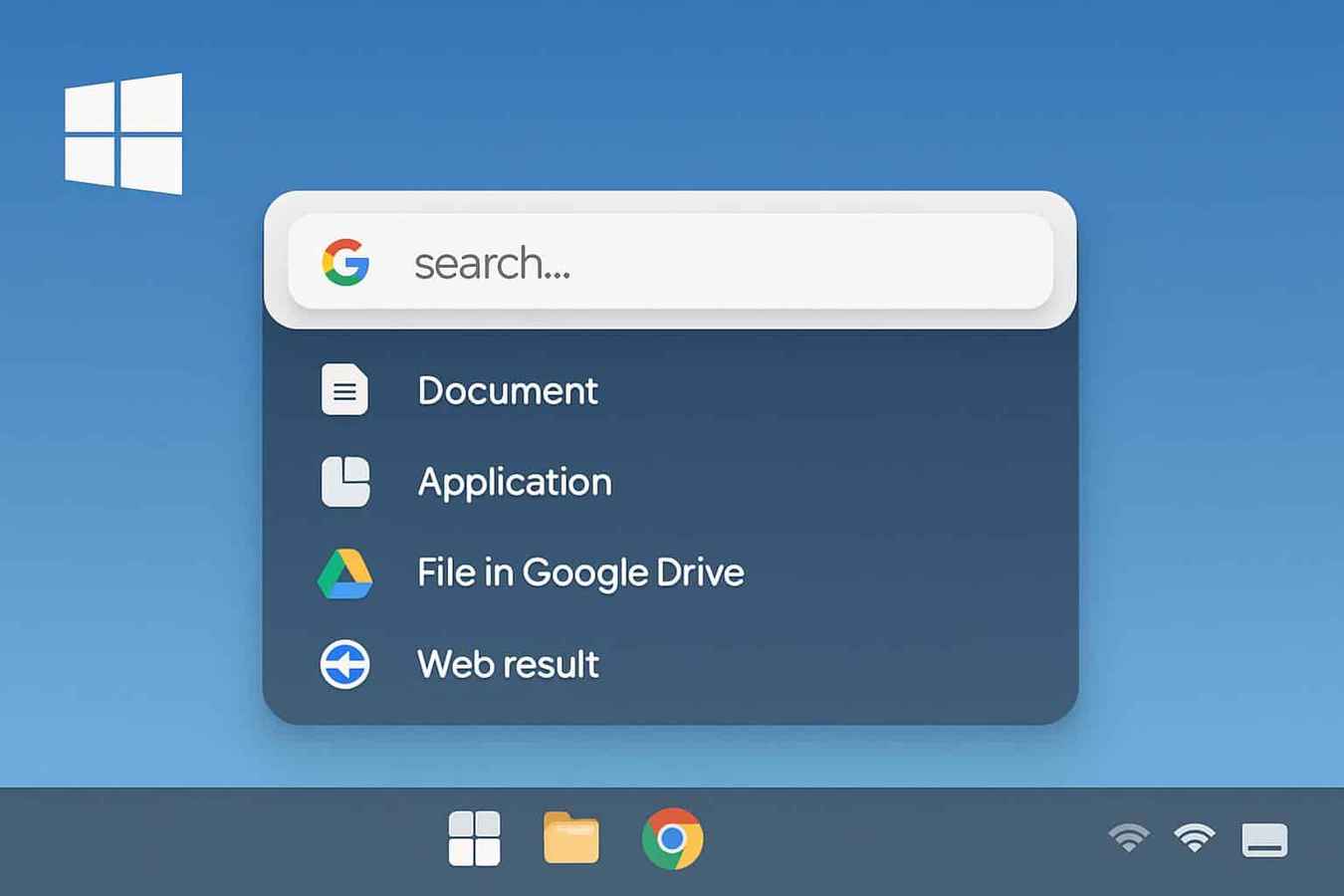
That breadth makes it feel less like a file search tool and more like a universal assistant. For example, a quick search for “invoice” could surface a PDF buried in your Documents folder, a Google Sheet shared by a colleague, and relevant web results, all in one unified interface.
AI mode for smarter answers
Beyond raw search, Google is layering in artificial intelligence. An “AI mode” will enhance results with summaries, explanations, and contextual insights. Imagine typing “summarize my meeting notes” and getting a condensed version of a Google Doc, or asking “what’s the capital gains tax in India?” and receiving an AI-generated explanation without ever opening a browser tab.
Also read: Gemini Nano Banana viral trends: Fun AI edits, serious privacy questions
This makes the app more than just a search tool. It begins to resemble a lightweight productivity assistant, blending Google’s traditional search muscle with its latest AI investments.
Availability and rollout
Right now, the Google app for Windows is still experimental. Reports suggest it’s limited to select users through Google’s Labs program and comes with some restrictions – Windows 10 or later is required, only available in English at launch, initial rollout seems focused on the U.S. market.
That said, Google has a history of piloting products in one region before going global. If the app proves successful, it’s likely to be expanded to other geographies, including India, where Windows has an enormous user base and Google’s services already dominate.
Why Google is doing this
On the surface, this app looks like a convenience tool. But it also reflects a strategic push by Google to deepen its presence on desktop environments. For decades, Google search has lived primarily in the browser, while Microsoft’s Windows search and Apple’s Spotlight handled local files. By moving into the OS layer, Google is positioning itself not just as the gateway to the web, but as the gateway to everything on your computer.
This could be particularly appealing for remote workers and students who juggle local documents, cloud drives, and constant online research. Instead of switching between File Explorer, Chrome, and multiple Google apps, a single bar could unify the workflow.
Of course, not everyone will welcome this shift. To index local files and serve them up quickly, the app will need broad access to a user’s storage. That raises inevitable privacy and data security questions. Will indexing stay entirely on-device, or will Google sync certain information back to its servers? How much control will users have over what gets scanned and surfaced?
Google will need to answer these questions carefully, especially at a time when trust in big tech’s handling of personal data is under scrutiny.
What it could mean for Windows users
If Google gets the balance right, this app could become a genuine game-changer. Imagine typing one word and instantly seeing files, cloud documents, and AI-powered summaries without juggling apps or tabs. For Windows users, it could become as indispensable as Spotlight is for Mac owners – only more powerful, thanks to Google’s ecosystem and AI tools.
On the other hand, if privacy controls are lacking, users may hesitate to let Google that far into their desktops. The success of the experiment will depend not just on speed and accuracy, but on trust.
For now, the Google app for Windows remains in preview. But if rolled out widely, it could reshape how millions of people interact with their PCs, turning the humble search bar into a central hub for work, study, and everyday digital life.
Also read: ChatGPT’s age verification system explained: How does it work?
 Follow Us
Vyom Ramani
A journalist with a soft spot for tech, games, and things that go beep. While waiting for a delayed metro or rebooting his brain, you’ll find him solving Rubik’s Cubes, bingeing F1, or hunting for the next great snack. View Full Profile


