
Pixel users may finally be able to remove the At a Glance widget from the home screen, confirms Google
 Follow Us
Google tests a new toggle letting Pixel users remove the At a Glance widget from the home screen.
The feature remains visible on the lock screen and Always-on Display even when hidden from the home screen.
The update signals more customization options for Pixel users after years of requests.
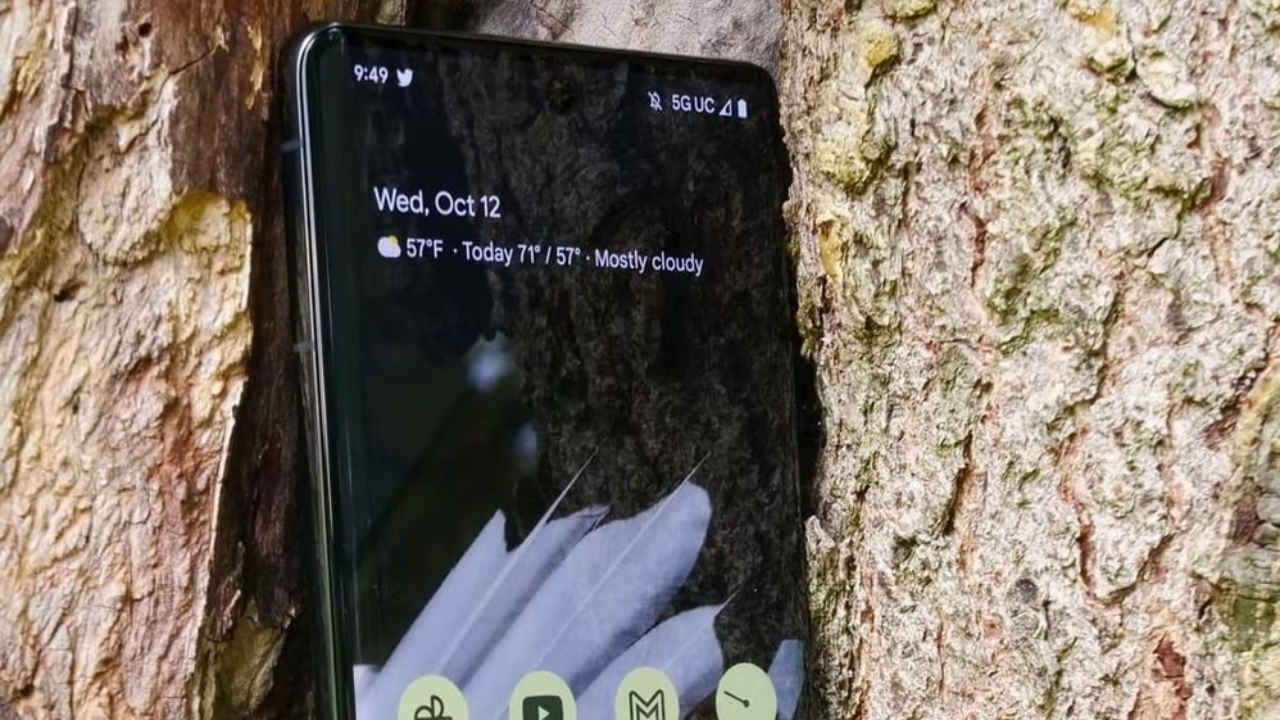

Google has finally confirmed the ability to completely remove the ‘At a Glance’ widget from the home screen on a Pixel device, a change many users have been requesting for years now. The feature was recently noticed in the November Android Canary build, as it introduces a new “Show on home screen” toggle that hides the widget from view while keeping it visible on the lock screen and Always-on Display. Although the option is still in early testing, this development signals Google’s growing focus on giving users more meaningful control over their interfaces. At a Glance has often seemed like a feature that uses up space without offering much of value to the users. While it does show some useful information, such as weather updates, reminders, travel alerts, and delivery details, not everyone wants it permanently pinned at the top of their home screen.
 Survey
How to disable At a Glance option
With its November Android Canary build, Google has revealed a new setting labelled “Show on home screen” within the At a Glance options. When you toggle off the feature in the settings, it makes the At a Glance feature disappear from the home screen while remaining active on the lock screen and Always-on Display. While the feature is not fully functional yet, its presence is a strong indication that Google is working on a more flexible version of the widget. Currently, even when users disable At a Glance, elements like the date and day still stay visible on the home screen. However, we anticipate a potential fix in the upcoming versions. This long-standing limitation has often frustrated users, particularly those who want cleaner layouts or prefer to use their own widgets.
Also read: Real or fake? Mysterious 3I/ATLAS video sparks global debate over possible interstellar visitor
At a Glance features
At a Glance has been one of the most recognisable parts of the Pixel experience. Over time, Google has added more capabilities to it, including real-time travel updates, package tracking, dynamic weather alerts, and calendar reminders. While many appreciate its convenience, a sizeable section of users in India prefer more control over what appears on their home screens. Until now, the only dependable workaround to remove At a Glance involved installing a third-party launcher, which many users found inconvenient, especially since it meant giving up some exclusive Pixel features in exchange for one change.
Also read: New Android PCs could be powered by Snapdragon Elite processors, details here
Google’s past attempts at removing At a Glance feature
This is not the first time Google has experimented with giving users more control over At a Glance. Android experts spotted a similar toggle back in 2023 during development, but it never made it to a stable release. The reappearance of the toggle now suggests that Google may be revisiting the idea with more serious intent. If this feature progresses into a stable Android build, it would be one of the most requested quality-of-life improvements for Pixel owners.
If the new toggle works as intended in future beta updates, Pixel users will be able to customise their home screens more freely without losing the benefits of the Pixel Launcher. This could especially appeal to users who enjoy minimal setups, prefer using their own calendar and weather widgets, or simply want more visual control over their device.
Also read: Apple’s iPhone 18 Pro Max could be the heaviest iPhone ever, here’s why
If this toggle reaches stable builds, it will mark a significant moment for Pixel customisation. Google appears to be listening more closely to long-standing user feedback, particularly from markets like India, where customisation preferences vary widely. For now, users will have to wait for official rollout details, but the early signs are promising.


