

iOS 27 with new Apple Intelligence features unveiled at Apple event 2026: Siri AI, iPhone handoff and more
 Follow Us
iOS 27 brings new features and improvements to iPhones.
Siri gets smarter with new AI-powered features.
The update will be available for supported iPhone models.
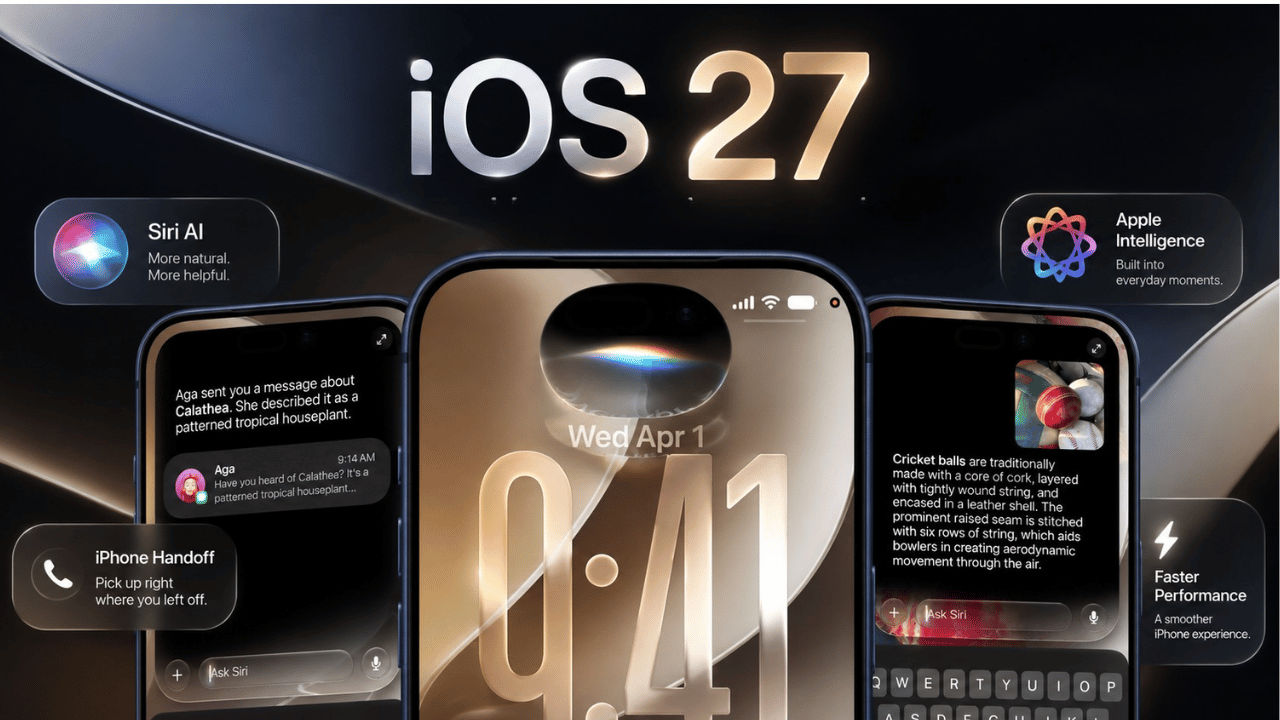

Apple recently wrapped up its Surprise and Shine, while the stars of the event were the all-new iPhone Duo, iPhone 18 Pro Max and iPhone 18 Pro. The Cupertino-based tech giant has also announced the release date for the stable version of iOS 27. The operating system was first announced at the WWDC26 event, where the company also confirmed that it will be shipped with the much-awaited Siri AI. From interface changes and smarter features to performance improvements, iOS 27 brings several updates to the iPhone experience. Here is everything you need to know about Apple’s latest operating system, including the complete list of compatible iPhone models and when will the stable version land on your device.
 Survey
What’s new with iOS 27?
iOS 27 brings several new features and improvements to the iPhones, starting with the improved Liquid Glass, Mail, Safari, Camera, Photos, Maps, Find My, and child-safety controls. Not only that, but users can now easily share photos with Android and Windows devices.
However, the new AI-powered Siri is the main highlight of the operating system. iOS 27 brings a dedicated Siri AI app with which the virtual assistant can now understand personal context and what is on your screen, ensuring that the answers it provides are more useful.
If that’s not enough, it can also work as your personal assistant, as you can ask it to find photos and notes, reschedule calendar appointments, edit messages, add podcasts to playlists, and draft messages in your writing style. With the latest AI boost, Siri can now also answer more complex questions and provide up-to-date information. Apple also confirmed that Siri will be able to understand things captured with the iPhone camera and help users take action based on them thanks to the Visual Intelligence features.
There are also several smaller but useful updates across iOS 27. Maps gets local lists and improved flyover features, while Find My lets users choose how long they want to share their location. Apple Cash can use a receipt to help split bills, and iCloud makes sharing photos with Android and Windows users easier. iPhone Handoff lets you use the same phone number on two iPhones, while AirPods get more personalisation options.
iOS 27: Availability and eligible devices
Apple confirmed that the stable version of iOS 27 will be released for all users with a compatible iPhone model on Monday, September 14. Here is a complete list of the devices that will receive iOS 27:
- iPhone 18: iPhone 18 Pro Max, iPhone 18 Pro
- iPhone 17: iPhone 17 Pro Max, iPhone 17 Pro, iPhone 17, iPhone 17e
- iPhone 16: iPhone 16 Pro Max, iPhone 16 Pro, iPhone 16 Plus, iPhone 16, iPhone 16e
- iPhone 15: iPhone 15 Pro Max, iPhone 15 Pro, iPhone 15 Plus, iPhone 15
- iPhone 14: iPhone 14 Pro Max, iPhone 14 Pro, iPhone 14 Plus, iPhone 14
- iPhone 13: iPhone 13 Pro Max, iPhone 13 Pro, iPhone 13, iPhone 13 mini
- iPhone 12: iPhone 12 Pro Max, iPhone 12 Pro, iPhone 12, iPhone 12 mini
- iPhone 11: iPhone 11 Pro Max, iPhone 11 Pro, iPhone 11
- iPhone SE: iPhone SE 2nd gen, iPhone SE 3rd gen
- iPhone Air
- iPhone Duo
One thing to note is that not every supported phone gets everything, as Apple Intelligence requires an iPhone 15 Pro or newer with an A17 Pro chip and at least 8 GB of RAM.
Hence, the base iPhone 15 and 15 Plus, along with iPhone 14 and earlier, may run iOS 27 fine but will miss out on Apple Intelligence. Furthermore, the on-device Siri AI features are limited to just the iPhone Air, iPhone 17 Pro series and later.
How to download iOS 27
If you want to download iOS 27, then you can simply open the Settings app, head to General and tap on Software Update. You’ll be able to see the iOS 27 update once it’s available; simply tap on the update and follow the on-screen instructions.


