

Google AI Mode is now available to select users in India: Here’s what it can do and how to use it
 Follow Us
AI Mode is now available in India for select users via the Google app in English.
It supports multimodal input- text, voice, and image- for detailed, contextual searches.
Google says user queries are now 2-3x longer, especially for tasks like comparisons and planning.

Google has finally introduced the AI Mode to select users in the Indian market. Showcased at the Google IO 2025, the new experimental feature was first available in the US and now can be accessed via Search Labs in English language India. The new AI mode is powered by a custom version of Gemini 2.5 and aims to cater complex, multi-layered queries using advanced reasoning, multimodality, and deep web exploration.
 Survey
As per Google, early adopters of AI Mode have shown a shift in behaviour, submitting queries that are 2-3x longer than traditional search terms, especially for tasks like product comparisons, travel planning, and educational how-tos. Speaking of India, the tech giant aims to position it as a response to increasing demand for voice and image based interactions, given that Google Lens has seen its highest ever usage in the country.
“This launch is part of our long-term vision to make finding and accessing information even more effortless on Search. With our latest advancements in AI, we’ve seen people turn to Google Search to tackle increasingly complex and nuanced questions,” the company stated in its blog post.
READ: Google adds ChatGPT-like AI Mode to Search: How it will work
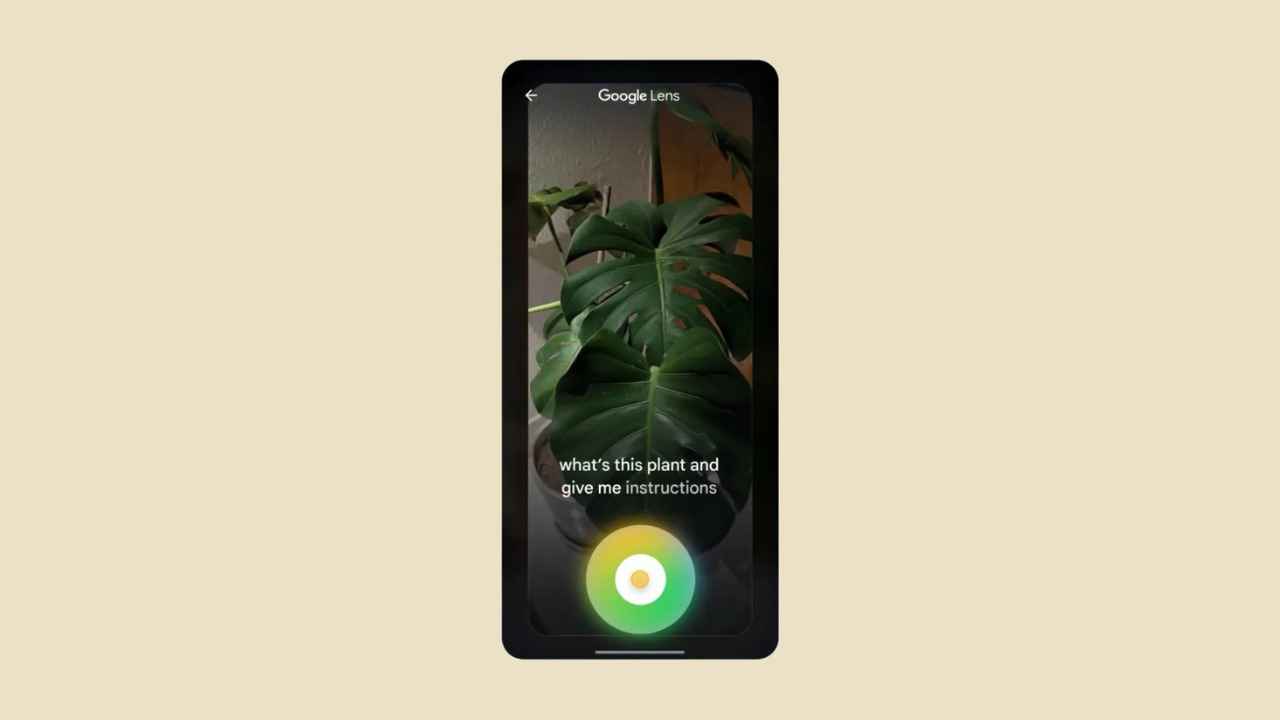
For the unversed, the tool supports multimodal inputs, allowing users to type, speak or upload images to ask questions. For example, the users can photograph an object, such as a plant, and ask for tips like how to take care of it or even use voice commands to get more information.
It is worth noting that AI Mode is still in early stages and will only be available in India via Search Labs. Users can enable it via the Google app on Android or iOS, though a broader rollout timeline has not been confirmed. To enable AI Mode in India, users need to open the Google app on their Android or iOS device. Once inside the app, they should tap on their profile picture in the top right corner and navigate to the “Search Labs” section. Within Search Labs, they can locate the option for AI Mode, toggle it on, and follow the on-screen prompts to complete the setup.
As with similar experimental features, the company has said it will continue to iterate based on user feedback. However, the company has not confirmed the timeline for a full-scale rollout.


