
Claude can now edit Google Docs, create Sheets formulas and build Slides: Here is how to set up
 Follow Us
Claude is now available inside Google Docs, Sheets and Slides.
Users can rewrite content, create formulas, charts and slides with Claude.
The integration is in beta and limited to paid Claude plans.


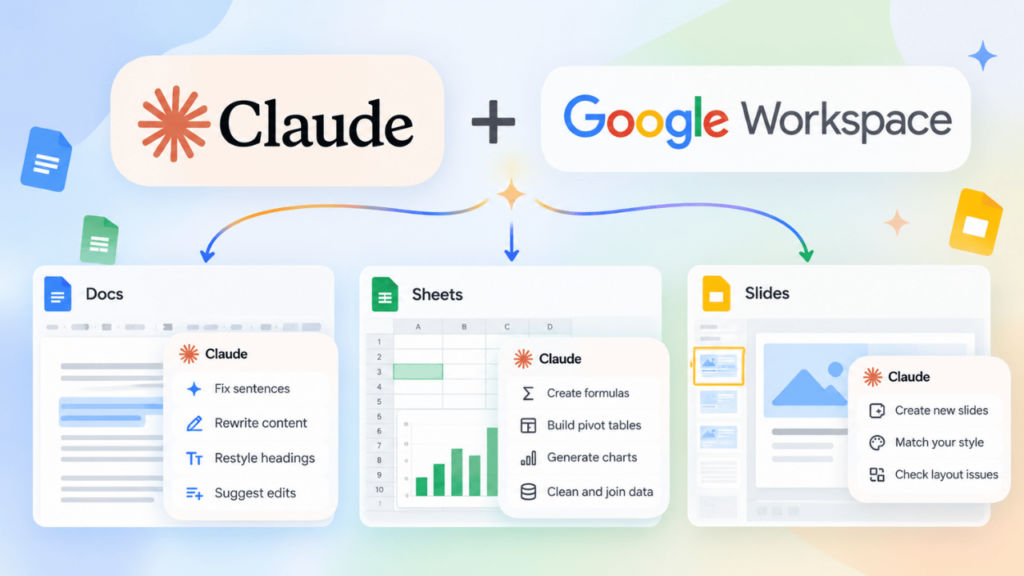
Anthropic has recently rolled out Claude for Google Workspace, bringing its LLM capabilities directly into Google Docs, Sheets and Slides. With the new functionality, Claude can fix sentences and rewrite content in Docs, while users can create formulas, charts and pivot tables in Sheets. If you’re using Google Slides, then the LLM can help you create new slides and check for layout issues. Whereas, it’s important to note that the feature has currently been rolled out in public beta and only users on paid plans can currently access it. Here’s how you can install and use Claude on Google Docs, Sheets and Slides.
 Survey
Claude for Google Workspace: Availability
Claude for Google Workspace is currently available in beta for all, and it allows users to use the AI tool within Google Docs, Sheets and Slides. However, keep in mind that it’s only available on the Claude Pro, Max, Team or Enterprise plan.
How to install Claude for Google Workspace
In case you’re planning to use Claude inside your Google Workspace but are not sure how to get started, then let me tell you that first you need to head to Google Workspace Marketplace > look for Claude > install it.
How to use Claude on Google Docs, Sheets, and Slides
Now that you’ve installed Claude for your Google Workspace, to use it, you can simply open the Google Docs, Sheets, or Slides file you want to use the AI tool on. Once inside the file, press Extensions in the menu bar. Go to Claude and choose Open Claude. Now you can simply interact with the AI tool within your Google Workspace.
Also read: Meta under investigation over Instagram’s Instants feature: Here is why
Here’s what you can do in Google Workspace with the all-new Claude integration:
- Docs: Fix sentences, restyle headings, or suggest bigger edits. You can accept or dismiss each suggestion.
- Sheets: Create formulas, pivot tables, charts, and new tabs. It can also clean and join data using Python.
- Slides: Create new slides that match your deck’s style and check for overlapping, cut-off, or hard-to-read content.
If your organisation manages your Google Account then your admin can enable this feature for the whole organisation or for specific groups through the Google Admin console. Also, if you use a Claude Team or Enterprise plan, the primary owner must enable the connectors first.


