
Android 17 update is here: What is new, how to download and how you access
 Follow Us
Google has officially started rolling out Android 17 for eligible Pixel smartphones.
One of the biggest additions in Android 17 is App Bubbles.
Google has also introduced Screen Reactions.
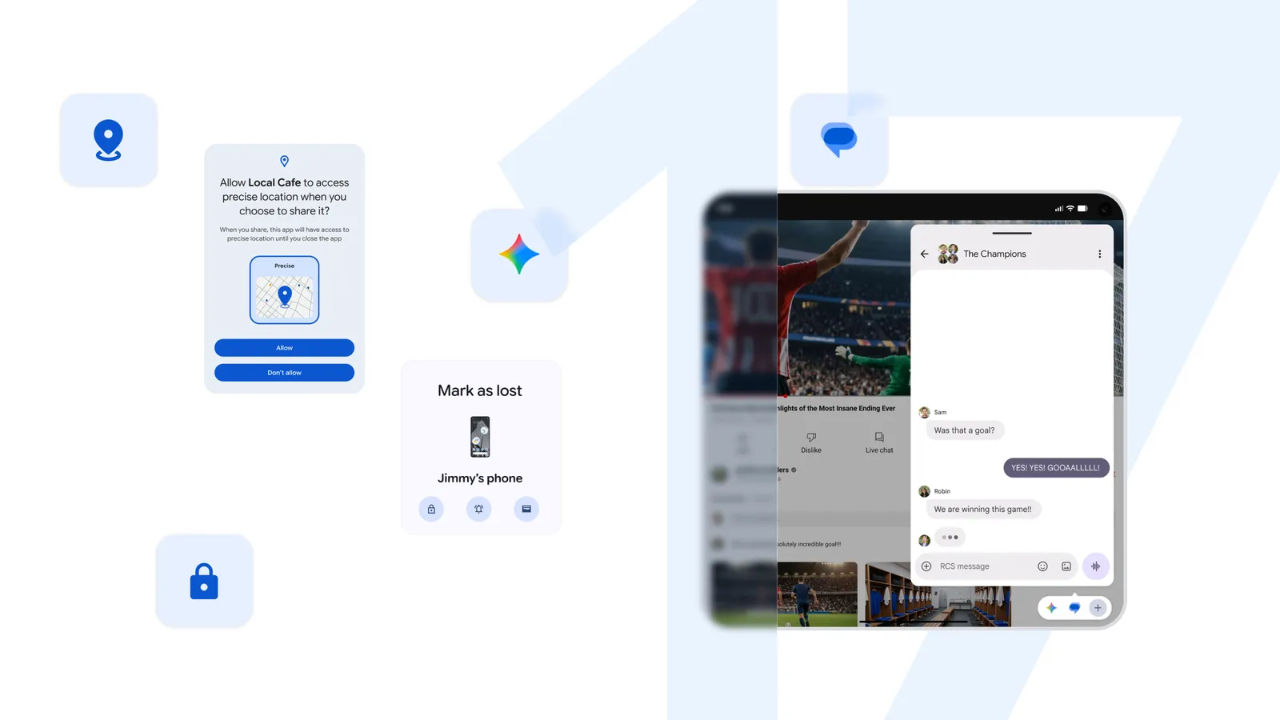

Google has officially started rolling out Android 17 for eligible Pixel smartphones. Like most major Android releases, Google is likely rolling out Android 17 in phases, which means some users may have to wait a few days before the update appears on their device. According to the tech giant, the update aims to enhance productivity, entertainment, security and safety.
 Survey
While Pixel devices are getting Android 17 first, other smartphone brands such as Samsung, OnePlus and Xiaomi are expected to release their Android 17-based software updates in the coming months.
Android 17: What’s new
One of the biggest additions in Android 17 is App Bubbles. This feature allows users to keep apps inside small floating windows. You can quickly switch between apps without fully leaving the one you are using.
Google has also introduced Screen Reactions. The feature lets users record their screen and front camera at the same time. This makes it easier to create reaction videos without using extra apps or editing tools.
For foldable devices, Android 17 adds a new gaming mode that splits the screen into two sections. The game appears on the top half, while touch controls are displayed on the bottom half.
The update also introduces security improvements. Apps can now request temporary location access for one-time use. Google has also enhanced the “Mark as Lost” feature in Find Hub, allowing users to lock lost devices with biometric authentication. In addition, Android 17 improves threat detection and gives users control over PIN retry limits.
Also read: Pavel Durov reacts to Telegram ban in India, claims Reliance and WhatsApp might be behind it
Android 17: How to download
If your Pixel device is eligible, you can manually check for the update by opening Settings, then going to System, and selecting System Update. If Android 17 is available for your device, follow the on-screen instructions to download and install it.
Also read: X down: Thousands of users facing issues with Elon Musk’s social media platform
Android 17: Availability
Android 17 is available for Pixel 6 and newer Pixel smartphones. If the update is not showing up yet, there is no need to worry. It should arrive on eligible devices soon.
Also read: Anthropic hit with lawsuit over how it marketed Claude Max subscriptions: Here is what happened


