
I turned Google Maps into my ultimate AI travel companion with these 3 Gemini tricks
 Follow Us
Gemini in Google Maps can plan outings, cafes, and nearby places with simple text prompts.
The AI gives more personalised suggestions based on mood, budget, and location preferences.
Gemini also summarises reviews quickly, helping users avoid bad places without reading everything.

Google Maps has always been my favorite app when it comes to directions, traffic, or finding a nice cafe near me. However, after starting to use Google Gemini within Google Maps, I feel like Google Maps is now more like an intelligent travel companion than just a navigation app. In fact, while planning a trip to Rishikesh recently, I didn’t need to spend hours browsing countless reviews or jumping from one application to another; instead, I just needed to ask Gemini in plain English what I wanted. The AI tool handled all the tasks surprisingly well as it planned my quick evening outings around local attractions and even provided me with some peaceful coffee spots near crowded markets. Here are three ways I use Google Gemini inside Google Maps to bring the most out of it.
 Survey
1. Plan outings using Gemini in Google Maps
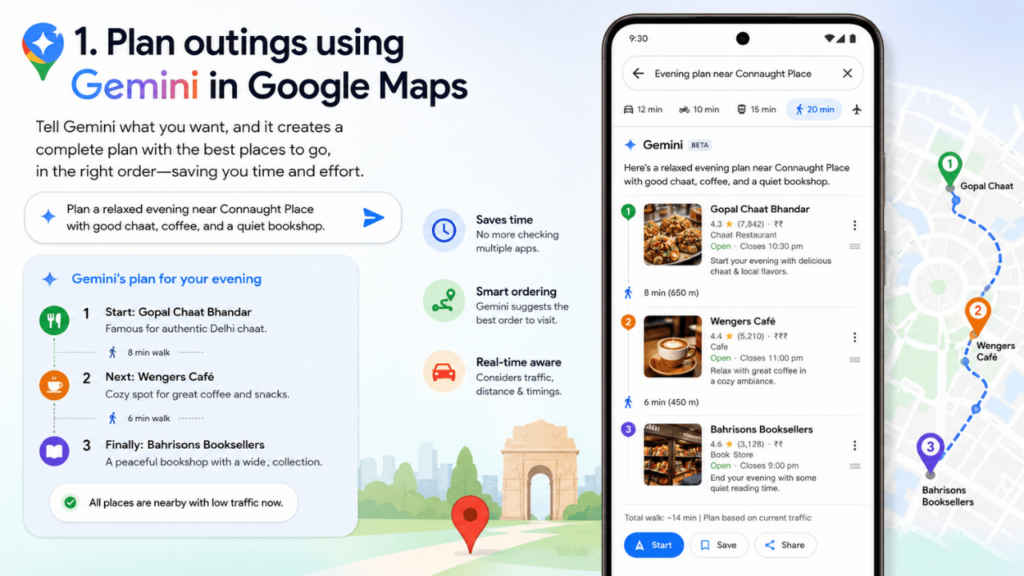
One of the best things about Gemini is how naturally it understands travel plans. Instead of searching for every stop manually, one can simply type something like, ‘Plan a relaxed evening near Connaught Place with good chaat, coffee, and a quiet bookshop.’
Once you do so, Gemini will quickly create a complete plan that would contain nearby places. Moreover, it also iterates where you can go first and the other places following that. Using Gemini in Google Maps not only saves time, but it also eliminates the headache of checking distances, traffic, and timings separately.
Even though you don’t want to follow the exact suggestions provided by the AI tool, it still gives you a solid starting point in seconds.
Also read: Samsung Galaxy S26 price slashed by over Rs 14,100 just few months after launch
2. Get personalised recommendations
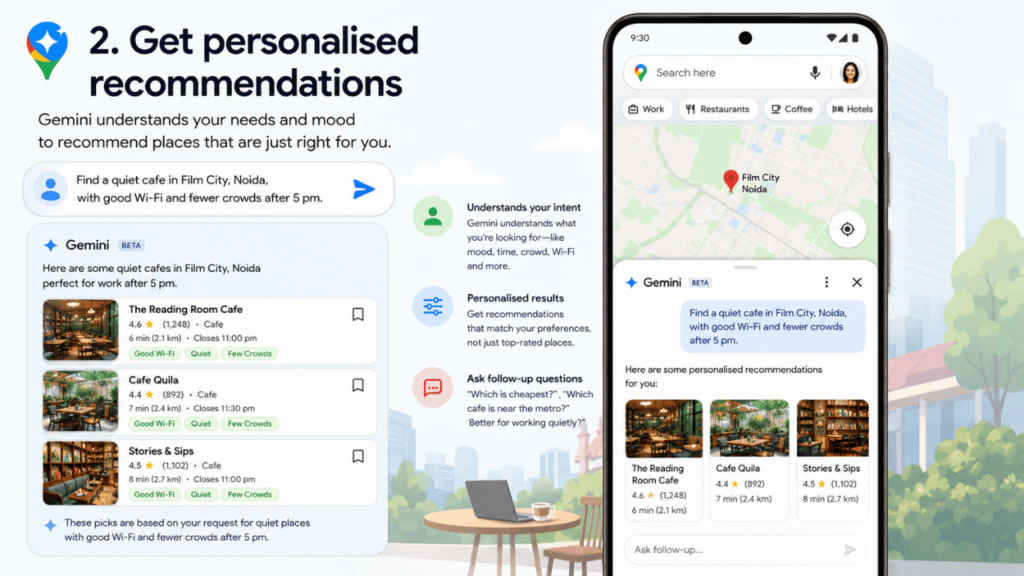
Before I started using Gemini in Google Maps, it used to show me the places based on the ratings or popularity. However, since I integrated Gemini with Google Maps, it now shows very specific recommendations that actually match my mood as if it could read what I want.
For example, I recently searched for ‘a quiet cafe in Film City, Noida, with good Wi-Fi and fewer crowds after 5 pm’. ‘The results felt far more useful than random top-rated suggestions.
Not only that, but I can now also give follow-up questions and ask which cafe is budget-friendly, closer to a metro station, or better for working quietly. The result surprisingly feels less robotic and more like getting advice from a local friend.
Also read: Inverter AC vs split AC: Which is one is cheaper, is more efficient and easy to maintain
3. Summarise Google Maps reviews instantly with Gemini
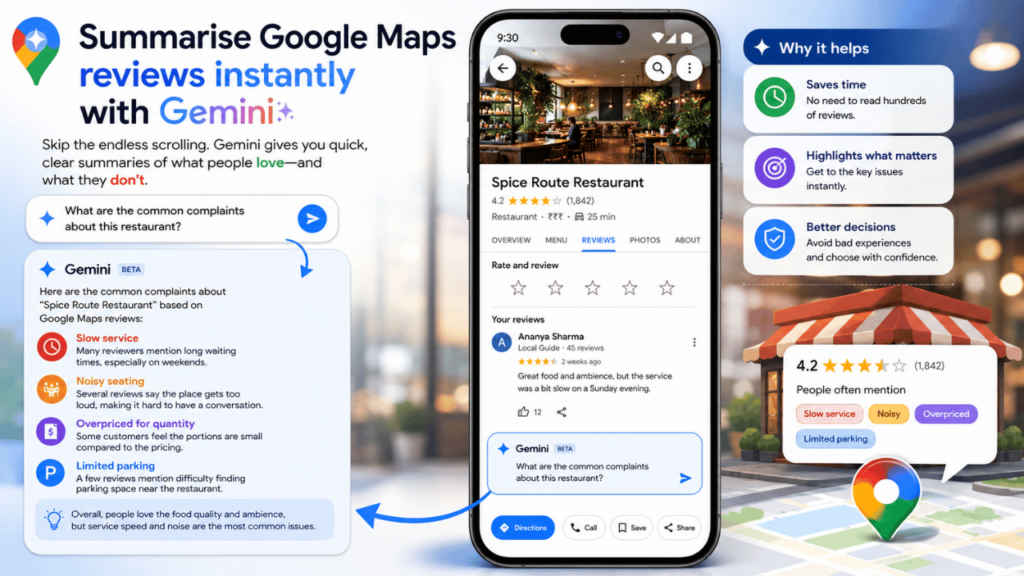
Reading hundreds of reviews is tiring, especially when travelling. But you no longer have to deal with that, as Gemini now provides you with short summaries that highlight what truly matters. For example, you can now directly ask, ‘ What are the common complaints about this restaurant?’
Once you ask, Gemini will quickly point out the issues like slow service, long waiting times, or noisy seating. Doing so helps me avoid bad experiences and that too, eliminating the need to go through the hectic and frustrating process where I need to read reviews.


