
Google Maps for iPhones can now scan and save locations from screenshots: Here’s what it means
 Follow Us
Gemini AI scans screenshots from social media or blogs to identify locations and save them in Google Maps.
Users can create private travel lists under the ‘You’ tab in the app.
It is currently rolling out to iPhone users in the US.
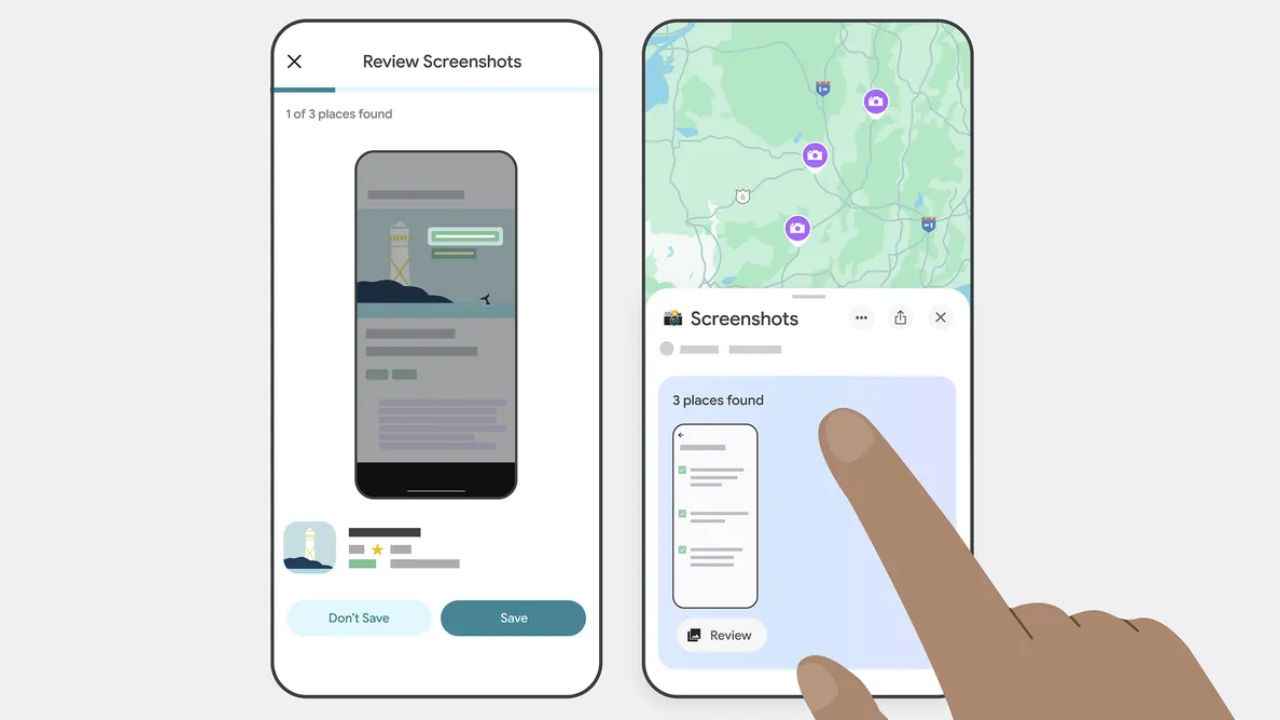

Google announced a new screenshot recognition feature for iPhone users in the United States, aimed at simplifying travel planning. This feature, announced in March, uses Gemini integration to automatically detect locations mentioned in screenshots of social media posts or travel blogs. It then saves these locations to a private list within the Google Maps, allowing users to better organise and access their saved addresses.
 Survey
According to Google, this update will help users plan trips more seamlessly by keeping track of destinations without the need for manual note-taking. The feature is now being gradually rolled out to all iPhone users in the country. Here’s everything that we know so far.
Google Maps screenshot recognition feature
Google, in a recent blog post, shared that the new Google Maps feature will use Gemini to scan locations available in the screenshots and pull up a map listing with directions. Users can save these locations in a new private list under the ‘You’ tab in the Google Maps app.
Additionally, the app has received an auto-scan feature to find new screenshots with locations and place them in a carousel for users. To access this feature, users will be required to allow access to all photos, or they can manually select images that they want to be scanned. The feature is off by default, and users will have to allow Maps access to the gallery.
Notably, this feature is currently available to iOS users across the US only.
Google Maps screenshot recognition feature: How to enable
To access the new Google Maps feature, users will have to go to the ‘You’ tab in the Google Maps app and click on the Screenshots list. Then, they will be asked to allow access to the Photos app, and Google Maps will start scanning screenshots for locations. Once found, a message will pop up asking users to review and save the locations in the list.


