
Digit.in
  • News
  • Reviews
  • Top 10s
    • Best Phones Under 10000
    • Best Phones Under 20000
    • Best Phones Under 30000
  • Features
  • How To
  • AI
  • Digit Binge
  • Mobile Recharge Plans
  • Web Stories
  • DIGIT ZERO1 AWARDS
  • Digit Shop
  • English
  • Hindi
  • Tamil
  • Kannada
  • Telugu
  • Malayalam
  • Bangla
  • Marathi
Login / Register is disabled Login
  • Mobiles
    • Latest
      • OnePlus Nord CE 6
      • Vivo X300 FE
      • Samsung Galaxy Z Flip 8
      • Redmi 15 6 GB 128 GB
    • Popular
      • Apple iPhone 17 Pro
      • OnePlus 15 5G
      • iQOO 15
      • Oppo Find X9 Pro
    • News
      • Apple iPhone 17 price slashed by over Rs 10,000 on Flipkart during SASA Lele sale
      • Amazon Great Summer Sale 2026: Vivo X300 Pro available with Rs 10,000 discount
      • Vivo X500 camera details tipped ahead of launch: Here is what we know
      • Amazon Great Summer Sale 2026: Apple iPhone Air available with over Rs 22,000 discount
    • Reviews
      • OnePlus Nord CE 6 review: The safest all-rounder in the segment
      • Vivo X300 Ultra review: Raising the bar for what a flagship should be in 2026
      • Vivo X300 FE Review: Fan of this edition but…
      • Realme 16 5G review: A budget phone wearing a midrange price tag
  • Laptops
    • Latest
      • Dell XPS 14 Laptop (2026)
      • Lenovo 14 (Intel Core i7 12th Gen 1255U/16 GB/ 512 GB SSD)
      • Apple MacBook Neo 2026
      • HP Omen (14th Gen Intel Core i7-14900HX, RTX 5060, 24GB DDR5)
    • Popular
      • Asus ROG Strix G15 G513RM-HF328WS Gaming Laptop (Ryzen 7 6800H/ 16GB/ 1TB SSD/ Win11 Home/ 6GB Graph)
      • HP Victus 15-fa1319TX Gaming Laptop (13th Gen Core i5/ 16GB/ 512GB SSD/ Win11 Home/ 6GB RTX 4050)
      • Zebronics ZEB-NBC 5S Laptop (12th Gen Core i7 / 16GB/ 512GB SSD/ Win11 Home)
      • HP EliteBook 8 G1a (C10Y4PT)
    • Best
      • Best MacBook alternatives from ASUS
      • Best MacBook alternatives from MSI
      • The Best AI (Artificial Intelligence) Laptops for Programmers in 2025
      • Best MacBook alternatives from HP
    • News
      • Microsoft Surface Pro 12 may come with Intel Panther Lake chips: What to expect
      • Asus launches the Expertbook Ultra laptop in India: All details
      • Dell 15 laptop launched in India with Intel Core Ultra 2 series chip, price starts from Rs 69,699
      • Apple touchscreen MacBook Pro may not arrive until 2027: Here is why
    • Reviews
      • Dell 14 Plus 2-in-1 review: Strong performance in a folding convertible
      • Razer Blade 18 review: The best of both worlds at a premium price
      • Apple MacBook Neo review: A gift for Apple fans
      • Dell Pro 14 Premium PA14250 Review
  • Top 10s
  • Phone Finder
  • Apps
  • Mobiles
  • SKOAR!
  • Magazine
  • DIGIT ZERO1 AWARDS
  • Amazon Center
  • Web Stories
  • Digit Shop
Home » How To » Apps » Setting up bank account on WhatsApp: Easy guide for seamless money transfers

Setting up bank account on WhatsApp: Easy guide for seamless money transfers

By Ayushi Jain | Updated on 27-Dec-2023
Add DIGIT as a preferred source
Follow Us on Google News Follow Us
HIGHLIGHTS

You can easily send and receive money on WhatsApp after adding your bank account.

To add your bank account as a payment method on WhatsApp, you'll need an active account at an Indian bank that supports UPI.

The primary phone number associated with the bank account must match the phone number of your WhatsApp account.
Setting up bank account on WhatsApp: Easy guide for seamless money transfers
Ayushi Jain Ayushi Jain
27-Dec-2023

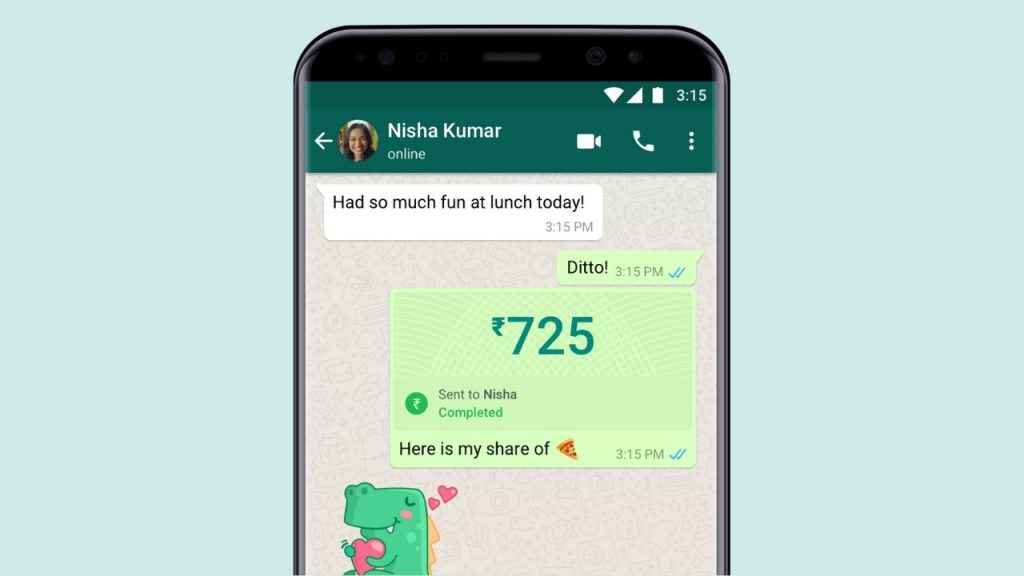
Convenience is important in today’s tech-savvy world, particularly when it comes to handling our money. Imagine setting up a bank account through an app you already use every day – WhatsApp. Yes, you read that right! WhatsApp, the popular instant messaging app that connects us with friends and family, also allows us to make payments, making money transactions as easy as sending a text.

Digit.in Survey
✅ Thank you for completing the survey!

In this step-by-step guide, we will tell you how you can easily set up a bank account on WhatsApp for hassle-free money transfers. 

Also read: How to set up two-step verification on WhatsApp for added security: Easy guide
Setting up bank account on WhatsApp: Easy guide for seamless money transfers

How to add a bank account on WhatsApp

You can easily send and receive money after you’ve added your bank account to WhatsApp. In order to add your bank account as a payment method, you will need an active account at an Indian bank that supports UPI (Unified Payment Interface). Also, the primary phone number linked with that bank account must match the phone number of your WhatsApp account.

Android

Step 1: Open the WhatsApp app.

Step 2: Tap the three vertical dots present at the top right corner.

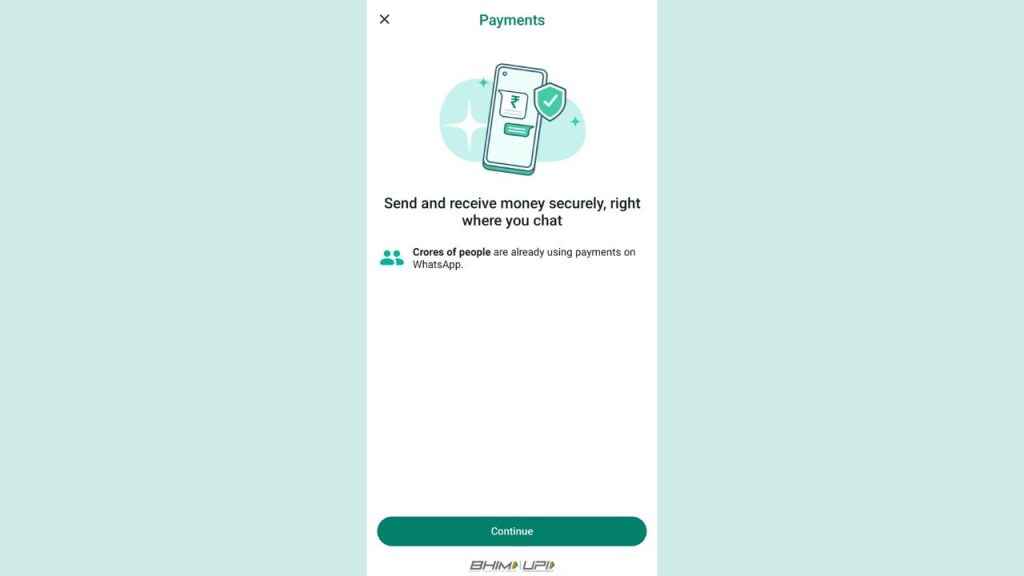
Step 3: Select the Payments option.

Step 4: Tap the Add payment method option.

Step 5: Tap Continue.

Step 6: If prompted, tap Accept and Continue to accept WhatsApp’s Payments Terms and Privacy Policy.

Step 7: From the list of banks, select the name of your bank.

Step 8: Tap Verify, then Allow. If WhatsApp already has permission to make and manage phone calls, you won’t need to grant permission.

Step 9: Now, select the bank account that you want to add to send and receive payments with WhatsApp.

Step 10: Tap Add > Continue.

Also read: How to hide your WhatsApp status from specific people: Step-by-step guide for Android & iOS 
Setting up bank account on WhatsApp: Easy guide for seamless money transfers

iOS

Step 1: Open WhatsApp.

Step 2: Tap Settings.

Step 3: Select the Payments option.

Step 4: Tap the Add Payment Method option, then tap Continue.

Step 5: If prompted, tap Accept and Continue to accept the company’s Payments Terms and Privacy Policy.

Step 6: Now select the name of your bank from the list of banks.

Step 7: A pre-filled SMS with a verification code will open up on your device. Tap the up-facing arrow to send this message and verify your account. You don’t need to make any edits to the content of this message.

Step 8: Choose the bank account that you want to add to send and receive payments with WhatsApp.

Step 9: Tap Send a Payment or Done.

Things to note:

  1. Before proceeding with a payment through UPI on WhatsApp, you’ll need to confirm your UPI PIN.
  2. If you haven’t created a UPI PIN yet, you’ll be prompted to set it up by verifying the last 6 digits of your debit card and its expiration date.
  3. If you don’t find your bank listed, it might not be supported for WhatsApp payments.
  4. To use payments, make sure you’re using the latest version of WhatsApp.

Ayushi Jain

Ayushi Jain

Ayushi works as Chief Copy Editor at Digit, covering everything from breaking tech news to in-depth smartphone reviews. Prior to Digit, she was part of the editorial team at IANS. View Full Profile

Latest Article
Oppo Find X9s and X9 Ultra to release next week in India: Check out specs and expected pricing here Oppo Find X9s and X9 Ultra to release next week in India: Check out specs and expected pricing here
Apple iPhone 18 India price may be lesser than you think Apple iPhone 18 India price may be lesser than you think
You can now buy premium Samsung devices at affordable price, here is how You can now buy premium Samsung devices at affordable price, here is how
Forza Horizon 6 leaks online: What we know about Microsoft gaming’s oops moment Forza Horizon 6 leaks online: What we know about Microsoft gaming’s oops moment
Amazon Great Summer Sale 2026: Motorola Edge 50 Ultra price slashed by over Rs 22000 Amazon Great Summer Sale 2026: Motorola Edge 50 Ultra price slashed by over Rs 22000
Most Searched Mobile Phones
  • Best Phones Under 10000
  • Best Phones Under 20000
  • Best Phones Under 30000
  • Upcoming Phones in 2026
  • Latest Mobile Phones
Latest Phones
  • Vivo X300 Ultra
  • Vivo X300 FE
  • motorola edge 70 fusion
  • Samsung Galaxy S26 Ultra
  • Iqoo 15R
Mobile Recharge Plans
  • Airtel Recharge Plans
  • BSNL Recharge Plans
  • Reliance JIO Recharge Plans
  • VI Recharge Plans
Most Searched Laptops
  • Best Laptops Under 30000
  • Best Laptops Under 40000
  • Best Laptops Under 50000
Trending Movies
  • Ramayana: Part One
  • Bhooth Bangla
  • Love Insurance Kompany
  • Maatrubhumi: May War Rest In Peace
Movies & Web Series
  • Best Movies
  • Latest Movies
  • Upcoming Movies
  • Best TV Shows & Web Series
  • Latest TV Shows & Web Series
  • Upcoming TV Shows & Web Series
Trending Web Series
  • Thukra Ke Mera Pyaar Season 2
  • Undekhi - The Final Battle
  • Chiraiya
  • Glory
OTT Providers
  • Netflix
  • ZEE5
  • JioHotstar
  • SonyLiv
  • icon
  • icon
  • icon
  • icon
SUBSCRIBE Subscribe for the industry's biggest tech news
Enter your email to get notified about our new solutions
By submitting your email, you agree to our
Terms and Privacy Notice.
CONNECT WITH US
  • icon Times Center, FC-6, 1st Floor, Sector 16A, Film City, Noida - 201301
  • icon (+91-120-6776999)
    (1800 121 0005)
  • icon Suggestion: editor@digit.in
    Business: business@digit.in
    Website: sales@digit.in
© 2026 Digit.in, All rights reserved
  • icon
  • icon
  • icon
  • icon
icon
  • About Us
  • Contact Us
  • Advertise with us
  • Regulatory
  • Terms & Conditions
  • Privacy Policy
  • Disclaimer
© 2026 Digit.in, All rights reserved
Digit.in
Logo
Digit.in
Logo
