Securing privacy on Snapchat: Learn how to hide your location on Snap Map
 Follow Us
Snapchat’s Snap Map feature allows friends to see each other's locations.
If you have not enabled the Ghost Mode, your location history updates on Snap Map when you open Snapchat.
If you have not enabled the Hide my live location option, your location updates in real-time on Snap Map, even if you don’t open Snapchat.

Snapchat, known for its disappearing messages and filters, stands out as one of the most popular instant message platforms among Gen Zs and millennials. However, as we share moments with friends, there’s a crucial aspect to consider: privacy.
 Survey
Snapchat’s Snap Map feature allows friends to see each other’s locations. While it can be exciting to share where you are, it’s equally important to know how to keep your whereabouts private when needed
In this easy-to-follow guide, we will tell you how you can easily hide your location on Snapchat’s Snap Map.
Also read: How to set up two-factor authentication on Snapchat for added security: Step-by-step guide
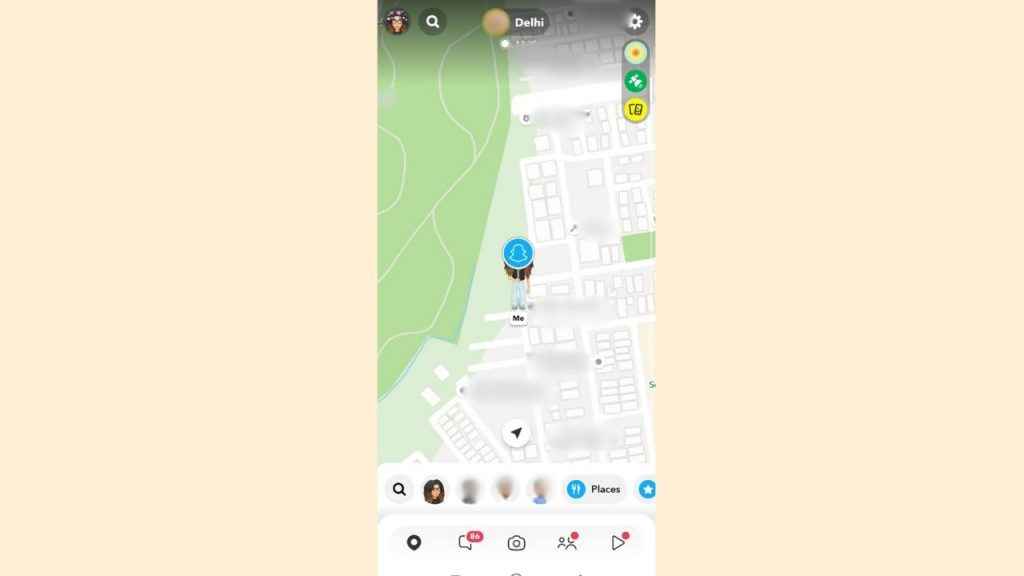
How to hide your last active location on Snapchat’s Snap Map
Step 1: Open the Snapchat app on your Android device or iPhone.
Step 2: Tap the map icon on the bottom left or swipe right two times to open the Snap Map.
Step 3: Tap the settings icon present at the top right corner.
Step 4: Now, toggle on the Ghost Mode. When Ghost Mode is enabled, your friends can’t see your location.
It’s important to note that if you have not enabled the Ghost Mode, your location history updates on Snap Map when you open Snapchat.
Also read: Hiding your private snaps: Learn how to set up & use ‘My Eyes Only’ on Snapchat
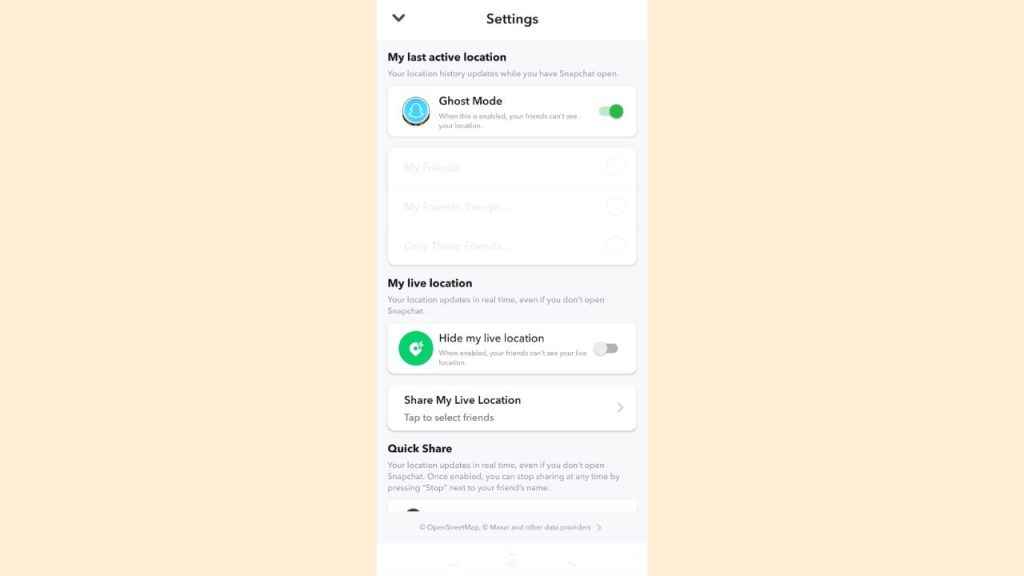
How to hide your live location on Snapchat’s Snap Map
Step 1: Open the Snapchat app on your Android device or iPhone.
Step 2: Tap the map icon on the bottom left or swipe right two times to open the Snap Map.
Step 3: Tap the settings icon present at the top right corner.
Step 4: Toggle on the Hide my live location option.
Remember, if you have not enabled the Hide my live location option, your location updates in real-time on Snap Map, even if you don’t open Snapchat.
In our opinion, the ability to hide both your last active location and live location gives you control over what information you share on Snapchat. This is important for maintaining a balance between social connectivity and personal privacy. Also, knowing how to control your location settings on Snapchat can boost your confidence in using the platform.