
 E-Magazine
Your Copilot+ PC will soon organise files and diagnose Windows issues locally
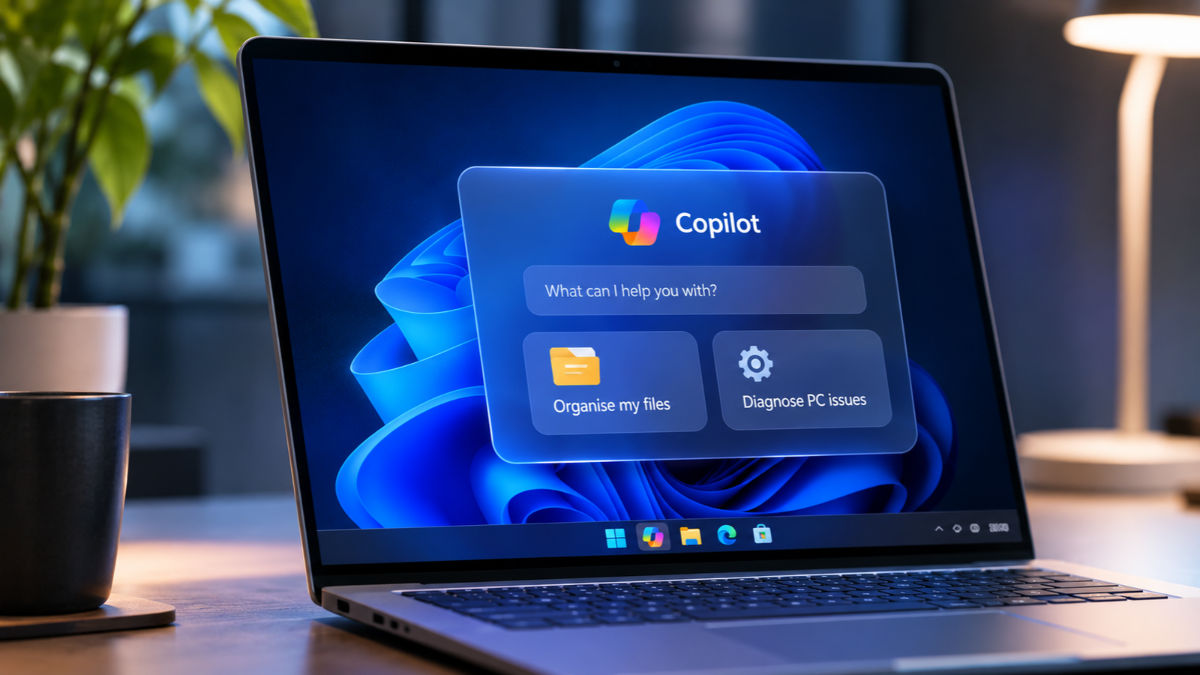
For most of us, using a PC still means doing a lot of small jobs ourselves. Finding a document buried in Downloads, moving files into the right folders or figuring out why Bluetooth has stopped working can eat into the day. Microsoft wants Copilot to take on some of that work. At Ignite 2026, the company announced new local capabilities coming to Copilot+ PCs, including the ability to understand what you are working on, carry out simple actions in Windows and help diagnose common PC problems. The important bit is that some of this will happen directly on the device, rather than relying on the cloud for every request. Here’s everything you need to know about the latest development.
Copilot will understand what you're doing on your PC
One of the biggest changes Microsoft is working on is giving Copilot more context about what you are doing on your computer. Think about it. If you have several documents open, are working on a presentation or have a particular application running, you usually have to explain all of that when asking an AI chatbot for help. Microsoft wants to reduce that effort. With local context coming to Copilot+ PCs, Copilot will be able to understand which files you have open, which applications you're using and the current state of your PC. This will work with your permission, so you remain in control of what information Copilot can access.
For instance, imagine you're working on a presentation and need help finding a particular document or understanding something in an open file. Instead of explaining what you're working on and manually sharing the relevant information, Copilot could use the context available on your PC to provide more useful assistance.
You can ask Copilot to organise your files
Microsoft is also bringing local actions to Copilot, which means it won't just answer questions but will be able to perform certain tasks directly in Windows. One example is file management. Microsoft says users will be able to ask Copilot in plain language to find, organise, move, copy or rename files. So, if your Downloads folder is full of documents, screenshots and random files you've forgotten about, you could simply ask Copilot to help organise them.
You could also ask it to find files related to a particular project and bring them together. Instead of manually searching through folders, opening documents and moving them one by one, Copilot will handle the task through a simple instruction. This is a useful addition because file management is one of those everyday PC activities that can get unnecessarily tedious. You don't always remember where you saved something, especially when you're juggling multiple projects.
Again, Microsoft hasn't suggested that Copilot will take over complete control of your files. The company says users will remain in control while Copilot carries out these actions. We'll have to see how well it handles more complicated instructions when the features roll out.
Copilot could also help you figure out what's wrong with your PC
Another interesting addition is local PC diagnostics. If you've ever struggled with a slow internet connection, Bluetooth audio that refuses to work or a PC that suddenly starts behaving strangely, you'll know how frustrating troubleshooting can be. Usually, you end up searching online, going through Windows settings or contacting customer support. Microsoft wants Copilot to make this process simpler.
With local PC diagnostics, you will be able to ask Copilot about a problem, and it can run a read-only scan of your system to look for possible causes. It can then explain what's going wrong in simpler terms, rather than making you deal with technical information that might not mean much to you. For example, if your Bluetooth headphones aren't connecting properly or your network connection is unusually slow, you could ask Copilot to investigate. It will examine relevant system information and help identify the possible cause.
There's an important distinction here, though. Microsoft says Copilot will run a read-only scan and explain the problem. It hasn't promised that the assistant will automatically repair every issue it finds. You may still have to follow the suggested steps yourself.
Not everything will need the cloud
There's another part of Microsoft's announcement that deserves attention. Copilot will increasingly use AI models running directly on your PC, rather than sending every request to the cloud. Microsoft calls this Hybrid Intelligence. The idea is to use the computing power available on your device for tasks that can be handled locally, while turning to cloud-based models when a request needs more computing power. This could make certain AI features more responsive and reduce how much businesses spend on cloud-based AI services. It also means that your PC's hardware will play a bigger role in determining what Copilot can do.
Microsoft hasn't said that every Copilot feature will work offline, so don't expect to disconnect your PC from the internet and have the entire assistant available. Instead, the company wants Windows to decide where a particular AI task should run. All three local capabilities, including context, actions and models, are coming soon to Copilot+ PCs. Microsoft hasn't announced a specific public rollout date yet.
Is this what using a Windows PC will look like?
Microsoft's announcement is appealing because it focuses on things people actually do on their computers every day. You don't necessarily need an AI assistant to write an essay or generate an image. Sometimes, you just want it to find a missing file, tidy up a folder or help you understand why something isn't working. That's where these additions could make a real difference. Copilot is moving beyond answering questions and getting closer to handling everyday PC tasks. There are still questions around how reliably it will perform these actions and how much control users will have over them. But if Microsoft gets the basics right, using a Windows PC could become a little less about managing files and settings, and a little more about getting your actual work done.

Aman Rashid
Aman Rashid is the Senior Assistant Editor at Digit, where he leads the website along with the brand’s YouTube, social media, and overall video operations. He has been covering consumer technology for several years, with experience across news, reviews, and features. Outside of work, Aman is a sneaker enthusiast and an avid follower of WWE, Dragon Ball, and the Marvel Cinematic Universe.
View full profile