
Microsoft’s new AI agent for Windows PC: What all can it do?
 Follow Us
Windows AI agent transforms your PC into a smart assistant that sees, understands, and acts instantly.
Your PC knows what’s on-screen and helps you in real-time, from photos to PDFs.
More than suggestions, Windows AI performs tasks for you, bridging the gap between intent and action.

For decades, using a computer has meant adapting to its logic, its menu structures, its framework of settings, its mostly unintuitive controls. But Microsoft thinks it’s time for Windows to adapt to you.
 Survey
Enter the AI settings agent: a quietly revolutionary upgrade baked into Copilot on Windows 11, initially rolling out to the company’s new wave of Copilot+ PCs. It doesn’t just answer your questions like an AI chatbot, it does the thing you ask for. Right on your desktop, right when you say it.
What used to take five clicks now takes five words. It’s the closest Windows has come to being conversational.
So what can this AI agent actually do? For now, Microsoft is keeping it simple but impactful. Here are the three core things it does and why they’re a big deal.
Also read: AI vs Job Loss: What do CEOs of OpenAI, Nvidia, Google and Microsoft are saying?
It changes your settings so you don’t have to
We have all been there: trying to figure out why the screen looks weird, how to disable an annoying sound, or trying to enable bluetooth for a mouse. With this AI agent, all you have to do is ask.
Want larger text? “Make everything easier to read.” Night mode? “Turn on dark mode.” Feeling fancy? “Switch to a high-contrast theme.”
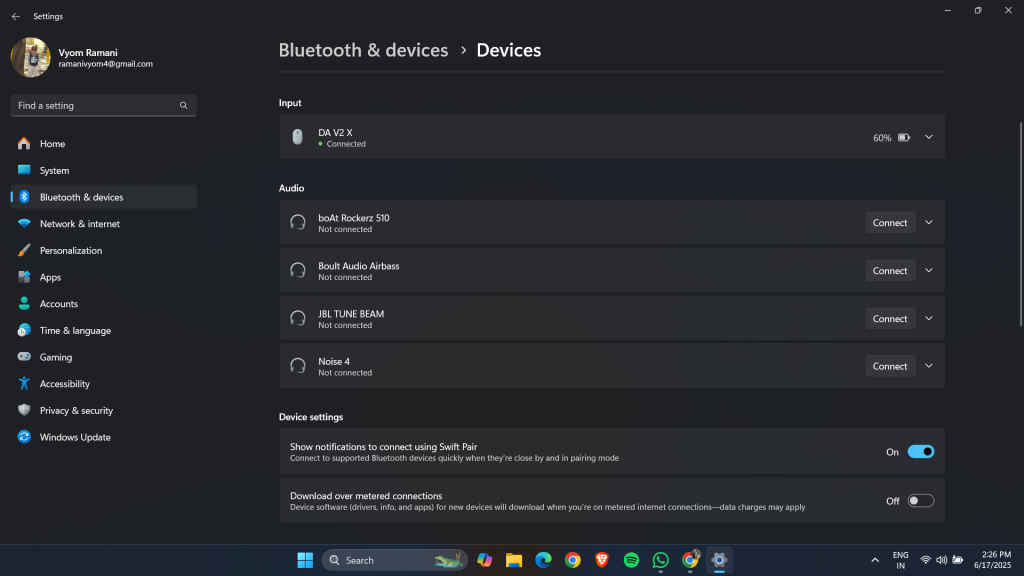
Behind the scenes, the AI parses your prompt, identifies the system setting you’re referring to, even if you’re not using Microsoft’s exact phrasing, and executes it with your permission. You are always in control. It asks before acting, never silently flipping switches. There’s a balance between assistance and autonomy that Microsoft seems intent on preserving, for now. But the larger shift is clear: settings are no longer just a panel buried in your Start menu. They’re part of a conversation.
It knows what you are looking at
One of the most futuristic features is its screen awareness. This is where Copilot’s evolution starts to feel less like a utility, and more like a collaborator.
Let’s say you’re editing a photo in the Photos app. The AI can recognize the image context and offer to “relight” the photo or enhance it. Or if you’re reviewing a PDF, it can summarize it or pull out key information.
It’s what Microsoft is calling a contextual AI. One that sees what you see and tailors help based on that. You no longer have to tell your computer where you are or what you’re doing. It already knows.
And yes, this has implications: for privacy, for security, for how users trust their devices. But Microsoft says everything is processed locally on-device, atleast for now. In the long run, this level of awareness hints at where computing is headed: away from apps and windows, and toward ambient intelligence.
Also read: Hackers successfully attacked an AI agent, Microsoft fixed the flaw: Here’s why it’s scary
It takes real action, not just suggestions
This isn’t just some smarter Clippy. In previous iterations, Copilot and other AI tools offered answers. Now, it does the thing itself.
Think of it like voice commands, but AI-powered and far more flexible. You’re not memorizing phrases. you’re just expressing intent, and letting the system figure out how to get there. That includes turning on accessibility features, connecting to networks, adjusting volume, brightness, and navigating you to settings you didn’t even know existed
The result is a Windows experience that feels more fluid, more natural, and a lot less like you’re babysitting the OS.
Why this moment is an important one
On the surface, this update may feel small. It is just a helper for settings, some smarter tools and a bit of automation. But under the hood, it’s the foundation for something much larger.
Microsoft is positioning Windows not just as an operating system, but as a platform for AI agents and the settings agent is just the first.
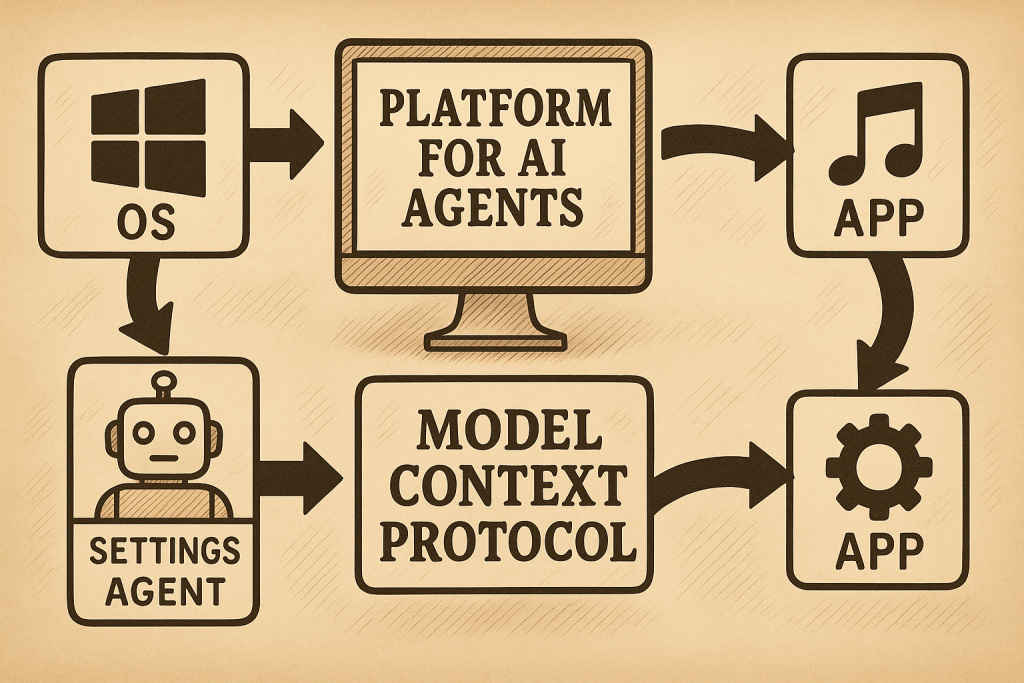
Through initiatives like the Model Context Protocol (MCP), Microsoft wants other apps and developers to create their own agents, ones that can communicate with each other, access shared context, and work together on your behalf. Think of it as an ecosystem where your word is the interface.
We have seen hints of this already. Paint now has AI-assisted fills, Snipping Tool can extract text from screenshots, Notepad can generate summaries or draft content, File Explorer understands what you’re clicking on and suggests actions.
Right now, this AI agent is limited to Copilot+ PCs with Snapdragon X chips. That’s partly a power decision, these devices have the NPU horsepower to run AI locally. But it’s also a way to test the waters. Intel and AMD support is expected later this year, especially with the Windows 11 24H2 update. Once that happens, this agent functionality could become the way most people interact with their PCs. You will still have menus, of course. But like the command line before them, they might fade into the background being useful, but optional.
This isn’t about making Windows smarter. It’s about making you faster, less frustrated, and more focused. It’s about removing the friction between intent and action. In a world drowning in features, maybe the smartest thing your computer can do is know when to get out of your way and just do the thing.
Also read: AI Factories to Agentic Web: NVIDIA and Microsoft’s vision for Future of AI


