
Microsoft Edge’s Copilot Mode explained: Experimental feature with AI agent
 Follow Us
Microsoft Edge Copilot Mode brings AI assistance directly into browsing.
Smarter web surfing with Microsoft Edge’s new AI Copilot feature
Use Copilot Mode to compare tabs, summarize, and automate tasks


Picture this: It’s a typical Tuesday morning, and you, a busy project manager, are juggling a dozen browser tabs comparing hotels for a team retreat, skimming reviews, and cross-referencing prices, all while your inbox pings with urgent requests. Frustrated by the digital chaos, you click a small, glowing icon in Microsoft Edge’s address bar. Instantly, the browser transforms. A sleek input box replaces your cluttered new tab page, and a friendly AI voice asks, “How can I help?” Welcome to Copilot Mode, Microsoft’s bold leap into the future of browsing, launched on July 28, 2025.
 Survey
Also read: Microsoft Edge gets AI upgrade with launch of Copilot Mode: What it is and how it works
A smarter way to surf
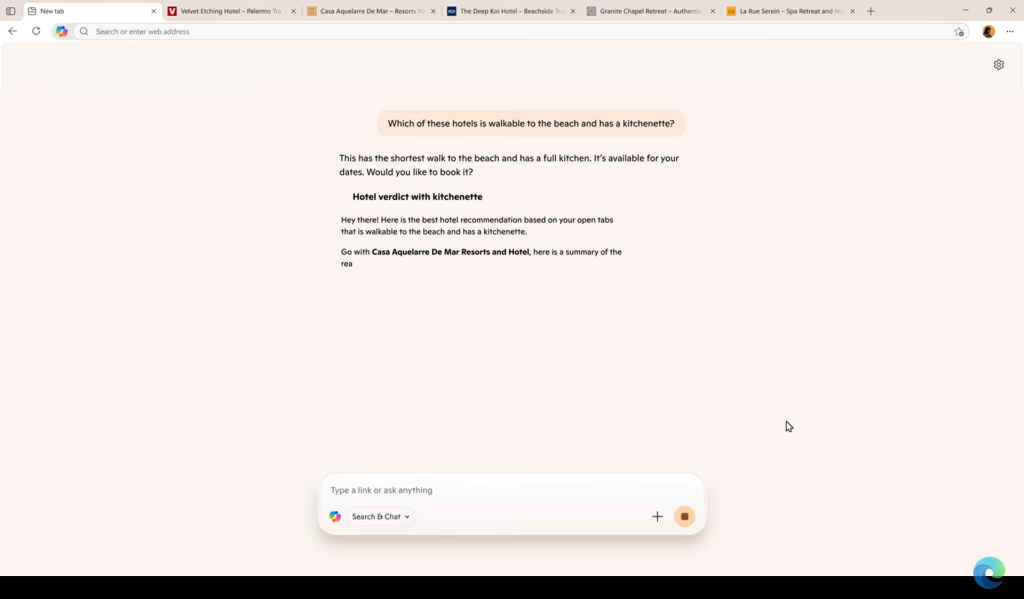
Copilot Mode, an experimental feature now in preview for Windows and Mac users, isn’t just another browser update, it’s a reinvention of how we interact with the web. Powered by Microsoft’s Copilot AI, this opt-in mode turns Edge into a proactive partner that anticipates your needs, streamlines tasks, and cuts through the noise of endless tabs. Available for free during its trial phase in regions where copilot operates, it’s a glimpse into a world where your browser doesn’t just display information, it thinks alongside you.
You type, “Compare these hotel options,” into the Copilot interface. With your permission, the AI scans your open tabs, pulling prices, amenities, and reviews into a neat summary. No more frantic tab-switching or copy-pasting. Want to go hands-free? You can say, “Find me easy pasta recipes with tomatoes and garlic for tonight,” and Copilot scours the web, suggesting dishes based on ingredients you already have. It’s like having a personal assistant embedded in your browser.
At the heart of Copilot Mode is its ability to understand context across multiple tabs, a feature Microsoft CEO Satya Nadella calls “multi-tab RAG” (Retrieval-Augmented Generation). Whether you’re researching a thesis or planning a trip, Copilot analyzes open pages to deliver tailored insights. For instance, a student comparing research papers can ask Copilot to highlight key differences, while a shopper can get a side-by-side breakdown of product specs from different sites.
Also read: Microsoft Edge’s Copilot gives it an advantage over Google Chrome: Here’s how
The interface is elegantly simple. Activate Copilot Mode via aka.ms/copilot-mode or Edge’s settings (edge://flags for the tech-savvy), and your new tab page becomes a single, powerful input box. Type or speak your request – whether it’s navigating to a site, summarizing content, or converting units – and Copilot responds instantly. A dynamic sidebar or address bar icon keeps the AI at your fingertips, with clear visual cues when it’s active.
Beyond browsing: Task automation
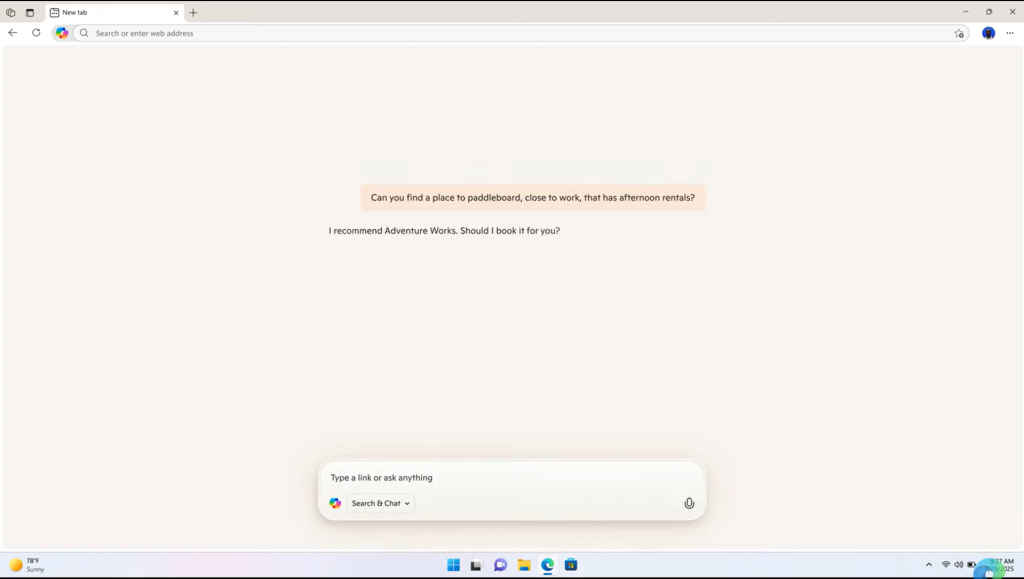
Copilot Mode isn’t just about smarter searches; it’s about getting things done. Need to translate a webpage? Done. Want to summarize a lengthy article? Easy. Future updates promise even more, like booking reservations or organizing errands, pending user consent for accessing browsing history or credentials. Microsoft envisions “task journeys,” where Copilot organizes your browsing history into topic-based workflows, think curated tutorials for a DIY project or a step-by-step guide for planning a wedding.
Microsoft is treading carefully. Copilot Mode is fully opt-in, requiring explicit permission to access tabs, history, or credentials. Transparent indicators ensure you know when the AI is watching. While Microsoft adheres to strict privacy policies, limiting data use to improve the experience, some users may hesitate at the idea of an AI peering into their browsing habits, especially as future features like credential access roll out.
The bigger picture
Copilot Mode is still in its early days, and its experimental nature means occasional hiccups. Complex queries might need refining, and the feature’s full potential that could include integration with OpenAI’s GPT-5 for a “Smart” mode or advanced automation awaits future updates. For now, it’s free, but whispers of a Copilot Pro subscription post-preview suggest costs may come.
In a world where Browser Company’s Dia, Perplexity’s Comet, and Opera’s Neon are vying for AI browser supremacy, Copilot Mode is Microsoft’s bid to redefine browsing. Unlike standalone tools like ChatGPT Agent, Edge’s native integration offers real-time tab visibility, seamlessly tying into the Microsoft ecosystem like Microsoft 365 for work or Azure for developers. It’s a direct challenge to Google’s dominance and a nod to the growing trend of AI-first browsers.
Also read: 5 features that make Microsoft Edge a better browser than Google Chrome


