
BenQ EX271U Review: Console-first, ready for more
 Follow Us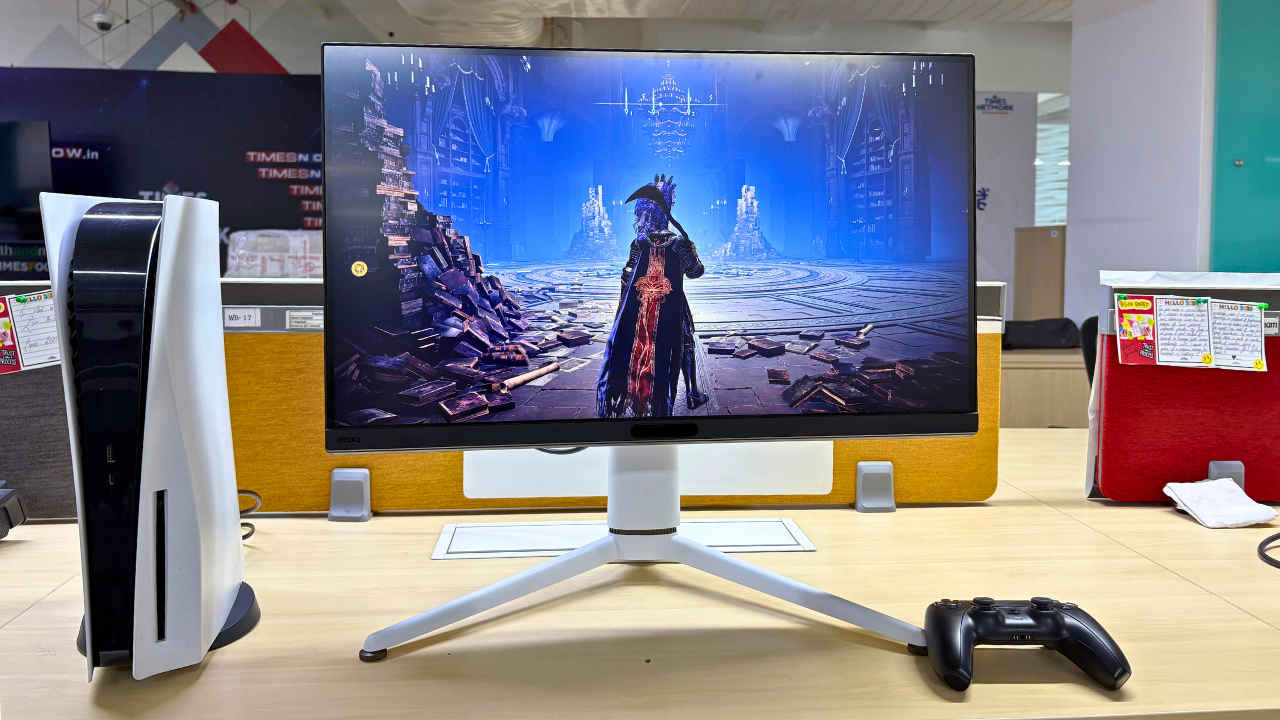

The BenQ Mobiuz EX271U makes an interesting pitch. It targets a specific audience, which is console gamers seeking a 4K display with HDMI 2.1 support, a decent HDR experience, and some conveniences for living room setups. Priced at Rs. 49,998 in India, the EX271U is certainly not a budget monitor. But when viewed through the lens of its closest competitors, including Sony’s Inzone M9, Alienware’s AW2723DF, or Philips’ Momentum series, it actually comes across as a value-packed purchase. Let’s dig into what makes the EX271U a standout option and where it lands with a bit of compromise.
 Survey
BenQ Mobiuz EX271U Spec
- Display: 27-inch, 4K UHD (3840 x 2160), 16:9, IPS, Matte finish, 165Hz
- Design: Tilt: -5˚ – +15˚, Swivel: ±15˚, Pivot: +90˚, Height Adjustment: 100 mm
- VESA mount: 100 x 100 mm supported
- Connectivity: 2x HDMI 2.1 (1 with eARC), 1x DisplayPort 1.4, 1x USB Type-C (Power Delivery 65W, DisplayPort Alt Mode, Data), 1x USB Type-C Upstream (USB 3.2 Gen 1), 3x USB Type-A Downstream (USB 3.2 Gen 1, 4.5W), 1x USB Type-C Downstream (USB 3.2 Gen 1, 7.5W)
- Supported Colour modes: sRGB, DCI-P3, DisplayHDR, Cinema HDRi, Game HDRi, Cinema, Sci-fi HDRi, Realistic HDRi, Fantasy HDRi, Sci-fi, Realistic, Fantasy, Gamer 1, Gamer 2, Gamer 3
- Speakers: 2W x 2 + 5W Subwoofer, treVolo Audio
- Certification: TÜV Eye Comfort 2.0, Flicker-free, Low Blue Light (Hardware Solution), VESA DisplayHDR 400, AMD Freesync Premium
- Price: Approx. ₹49,998 (Buy Now)
Design and Build
The Mobiuz EX271U makes a confident impression. The angular lines and sharp aesthetic reflect its gaming pedigree, but BenQ has kept things tasteful. Unlike some RGB-laden panels, this one manages to strike a balance between style and subtlety. It looks at home in both a gaming den and a minimalist living room.
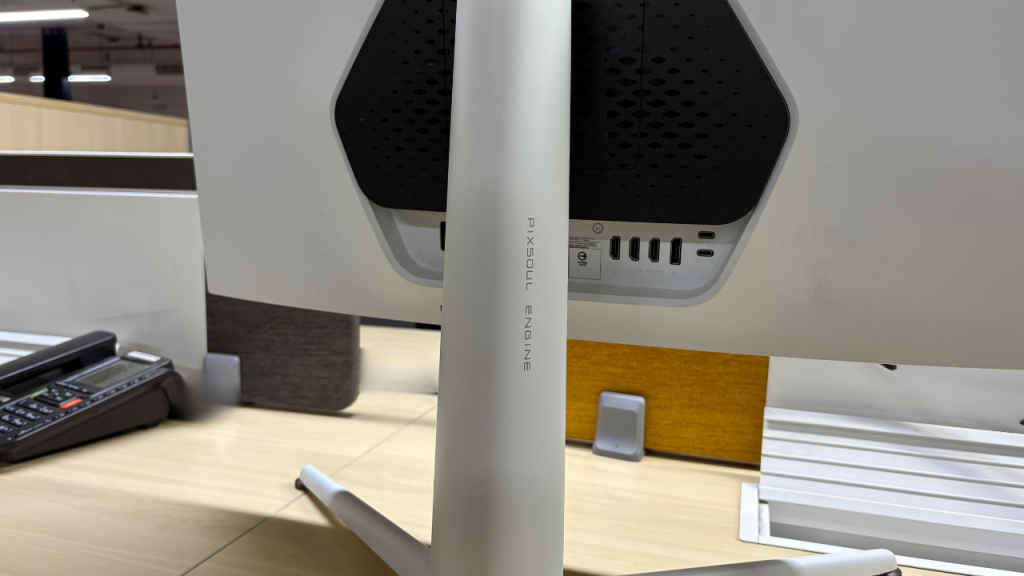
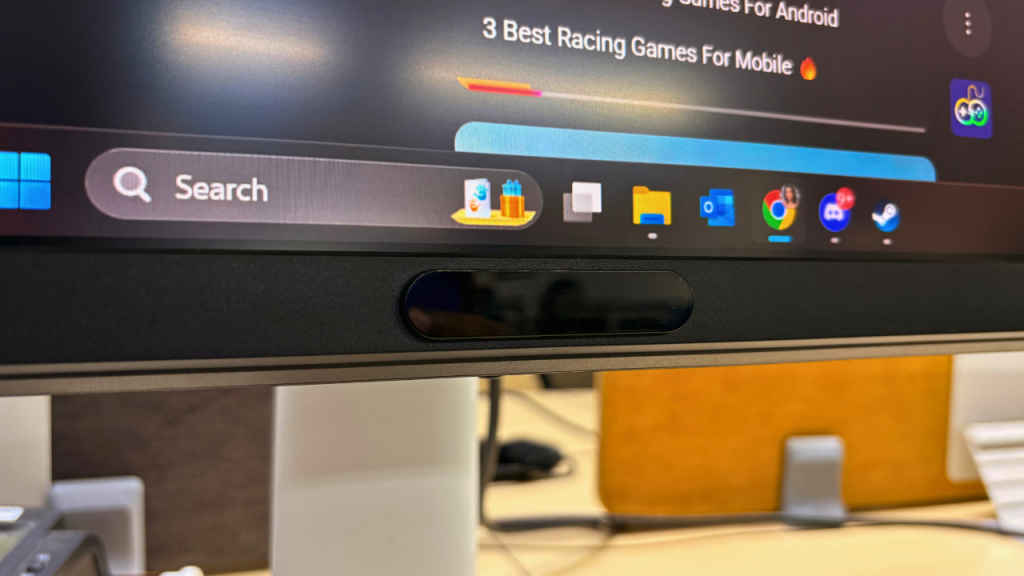
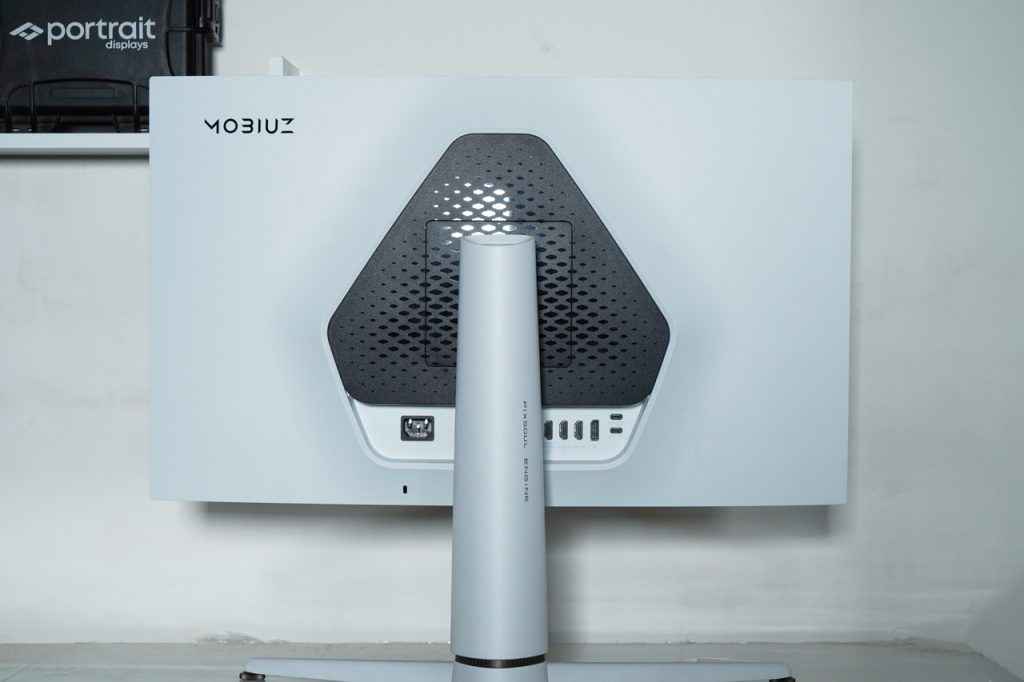
The build quality feels premium, especially the matte metallic finish around the base and rear panel. The stand is functional, with height, tilt, and swivel adjustments – nothing extravagant, but enough to make ergonomic positioning easy.
And yes, all the ports you’ll want are here: dual HDMI 2.1 ports, DisplayPort 1.4, four USB-A downstream ports, and a headphone jack. With HDMI 2.1, the EX271U natively supports 4K at 120Hz with Variable Refresh Rate (VRR), a crucial inclusion for console players using the PS5 or Xbox Series X.
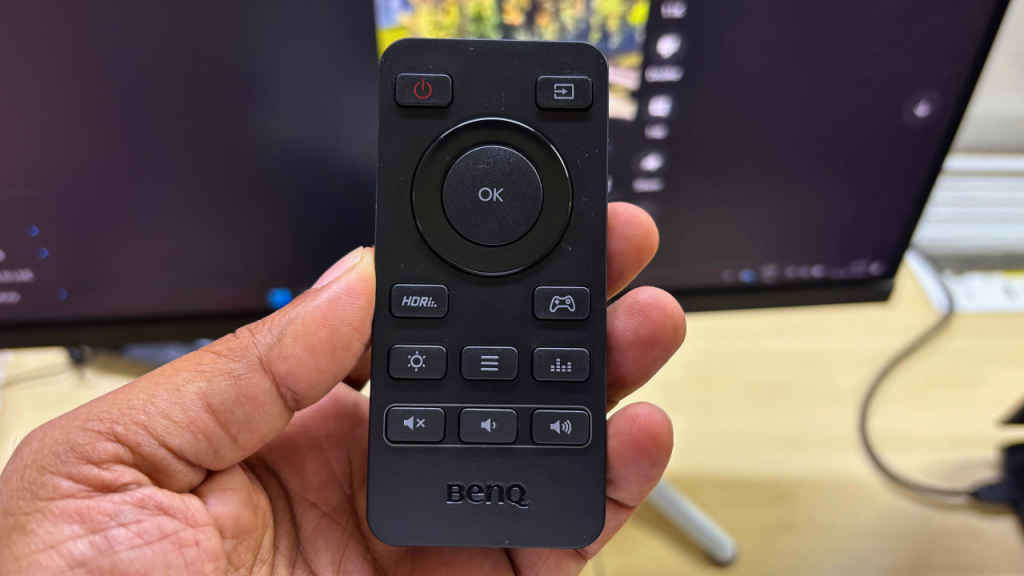
A notable addition is the dedicated remote control. It lets users control volume, toggle FPS counters, switch inputs, and adjust settings without touching the monitor, which is an advantage in couch or bedroom setups and enhances ease of use in console-centric contexts.
Display and Gaming Performance
The BenQ MOBIUZ EX271U walks a fine line between accuracy and indulgence and that’s precisely its strength. BenQ uses a good-quality 10-bit IPS LCD panel with 4K resolution.
For viewers who value creators’ intent, it ships with some accurate presets. For gamers, it isn’t afraid to punch up the saturation, elevate contrast, and throw in a dash of its own interpretation. And frankly? It’s all the better for it.
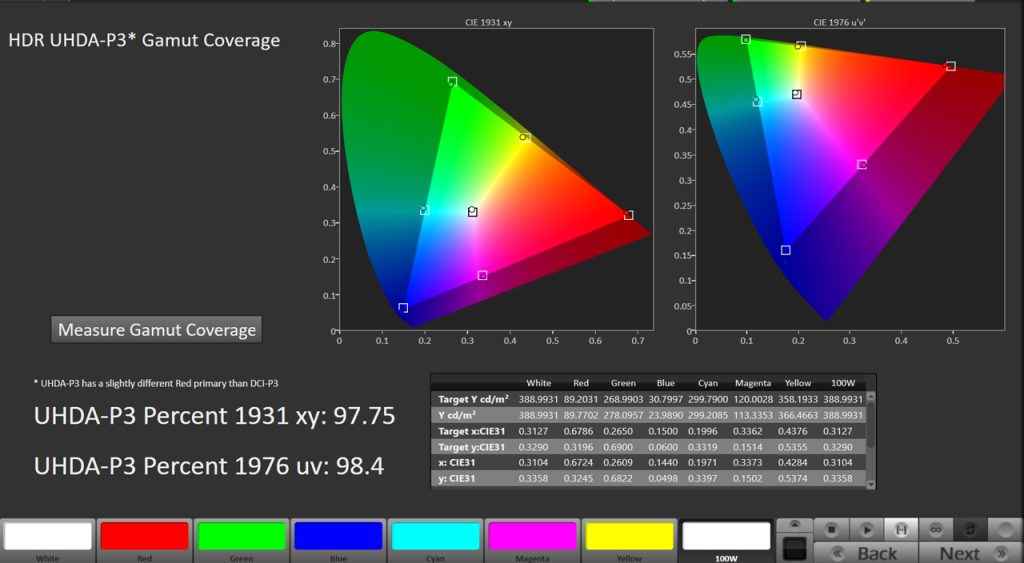
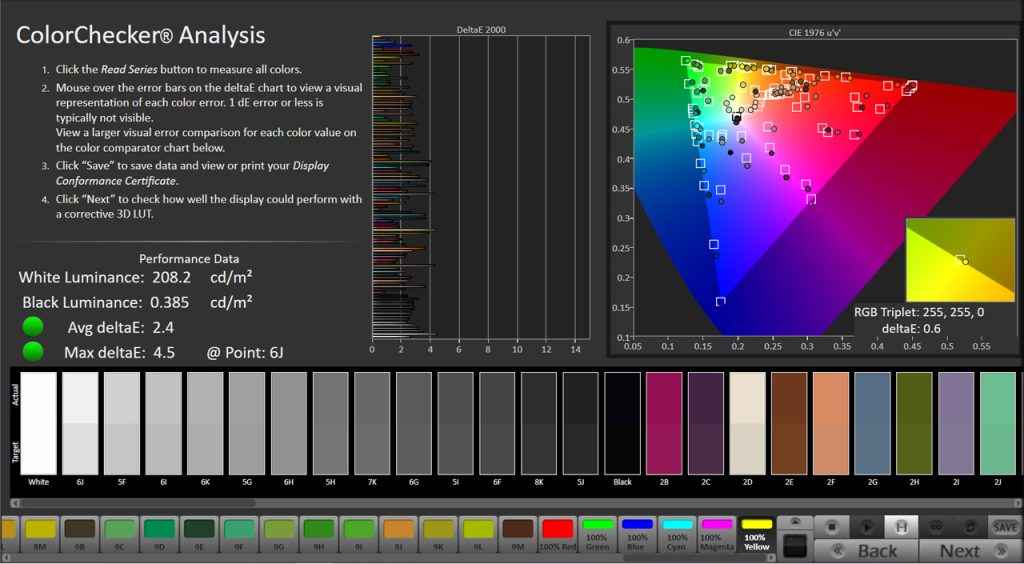
During the Calman colour testing, we found that in its accurate modes – sRGB, DCI-P3, and DisplayHDR – the EX271U delivers dependable colour results. We recorded 100% sRGB coverage with a 2.4 average Delta E, 98% DCI-P3 with a 2.6 Delta E, and even HDR mode came in with a 3.0 Delta E. That’s plenty accurate for serious work, and the white point stayed tightly grouped around D65.
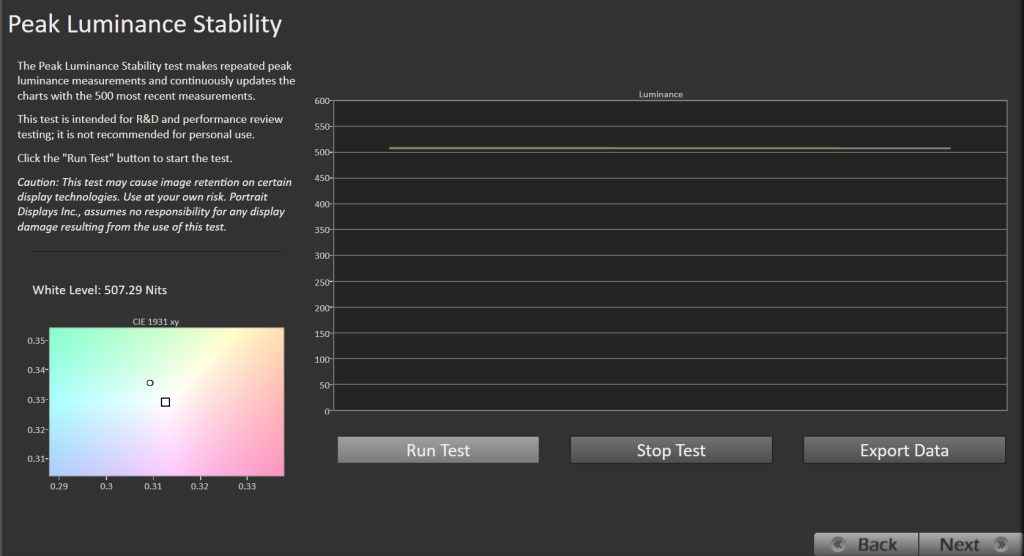
The monitor is DisplayHDR 400 certified. In Cinema HDR mode, the panel peaked at just over 500 nits, while most other modes hovered around 400. That’s respectable for an IPS panel in this class. BenQ uses the term HDRi instead of HDR, which means intelligent HDR experience. The monitor can optimise the HDR experience based on the ambient lighting and conditions. This makes sense, and we believe it is important for the best HDR experience for most people. From what we can tell with our perceptual testing, BenQ does a good job of optimising HDR.
The EX271U leans hard into custom visual tuning with a trio of genre-based presets: Realistic, Fantasy, and Sci-Fi. Each is tailored to a type of game, with unique tuning profiles that reflect how those genres are typically styled.
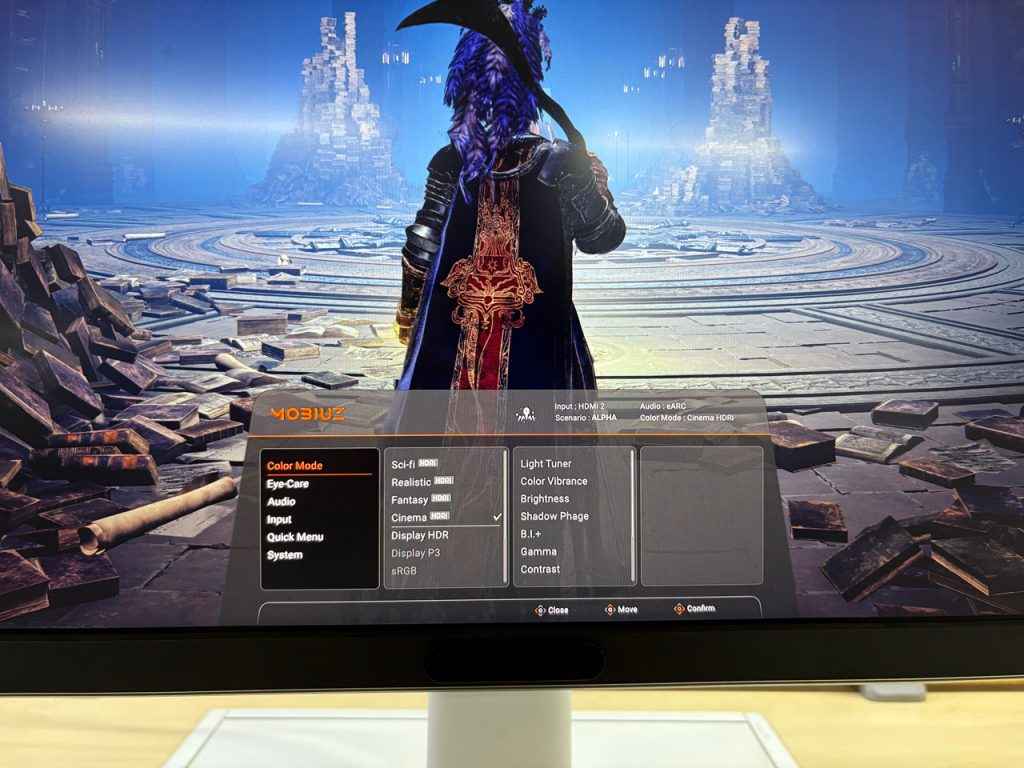
For example, Realistic mode enhances earthy tones and dynamic contrast for games like Red Dead Redemption 2 or Call of Duty, while Fantasy mode lifts saturation and contrast to give titles like The Witcher 3 or Elden Ring that mystical glow. Sci-Fi mode dials up the vibrancy and cool tones for futuristic shooters like Destiny 2 or Dead Space. The presets feel thoughtfully tuned and provide a nice visual identity for each genre.
Under the hood, these modes are powered by PixSoul, BenQ’s always-on image engine. It dynamically adjusts color, brightness, and contrast using a game-specific database and ambient light detection. You don’t get the option to turn it off, which might bug purists, but in real-world usage it mostly helps.
It’s complemented by AI Contrast, which zones the screen and tweaks shadow/highlight detail in real time, and Light Tuner plus Color Vibrance, which offer additional layers of control if you’re the kind of player who likes to tinker.
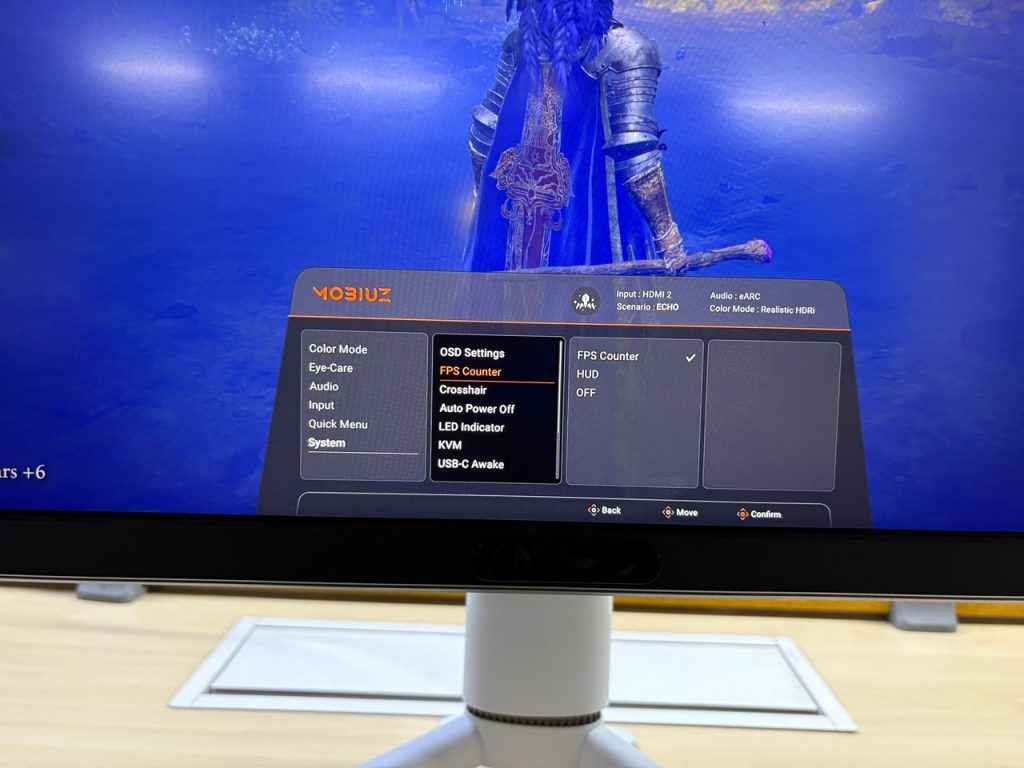
Console players also get dedicated platform presets—Switch (Beta), PS5 (Alpha), and PC (Delta)—each with their own tuned parameters. Combined with tools like Color Shuttle, which lets you download and share colour profiles from streamers or game devs, BenQ makes a strong case for visual customisation being part of the fun.
In terms of contrast, I measured an ANSI checkerboard contrast of 1350:1. That’s above average for an IPS panel and enough to create meaningful separation between shadow and midtone areas.
PC gaming and productivity
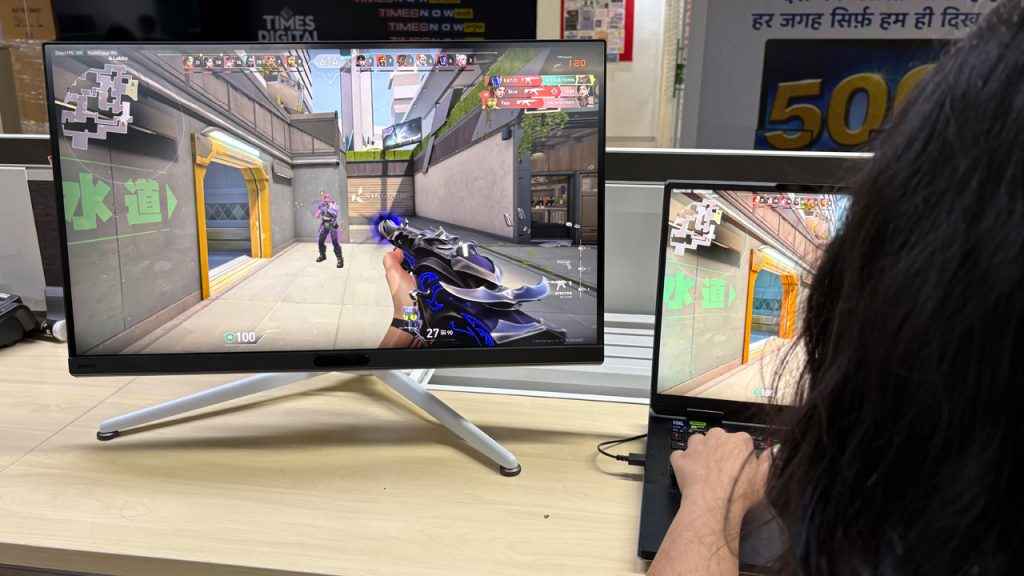
For PC gaming, the EX271U also supports 165Hz refresh rate over DisplayPort, with FreeSync Premium and 1ms GtG response time. These specs place it among the better-performing IPS monitors in its class, and in fast-paced shooters or racing games, the difference is noticeable. Input lag is low, and motion handling is acceptable, though not perfect. Minor ghosting may still be visible in darker transitions.
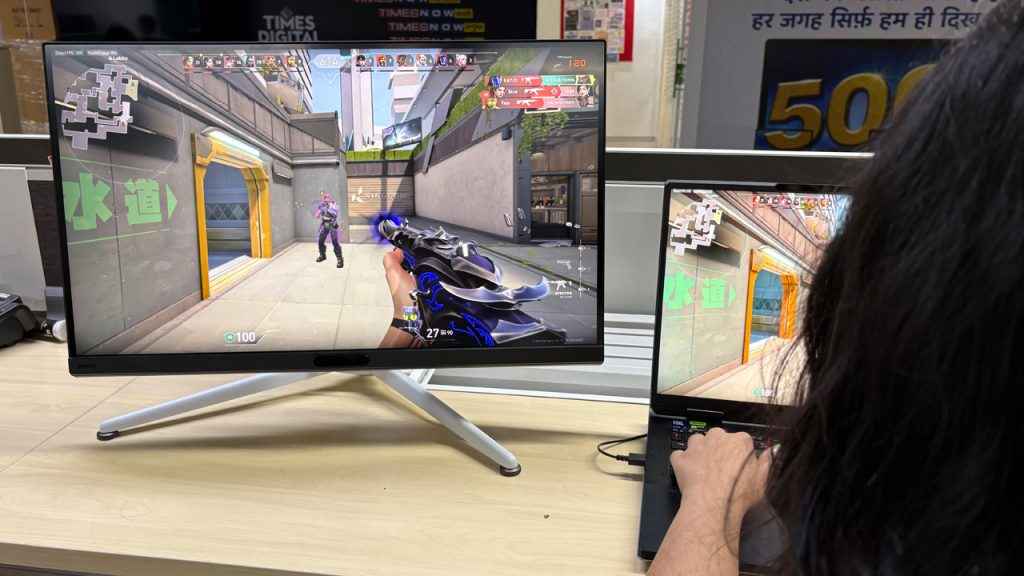
That said, in the PC gaming space, this monitor faces tougher competition. Models like the Gigabyte M28U or LG 27GP950 offer similar specs and often retail at a lower price. Those displays may lack some of the EX271U’s console-centric features, but they make up for it with faster response times or better local dimming support.
For general productivity and media tasks, the EX271U holds up well. The crisp resolution makes text and UI elements sharp, and colour uniformity is also great. Eye comfort features like Flicker-Free, Low Blue Light, and Brightness Intelligence+ are all present, and TÜV Rheinland certifications support BenQ’s claims about long-session usability.
The monitor doesn’t include built-in speakers, but with HDMI eARC support, you can connect Hi-Fi external speakers, and serious gamers or media consumers will anyway want to plug in external audio gear.
Should you buy it?
The BenQ Mobiuz EX271U occupies a somewhat unusual space. It’s not trying to win spec wars, and it doesn’t chase raw performance. Instead, it leans into a focused user experience, particularly for console gamers who prioritise convenience, vibrant visuals, and ease of use.
Its strengths lie in its tuned presets, well-implemented HDMI 2.1 support, and user-friendly additions like the remote control and HDRi system. Colour accuracy, when using the appropriate modes, is also quite good. In the gaming presets, the panel’s visual output is very engaging, if not strictly accurate in every scenario. This indeed makes gaming fun for me.
That doesn’t mean it’s for everyone. If you’re a competitive PC gamer, a creative professional seeking reference-level calibration, or someone on a tight budget, there are more suitable choices out there.
Still, for the user it’s designed for, someone who games primarily on a console and occasionally on PC, the EX271U presents a well-rounded, thoughtfully constructed package that we quite liked.


