
Gaming peripherals 101: The science and feel of mechanical switches
 Follow Us
Mechanical switches shape gaming precision through physics, feel, and keystroke responsiveness
Cherry MX lineup defines reliability with linear, tactile, clicky, and silent options
Hot-swappable keyboards simplify repairs, customization, and future-proofing for every gamer’s setup
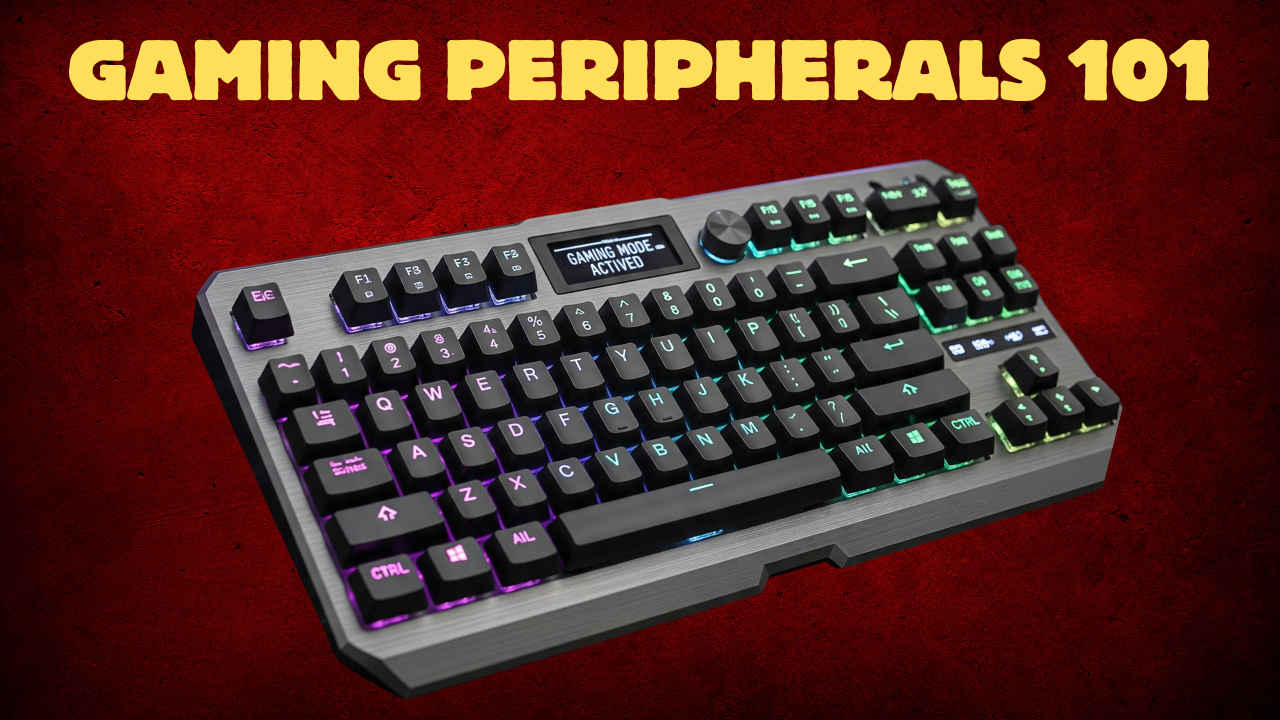

In the competitive world of PC gaming, where split-second decisions and lightning-fast reactions separate victory from defeat, every component of your setup matters. While a high-end graphics card and a lightning-fast monitor are crucial, the bridge between you and the virtual world – your keyboard – often goes overlooked. The true soul of a high-performance mechanical keyboard isn’t its flashy RGB lighting, but the intricate mechanical switches nestled beneath each keycap. These tiny, precision-engineered components dictate everything from the feel and sound of your keystrokes to the speed and accuracy of your commands.
 Survey
Understanding the science behind mechanical switches is the first step on the journey to finding your perfect gaming companion. This explainer will demystify the key types of switches – linear, tactile, and clicky – and provide a deep dive into the industry standard, Cherry MX, and its diverse color-coded lineup.
Also read: Gaming Peripherals 101: How to choose the correct display
The fundamental physics of the keystroke
At its core, a mechanical switch is a self-contained mechanism with a stem, a housing, a spring, and two metal contact leaves. When you press a key, the stem pushes down, causing the two metal leaves to touch. This completes an electrical circuit, sending a signal to your computer that a key has been pressed. The point at which this circuit is completed is called the actuation point. The way the stem and spring interact with the housing and contact leaves determines the feel and sound of the switch.
Mechanical switches can be broadly categorized into three main families, each offering a distinct user experience.
- Linear Switches: The simplest and most direct of the three, linear switches provide a smooth, consistent keystroke from the very top of the press to the bottom. There are no bumps or audible clicks to indicate actuation. The key press feels uniform and effortless – smooth, fluid, and free of any tactile feedback. They are generally quiet, making them ideal for shared spaces or streaming. Best for fast-paced, competitive gaming, the lack of a tactile bump allows for rapid, effortless double-taps and quick actuation, which is crucial in games like first-person shooters (FPS) and rhythm games.
- Tactile Switches: The “goldilocks” option, tactile switches are designed with a small bump partway through the keystroke. This bump provides physical feedback, letting your finger feel the exact moment the key has actuated. It’s a subtle but powerful piece of information for touch typists and gamers alike. They have a distinct, reassuring bump you can feel on your fingertip and are noticeably louder than linear switches, but much quieter than their clicky counterparts. Best for a balanced experience of typing and gaming. The tactile bump can improve typing accuracy by providing confirmation of a keypress without the need to “bottom out” the key. Many gamers also appreciate this feedback, as it reduces the chance of accidental presses while still allowing for quick action.
- Clicky Switches: The most divisive and audible of the bunch, clicky switches are known for both their tactile bump and a sharp, audible “click” sound. This click is usually generated by a separate component within the switch’s mechanism, often a “click jacket,” that snaps into place at the actuation point. You can feel a distinct tactile bump combined with a sharp, satisfying click – loud and crisp. They are the loudest of the three main types and best for typists and users who crave definitive auditory and physical feedback. The combination of feel and sound provides a satisfying experience for long typing sessions, making them a favorite in office environments (if noise isn’t an issue). For gaming, the loud sound can be distracting, but some players prefer the ultimate confirmation of a keypress.
The Godfather of switches: Cherry MX
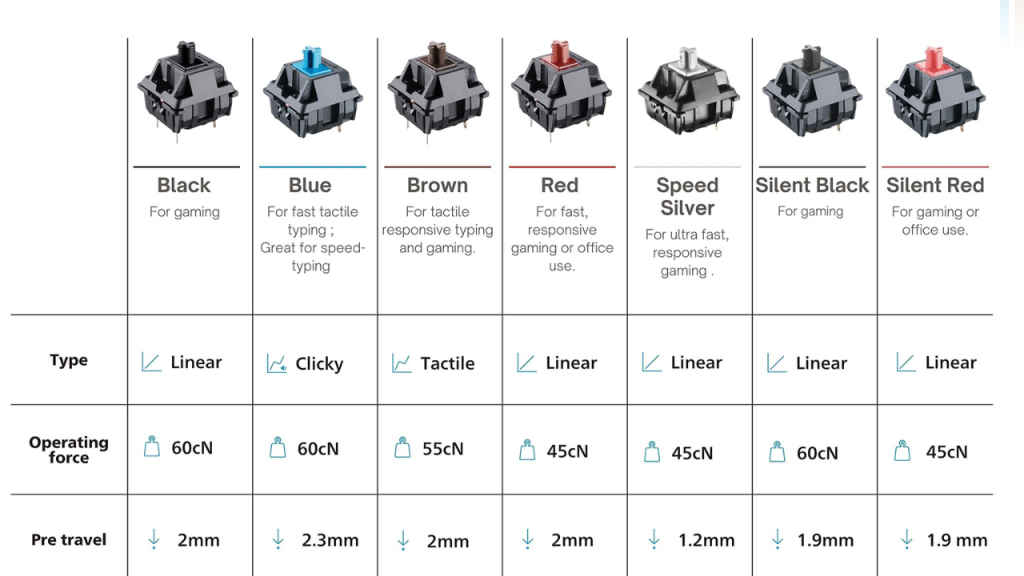
In the world of mechanical keyboards, the name Cherry MX is synonymous with quality and reliability. Founded in Germany in 1953, Cherry GmbH set the standard for modern mechanical keyboard switches. Their iconic color-coded system is the industry benchmark, and many other manufacturers, from Gateron to Kailh, have adopted similar color schemes for their own switches.
Also read: Gaming peripherals 101: Perfecting headsets for immersion and competition
- Cherry MX Red (Linear): The king of gaming switches. Cherry MX Red is a lightweight linear switch with a low actuation force, making it incredibly fast and easy to press repeatedly. Its smooth motion is perfect for rapid fire and quick response times in gaming. It’s the go-to for many professional gamers.
- Cherry MX Brown (Tactile): Often considered the perfect all-rounder. MX Browns provide a gentle, non-audible tactile bump that offers confirmation of a keypress. This makes them excellent for a blend of typing and gaming, as they are quiet enough for most environments while still providing useful feedback.
- Cherry MX Blue (Clicky): The quintessential clicky switch. MX Blues have a sharp tactile bump and a distinct, loud click at the actuation point. This provides maximum feedback, which is satisfying for typists who appreciate the aural confirmation of each keystroke.
- Cherry MX Black (Linear): A stiffer and heavier version of the MX Red. MX Black switches require more force to actuate, which can help prevent accidental key presses during intense gameplay. Like the Red, it’s a smooth linear switch with no tactile or auditory feedback.
- Cherry MX Speed Silver (Linear): Engineered for pure speed. MX Speed Silver switches have a shorter travel distance and actuation point than the standard MX Red. This allows for lightning-fast keystrokes, making them a favorite among competitive gamers where every millisecond counts.
- Cherry MX Silent Red (Silent Linear): Designed for quiet operation. MX Silent Red switches are based on the MX Red but feature integrated sound dampeners within the switch itself, significantly reducing the noise of the keypress. They retain the smooth, linear feel of the standard MX Red but are perfect for shared living spaces or late-night gaming sessions.
- Cherry MX Silent Black (Silent Linear): The silent counterpart to the MX Black. These switches combine the heavier actuation force of the MX Black with the noise-dampening features of the Silent Red. This makes them a great choice for users who prefer a heavier linear switch but need a quieter experience.
Hot-swappable keys
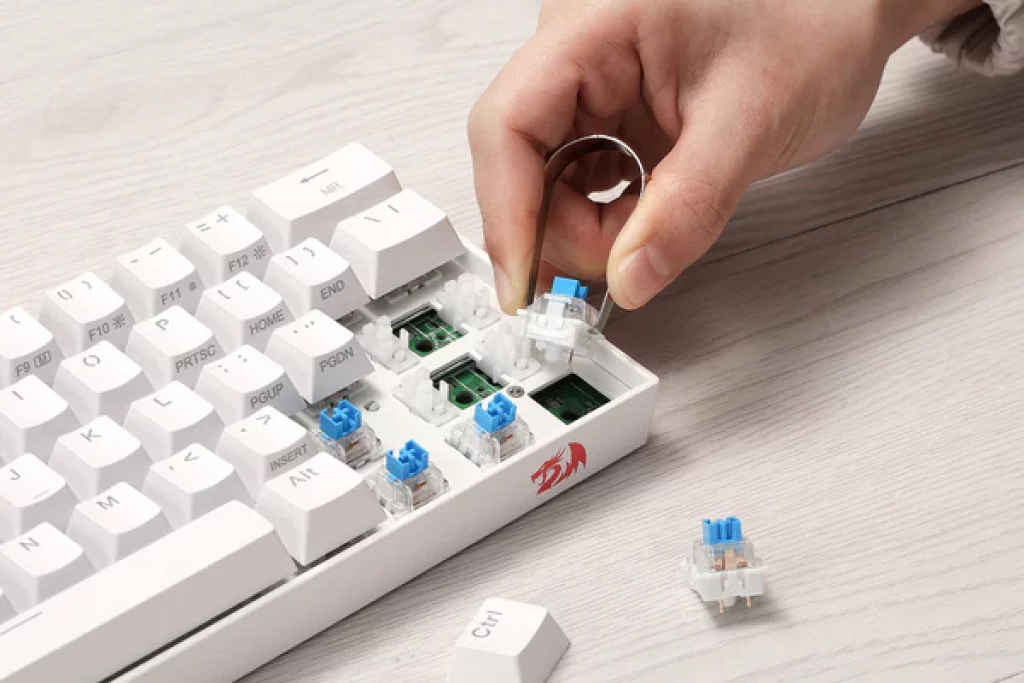
In the past, switches were permanently soldered to the keyboard’s circuit board, making customization a difficult and risky endeavor. If you wanted to change your switches, you had to desolder the old ones and solder new ones, a process requiring specialized tools and a steady hand.
Enter the hot-swappable keyboard. This revolutionary feature allows you to change switches without any soldering. Using a simple switch puller tool, you can easily remove a switch and pop a new one into the socket. This has opened up a world of possibilities for keyboard enthusiasts and gamers alike.
- Ultimate Customization: Mix and match different switch types on a single keyboard. Use linear switches for your gaming keys (WASD) and tactile switches for the rest of the board.
- Easy Maintenance: If a switch becomes faulty or “mushy” after heavy use, you can simply swap it out in seconds without having to replace the entire keyboard.
- Future-Proofing: As new and innovative switches are released, you can easily upgrade your keyboard to try them out without having to invest in a new peripheral.
Choosing the right mechanical switch is a highly personal decision, and there is no “best” option, only the best option for you. By understanding the core principles of linear, tactile, and clicky switches, and by familiarizing yourself with the classic Cherry MX lineup, you can confidently navigate the vast world of mechanical keyboards and find the perfect tool to elevate your gaming performance.
Also read: Gaming peripherals 101: How to pick gear that matches your playstyle


