

Apple Watch can now warn you about possible high blood pressure: Here’s how to use it and the list of eligible devices
 Follow Us
The feature works on Apple Watch Series 9 or later and requires an iPhone 11 or newer.
Alerts are based on 30-day heart data analysis using Apple’s optical sensor and ML models.
Users receiving an alert are advised to track blood pressure for seven days before consulting a doctor.
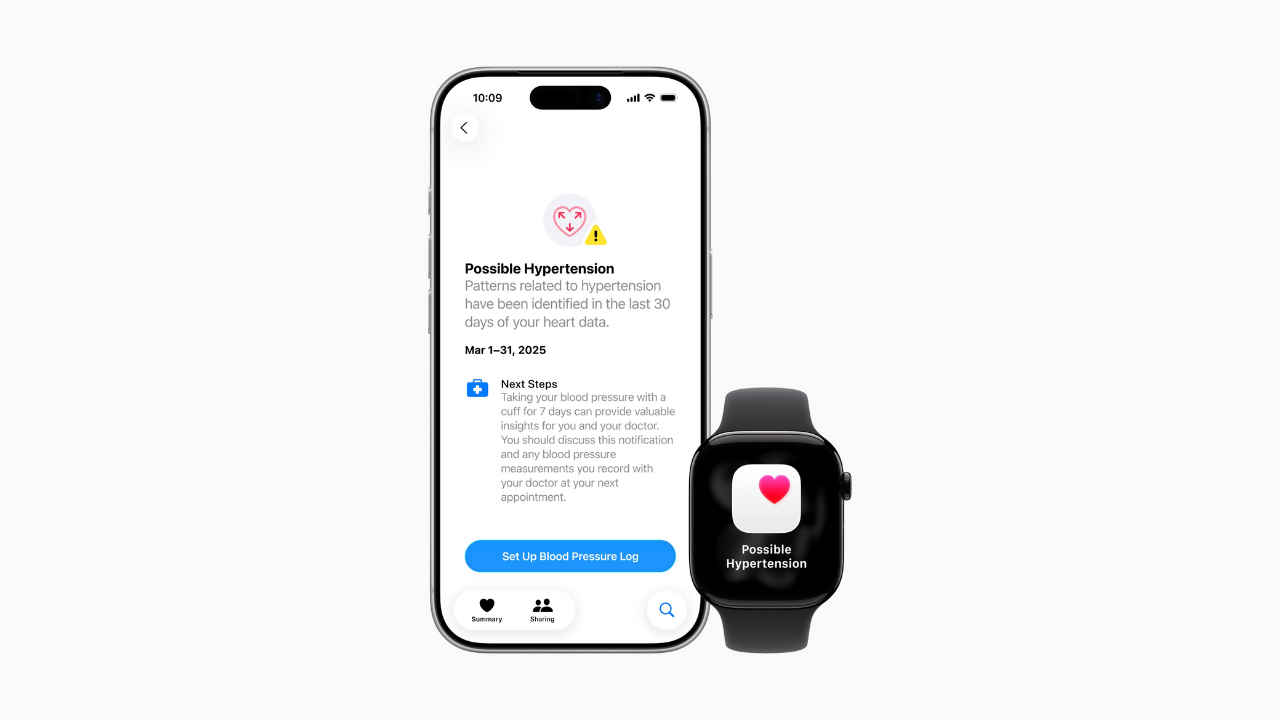

Apple has started rolling out its new hypertension notification feature for the Apple Watch users in India. With the new tool, Apple aims to alert users if their data shows patterns commonly associated with chronically elevated blood pressure, a condition that affects more than a billion adults worldwide and often goes unnoticed due to the absence of symptoms.
 Survey
The feature relies on the Apple Watch optical heart sensor to study how blood vessels respond to each heartbeat. It uses a machine learning model that operates quietly in the background and the watch analyses trends over a month-long period and flags consistent indicators of potential hypertension. The company says that it wants to give users an early warning so they can seek medical advice or adopt preventive habits before serious complications arise.
According to Apple, the system is based on extensive research, was trained using data from studies involving over 100,000 participants, and was validated in a clinical trial with over 2,000 volunteers. The company also states that while the feature is not intended to diagnose every case of hypertension, it anticipates that it will help identify more than one million people who may be living with undetected high blood pressure within the first year of launch.
Apple Watch Hypertension feature: Eligible devices
In India, Apple’s new hypertension notification feature works only on newer devices. Users will need an Apple Watch Series 9 or later, or an Apple Watch Ultra 2 or later, running watchOS 26. On the iPhone side, the requirement starts from the iPhone 11 or newer, running iOS 26. Apple also notes that the feature is designed for adults aged 22 and above, and it does not apply to pregnant users or those already diagnosed with hypertension.
How to enable feature
To enable hypertension notifications, users must first update their Apple Watch to watchOS 11 and their iPhone to the latest version of iOS. After updating, they can open the Health app on their iPhone, tap on their profile picture, navigate to Health Checklist, locate Hypertension Notifications, and turn it on. Apple also recommends wearing the Apple Watch consistently so it can gather enough data to provide accurate alerts.
According to health experts, passive monitoring could play an important role in addressing a condition that is both common and underdiagnosed. “Hypertension is one of the most common but underdiagnosed medical conditions. Integrating opportunistic detection into a device that people already use on a daily basis will democratise access to early detection and allow people to have more informed conversations with their doctors, according to professor Dorairaj Prabhakaran, executive director of the Centre for Chronic Disease Control and president-elect of the World Heart Federation.
What are the next steps after you get the alert
Users who receive an alert are advised to monitor their blood pressure with an external cuff for a week before consulting a healthcare provider, in accordance with current guidelines for confirming a hypertension diagnosis.


