
Lumio launches Project Neo public beta: Here is what it does and how to get started
 Follow Us
Lumio has launched the public beta of Project Neo
Users can search by title, actor, genre, mood or even a half-remembered plot
Nine languages are supported at launch with more to follow
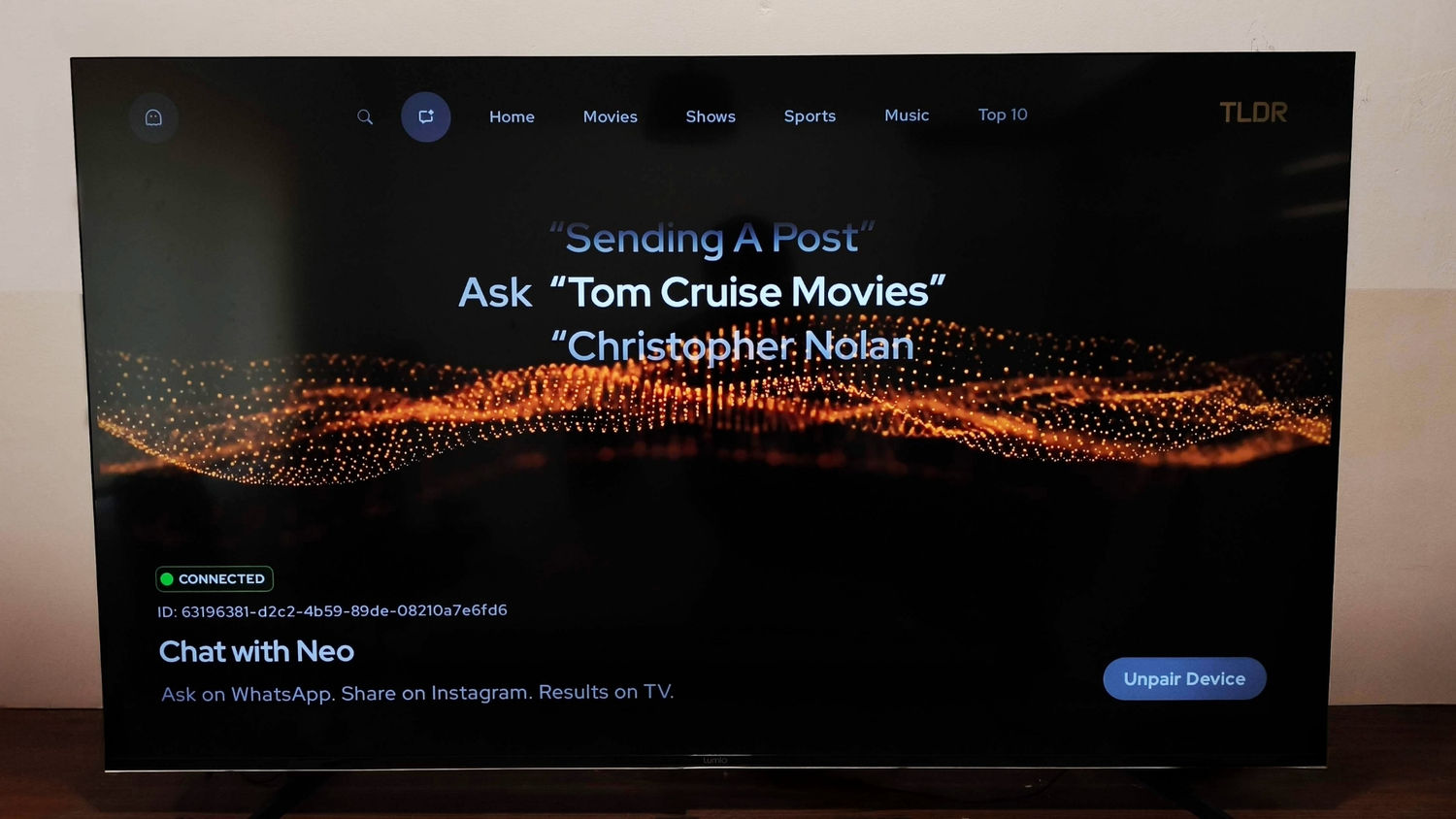

Lumio has opened public beta access to Project Neo, a content discovery feature built into its TLDR app that lets users search for and play content on Lumio Vision TVs and Arc Projectors by sending plain-language messages over WhatsApp or Instagram. The feature lets users type or voice-chat in natural language to find something to watch, without using a remote, opening a separate app or navigating a content grid. The technology is patent-pending, according to Lumio.
 Survey
The problem Project Neo is built around is that when content is discovered on phones, in conversations and social media feeds, it has to be found again on the TV by navigating menus that have no knowledge of what was just shared in a chat. “A colleague mentions a show over lunch, a friend sends a reel of the latest trailer, your wife texts you things to watch on WhatsApp. Then you sit down in front of the TV and it’s all forgotten, so you’re doomed to scroll,” said Kailash Sankaranarayanan, Co-Founder and COO of Circuit House Technologies, Lumio’s parent company. “That gap between where we discover content and where we actually watch it is exactly what Neo closes.”
Users can ask by title, actor, director, genre, mood, language or plot description and if nothing specific comes to mind, asking for recommendations surfaces trending picks from supported platforms. The Instagram integration adds a second discovery path: forwarding a reel, post, poster or screenshot to TLDR’s Neo account lets it identify the title and send it directly to the TV or projector.
“Project Neo on TLDR is proof that the biggest upgrade to the TV experience can come from software that understands people better,” said Raghu Reddy, CEO of Circuit House Technologies.
The public beta is available now through a Play Store update to the TLDR app. It is exclusively available on Lumio Vision TVs and Lumio Arc Projectors, with nine languages supported at launch: Hindi, English, Tamil, Telugu, Malayalam, Odia, Marathi and Kannada. More languages are planned and full beta access instructions and a current list of supported features are available at neo.lumiolabs.ai.
How to access Project Neo
Project Neo is available now in public beta for Lumio Vision TV and Arc Projector users in India and there is no registration or sign-up process. Here is how to access it:
- Open the Google Play Store on your Lumio device and update the TLDR app to the latest version
- Visit neo.lumiolabs.ai to get the installation information and WhatsApp or Instagram contact details for TLDR’s Neo
- Once set up, open WhatsApp or Instagram and message Neo in normal language. You can ask by title (‘play Mirzapur’), actor, director, genre (‘something thriller in Tamil’), mood (‘something light for tonight’) or even a half-remembered plot
- If you have no specific preference, simply say you are bored or ask for recommendations and Neo will surface trending picks
- For Instagram, forward any reel, post or screenshot about a film or show to Neo. It identifies the title and sends a play command to your Lumio device
- The content launches directly on your Lumio Vision TV or Arc Projector without switching apps or using the remote


