The feature is rolling out in beta in India and other markets, wider availability expected through April.
It is available in the Now Playing screen on Spotify for iOS and Android.
SongDNA shows songwriters, producers, samples, interpolations and covers related to a song.
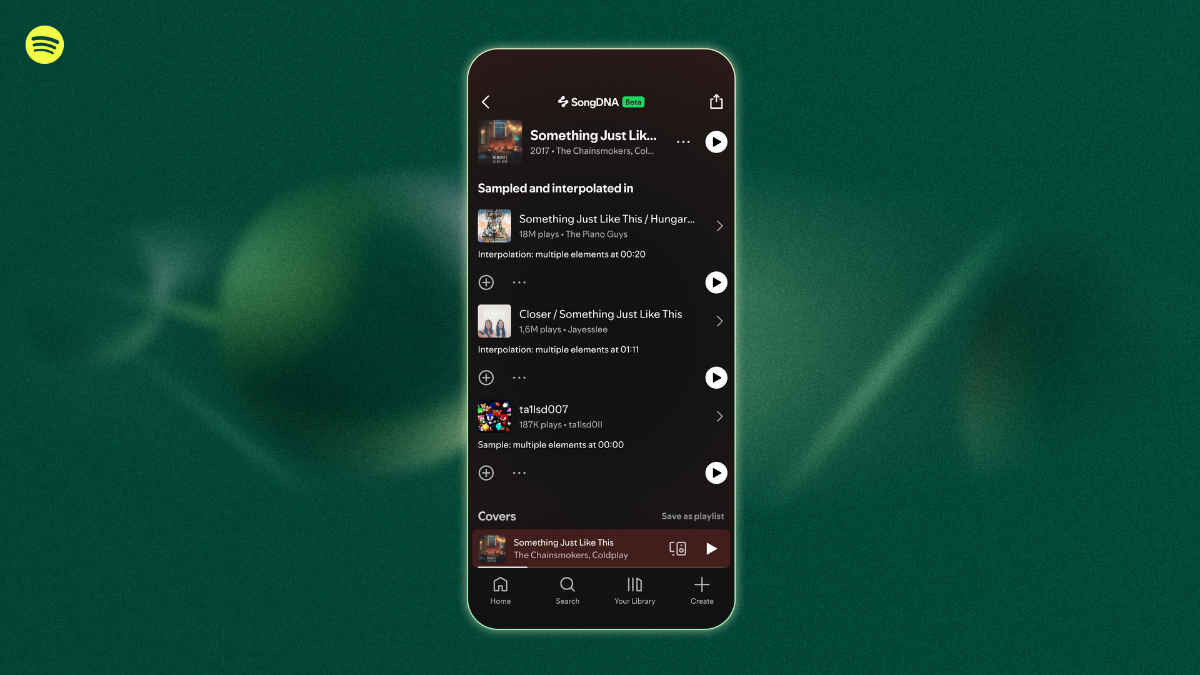
Spotify has released a new feature called SongDNA, that lets you explore the creative people and inspirations behind a song and their other collaborations. This acts as an evolution of Credits section found below songs in Spotify app as it offers more context about the journey and contributions that are often overlooked. So, if you are someone who not just like music but also like discovering the creative minds and processes involved in that, check out how you can use SongDNA in Spotify.
 Survey
Note that, SongDNA is currently rolling out in beta to premium users worldwide, including India on Spotify mobile. It will be widely available in April. If you are a paid user and still can’t find the feature, fret not, as it will be gradually reaching you.
What is SongDNA and how it works
SongDNA is a new section in Now Playing view of Spotify mobile app. Tapping it you can see the following aspects of a song:
- Collaborators: Songwriters, producers, composers and engineers behind a track
- Samples and interpolations: Tracks that influenced the sound, either directly sampled or reinterpreted
- Covers: Songs that have been re-recorded or inspired by the original
- Linked discovery: Each credited contributor is clickable, so you can find out their other works and collaborations
The feature is powered by a mix of official metadata provided by artists, labels and publishers, along with community-sourced inputs.
Also Read: Best TWS earphones under Rs 6,000 in India in 2026
Spotify says eligible artist teams can manage and verify this information through Spotify for Artists, giving them some control over how their work is represented.
Jacqueline Ankner, Head of Songwriter and Publisher Partnerships at Spotify, said the goal is to make a song’s ‘creative lineage more transparent’ while improving discovery and attribution.
How to use SongDNA
Step 1: Open the Spotify mobile app and play any supported track
Step 2: Enter the Now Playing screen
Step 3: Scroll down to locate the SongDNA card
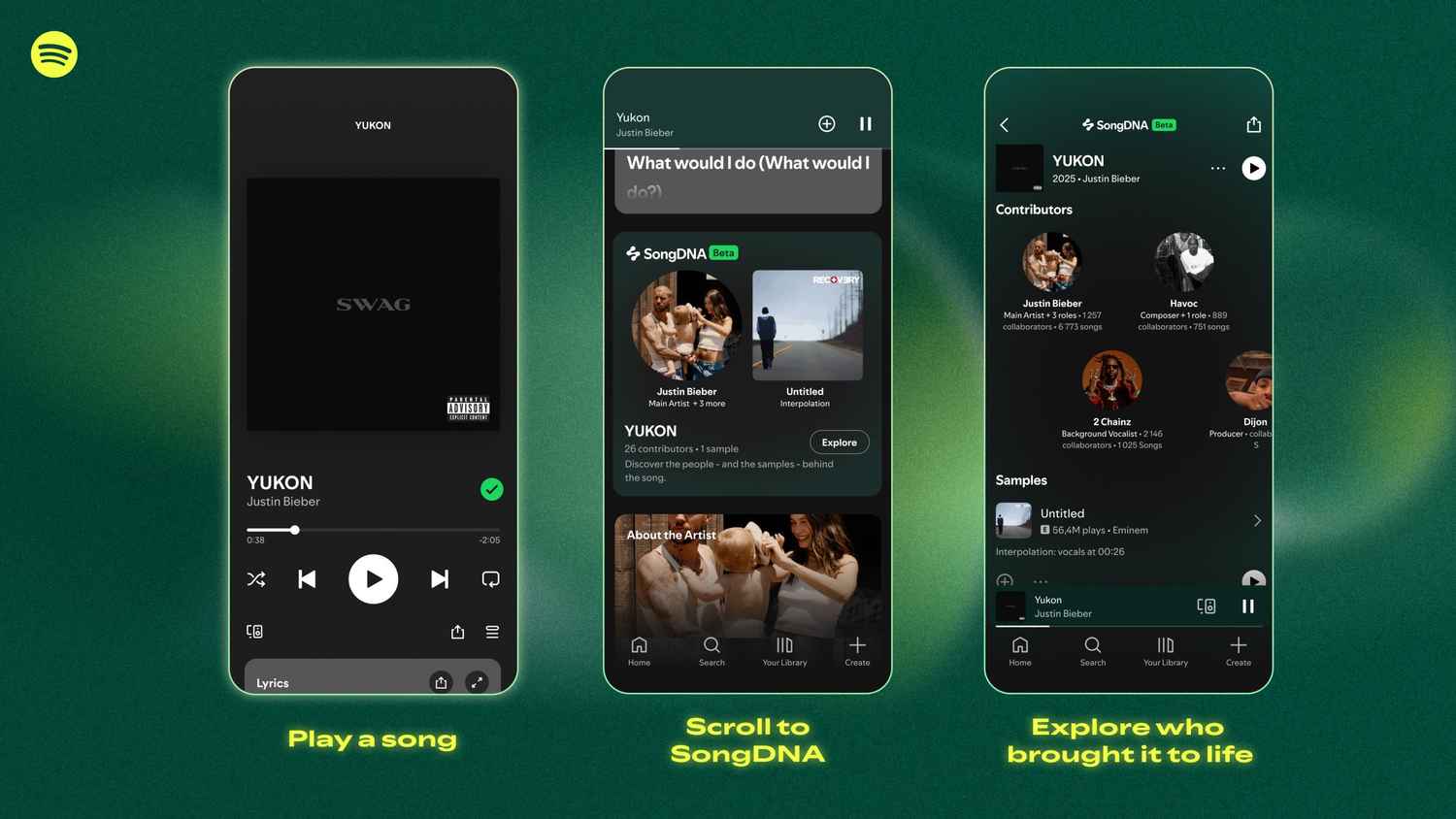
Step 4: Tap the card to open the expanded view
Step 5: Explore collaborators, samples, interpolations and covers
Step 6: Tap on any name or track to continue discovering related connections
SongDNA availability depends on track support and since it is an ongoing beta rollout, not all songs will show the feature initially.
Spotify has been gradually expanding contextual listening features over the past few years. Tools like this, real-time lyrics, lyrics translations, etc could help in keeping users stay inside the app for longer, rather than relying on external platforms for these information.
Hopefully, the data showed is accurate as community-sourced inputs may have some inconsistencies. Also, let’s see if this stays paywalled or it eventually reaches free users, too.
Keep reading Digit.in for similar stories.
Also Read: YouTube is testing affordable two person Premium plan: Price, features and more
 Follow Us
G. S. Vasan
G.S. Vasan is the chief copy editor at Digit, where he leads coverage of TVs and audio. His work spans reviews, news, features, and maintaining key content pages. Before joining Digit, he worked with publications like Smartprix and 91mobiles, bringing over six years of experience in tech journalism. His articles reflect both his expertise and passion for technology. View Full Profile


