

How to use Dhurandhar 2 inspired font in your Instagram Reels
 Follow Us
Instagram adds a new Dhurandhar-style font for a bold, cinematic look in Reels.
Available on Android and iOS, but only for a limited time.
Easy to use through the text tool to make videos more eye-catching.
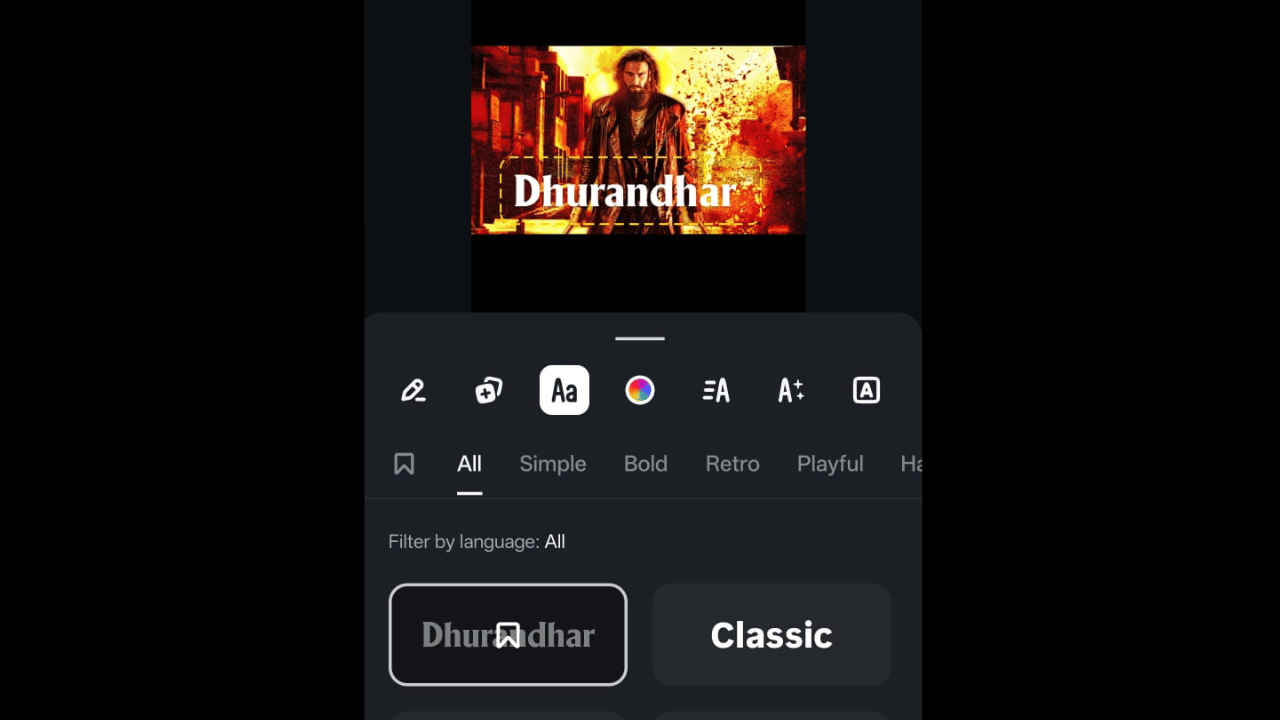

Instagram has recently introduced a unique custom font based on the Dhurandhar style in the Instagram photo and video editing app. This new style of typography has been inspired by the movie Dhurandhar: The Revenge. This style of typography has been created with the aim of allowing users of the Instagram application to give their Instagram Reels a more cinematic look. This style of typography is inspired by the intense visual appeal of modern action movies. If you are looking forward to using the Dhurandhar 2 style of the font in your upcoming Instagram Reel, follow along with the article.
 Survey
What is the Dhurandhar inspired font?
The Dhurandhar-inspired font is a type of font that is offered within Instagram’s Edits app. This font is designed to mimic the strong look of action movie title styles. This is because action movies are known for their dramatic text styles. This font is used to make text stand out in videos.
With this new font being introduced on Instagram, users can associate their content with popular culture. This is because this font is inspired by popular culture. This new font also promotes creative storytelling using text styles that match various moods.
Also read: Apple Watch design may not change anytime soon, says report
Things to know
Before you learn how to use the Dhurandhar style font in your reels, here are some of the things that you must keep in mind:
- The Dhurandhar inspired font is available on both Android and iOS versions of the app.
- It is a limited-time feature.
- Make sure your Edits app is running on the latest version.
- The Dhurandhar font may not be available everywhere and might not work on all devices.
Also read: Redmi 15A launched in India: Check price, specifications and availability here
How to use the Dhurandhar-style font in your reels:
If you want to use this style in your next Instagram Reel, follow these simple steps:
1. Download and install the Edits app on your Android or iOS device.
2. Log in using your Instagram ID.
3. Start a new Reel or open an existing draft.
4. Tap on the text tool in the editor and enter the text you want to showcase.
5. Press the Aa button and select Dhurandhar.
6. Now, adjust the size, placement, and effects of the text.
7. Lastly, preview your reel, and if satisfied, then press the Export button.


