

How to generate professional looking studio images using Google Gemini
 Follow Us
You can create studio-style photos using Google Gemini without expensive cameras or editing skills.
Just upload a clear photo and write a detailed prompt describing lighting, background, and style.
You can refine results with extra prompts and download images for social media, portfolio, or branding.
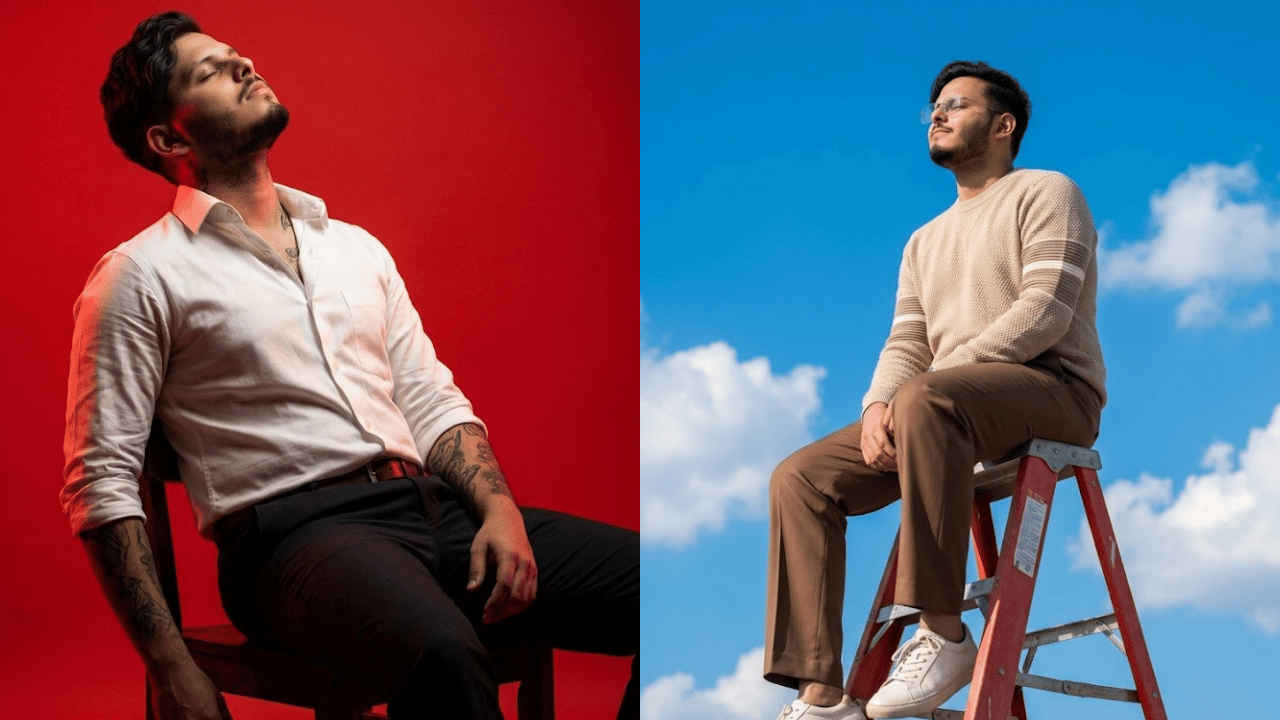

Are you someone who is eyeing making high-quality studio-style images without needing expensive cameras or lighting setups? You need not worry, as now it’s possible with artificial intelligence. All you need is a good and detailed prompt and an image that you would want to give to the AI tool so that it can understand which face it needs to mimic. The best part is you need no graphics skill, as AI will do it all for you. While you can use any of the AI tools available in the market to create such images, I’ll be using Google Gemini to demonstrate to you how to create studio-style images using AI.
 Survey
How to make professional-looking studio images
1. Open the Google Gemini app or website and sign in with your Google account.
2. Upload a clear photo of yourself for reference.
Tip: Choose an image with good lighting and a simple background so Gemini can understand the details better.
3. In the text box, write a detailed description of the studio-style image you want.
Tip: Mention lighting, background, outfit, mood, and camera style for better results.
4. Now, press the Submit button.
Gemini will take a few minutes to generate the image. Once done, you can review the generated image. If you’re not satisfied with the image, then you can also give additional prompts to refine it. Once all the updates are made, then you can download the image and use it for Instagram, your portfolio, or personal branding.
Also read: Five star AC vs three star AC: Which one should you buy and why
Best prompts to generate professional-looking studio images
You can copy and paste the below-mentioned prompts to create professional-looking studio images. Furthermore, you can also edit the prompts to your liking:
Prompt 1:
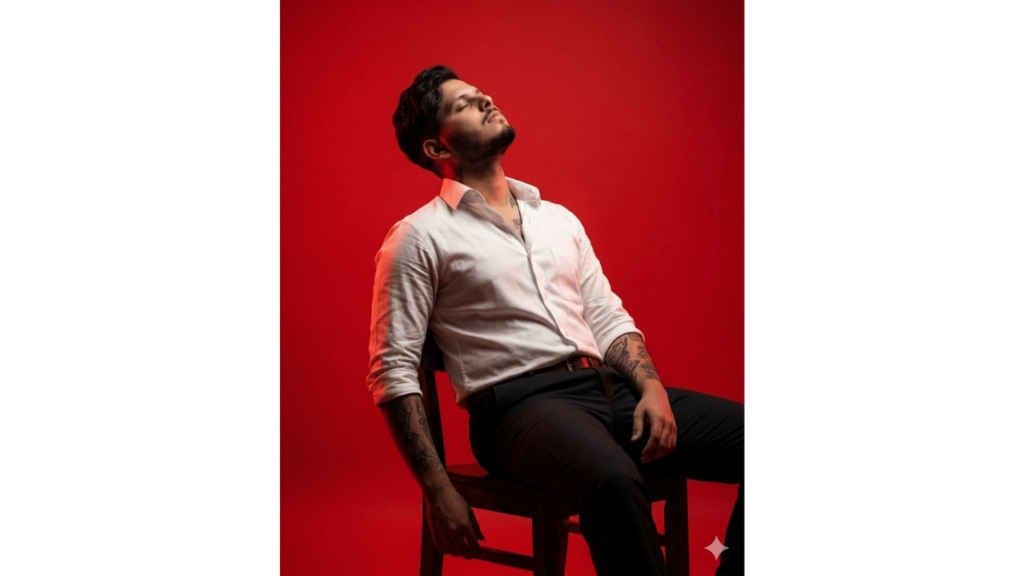
Ultra-realistic 8K photorealistic cinematic editorial portrait, 4:5 vertical. A man is seated on a chair, leaning back in a relaxed posture. Body facing slightly RIGHT relative to the camera. Head tilted BACK and slightly to the LEFT, chin raised (UP). Eyes CLOSED with a calm, serene facial expression. Replace the model’s face completely with the provided USER FACE, preserving exact facial proportions, skin tone, beard, and identity. Hairstyle MUST match the reference model: short, dark, wavy hair with natural volume and slight curl texture on top, tapered sides. Outfit MUST match: white button-down shirt with top buttons open, sleeves rolled to forearms, slightly wrinkled fabric; dark trousers; brown belt. Tattoos MUST remain clearly visible on both arms and neck as in the reference. Lighting MUST match: strong, high-contrast red studio lighting with dramatic shadows, red background fully filling the frame. Framing: mid-to-full body portrait, seated, hands resting naturally near thighs, chair visible, do not crop tighter than reference. Camera angle: slightly low angle looking upward. No accessories unless visible. No glasses. Environment: minimal studio setup with solid vivid red background. Make sure that the face is 100% retained — no alterations
Prompt 2:
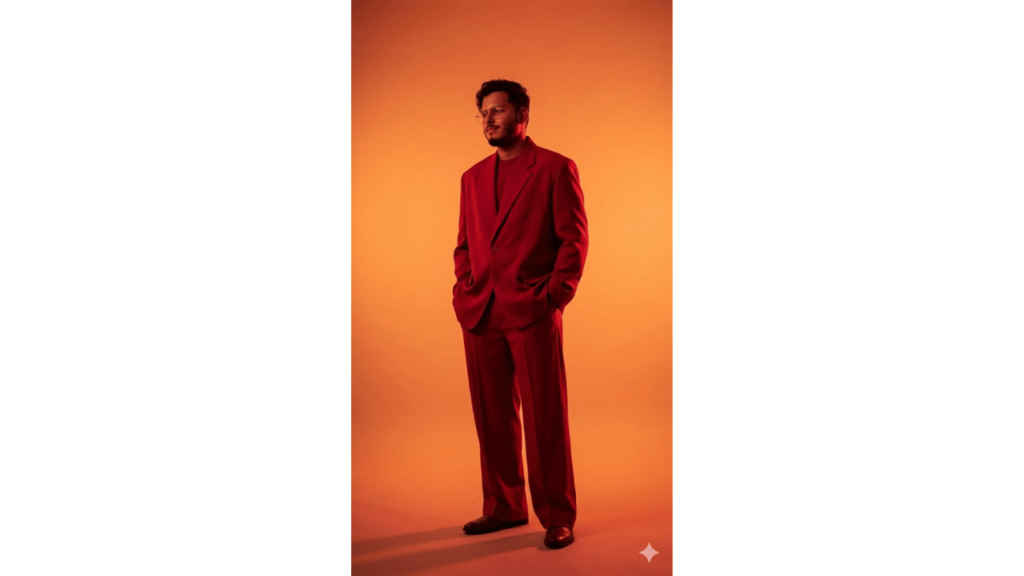
Full-body standing pose, body angled slightly LEFT, head turned LEFT, head level, gaze level, subtle relaxed smile, smirk. Wearing an oversized monochrome red suit with a loose-fit blazer and wide-leg trousers, hands in pockets. Dramatic strong red lighting with a warm orange gradient background fading from bright center to darker edges, casting a soft shadow on the floor. Eye-level camera, full-body framing with shoes visible, vertical composition. Take reference for skin tone, and facial hair from the uploaded image. Ultra-realistic 8K, photorealistic cinematic editorial style, 9:16 vertical. Make sure that the face is 100% retained — no alterations
Also read: WhatsApp may soon let you reply without opening the app: Here is how
Prompt 3:
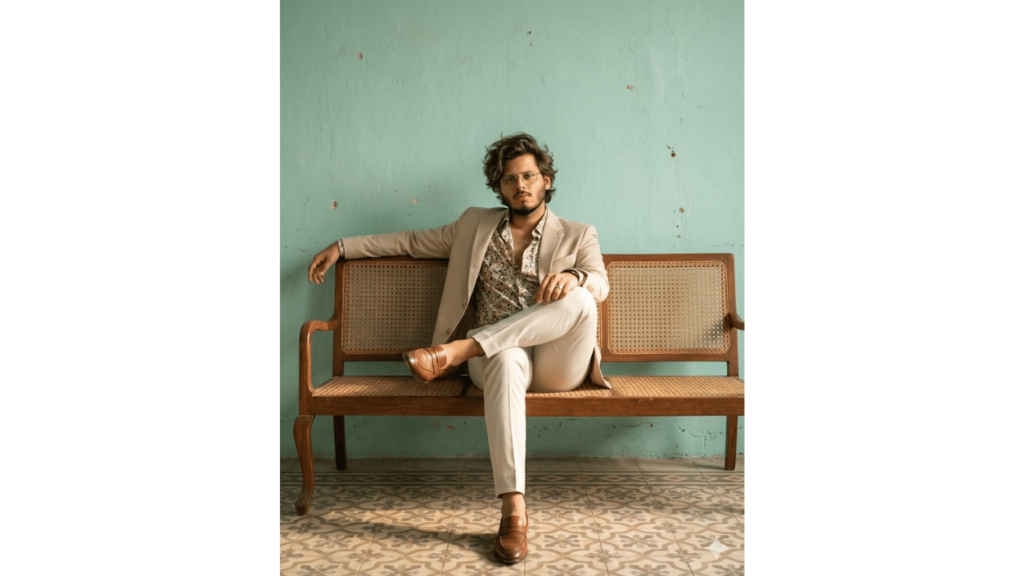
Ultra-realistic 8K photorealistic cinematic editorial image, 4:5 aspect ratio. A man sitting casually on a vintage wooden-framed woven cane sofa. Pose MUST match: seated with one leg folded over the other on the sofa, body slightly angled, left arm stretched and resting along the backrest, right hand relaxed near knee with a ring visible. Orientation MUST be facing forward toward camera. Head tilt: slightly forward and level. Gaze: directly at camera, level. Expression: calm, confident, slightly intense. Hairstyle MUST match the reference model: medium-length, voluminous tousled hair with natural texture and lift, slightly messy and styled upward and outward. Facial hair: well-groomed beard matching the user’s face. Outfit MUST match: light beige suit jacket, open-collar printed/floral shirt underneath, light-colored fitted trousers, brown leather loafers. Accessories include a subtle ring on right hand. Lighting MUST match: warm natural sunlight coming from the side, creating soft shadows and highlights across face and outfit. Environment MUST match: textured pastel teal wall background with visible imperfections, patterned tile flooring, warm earthy tones. Framing MUST match: medium-full body shot, subject centered on sofa, both legs, hands, and shoes clearly visible. Camera angle: eye-level or neutral. Make sure that the face is 100% retained — no alterations
Prompt 4:
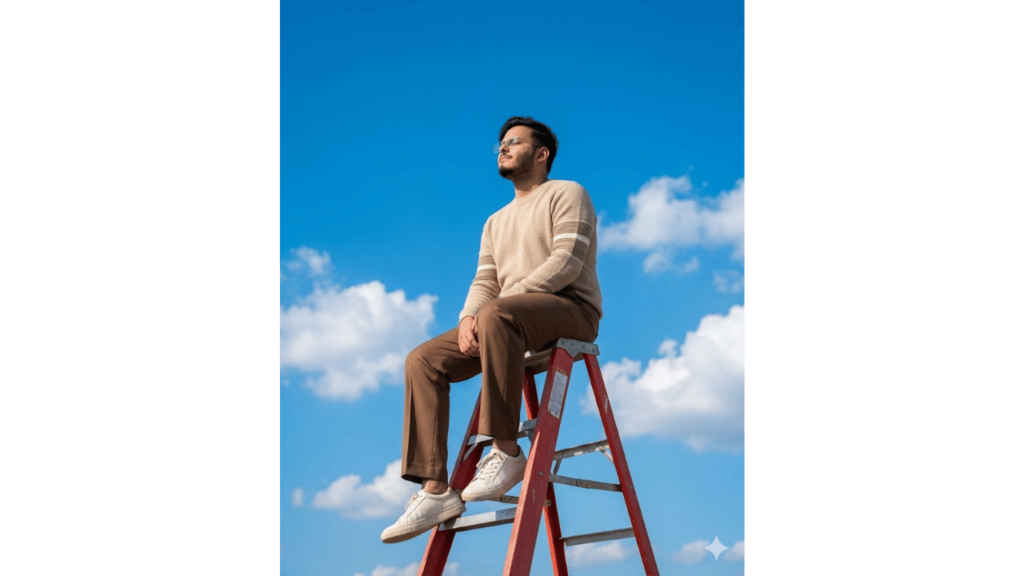
Ultra-realistic 8K photorealistic cinematic editorial image, 4:5. A man sitting on top of a red step ladder outdoors under a vivid blue sky with scattered white clouds. Full-body framing, subject clearly visible including legs and shoes. Pose: seated on ladder, body upright. Orientation: facing LEFT. Head tilt: slightly tilted upward. Gaze: upward. Expression: calm, relaxed, eyes closed or softly shut. Hairstyle MUST match the model reference: short, dark hair, neatly styled with slight volume, clean sides. Outfit MUST match the model reference: beige knit sweater with horizontal stripe details on sleeves, brown pants, casual sneakers. Lighting MUST match: bright natural sunlight, strong directional light casting natural shadows. Background: open sky with clouds, no additional elements. Replace the models face completely with the provided user face, preserving exact facial identity, proportions, beard, and featuresfrom the user image. Blend seamlessly with lighting and angle. Do not retain any of the original model s facial features. Camera angle: slightly low angle looking up. Maintain original composition and framing exactly. Make sure that the face is 100% retained — no alterations


