
Improve your Instagram strategy: Easy guide to view your account insights
 Follow Us
You can use your Instagram insights to learn more about overall trends across your followers and your content's performance with your audience.
You can also view insights for specific posts and reels that you have created to see how each one performed and how users engaged with them.
Insights are free and only available for business or creator accounts.

In today’s digital world of social media, connecting with friends and staying in the loop has become an important part of our daily lives. Meta-owned Instagram is one of the most used social networking platforms which helps us to stay connected with friends.
 Survey
Instagram isn’t just a platform for sharing photos, it’s a powerful tool for building your brand and engaging with your followers. To truly make the most of your Instagram experience, it’s crucial to grasp the insights of your account.
In this easy-to-follow guide, we’ll tell you how you can access your Instagram account insights.
Also read: Ensuring safer Instagram experience: Quick guide to limit sensitive content
About Instagram insights
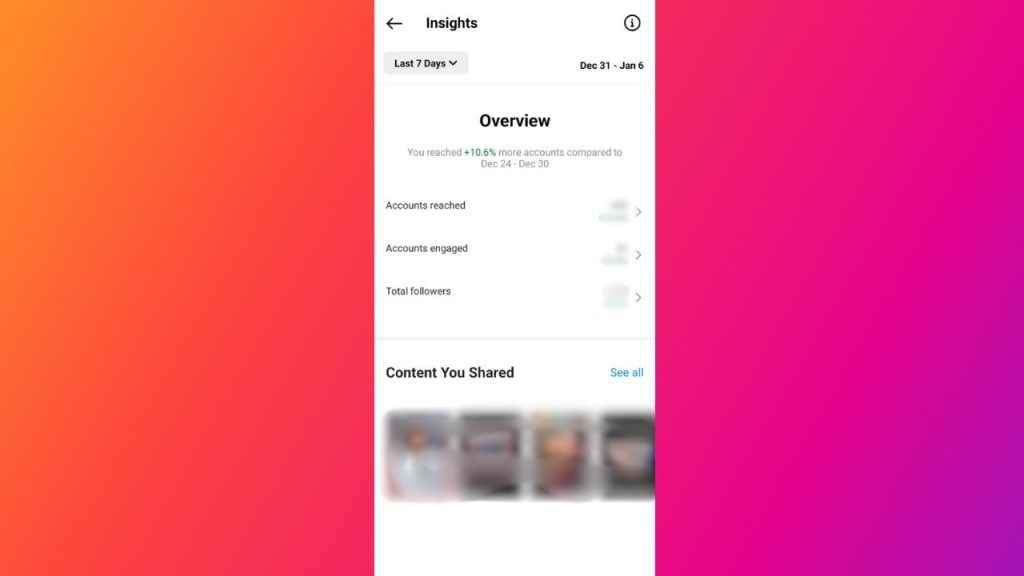
You can use your Instagram insights to learn more about overall trends across your followers and your content’s performance with your audience.
You can also view insights for specific posts and reels that you have created to see how each one performed and how users engaged with them.
Note: Insights are free and only available for business or creator accounts.
How to view your Instagram account insights
Step 1: Open the Instagram app on your Android device or iPhone.
Step 2: Tap on your profile profile present at the bottom right corner to go to your profile.
Step 3: Tap the Insights action button. Or, you can tap the three horizontal lines present in the top-right corner and tap the Insights option.
Step 4: Now, tap the metrics under the Overview section or specific content that you’ve shared for a more detailed breakdown.
It’s important to note that you will only see insights for content that you’ve posted since you converted to a business or creator account. You can also tap the drop-down at the top of the screen to choose whether you want to view insights for your selected preset or custom timeframe within the past 90 days.
Also read: Enhance your Instagram security: Easy guide to set up two-factor authentication for your account

How to view insights of your Instagram posts
How to view insights of your Instagram posts from mobile app
Step 1: Open the Instagram app on your mobile device.
Step 2: Tap on your profile profile present at the bottom right corner to go to your profile.
Step 3: Tap the post of which you want to see insights.
Step 4: Below the posts, tap View insights.
How to view insights of your Instagram posts from computer
Step 1: Open Instagram on any web browser. Or click here.
Step 2: Login into your Instagram account.
Step 3: Click your username present at the top right corner to go to your profile.
Step 4: Click on the post of which you want to see insights.
Step 5: Click the View insights option.


