
How to Unlock the Butterflies Lens on Snapchat: Step-by-step guide
 Follow Us
Snapchat, known for its disappearing messages and filters, is very popular among Gen Zs and Millennials.
This step-by-step guide will walk you through the process of unlocking and using the Butterflies Lens.
Snapchat's Lens Explorer is regularly updated with new and trending filters.

In the ever-evolving world of social media, staying connected has never been more effortless. Snapchat, known for its disappearing messages and filters, has become very popular among Gen Zs and Millennials.
 Survey
Snapchat’s ever-evolving array of lenses continues to captivate users with whimsical and creative ways to enhance their snaps. Among the most popular is the Butterflies Lens which transforms ordinary moments into magical experiences with fluttering butterflies.
If you’ve been eager to add this delightful touch to your snaps but aren’t sure how, fear not! This step-by-step guide will walk you through the process of unlocking and using the Butterflies Lens. Let’s dive in!
Also read: Snapchat’s new AI model can transform your imagination into real-time AR experience
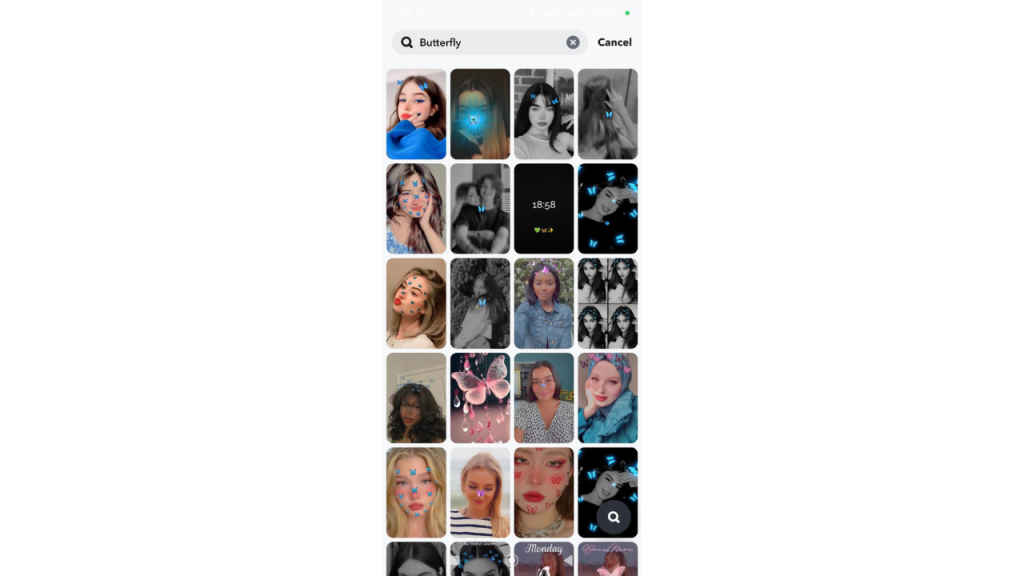
Method 1: Exploring the Lens Explorer
- Open the Snapchat app.
- Look for the magnifying glass icon at the lower right. Tap it to open the Lens Explorer.
- In the search bar, type “butterfly” or “unlock butterfly lens.”
- Browse through the results. You might see multiple Butterfly Lenses by different creators. Choose the one that catches your eye.
- Now, you can see that lens.
Also read: Snapchat announces Editable Chats, Emoji Reactions, new AI features & more

Method 2: Borrowing from a Friend
If a friend already has the Butterflies Lens, you can borrow it with a simple tap!
- Ask your friend to open the Snapchat app and navigate to the Butterflies Lens.
- They then have to look for the Share icon and tap it to share the lens.
- Once they share the lens, you’ll receive a link in your chat.
- Click on the link, and Snapchat will automatically unlock the Butterflies Lens for you.
With any of these methods, you’ll be able to unlock the Butterflies Lens and add a touch of magic to your snaps in no time! So, get ready to flutter your way to some creative Snapping fun.

Remember, Snapchat’s Lens Explorer is regularly updated with new and trending filters, so keep checking back for more enchanting options beyond just the Butterflies Lens.


