
I figured out why my phone charged slowly: Don’t make these mistakes
 Follow Us
Small everyday issues like dirt in the charging port can slow charging without you realising it.
Phones charge slowly when they get too hot because they are designed to protect the battery.
Charging speed can drop due to settings or poor-quality chargers and cables, not because the phone is old.
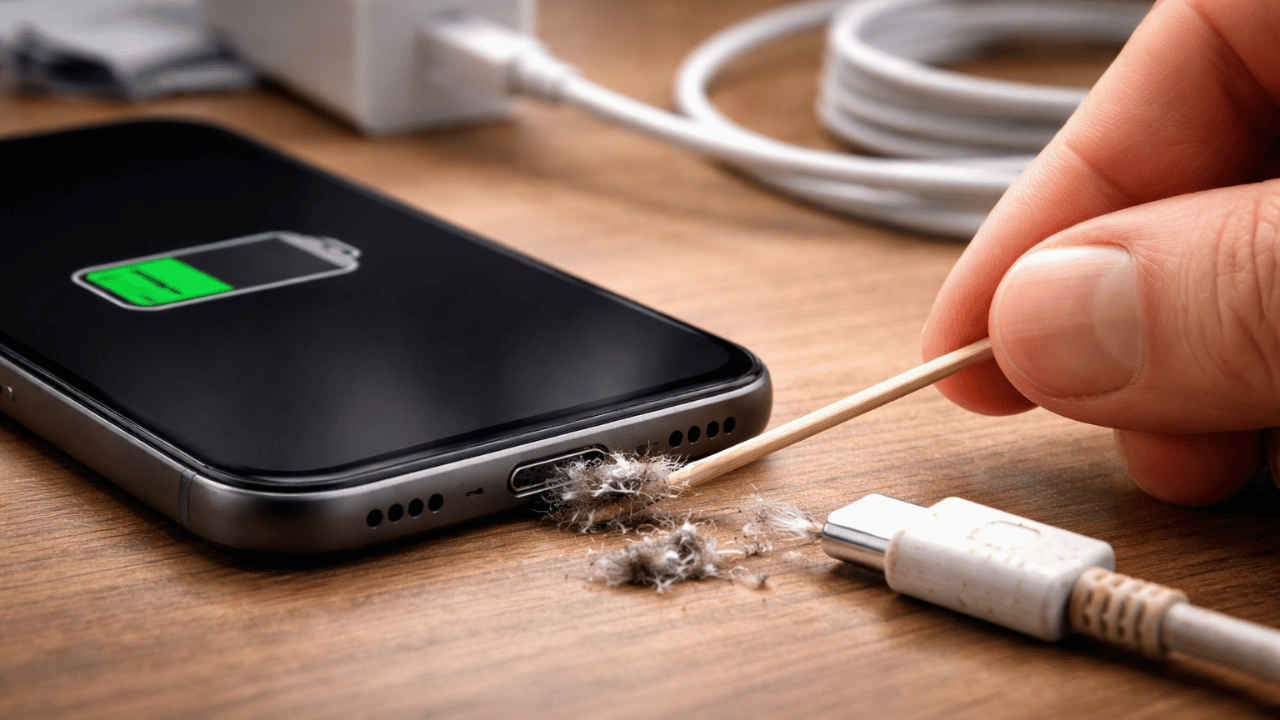

For the longest time, I thought that my phone was getting old, as every time I plugged it in, the battery percentage crawled up painfully slowly. I blamed the brand, the update, and even the power cut situation at home. One day I finally decided to dig deeper, and what I discovered surprised me because the problem was not my phone at all.
 Survey
It was the small mistakes I was making every day without realising it. If your phone also takes forever to charge, chances are you are making the same mistakes. Let me walk you through what I learnt so you can fix it before getting frustrated like I did.
Lint and debris block power flow and slow down charging
While I usually take care of the display, camera module and the rear of the device, I never have given a thought about the charging port until recently. When I recently checked the charging port of my device, I found that it contained tiny bits of lint from pockets, dust from bags, and even fabric threads which had slowly built up inside the port. When this happens, the charging cable does not sit properly. The connection becomes weak, so power goes in slowly instead of smoothly.
Once I gently cleaned the port using a soft toothpick and a flashlight, the difference was clear. My phone started charging faster almost immediately. If your cable feels loose or you need to adjust it to start charging, an obstruction could be the reason. A blocked port quietly slows charging without showing any warning.
Also read: Google Pixel 10 price drops by Rs 12,000 on this platform: Check deal details here
High temperature makes the phone protect itself by charging slower
When a phone gets too hot, it does not just start charging slowly, but rather some modern devices completely stop charging until the temperature comes down. This is done to prevent battery damage.
On iPhones, you can see a clear message on the screen that says, “Charging On Hold. Charging will resume when the iPhone returns to normal temperature.” When this appears, the phone may stay plugged in, but the battery percentage does not move at all.
While the Samsung Galaxy phones, especially recent models, the warning usually says, “Charging paused. The phone temperature is too high.” In some cases, it simply shows “Paused” near the battery icon.
Also read: Horror games can be scary without loud jump scares, this indie game proves it
Even the OnePlus and Xiaomi users can often see messages like “Device temperature is too high; charging stopped” or “Charging paused due to high temperature.”
This usually happens when you charge your device and play games or watch videos simultaneously. Aside from that, your device could also heat up if you keep it under a pillow or thick cover while charging. Hot weather at your location can be another reason behind triggering the slow charging.
Once I stopped using my phone during charging and placed it in a cool, open area, the warning disappeared and charging resumed normally. If you see such messages, your phone is not faulty. It is just protecting itself.
Also read: Google Photos introduces Me Meme feature: Here’s how to use it
Software limits charging speed to keep the battery healthy
Many phones today control charging speed through software. You may have noticed that your device may slow down after reaching a certain percentage, usually around 80. At first, I thought something was wrong with my device, but later, I found out that this was done on purpose from the brand’s side.
The company did this because the phone’s slow charging reduces stress on the battery and makes it last longer over the years. Some phones also learn your charging habits over time.
For example, if you charge your device overnight, then your current-gen smartphone may pause or slow the charging and complete it just before you wake up. While it can sometimes feel annoying, the feature is actually efficient, as it keeps your device’s battery health in good order.
Check your cable before blaming your phone
If you’re still facing a slow charging issue with your device, check that the peripherals you use to charge it are original or certified products. Using local or uncertified accessories is also one of the causes behind slow charging.
Aside from that, such products can hamper your device’s battery and affect its overall longevity. Certified chargers and cables provide stable power, guarding against overheating and the wear and tear that occurs over time.
Such mediocre accessories, be it your charger or the cable from a local vendor, can affect charging speed, battery health, and long-term damage.


