
ColorOS 16 on the OPPO Reno15 Series: Smarter, smoother, and built for real-life AI experiences
 Follow Us
AI Mind Space simplifies digital organization and planning.
AI Portrait Glow fixes lighting for natural-looking photos.
Luminous Rendering Engine ensures consistently smooth system performance.
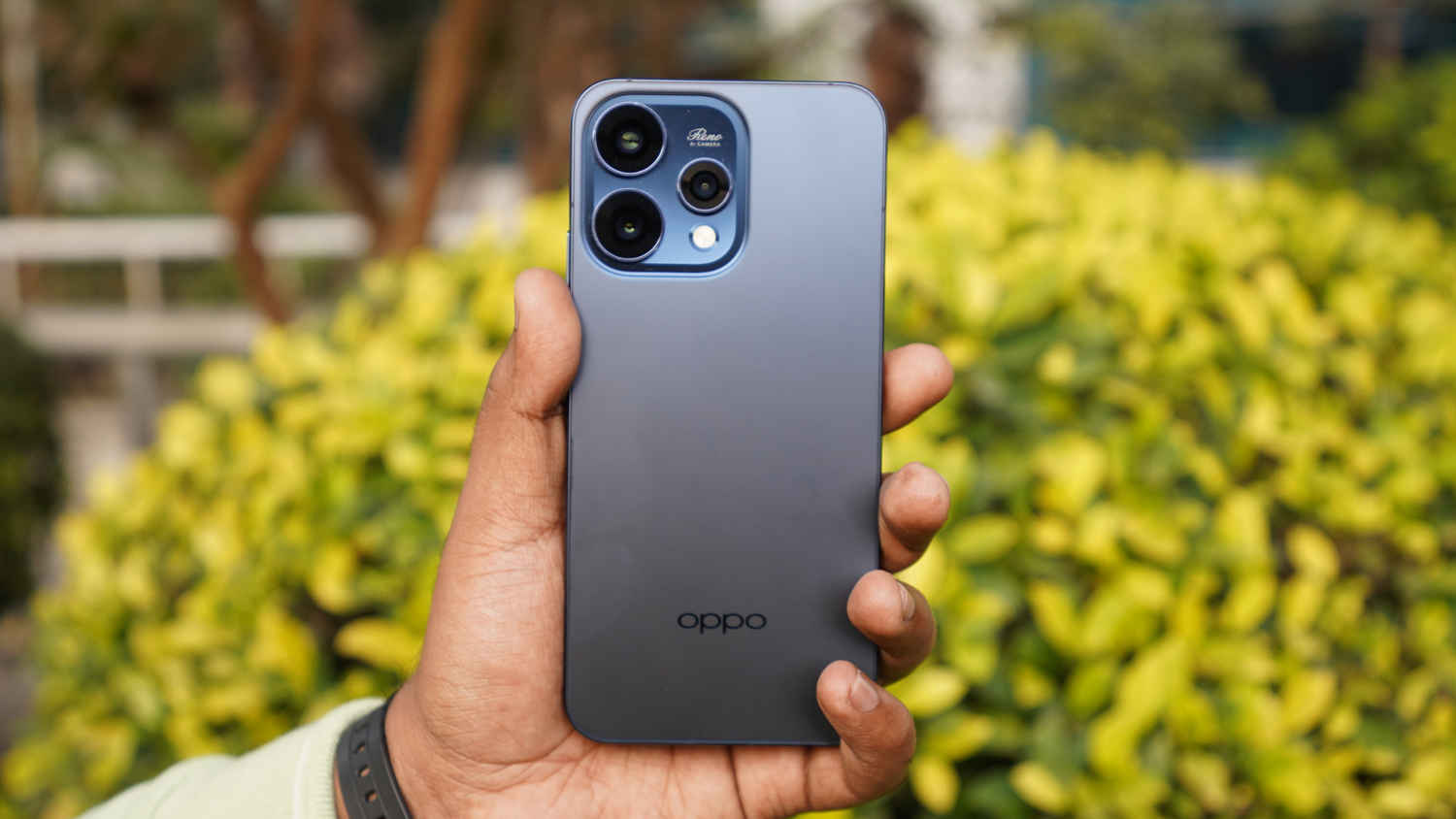

The world around us is changing fast, with artificial intelligence (AI) quietly slipping into almost everything we use. Can you imagine, AI, which was the buzzword just a couple of years ago, is almost everywhere, in all sorts of tasks. However, when it comes to smartphones, many still feel like our handheld devices are playing catch-up, doing the basics well but little else.
 Survey
Which raises a fair question: Is there a mobile OS that actually understands how we use our phones day to day? OPPO seems to think so with ColorOS 16, debuting on the Reno15 Series. Now, this isn’t the kind of intelligence that exists just to tick a box or show off a feature list.
Instead, it’s designed to work in the background, learning your habits, responding to how you use your phone, and making everyday tasks feel smoother over time. So how does it all come together in real-world use? Let’s have a closer look at ColorOS 16 on the Reno15 Series.
A calmer way to get through busy mornings
On a typical day, mornings are usually chaotic. One moment, you’re checking your messages, and the other moment you’re trying to remember dates, and telling yourself you’ll ‘save this for later’, only to forget about it completely.
ColorOS 16 tries to make that daily mess a little more manageable with AI Mind Space. Instead of juggling apps and notes, it gives you one place to quietly collect things that matter. A simple three-finger swipe up lets you save whatever’s on your screen, including a webpage, a reminder, or even a random thought, without breaking your flow.
In everyday use, this feels genuinely helpful. While browsing, say you spot an article mentioning an upcoming sale. A quick swipe saves it, and AI Mind Space can turn that snippet into a reminder automatically. No copying, pasting, or setting alarms manually.
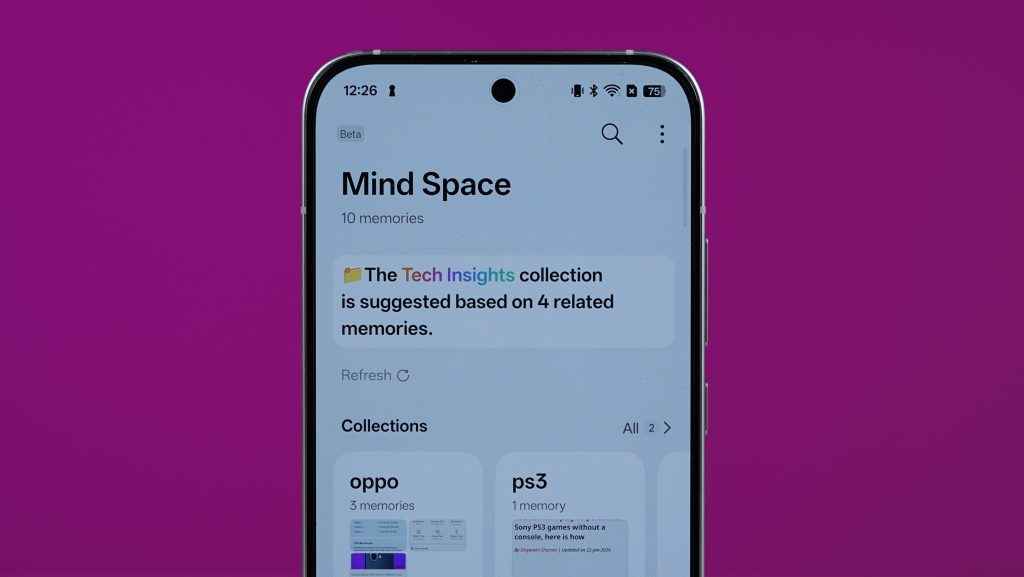
There’s also a feature called Collections, which makes finding things later surprisingly easy. Save a few related items under one name, and the phone pulls them up when you need them, rather than forcing you to scroll endlessly through notes.
It’s also nice to see OPPO thinking beyond English. AI Mind Space supports multiple languages, including Hindi, which means prompts and results can appear in a language many users are more comfortable with.
Add Google Gemini integration into the mix, and the experience feels more complete. The OPPO and Google collaboration enables Gemini to use the AI Mind Space data you’ve added to deliver personalised results to you. Along with that, Gemini works as normal too; you can simply long-press the power button to bring up an assistant that can set alarms, answer questions, or help organise your day, even from the lock screen.
More importantly, it works smoothly with OPPO’s own tools. You can save information, summarise it, and then ask Gemini to turn it into an email, a checklist, or a simple plan. It’s not flashy, but it’s the kind of support that quietly makes busy days feel easier.
Smooth performance that keeps up with a busy day
As the day gets busier, this is where ColorOS 16 on the Reno 15 Series starts to quietly show its strength. Jumping between WhatsApp, work files, Maps, emails, and video calls feels smooth and predictable, without those little hiccups that usually creep in over time. Apps open quickly, animations feel fluid, and nothing really gets in your way.
A big part of that comes down to how OPPO has tuned the system under the hood. The smart Luminous Rendering Engine system is smart; instead of pushing performance for short bursts, it focuses on consistency throughout the day. The result is a phone that feels reliable whether you’re deep into work or just switching between tasks on the move.
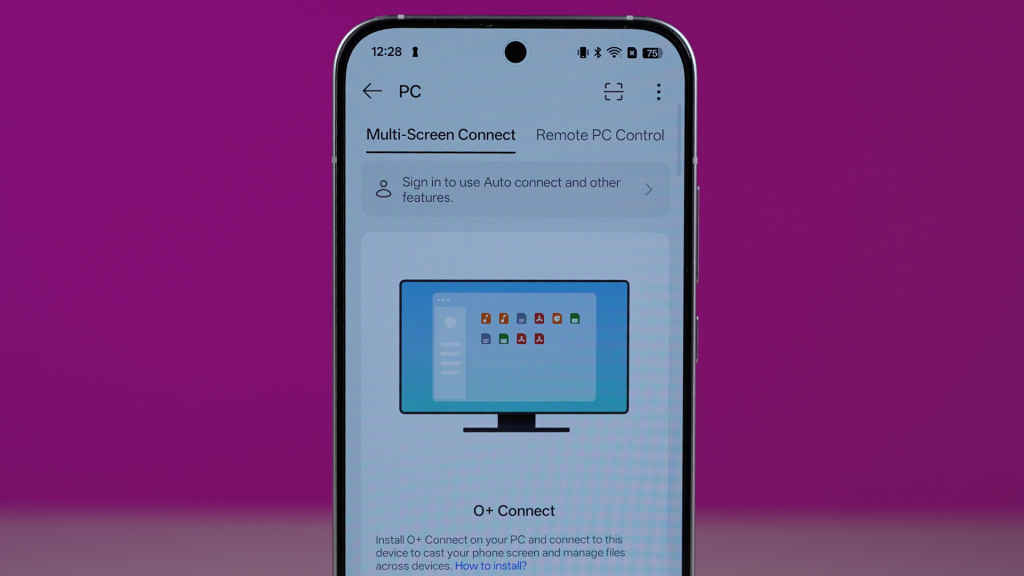
Staying connected is just as important. With O+ Connect, moving files between devices feels refreshingly simple. You can already share content easily with nearby phones, including iPhones, and now the experience extends to laptops as well.
Using the PC Connect app on Mac or Windows, you can view, edit, and manage files from your OPPO phone directly on your computer. There’s also screen mirroring, which opens a live window of your phone on a larger display, and even remote access that lets you control your computer from your phone.
From winding down to heading out
Once work is done, the Reno 15 Series settles into a different rhythm. For many people, that means a bit of gaming to switch off, and this is where AI HyperBoost 2.0 quietly does its job. Long gaming sessions stay smooth and responsive, without sudden dips in performance.
At the same time, AI LinkBoost 3.0 keeps connectivity steady in the background, smoothly shifting between mobile data and Wi-Fi when needed, so you’re not pulled out of the experience.
Later in the evening, when you step out to capture some photos, the AI Portrait cameras come into play. Photos look clean and natural, and not heavily processed. The editing tools inside the Photos app are just as practical.

AI Portrait Glow, for example, can fix poorly lit portraits with a single tap, subtly improving lighting and skin tones without making the photo look artificial. It’s the kind of feature you’ll actually use, especially when lighting isn’t ideal. Just check out the result for yourself!
When software and design actually work together
The Reno 15 Series is slim and light, and ColorOS 16 is clearly tuned to match that. Animations feel quick and natural, the interface stays clean, and nothing feels improper. Even small things, like how apps open or how menus move, feel well-balanced rather than overdone.
Customisation options, such as Flux Themes, give a complete overhaul to the look and feel of the home screen based on how you prefer it. Even the Lock screen customisation options are there only if you want them, as they don’t push themselves on you or clutter the screen.
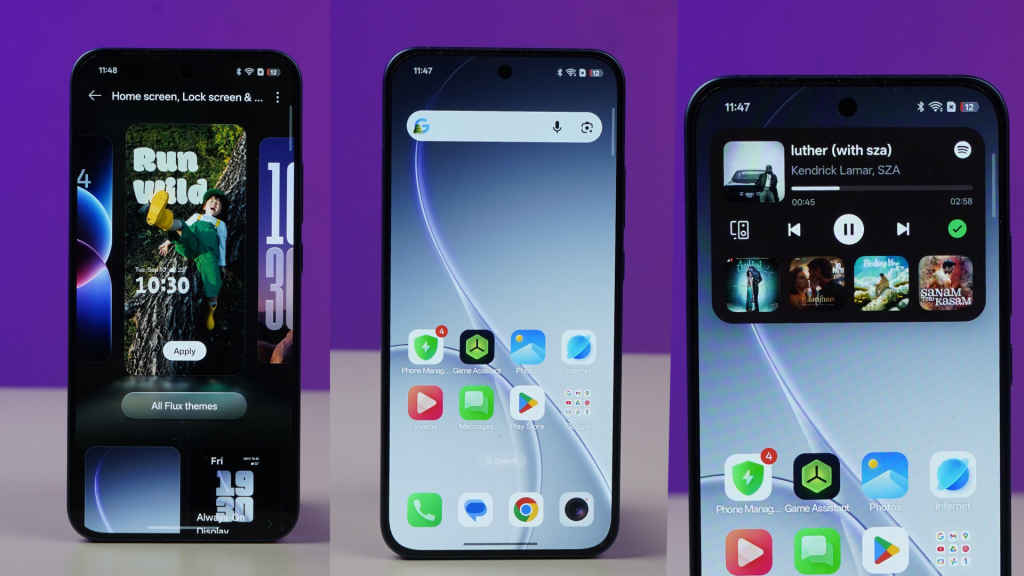
Aqua Dynamics fits into this nicely, too. Instead of constantly opening apps just to check updates or information, you get what you need at a glance. It’s subtle, useful, and easy to ignore when you don’t need it. Put together, it’s the kind of design that feels premium in daily use, not because it’s flashy, but because it stays out of your way.
Privacy that stays out of the spotlight
Our phones hold a great deal of personal information, so security needs to operate quietly in the background rather than constantly drawing attention to itself. That’s the approach ColorOS 16 takes on the Reno 15 Series.
With Google’s Private Cloud Computing Security built in, most AI features, including Gemini integrations and context-aware suggestions, run directly on the device. This means things like voice recordings, photos, and messages stay encrypted on your phone instead of being sent elsewhere.
Features such as AI Mind Space, recording summaries, Photo Studio, and even tasks like real-time translation or photo editing are handled locally, keeping personal data protected. And when online processing is genuinely needed, the system is clear about what information is being shared, which helps build trust.
OPPO also takes device security seriously if the phone is ever lost or stolen. OPPO’s O-Lock covers features like Call to Lock, Dual Verification, and Chip-Level Deep Lock, which add extra layers of protection. The idea isn’t to overwhelm you with security options, but to offer peace of mind. Your phone looks after your data while you get on with your day.
Smart, without trying too hard
Plenty of AI features on phones today feel like they’re just there to be noticed. ColorOS 16 takes a different route. Most of its tools are built around everyday habits, working quietly in the background instead of constantly asking for your attention. You don’t have to change how you use your phone; things just feel a bit easier and more organised when you need them.
On the Reno 15 Series, the software feels well-tuned to the hardware, particularly the cameras and the overall design. Spend some time with it, and it stops feeling like a long list of features. Instead, it starts to feel like a phone that fits into your routine, which is undoubtedly what smart software should do.
Also Read: Smartphones to electronics: Why India-EU FTA is great for Made in India tech


