
I tested ColorOS 17 on OnePlus 15 for weeks: Here is what makes the new software stand out
 Follow Us
ColorOS 17 brings a fresh look and smoother animations.
New AI features make everyday tasks easier.
The update improves the experience but misses some older features.
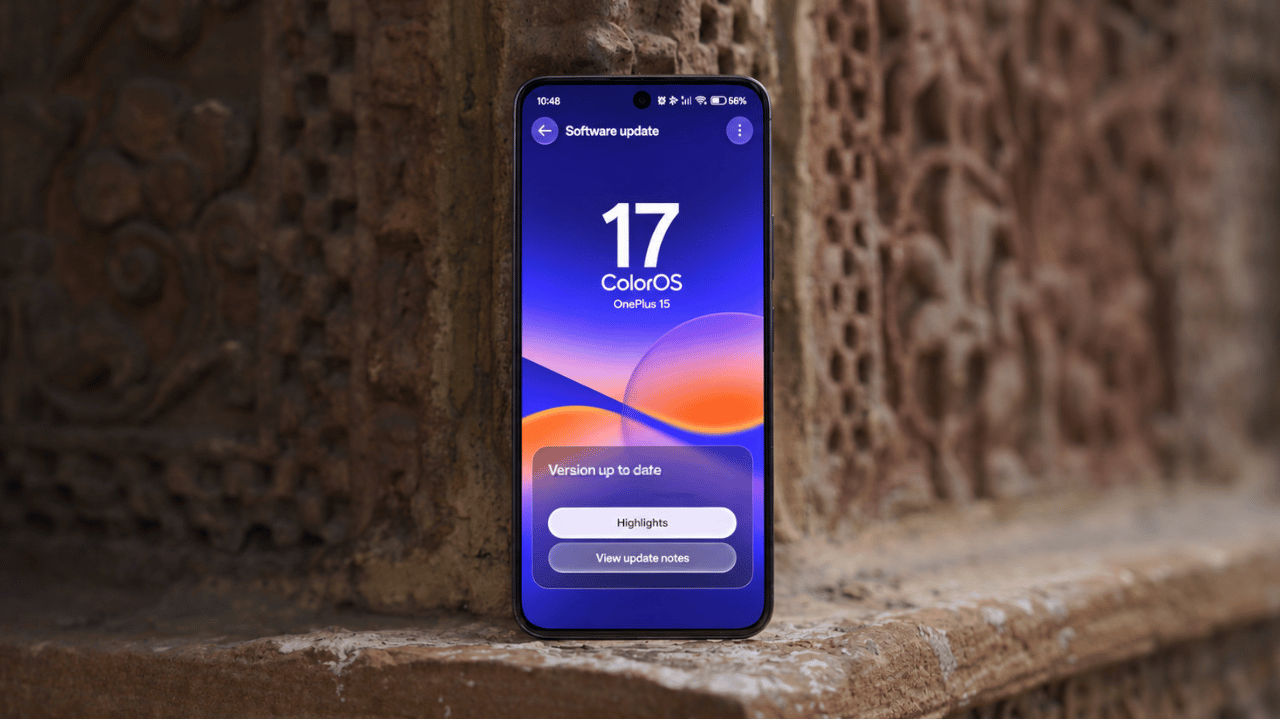

I’ve been using the OnePlus 15 for about a year, and as a smartphone reviewer, I’ve used many devices. But one of the biggest reasons I’ve stuck with the OnePlus 15 is its smooth operating system. The device originally shipped with OxygenOS 16 based on Android 16, and from day one, the OS made a strong impression on me with its fluid animations, clean interface, and the little touches that gave the OnePlus phones their own identity. When the news came that ColorOS 17 was replacing the existing OxygenOS 16 on my OnePlus 15, I was optimistic but concerned at the same time. While ColorOS is a smooth operating system, I was just wishing that the company wouldn’t try too much with the new operating system.
 Survey
I spent several weeks testing ColorOS 17 on the OnePlus 15, exploring everything from its redesigned animations and translucent interface to its new AI features. The first thing I noticed was how much livelier the software felt, even though OxygenOS 16 was already among my favourite Android experiences. But while the new interface looks more polished, you must have heard all good about the new OS. If you’re wondering whether ColorOS 17 brings meaningful improvements to the software experience we’ve come to expect from OnePlus, or signals a further departure from its OxygenOS roots, here’s what I found after putting it to the test.
ColorOS 17: Interface feels livelier
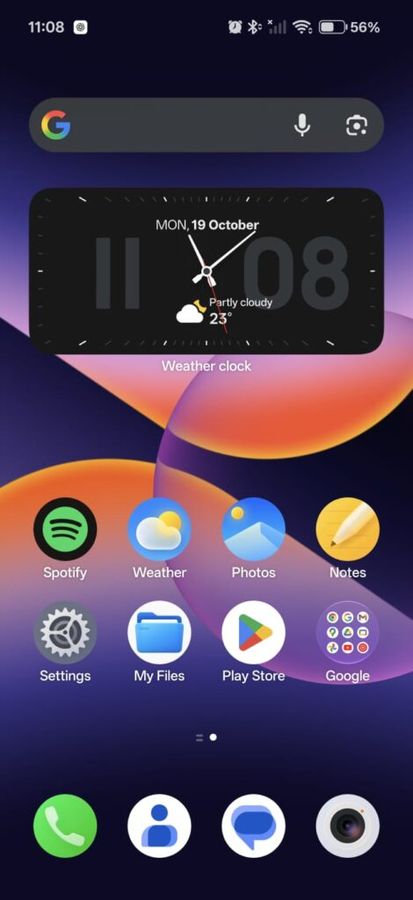
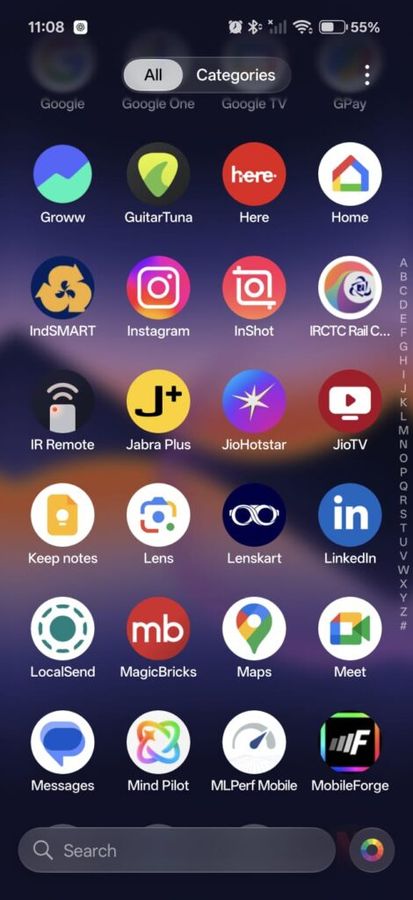
When I first switched from OxygenOS 16 to ColorOS 17 on my OnePlus 15, I was impressed by the attention to detail, especially when it came to animations. While the last operating system was already smooth, with ColorOS 17, OnePlus ensured that the everyday interactions felt more playful without making them unnecessarily complicated.
When I tapped buttons, opened menus, or interacted with Control Center and Live Alerts, the elements responded with those subtle lighting effects thanks to the new Living Flow Design. Not only that, but I also noticed that some buttons and menus stretched slightly under repeated or firm interactions before bouncing back into place when I released my finger.
While testing Settings, Photos, Notes, and Recorder, I noticed that several page transitions now use morphing animations to connect one screen to another. For example, navigating through the Home screen and Lock screen settings feels more continuous. Tapping a three-dot menu also triggers a short flying animation before the available options appear.
These transitions are not major functional changes, but they help the interface feel more polished. While OxygenOS 16 already offered a smooth experience, the difference is less about fixing a problem and more about making familiar actions feel more refined.
Aside from that, ColorOS 17 also introduces floating navigation bars in system apps. So, instead of always occupying a separate strip at the bottom, the navigation bar now sits over the content while scrolling. These small details make the interface feel more responsive. The best part is that even with all these animations, I never once felt that these effects made the navigation feel sluggish.
ColorOS 17: Brings more blur and redesigned panels
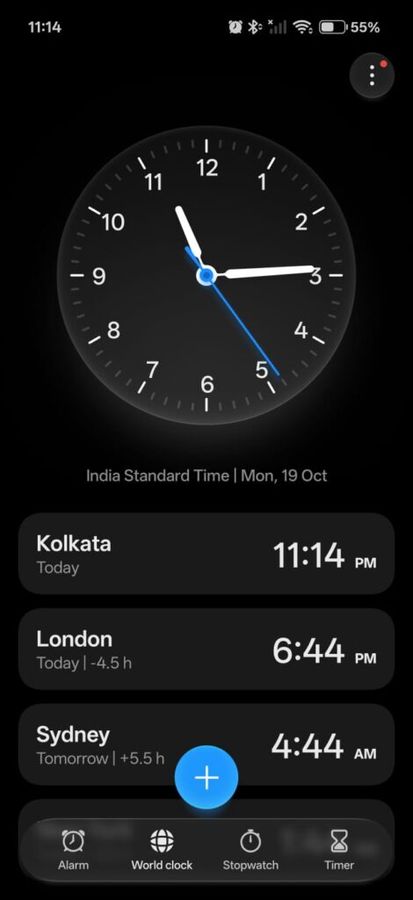
One of my favourite changes with the new ColorOS 17 on the OnePlus 15 is the wider use of progressive blur. While OxygenOS 16 had similar effects, it was largely limited to areas such as the App Drawer and Photos app. However, with the new operating system, the company has expanded it to more places, including Settings, Clock, Notes, and File Manager.
It allows the interface to have more visual depth as the foreground elements stand out more clearly, while the background gets a soft, camera-like blur. After using both versions, I found ColorOS 17’s approach more consistent across system apps.
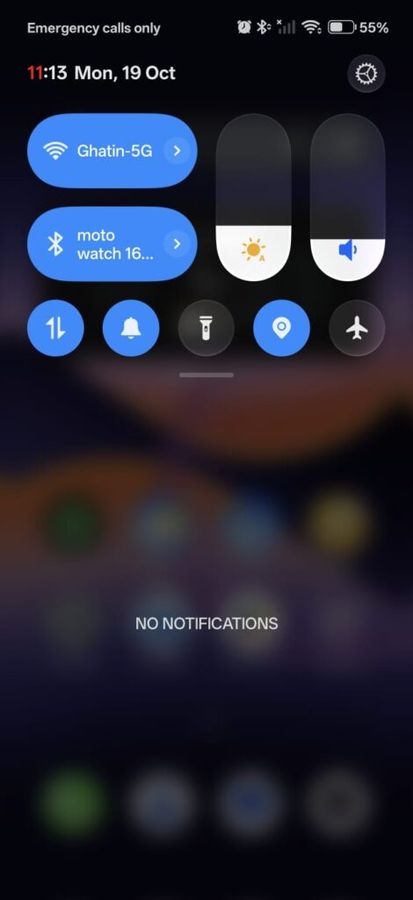
Not only that, but the Control Center has also received a visual refresh with stronger transparency, glowing toggle borders, and luminous effects. The basic functionality of the panel still remains familiar. Furthermore, we also missed the flexibility to resize quick toggles into different layouts.
The translucent appearance has also reached Notifications, as expanding and collapsing them now feels more elastic. Compared with OxygenOS 16, I found ColorOS 17 more layered and expressive. While I liked the new translucent approach from OnePlus, I also missed the control over it. I just hope OnePlus brings that with the upcoming updates so that I and everyone else can adjust the transparency to our liking.
ColorOS 17: Personalisation improves
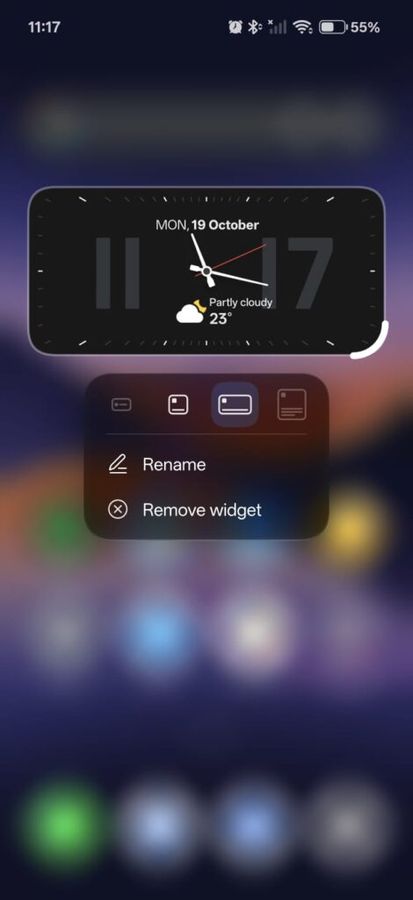
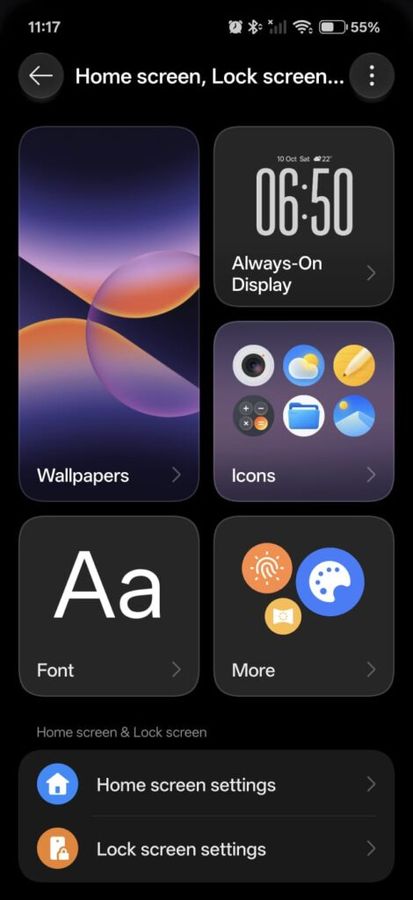
When talking about the personalisation, OxygenOS 16 introduced several useful customisation options, including large lock screen clocks, enlarged app icons, dark icons, and accent colours. And it feels like OnePlus builds on these features in ColorOS 17 rather than redesigning the entire personalisation system.
One small but welcome addition is the option to display a colon in the large lock screen clock. I could add or remove it by dragging from the corner of the clock. The update also introduces weather-based lock screen themes that react to local conditions with effects representing sunlight, rain, or snow.
The Living Clock is another addition, with animations that respond to the unlocking process and the clock’s position on the home screen. These features make the interface feel more alive.
However, there is one change that long-time OnePlus users may not appreciate. ColorOS 17 replaces the distinct OxygenOS app icons with ColorOS icons. Several familiar touches have also disappeared, including the calculator’s ‘Never Settle’ animation that used to appear every time you typed ‘1+’ and hit the equals button. Thankfully, the iconic red number one in the clock and status bar remains, as does the ‘Never Settle’ text in a particular Clock widget.
Also read: Apple iPhone Duo battery capacity revealed, here is how it compares to Samsung Galaxy Z Fold 8
ColorOS 17: Mind Pilot and Agent Mode
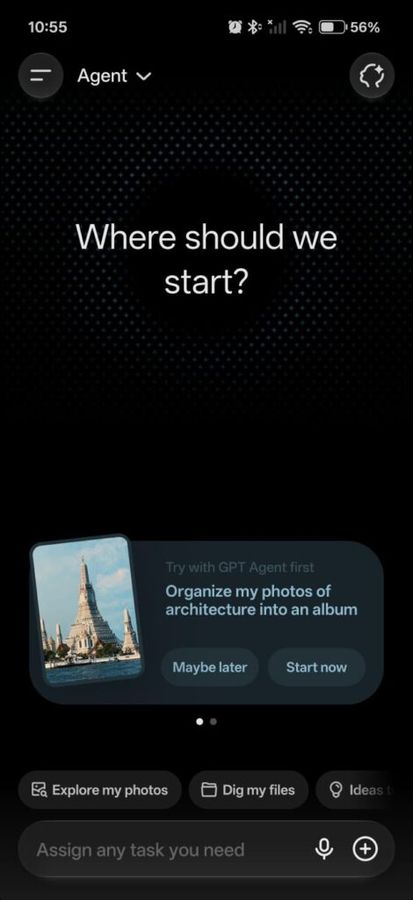
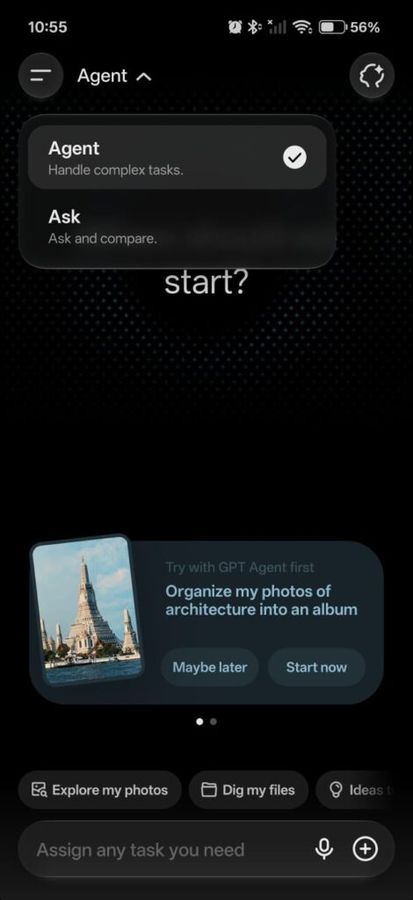
As we’ve already established by now, ColorOS 17 is not just about redesigning. Rather, it also brings major AI upgrades to the device. You now get AI Mind Pilot and an agent mode, allowing the tool to do more than answer your questions. The Agent Mode lets your phone carry out multiple steps to complete a task. I tried using it to find and organise information, and also asked it to create a collage from flower photos saved in my gallery. The device took a few minutes, but the final result was usable.
The Agent Mode in AI Mind Pilot is helpful when dealing with a large collection of files, photos, and documents. Like, you can ask it to find travel bookings, group related documents, or pull specific information from PDFs without having to search through everything manually. Furthermore, the company also claims that the system is designed to work with AI services such as Gemini, ChatGPT, Perplexity, and Manus. OnePlus notes that Manus support for local files and photos will arrive in a subsequent software update, and it recommends trying Agent Mode while signed out of your OnePlus account for the best experience.
While I liked what AI Mind Pilot did, I found it tricky; it took me a while to get familiar with the way everything is organised. One thing I’d love to see in the next update is the reduced number of steps involved in a task.
ColorOS 17: AI Mind Suggest
One feature I found quite useful in ColorOS 17 is AI Mind Suggest. Instead of making me open an app and look for information myself, it tries to bring the things I need to my attention before I go looking for them.
As a journalist, I often have multiple things to keep track of during the day, and travel plans are one of those things that can easily slip my mind when work gets busy. AI Mind Suggest can show reminders related to upcoming trips, including departure countdowns, through Live Alerts and the AI Suggest widget. That means I can check how much time I have left before a train or flight without having to dig through my apps every time.
But there is a catch. These reminders depend on the apps you use. Train updates, for instance, are supported through MakeMyTrip Train Card, while flight details require a compatible third-party app. Basically, you still need the right apps installed for these reminders to work, so there’s a bit of setup involved.
AI Mind Space also feeds into this feature. It lets you save things you might need later, such as links, documents, and other bits of information. ColorOS 17 can then use that saved content to offer more relevant suggestions. It’s a practical idea, particularly if you’re someone who saves a lot of information and struggles to find it again when you actually need it.
ColorOS 17: OSee
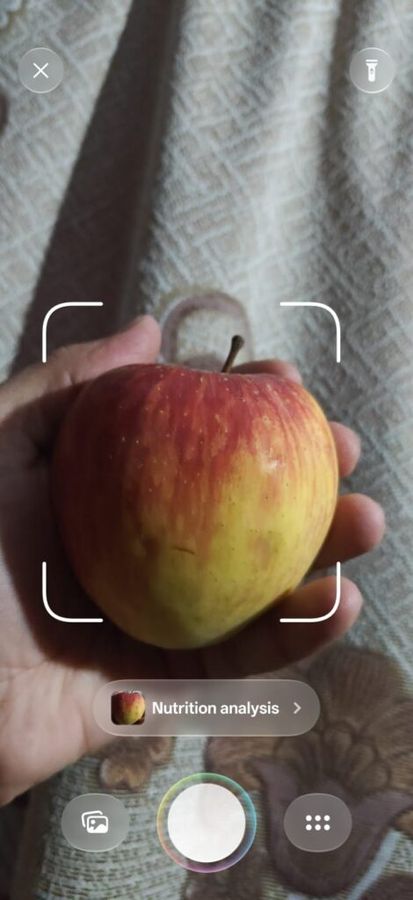
Another interesting AI feature in ColorOS 17 is OSee. The tool lets you see the details about a product in a less text-heavy and more visual way, and using it is also simple. All you need to do is open the app and point it towards the object you want to learn more about.
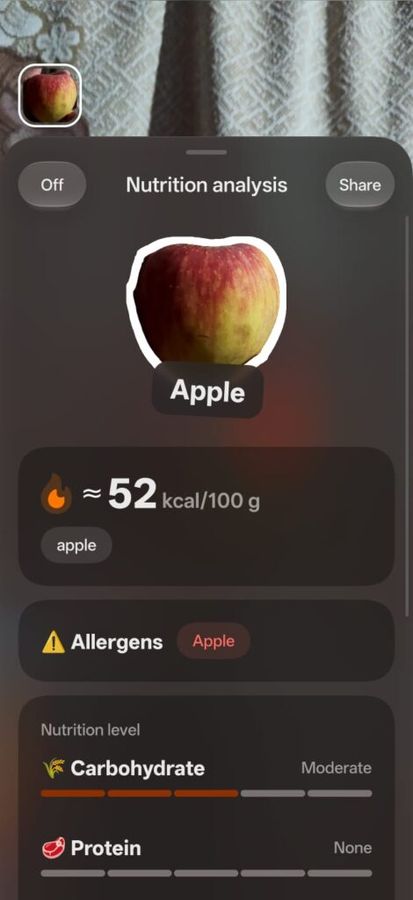
To test it, I pointed my OnePlus 15 at an apple and opened the Nutrition analysis feature. The app correctly identified the fruit as an apple and estimated its energy content at around 52 kcal per 100 grams. Not only that, but it also displayed a nutritional breakdown, including carbohydrate and protein levels. However, it’s important to note that these figures should be treated as estimates rather than exact nutritional values. Also, OnePlus says OSee will be available with subsequent software updates, so access may depend on your OS version.
ColorOS 17: AI Call Guard and Private Computing Cloud
OnePlus has also introduced a new AI-focused Call Guard feature that helps users identify potential scams. According to the company, the new feature is designed in a way that it can detect suspicious calls, including those using AI-generated voices, and flag possible face swaps during video calls.
I’ve not personally tested the functioning of the feature yet, so I can’t comment on the reliability at the time of writing. Users should treat the feature as an extra layer of protection rather than a guarantee against fraud.
While the above-mentioned features keep users safe against call frauds, ColorOS 17 also introduces a feature known as Private Computing Cloud that addresses growing concerns about data privacy. OnePlus says the system uses secure hardware and encryption to protect data sent to the cloud. It also claims that Agent Mode can index files locally without sharing original files with third-party AI models unless users grant permission. The feature can come in handy for users who want AI to help organise personal documents while maintaining control over their information.
ColorOS 17 hands-on verdict: Is it a worthy successor to OxygenOS 16?
After using ColorOS 17 on the OnePlus 15 for several weeks, I can confidently say that the new operating system has not disappointed me. It is not perfect, though. As mentioned earlier, I missed a few features, especially those related to greater control and personalisation. However, these are minor shortcomings that could be addressed through a simple software update and do not take away from the overall experience, which is otherwise fantastic.
OxygenOS 16 already offered a smooth and well-rounded experience, and ColorOS 17 builds on that with refreshed animations, visual changes, and some key new features. The overall experience feels familiar, but there are enough changes to make it feel like a worthwhile update.


