
Alogic Universal 12-in-1 Mini Dock DV3 Review: A Compact Docking Solution for Multi-Device Users
 Follow Us

Docking stations are one of those accessories you don’t realise you need until you start running out of ports or get tired of constantly plugging and unplugging cables. In today’s remote and hybrid work setups, flexibility has become essential, whether that’s connecting to multiple displays, ensuring a stable wired network connection, or having quick access to SD cards for media transfer. Alogic’s Universal 12-in-1 Mini Dock DV3 tries to tackle all of these scenarios in one compact unit. But does it live up to the promise of being the ultimate all-in-one dock, and more importantly, is it the right product for you?
 Survey
This review takes a detailed look at the DV3, covering design and build quality, connectivity, features, compatibility, everyday usability, and price-to-value ratio. The goal is simple: by the end, you should know clearly whether this dock fits your workflow or if you should look elsewhere.
Design and Build Quality
At first glance, the DV3 doesn’t scream “premium,” but its compact design feels practical. Measuring around 127 × 60 × 16.5 mm and weighing about 150 grams, it is small enough to slip into a laptop bag without adding bulk. The chassis is built from a sturdy plastic with a matte finish, which resists fingerprints fairly well. While it isn’t a solid block of aluminium like some high-end Thunderbolt docks, the DV3 doesn’t feel flimsy either. The lightweight design is a trade-off: it’s highly portable but not as rugged as docks meant to sit permanently on a desk.
A short integrated cable connects the dock to your laptop, and Alogic includes a USB-C to USB-A adapter for older devices. This design choice makes the dock versatile but introduces one limitation: because the cable is fixed, if it wears out, you can’t replace it. For most buyers, this won’t be an issue, but it’s something professionals relying on long-term durability should keep in mind.
Port Selection and Accessibility
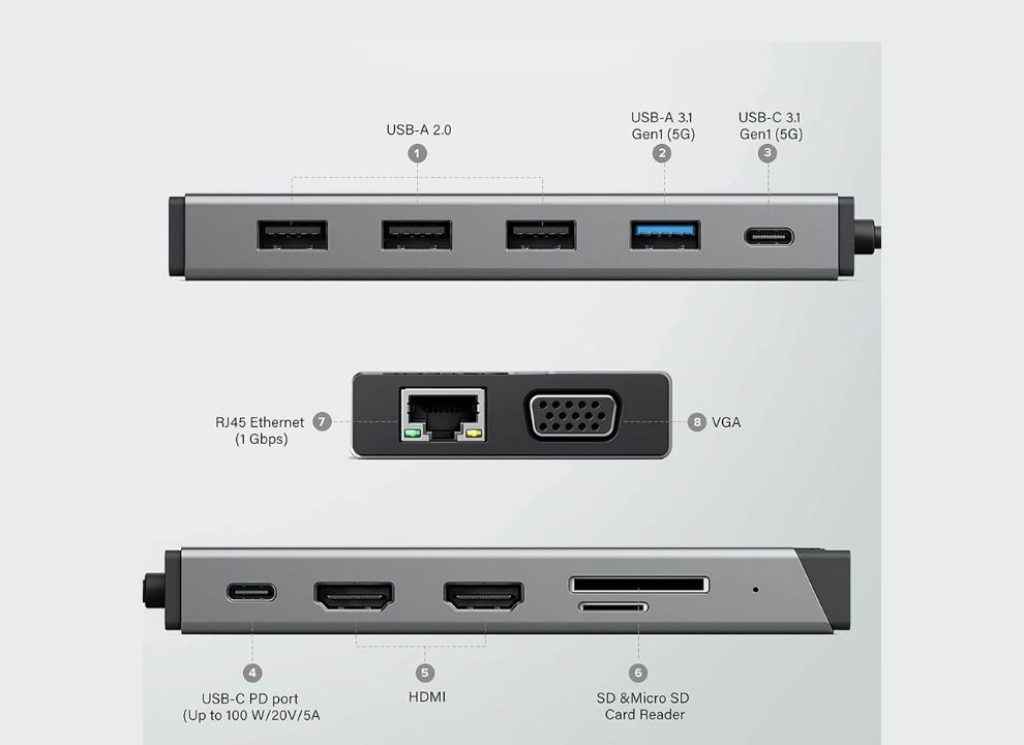
The headline feature of the DV3 is, of course, its 12 ports. Here’s a breakdown:
- Video Outputs: 2 × HDMI, 1 × VGA
- USB Ports: 3 × USB-A 2.0, 1 × USB-A 3.2 Gen 1 (5 Gbps), 1 × USB-C (data, 5 Gbps)
- Card Readers: 1 × SD card slot, 1 × micro-SD slot
- Networking: 1 × Gigabit Ethernet (RJ45)
- Power Delivery: 1 × USB-C PD input (up to 100 W)
- Upstream Connection: 1 × USB-C cable (with USB-A adapter included)
The variety is impressive for such a small unit. You can hook up external displays, plug in mice and keyboards, attach external storage, connect to a wired network, and still charge your laptop, all through one hub.
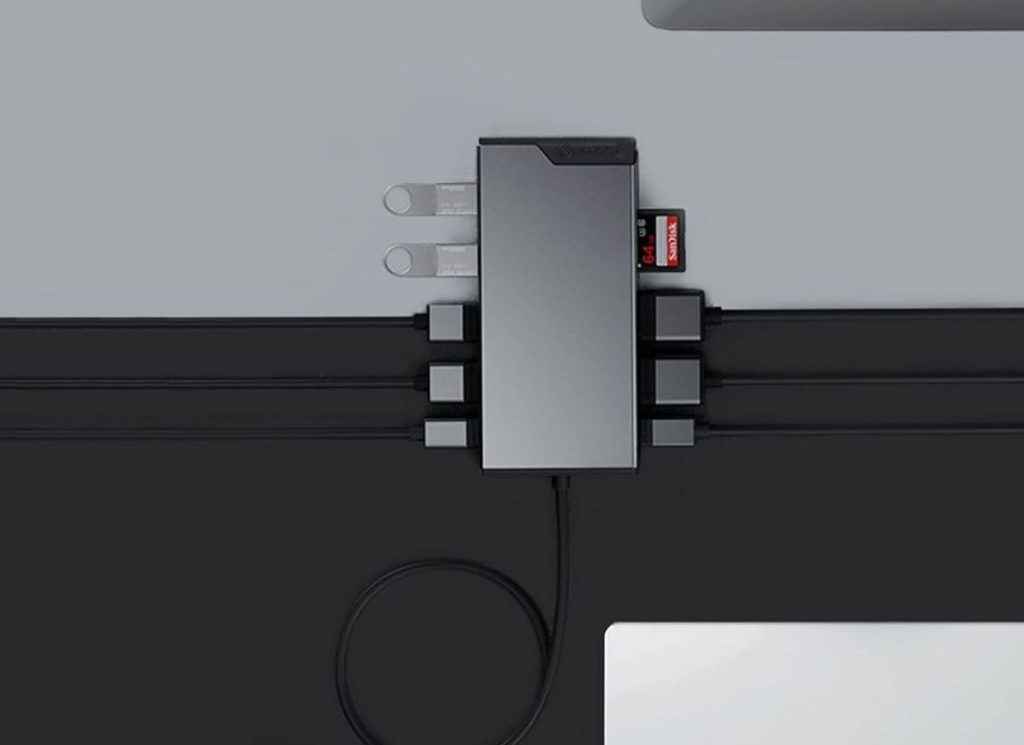
Accessibility is decent, though port placement is inevitably cramped. On such a compact dock, multiple thick HDMI cables or USB drives can make it feel cluttered. If you’re planning to run multiple displays and external drives simultaneously, a larger dock with more spaced-out ports may serve you better. That said, for on-the-go setups or clean desks with only essential accessories, the DV3 strikes a good balance.
Display Capabilities
One of the biggest selling points of the DV3 is triple display support. Using its two HDMI ports and VGA output, the dock can drive up to three Full HD (1920 × 1080 @ 60 Hz) monitors. This is perfect for productivity users who want spreadsheets on one screen, reference material on another, and a video call running on the third.
However, there are some caveats:
- The VGA output mirrors one HDMI when all three are connected. You don’t get three unique extended displays unless you’re using a combination supported by DisplayLink software.
- The dock does not support 4K displays at high refresh rates. If you’re a creative professional or gamer who needs 4K @ 60 Hz or above, you’ll find this limiting.
For office tasks, browsing, and general productivity, the DV3 works well. But if display performance is your top priority, especially for colour-accurate work or gaming, you’ll need a higher-end dock or a Thunderbolt solution.
Also read: ASUS V470VA All-in-One Review: A 27-inch display that looks and works like a premium desktop
Power Delivery and Charging
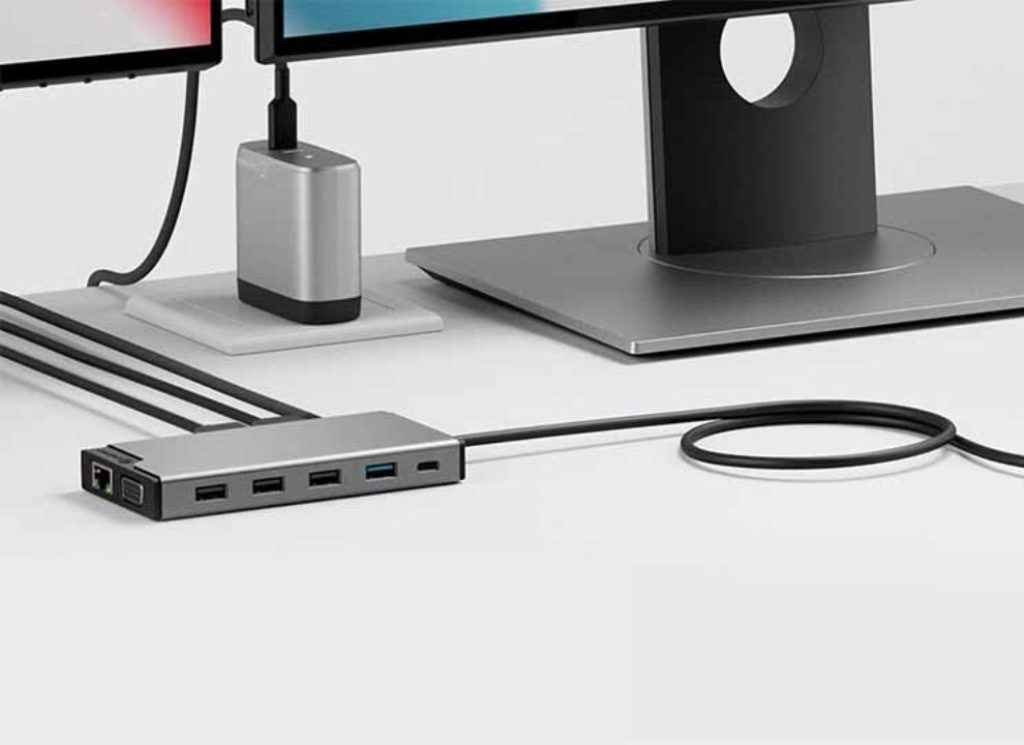
The DV3 supports up to 100 W Power Delivery passthrough. In practice, this means you can plug your USB-C laptop charger into the dock, and it will power your laptop while also running all your peripherals. For devices like MacBooks, Dell XPS, or Lenovo ThinkPads, this makes cable management far simpler, one connection powers your laptop and connects everything else.
That said, the dock itself consumes some power overhead, so your laptop may receive slightly less than the advertised 100 W. For ultrabooks and mid-range laptops, this isn’t an issue, but workstation-class laptops that demand higher power might charge slower under heavy load. Still, for the majority of users, PD passthrough is more than adequate.
Connectivity and Performance
In everyday use, the DV3 delivers stable performance. The Gigabit Ethernet port provides a reliable wired network connection, particularly useful if your laptop’s Wi-Fi struggles in crowded environments. File transfers through the USB 3.2 Gen 1 port are fast enough for external SSDs, while the additional USB-A 2.0 ports are perfect for low-bandwidth devices like keyboards, mice, or printers.
The SD and micro-SD card slots are a welcome addition for photographers and content creators, though they don’t offer UHS-II speeds. For quick transfers from cameras or drones, they’re handy, but professionals dealing with large RAW files may still prefer dedicated card readers.
Software and Compatibility
The DV3 is marketed as a universal dock, and in practice, compatibility is excellent. It works with Windows, macOS, Linux, and Chromebooks, as well as iPads and some Android devices. On macOS, particularly with M1 and M2 chips, multi-display setups may require DisplayLink drivers. Once installed, the experience is smooth, but buyers should be prepared for that extra setup step.
For most users, it’s plug-and-play. The inclusion of a USB-A adapter also makes it compatible with older laptops that don’t have USB-C ports, though in that case, power delivery and some display features may be limited.
Everyday Usability
In real-world use, the DV3 proves itself as a practical travel companion. For students, it means plugging into classroom projectors or multiple monitors without fuss. For remote workers, it transforms a laptop into a near-desktop setup with ethernet, external keyboards, and displays ready to go. For media creators, the card slots and extra USB ports are a time-saver when managing files.
The main usability concern is heat: like most compact docks, the DV3 does warm up under load, especially when running displays and charging simultaneously. It doesn’t get dangerously hot, but it’s noticeable.
Price and Value for Money
Pricing varies depending on the region, but the DV3 typically sits in the ₹7,000–₹9,000 range. Compared to premium Thunderbolt docks, which can cost two to three times more, the DV3 is affordable.
In terms of value, it offers an excellent port-to-price ratio. You’re getting triple display support, power delivery, card readers, ethernet, and plenty of USB ports in a compact package. For budget-conscious users who need flexibility but don’t require 4K multi-monitor setups, the DV3 is a strong contender.
However, professionals working with high-resolution displays, heavy data transfers, or needing long-term ruggedness may find better value in more expensive but robust options.
Pros and Cons
Pros
- Compact and lightweight design
- Wide range of ports (12 in total)
- Triple display support (Full HD)
- 100 W Power Delivery passthrough
- Gigabit Ethernet and card readers included
- Works across Windows, macOS, Linux, and Chromebooks
- Affordable compared to Thunderbolt docks
Cons
- Limited to 1080p external displays; no 4K @ 60 Hz multi-monitor support
- Fixed cable limits long-term durability
- Port placement can feel cramped
- SD and micro-SD slots not UHS-II
- Gets warm under heavy use
Verdict: Is the DV3 for You?
The Alogic Universal 12-in-1 Mini Dock DV3 is best suited for students, remote workers, and professionals who need a flexible, affordable docking solution. If your workflow involves connecting to multiple Full HD displays, transferring files from SD cards, enjoying a stable wired network, and charging your laptop through one hub, this dock makes a lot of sense. It’s especially appealing for those who move between home, office, and travel setups, thanks to its portable size.
On the other hand, if you are a creative professional who works with 4K monitors, video editors handling large RAW files, or power users needing workstation-class durability, the DV3 will likely feel limiting. In that case, you should consider higher-end docks with Thunderbolt 3 or 4 support, faster card readers, and stronger build quality, even if they cost significantly more.
In short, the DV3 is not a one-size-fits-all solution. It shines as a budget-friendly, versatile dock for mainstream users who value portability and port variety. But if you’re chasing top-tier display performance or professional-grade features, you’ll need to look higher up the ladder.
Also read: HP launches AI-powered OmniBook 5 and 3 laptops in India, starting at ₹69,999


