Meta has unveiled various privacy and security features on WhatsApp.
This feature is here to create awareness about privacy and security.
With the help of this, users can quickly review and manage their privacy settings.
WhatsApp is our favourite messaging app. From office discussions to planning a trip, everything happens here. When we discuss some major information about ourselves on the platform, WhatsApp privacy and security become key. To ensure that, WhatsApp continuously keeps on upgrading its protection features to deal with the up and growing threats and offer a safer space to chat. Now, Meta has added some new privacy features to its platform WhatsApp just recently. Let’s find out more about it.
 Survey
Off late, Meta has unveiled various privacy and security features on WhatsApp. However, not many users are aware of it and not many use it either. Well, that’s the motive behind this new addition. To create awareness about privacy and security, Meta has introduced the ‘Privacy Checkup’ on WhatsApp. This feature allows users to keep track in one place.


Also read: WhatsApp may soon let you message people using other apps: Here’s why
What is the ‘Privacy Checkup’?
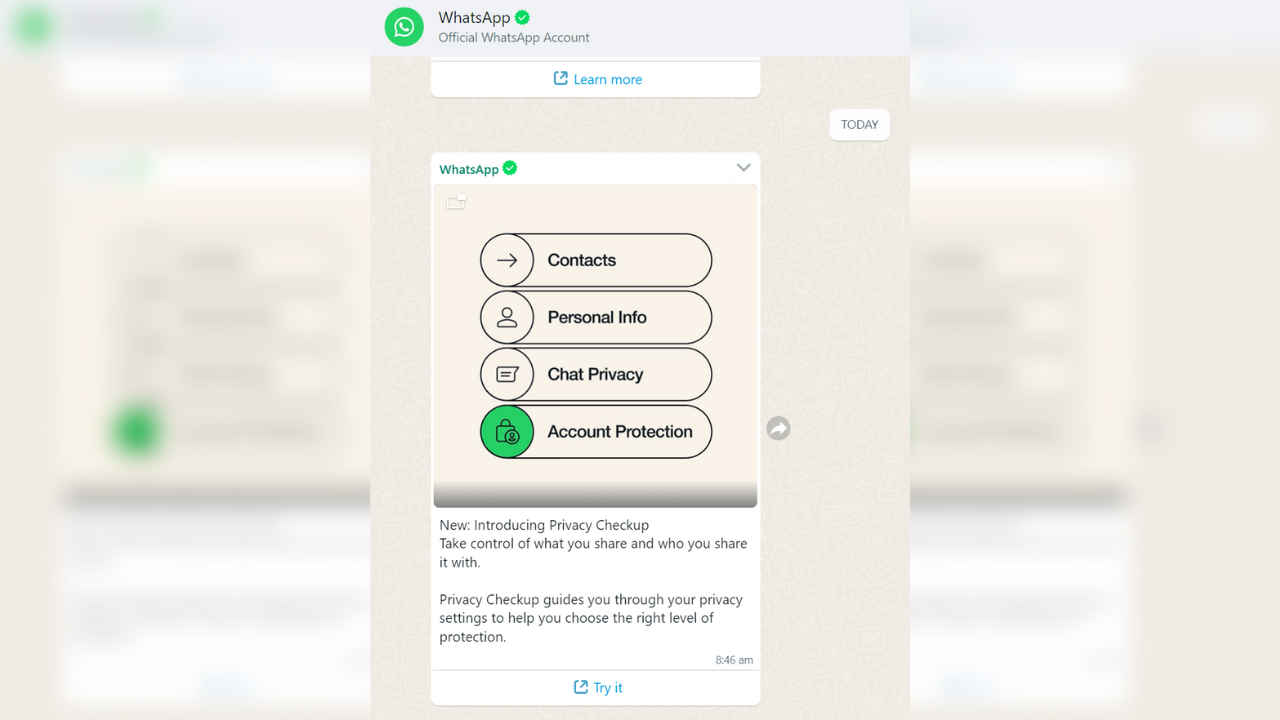
Basically, with the help of the ‘Privacy Checkup’ feature on WhatsApp, users can quickly review and manage their privacy settings. This allows users to be in charge of the information they are putting out and who can see it. The users can navigate through all the privacy settings that WhatsApp has to offer under the WhatsApp settings. Users can then choose the settings that suit their needs and enable them.
Many users also got messages regarding this from WhatsApp itself, telling them how to use it. Here’s a step-by-step guide on how you can use the ‘Privacy Checkup’ feature on your WhatsApp account. To initiate your ‘Privacy Checkup’, Go to ‘Settings’ and then click and browse in the Privacy Settings and click on ‘Start Checkup’.
Also read: Use two WhatsApp accounts on your iPhone or Android smartphone: Here’s how
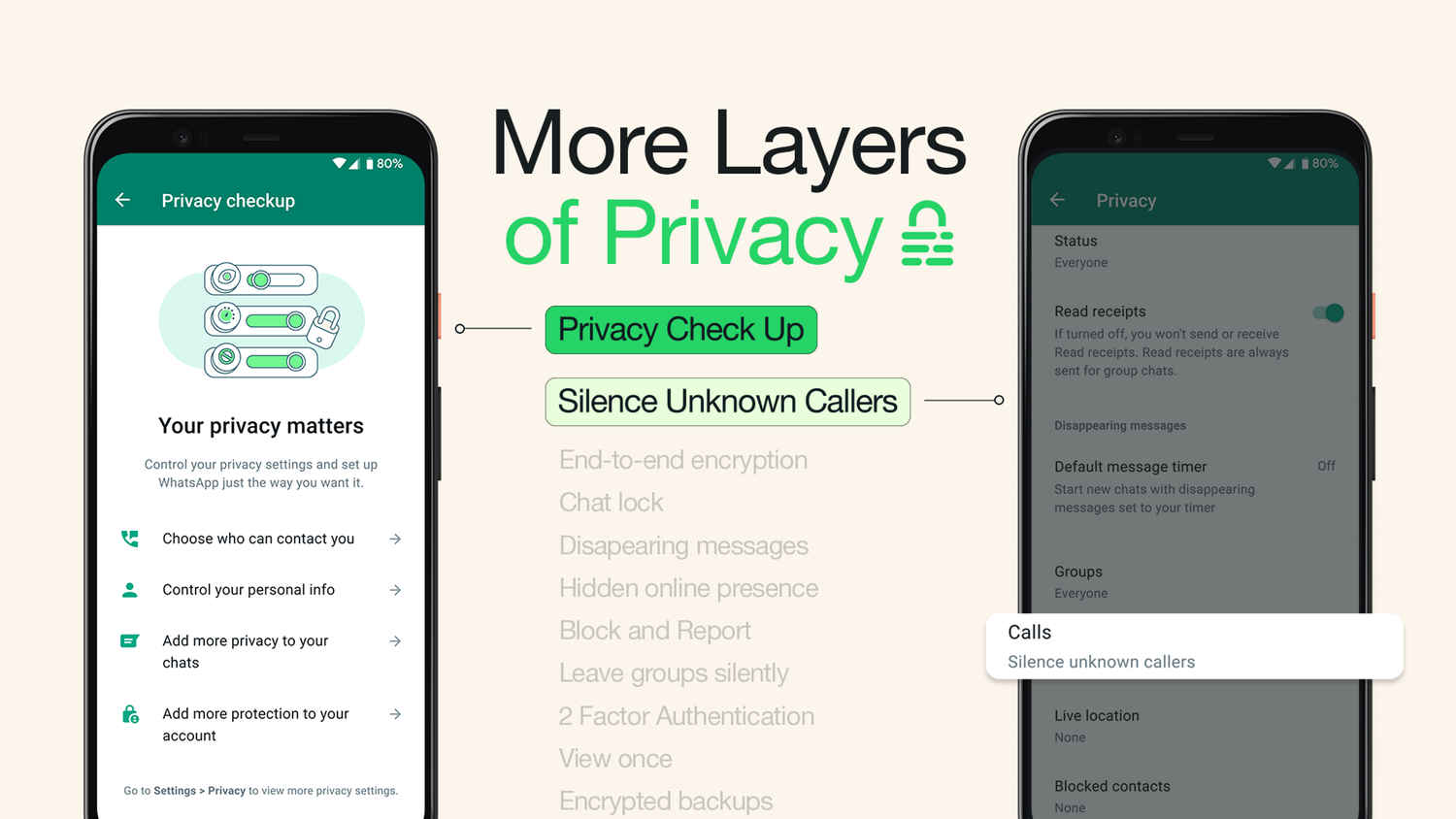
Through the process, you will be shown multiple options and you can filter through them. These would include who can contact you, add you to groups, and manage your blocked contacts. Further, you also get the option to edit your personal information, such as your display picture, last seen and online status, and read receipts.
If you want to add more security and privacy features, then you can do this by setting up disappearing messages and enabling end-to-end encrypted backups.
 Follow Us
Mustafa Khan
Mustafa is a young tech journalist who tells it like it is, cutting through buzzwords to deliver straightforward smartphone reviews. He’s the office go-to for insider tips and quick demos, and his video content doesn’t waste anyone’s time. When he’s off the clock, he geeks out over cars, photography, and hunting down the best spot for Indian food. View Full Profile


