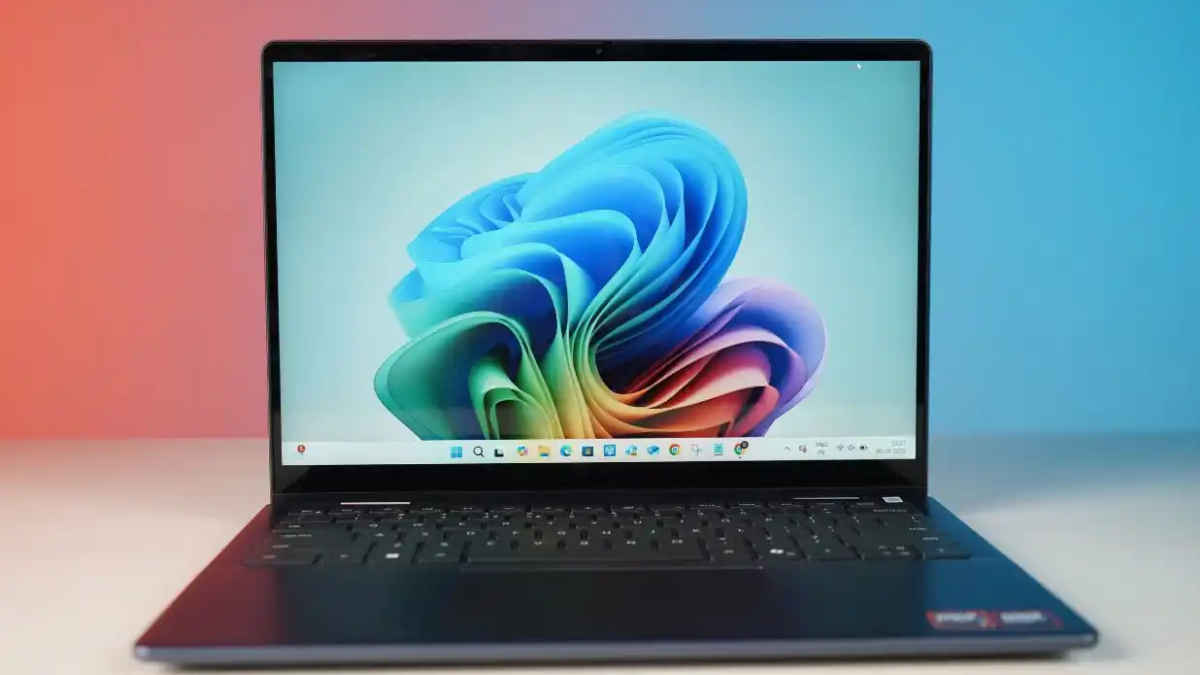
Some people prefer to do things exactly as they were intended. Some people, however, enjoy taking risks and experimenting with anything they can get their hands on. I, very firmly belonging to the second category, decided to do something different last weekend. I tried running three heavy games on a laptop that was never meant for gaming. Not a chunky, RGB-loaded machine. Not something built to dissipate heat like a wind tunnel. Just the Dell 14 Plus 2-in-1 sitting quietly on my desk, minding its own business, unaware that it was about to become the star of a very questionable idea. What followed was a mix of surprise, panic, fan noise, unexpected victories and a laptop that tried harder than any non-gaming laptop ever should.
 Survey
Also read: Assassin’s Creed IV: Black Flag remake could arrive soon: All you need to know


The Mortuary Assistant: Unexpectedly decent
I started with The Mortuary Assistant because it is lighter than the other two titles, yet still tense enough to expose performance hiccups. The first run was with V-Sync enabled, graphics set to medium and resolution at 1080p. The game was playable, but not smooth. Movements felt a little sluggish, and the laptop struggled to maintain consistent frame pacing.
Turning V-Sync off changed everything. The game immediately felt better, and the difference in responsiveness was obvious within minutes. The real surprise came when I pushed the graphic settings to high with V-Sync still off. This turned out to be the best experience overall. Frame rates hovered around 30 FPS, which is not ideal for competitive gameplay but perfectly fine for a single-player horror title where atmosphere takes precedence over blistering speed.
Thermals were expectedly warm. The WASD area peaked at around 48°C, the IJKL region touched 40°C, and the touchpad stayed cooler at about 29°C. Nothing alarming, but you definitely feel the heat if your fingers rest in those zones for long sessions.
God of War: The laptop tries its absolute best
The experience with God of War was similar to the moment you ask a friend who has never been to the gym to help you move a sofa. They will try. They will sweat. They might surprise you. But you will hear every single struggle.
Before diving deeper, here are the graphic settings I used in the game:
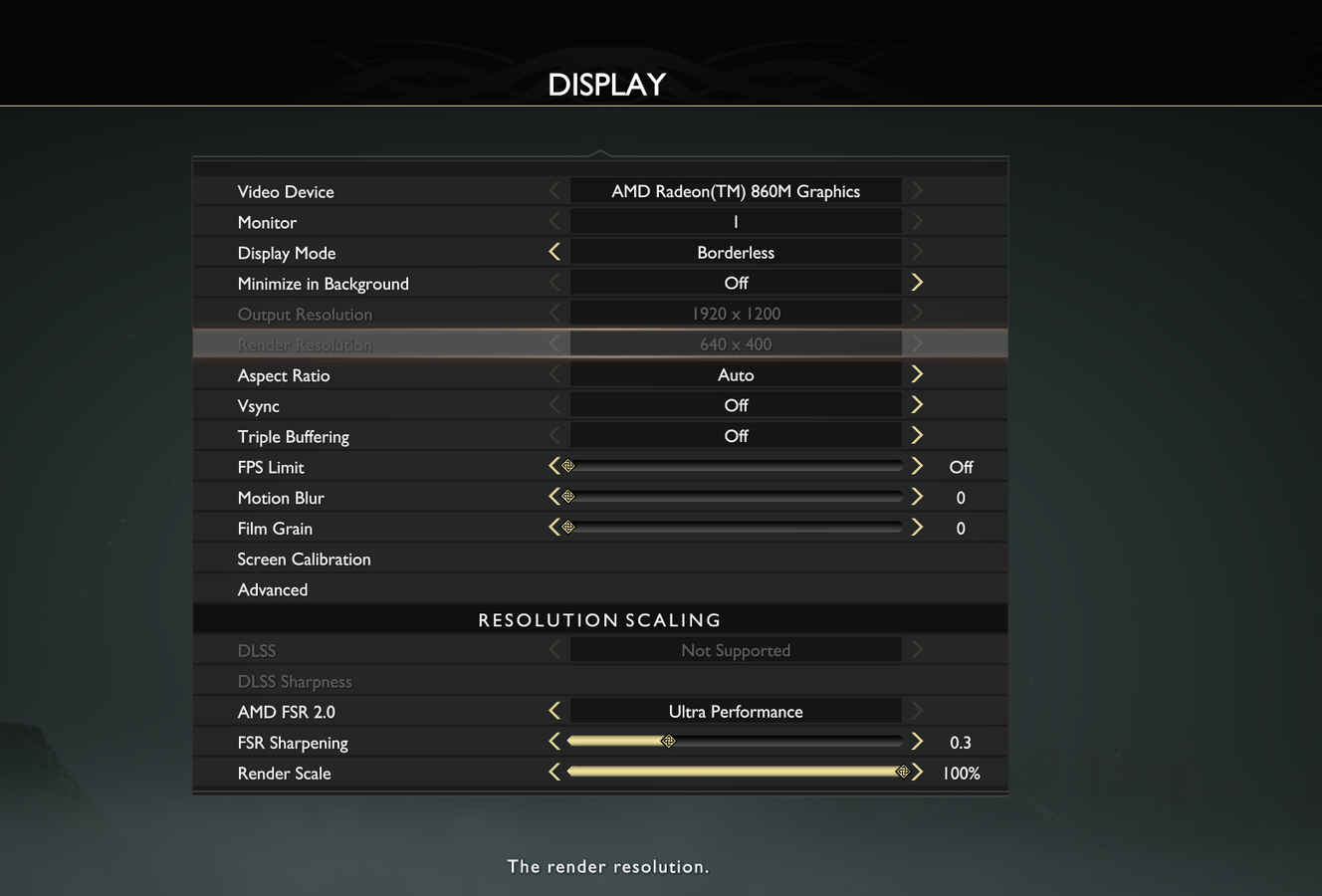
At original graphic settings, the Dell 14 Plus 2-in-1 delivered 40 to 50 FPS. Visually, the game looked decent enough to know what’s happening, although water and shadow textures had that slightly pixelated look that integrated GPUs are famous for. Still, the heart of the experience was intact. Combat felt responsive, cutscenes were smooth, and Kratos still looked like he could break the laptop in half if he got irritated enough.
What I couldn’t ignore was the fan noise. The laptop went full jet engine the moment enemies appeared on screen. After about 20 minutes, the frame rate dropped to 28 FPS for a few seconds, then bounced back to the 40–50 range as if nothing had happened.
Thus, even though the laptop performed surprisingly well, I knew I was pushing hardware that was not built for this workload.
Thermals followed the same pattern as Mortuary Assistant, only more intense. The chassis became hot, and the fans did everything they could to keep temperatures under control. The game is playable, but you will not forget that this laptop is fighting for every degree.
Forza Horizon 5: The champion
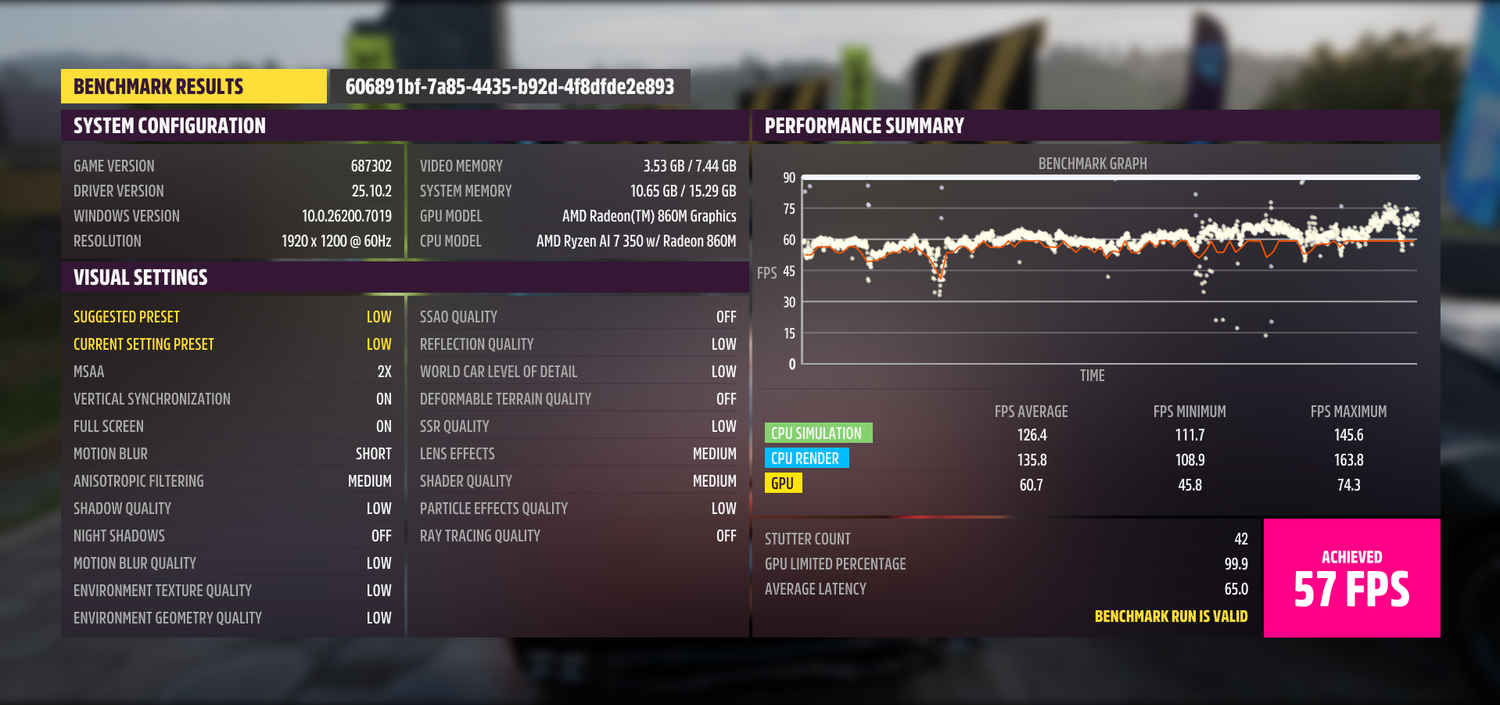
Of the three titles, Forza Horizon 5 impressed me the most. Racing games are usually unforgiving when it comes to performance, yet this one managed to run smoothly throughout. The cars looked gorgeous, textures held up well and even the water effects looked just right, if not the best.
The built-in benchmark gave the laptop a score of 57 FPS, which is genuinely solid for integrated graphics. During actual gameplay, the frame rate held up, the world loaded quickly enough, and the overall experience was enjoyable. Playing Forza Horizon 5 felt like the laptop had finally found the sweet spot between visuals and performance.
The benchmark story
To see how the laptop’s integrated graphics actually rank on paper, I ran a few synthetic benchmark tests. The 3DMark results came in at 2,438 for Time Spy, 22,569 for Night Raid, 5,449 for Fire Strike, 8,421 for Wild Life and 2,061 for Wild Life Extreme. GFXBench painted a similar picture with 6,012.54 in Aztec Ruins High (DX11) and 3,908.3 in Aztec Ruins Normal (DX11).
Taken together, these figures confirm exactly what the gaming sessions were hinting at. The Dell 14 Plus 2-in-1 is not pretending to be a gaming laptop, yet the integrated GPU punches far above what you would normally expect from a thin, premium 2-in-1. It is not built for intense games, but it also refuses to embarrass itself.
So, can you play games on a non-gaming laptop?
Yes, if you adjust your expectations. Mortuary Assistant was more than playable once the right settings were dialled in. God of War pushed the laptop to its limits but stayed enjoyable for most of the run. Forza Horizon 5 was outright impressive.
You will hear the fans. You will feel the heat. You will occasionally check the temperature and wonder if you should give the laptop a water break. But the experience is not only possible, but it is genuinely fun if you are willing to tweak a few settings.
The biggest takeaway is simple. Modern laptops, even the ones meant for work and classrooms, are far more capable than they appear. And sometimes all it takes is curiosity, an honest experiment and the confidence to double-click a game that your laptop was never meant to run.
If anything, this little experiment made me appreciate how far integrated graphics have come. And yes, the Dell 14 Plus 2-in-1 survived everything I threw at it. Which means your everyday laptop might surprise you too.
Also read: MacBook Air M1 can be yours for under Rs 50,000: How the deal works
 Follow Us
Divyanshi Sharma
Divyanshi Sharma is a media and communications professional with over 8 years of experience in the industry. With a strong background in tech journalism, she has covered everything from the latest gadgets to gaming trends and brings a sharp editorial lens to every story. She holds a master’s diploma in mass communication and a bachelor’s degree in English literature. Her love for writing and gaming began early—often skipping classes to try out the latest titles—which naturally evolved into a career at the intersection of technology and storytelling. When she’s not working, you’ll likely find her exploring virtual worlds on her console or PC, or testing out a new laptop she managed to get her hands on. View Full Profile


