
Milagrow iMap Max W300 Eco review: A robot vacuum that takes cleaning seriously
 Follow Us

With a busy working life, keeping up with household cleaning can get difficult. By the time I’m done with work, I don’t really have the energy to vacuum and mop the house every day, and spending a good part of the weekend cleaning isn’t something I particularly look forward to either. I’ve had househelp as well, but that comes with its own set of things to deal with.
 Survey
So, I was actually considering buying a robot vacuum cleaner. The research had already begun, with different models being compared to see what they actually offered and which one would make sense for my home. Around the same time, Milagrow sent us the iMap Max W300 Eco for review. Since I was already researching robot vacuums, I figured this was a good opportunity to spend some time with one before actually putting my money into one.
I’ve been using it in our office lab, where the environment is quite different from a clean home. There are appliance boxes, cables, packaging strings and other things lying around, which gave me a good opportunity to see how well the robot handles a slightly messy environment. I also set up a small kitchen area for testing its cleaning and mopping capabilities.
Setting up the Milagrow iMap Max W300 Eco
The initial setup is fairly straightforward. After powering on the robot, the app guides you through the pairing process, so getting it connected doesn’t require much effort. With the robot connected, starting the mapping process requires just a tap in the app. From there, the W300 Eco gets to work on its own.
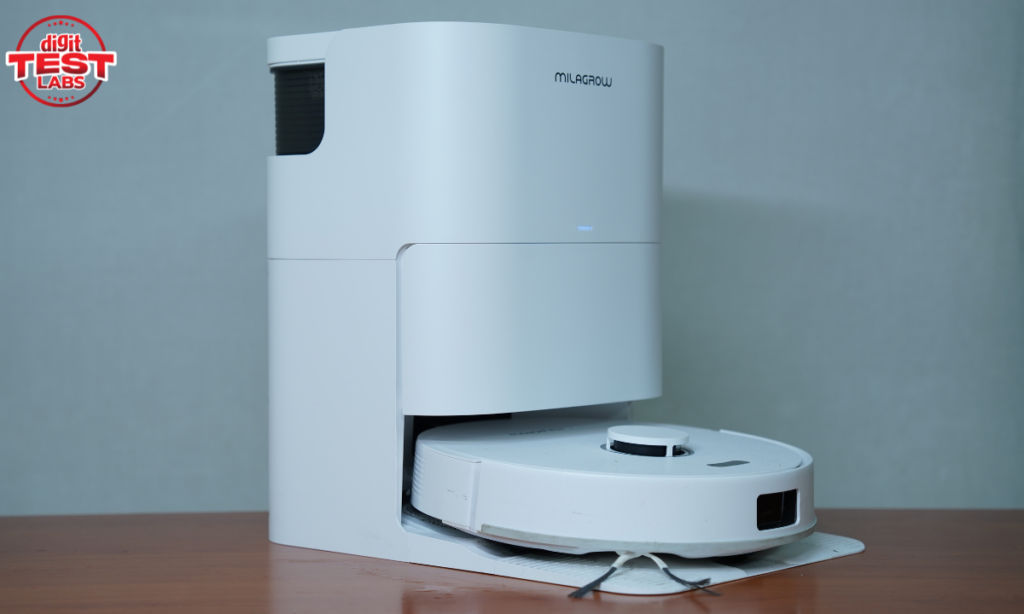
What impressed me more was how it handled the mapping in our lab. There are plenty of boxes and packaging material lying around, including strings spread across the floor. I even stood in front of it while it was mapping to see how it would react. It detected me and changed its path instead of trying to run into me.
We also had some drawers left open while setting up the kitchen area for testing, and the W300 Eco actually went inside them while mapping. It did a good job of exploring the available space instead of simply sticking to the obvious open areas. Once it finished mapping, it returned to the dock on its own and fitted in without any issues. As soon as it connected, a voice prompt announced that it was charging. The whole mapping process was simple enough that I didn’t really have to babysit the robot while it figured out the layout.
The app is simple, but has plenty of controls
The W300 Eco is controlled primarily through the app, and there are quite a few options available. The main screen shows the cleaning map, battery level and current status, while the cleaning controls let me choose between Vacuum, Mop, Vac & Mop and Mop after Vac modes.
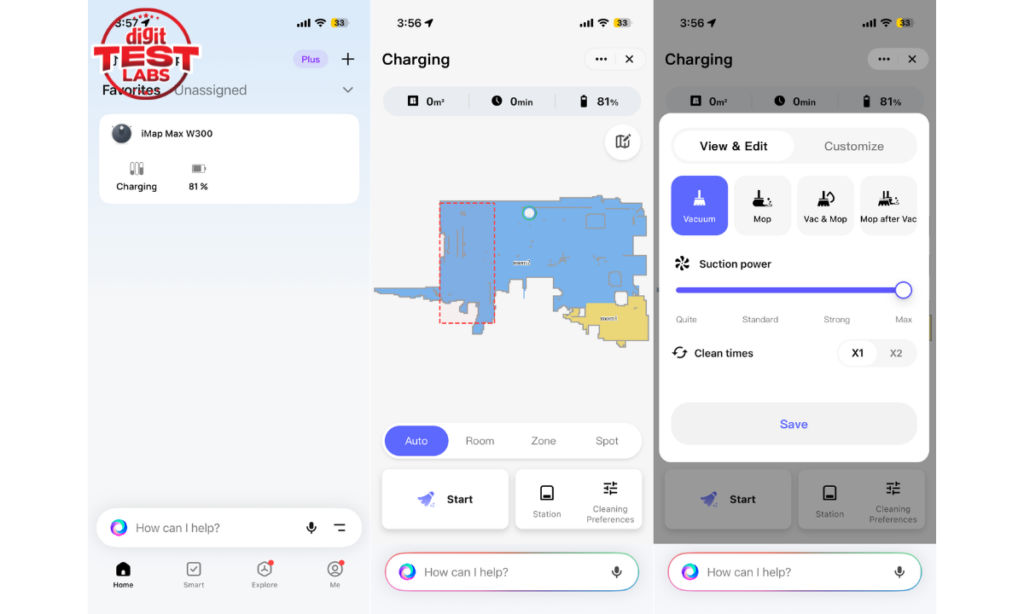
There are also four suction levels, ranging from Quite and Standard to Strong and Max, along with the option to make the robot clean an area once or twice. I can choose between Auto, Room, Zone and Spot cleaning depending on how much of the mapped area I want it to cover.
You can also control the robot manually through the app. If I want it to move to a particular spot, I can use the remote control instead of starting a complete cleaning cycle.
The app also offers multi-map management, scheduled cleaning, station settings, voice and volume controls, cleaning records, carpet settings, Do Not Disturb and accessory usage information. There is also a map editing section where I can view and customise the mapped area.
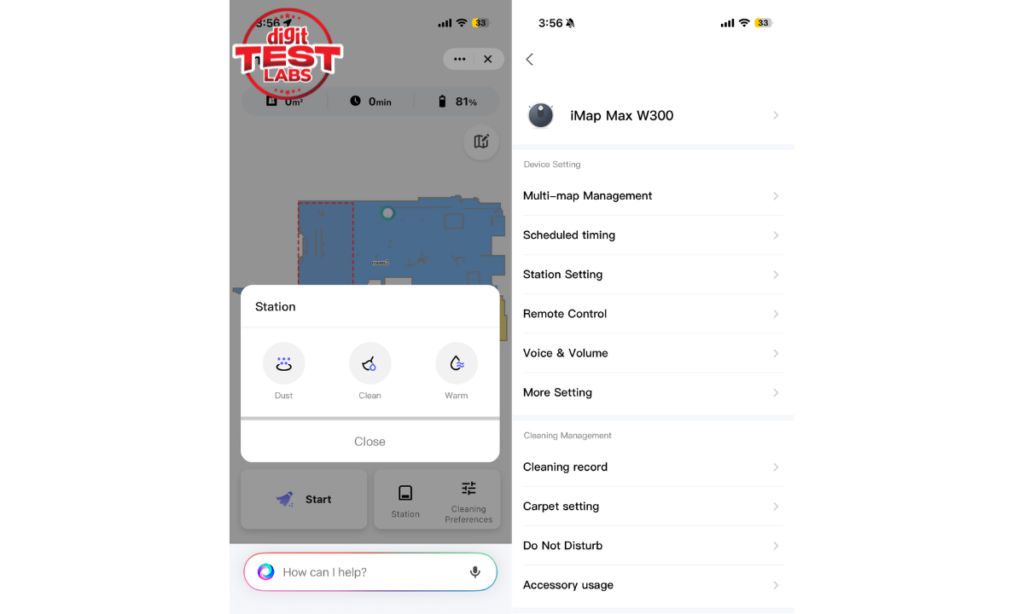
So, functionality isn’t really an issue here. The app is fast and responsive, and I haven’t had problems with commands taking too long to register. My main complaint is that the interface feels quite plain. It does everything I need, but the UI doesn’t feel particularly polished or exciting for a premium robot vacuum.
Vacuuming performance is genuinely good
The W300 Eco does a very good job of picking up everyday dust and small debris. After using it around the lab, I found that it handled the kind of dirt and particles you would normally expect a robot vacuum to deal with without any problems.
It also surprised me with larger debris. During testing, I left a piece of plastic wire about 3cm long on the floor. The robot picked it up and carried it all the way into the dust bag without struggling.
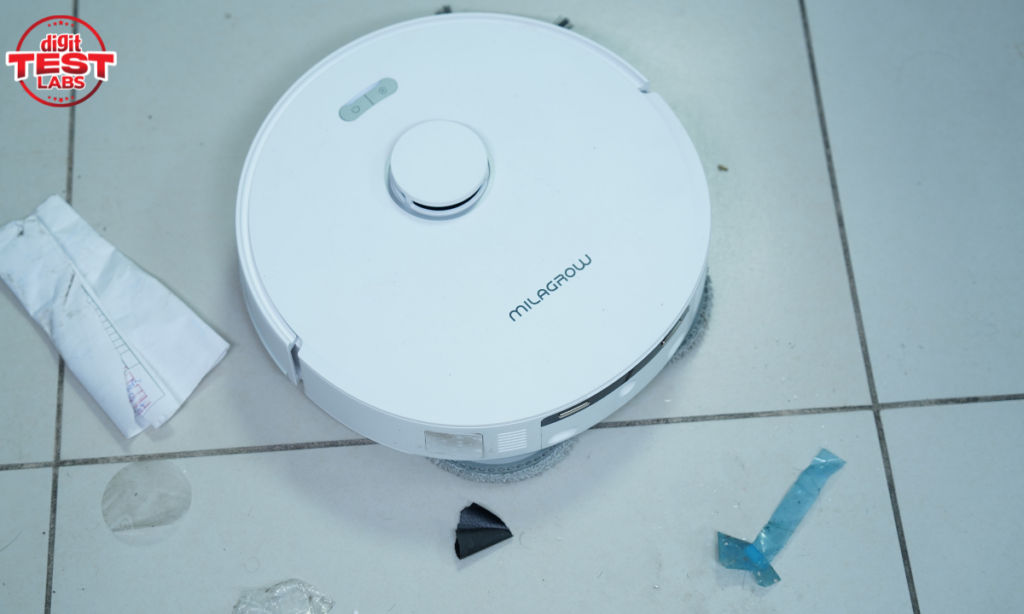
Obviously, that doesn’t mean you should leave random objects on the floor and expect the robot to deal with everything. But it does give me more confidence that it can handle the occasional larger piece of debris that gets left behind.
Milagrow also uses what it calls Dual Tangle-Free 2.0 Technology, which uses reverse-rotation on the main and side brushes to reduce hair getting tangled around them. I didn’t encounter any significant tangling during my testing, although the lab wasn’t an environment where I could properly stress-test the hair-tangling claim.
It takes mopping seriously
Mopping is another area where the W300 Eco performed well. In Vacuum and Mop mode, it can vacuum and mop simultaneously, while the Mop after Vac mode makes the robot vacuum an area first and then mop the same area. I found the latter approach more useful during testing, as picking up loose dirt before mopping leaves the floor cleaner and prevents the mop from simply dragging debris around.
More importantly, the mopping doesn’t feel like the robot is simply dragging a wet pad across the floor to get the job done. It actually spends time going over the area and putting some effort into cleaning it.
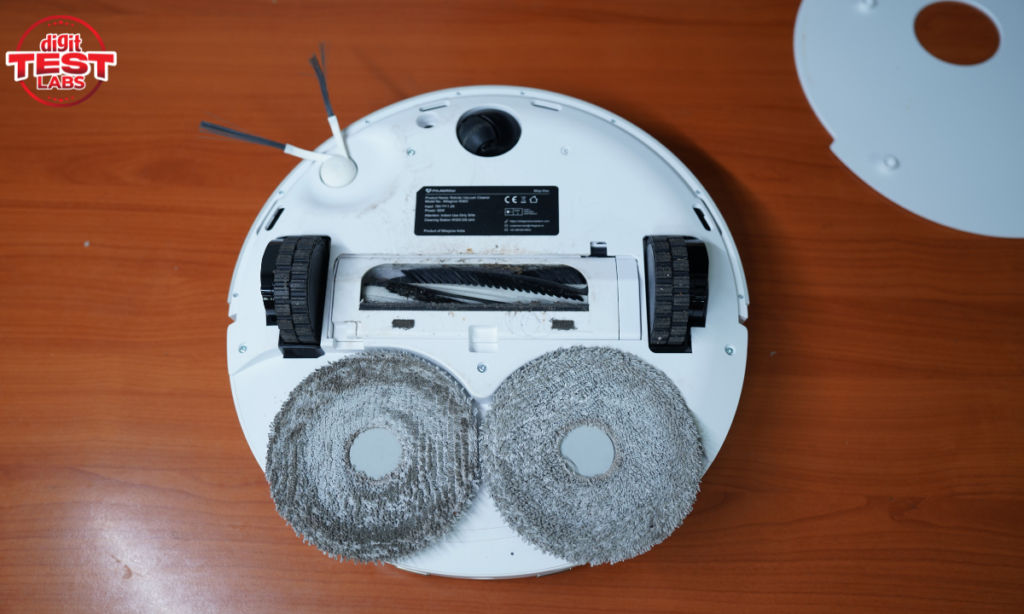
I tested this by spilling tomato ketchup on a tiled floor. The W300 Eco was able to clean the stain in two passes, and the final result was quite good. It made a noticeable difference to the floor rather than simply spreading the mess around.
For a robot vacuum, that is probably one of the more important things to get right. Vacuuming can take care of loose dirt fairly easily, but mopping is where a robot can start feeling like a genuine replacement for some of the manual cleaning you would otherwise have to do.
Obstacle avoidance works well in a messy environment
The W300 Eco has also handled the cluttered environment of our lab quite well. There are plenty of boxes, strings and cables around, and I haven’t seen it repeatedly crashing into walls or heavy objects.
One thing I particularly liked was how it handled cables. There are cables from different appliances lying across the floor in the lab, and instead of getting tangled in them, the robot was able to climb over them and continue cleaning.
It was also careful around larger objects. When I deliberately stood in its path, it detected me and moved around me instead of bumping into me. The same behaviour was noticeable around other objects on the floor.
That could be particularly useful at home if you have expensive or fragile objects placed around the house. A robot that constantly bumps into furniture or pushes objects around can quickly become more trouble than it is worth. The W300 Eco has so far been quite careful about what it encounters.
The dock takes care of more than charging
The dock is an important part of the W300 Eco experience because the robot doesn’t simply return to it for charging and leave the rest of the maintenance to you.
One thing I noticed during testing is that when the robot detects that its base needs cleaning, tapping the Start Cleaning option makes it clean the base first before starting the floor-cleaning process. It is a small detail, but it means the robot takes care of the dock before getting back to the actual cleaning job.
The two water tanks (one for clean water and other for dirty water) are positioned on top of the dock and have handles, which makes them fairly easy to remove and carry around. The dust bag, however, is located behind the front panel below the charging indicator. So, when I need to access the dust bag, I have to remove that panel first. It isn’t difficult, but it does add an extra step.
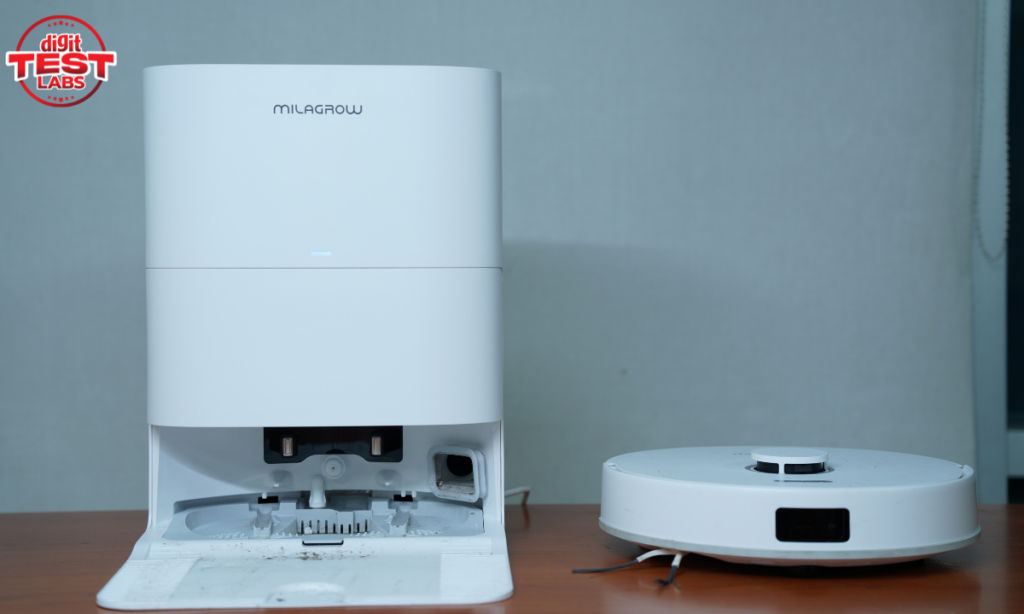
One small design detail I would have liked is a handle or recessed grip on the dock itself. The dock isn’t particularly heavy, so moving it around isn’t difficult, but having somewhere to grip it would make lifting and repositioning it easier. That said, I wouldn’t really count this as a drawback because handles aren’t something you commonly get on robot vacuum docks anyway. It would simply have been a nice-to-have.
After a cleaning cycle, the robot returns to the dock by itself and connects without any trouble.
The physical controls are minimal
There are only two physical buttons on top of the robot, a Home button and a Power button. The Home button sends the robot back to the dock, while the Power button also doubles as the reset control when required.
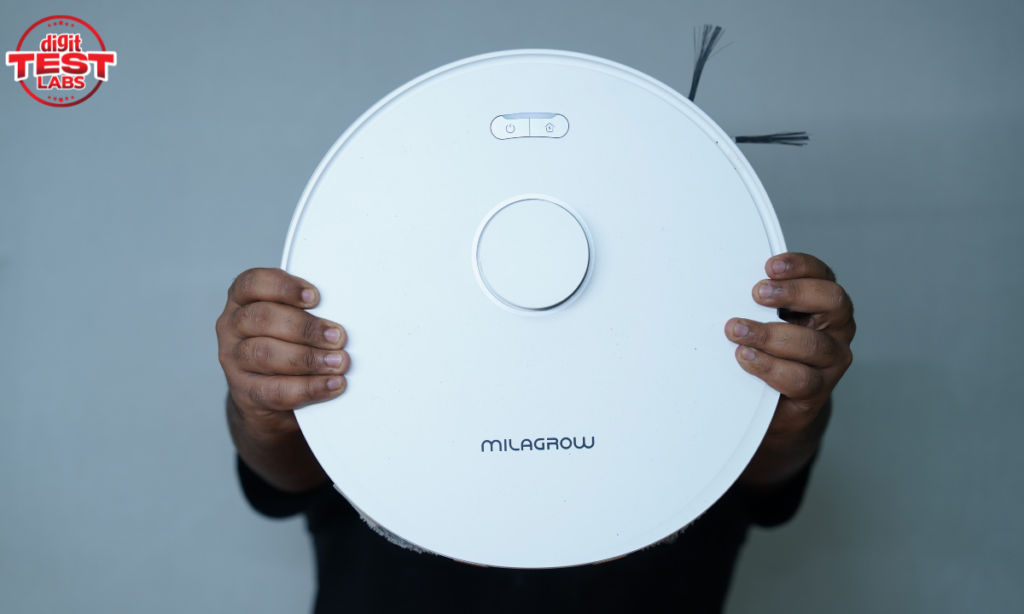
I like keeping the physical controls this simple. Most of the actual controls are available through the app, while these two buttons cover the basic things I would need to do directly on the robot.
There is no camera, and I actually like that
The W300 Eco doesn’t have a camera, which I consider a positive. A robot vacuum spends a lot of time moving around your home, including rooms where you may be working, relaxing or simply going about your day. Knowing that there isn’t a camera constantly looking around the house gives me some additional peace of mind.
There is a trade-off, though. Without a camera, the robot doesn’t have the sam ability to visually identify objects on the floor and tell you what it encountered. If something gets in the way or causes a problem, you get less information about exactly what the robot saw.
For me, that’s a trade-off I’m comfortable making. If the robot can navigate around obstacles without needing a camera, I’d rather have a simpler setup.
The biggest issue is noise
The one area where the W300 Eco has disappointed me is noise. Even with the suction power set to Quiet, the robot makes a fairly noticeable sound while cleaning. Once you increase the suction level, it gets louder still.
This is something to keep in mind if you are planning to run it while you are working in the same room or simply want a quiet cleaning experience. I also wouldn’t recommend scheduling it while you are sleeping, especially if the robot is going to be cleaning close to your bedroom.
The cleaning performance is good enough for me to accept some noise, but I would have liked the W300 Eco to be quieter, particularly at the lower suction setting.
Milagrow iMap Max W300 Eco vs the competition
At ₹54,990, the Milagrow iMap Max W300 Eco sits in the premium robot vacuum segment, where there are several options offering automated vacuuming, mopping and dock-based cleaning. To put its specifications into perspective, here’s how it compares with a few similarly priced robot vacuums available in India.
| Specification | Milagrow iMap Max W300 Eco | Dreame D20 Ultra | ECOVACS DEEBOT N50 Pro OMNI |
| Price | Rs 56,990 | Rs 46,999 | Rs 59,999 |
| Suction power | 24,000Pa | 13,000Pa | 25,000Pa |
| Battery capacity | 5,200mAh | 5,200mAh | 5,200mAh |
| Maximum runtime | 250 mins | 260 mins | 300 mins |
| Auto dust emptying | Yes | Yes | Yes |
| Automatic mop washing | Yes | Yes | Yes |
| Automatic mop drying | Yes | Yes | Yes |
| Automatic water refill | Yes | Yes | Yes |
Note: Prices can fluctuate depending on the retailer and ongoing offers.
So, should you buy the Milagrow iMap Max W300 Eco?
After using the W300 Eco in our lab, I can see why I was considering a robot vacuum in the first place. The biggest advantage for me is that it actually takes some effort out of cleaning rather than simply automating the easiest parts of it.
The vacuuming performance is very good, it handles small and relatively large debris well, and the mopping is surprisingly effective. Its navigation and obstacle avoidance have also worked well in a cluttered environment. I particularly liked how it handled cables and other objects without constantly bumping into them.
Beyond the actual cleaning, the app has plenty of functionality and is responsive, although its interface feels quite basic. The camera-free design also gives me some additional peace of mind, while the dock takes care of several otherwise manual parts of the cleaning process.
There are a few compromises, though. The noise is my biggest complaint, and even with the suction power set to Quiet, it makes a noticeable amount of sound. Accessing the dust bag also requires removing the front panel. The dock could have benefited from a recessed handle, although I wouldn’t consider that a genuine drawback since the dock isn’t particularly heavy and handles aren’t common on robot vacuum docks anyway.
But the more I use it, the more I find myself thinking about the original reason I started looking for a robot vacuum in the first place. I wanted something that could take routine floor cleaning off my list of things to worry about. The iMap Max W300 Eco is actually doing that, and that matters more to me than having the fanciest app or the longest list of smart features.


