Google has announced new features for Gemini.
Gemini can now refer to past conversations to understand user preferences.
Google has also introduced a new Temporary Chat feature.
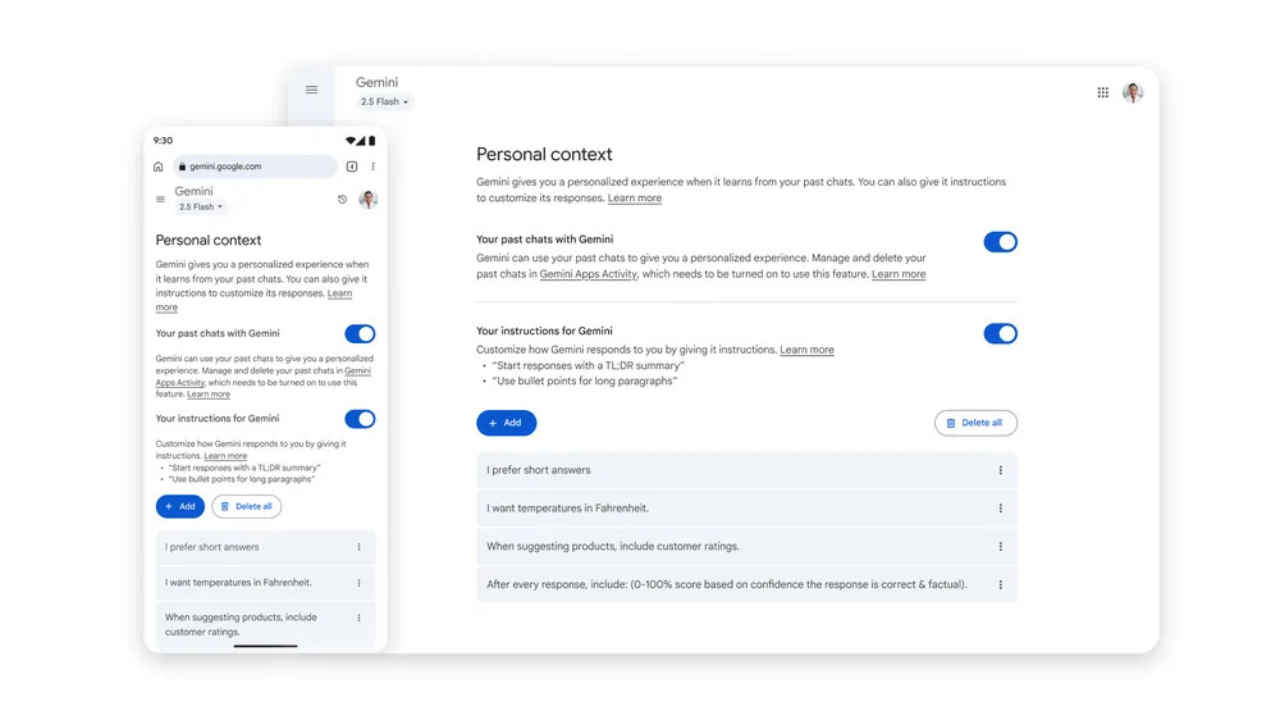
Google has announced new features aimed at making its Gemini AI chatbot more personal, proactive, and powerful, while giving users greater control over their data. With the latest update, Gemini can now refer to past conversations to understand user preferences, allowing it to deliver personalised responses over time. Google is also rolling out a new privacy feature called Temporary Chats, along with updated settings that offer more ways to manage your data.
 Survey
Keep reading to know all the details.


Personalised responses
One of the biggest changes is a new setting that allows Gemini to learn from your previous chats. This means the more you use it, the more it understands your preferences. For example, if you’ve discussed your favourite comic book characters before, Gemini could suggest a themed birthday party idea based on them. This feature is rolling out starting today for the Gemini 2.5 Pro model in select countries and will expand to other models and regions soon. It’s turned on by default, but you can switch it off heading to the ‘Personal context section in settings.
Also read: Apple plans AI comeback with tabletop robot, lifelike Siri and more: Report
Temporary Chat
Google has also introduced a new Temporary Chat feature for moments when you want a private, one-off conversation without it affecting your future recommendations. These chats won’t appear in your history or be used to train Google’s AI models. They’ll be stored for up to 72 hours only.
Also read: AI startup Perplexity offers whopping $34.5 bn to buy Google Chrome browser, here’s why
New settings
Alongside these, Google is updating its privacy settings. The ‘Gemini Apps Activity’ setting will soon be renamed to ‘Keep Activity’. When turned on, a small sample of your future uploads, like files and photos, may be used to improve Google’s services. If you don’t want this, you can turn it off or use Temporary Chats.
 Follow Us
Ayushi Jain
Tech news writer by day, BGMI player by night. Combining my passion for tech and gaming to bring you the latest in both worlds. View Full Profile


