
WhatsApp introduces voice message transcriptions: Here’s how this feature works
 Follow Us
WhatsApp has introduced a new feature called voice message transcripts.
This new feature converts voice messages into text, allowing you to read them instead of listening.
Transcriptions are generated entirely on your device, ensuring no one else—not even WhatsApp—can hear or read your messages.
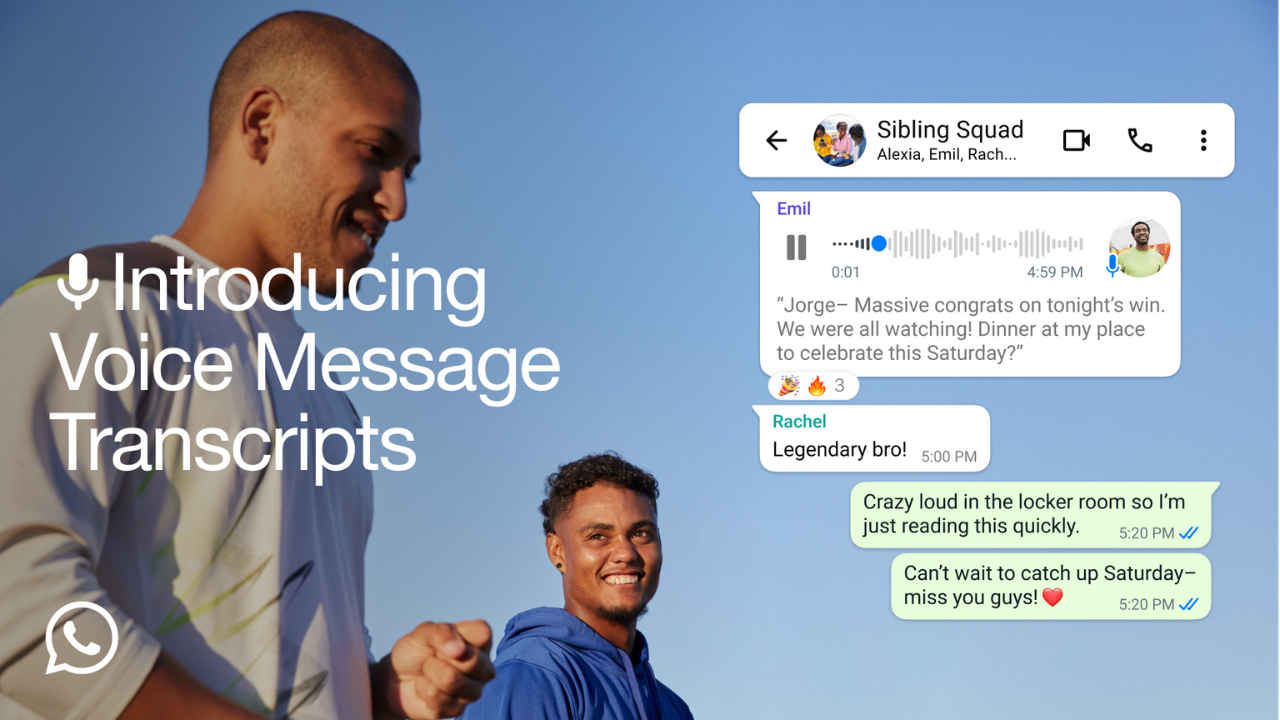

Have you ever received a voice message but couldn’t listen to it because you were in a noisy place or on the move? Or perhaps the message was so long that finding the right moment to play it became a challenge. WhatsApp has now made staying connected even easier by introducing voice message transcriptions.
 Survey
This new feature converts voice messages into text, allowing you to read them instead of listening. Whether you’re in a meeting, at a crowded event, or just prefer text over audio, this feature ensures you never miss out on what someone is saying.
Also read: WhatsApp introduces in-app contact saving feature: Here’s how it will help
How to use WhatsApp’s voice message transcription feature
Voice message transcription is designed to be simple and private. WhatsApp emphasises that the transcriptions are generated entirely on your device, ensuring no one else—not even WhatsApp—can hear or read your messages.
To enable this feature:
Step 1: Open Settings in WhatsApp.
Step 2: Go to Chats.
Step 3: Select Voice message transcripts.
You can turn the transcription feature on or off and even choose your preferred language for transcriptions. Once activated, you can transcribe a voice message by long-pressing on it and tapping the ‘transcribe’ option. This feature gives you the flexibility to switch between listening and reading, depending on your needs.
Also read: WhatsApp introduces Status likes and Private mentions features: Here’s how they work
It’s important to note that WhatsApp is rolling out this feature globally over the next few weeks. So, if you have not received the feature yet, just wait a little while. Transcriptions are currently available in select languages, but the company plans to expand language support in the coming months.
Why this feature matters
Hearing a loved one’s voice adds a personal touch to communication, but sometimes audio isn’t convenient. With transcriptions, WhatsApp bridges the gap, offering a solution that combines the personal nature of voice messages with the practicality of text.
So, the next time you’re unable to listen to a message, let WhatsApp do the work for you.


