
How to stop Google from using your Search uploads for AI training
 Follow Us
Google adds new privacy controls for Search uploads and data settings.
Search media uploads may be used to improve Google services and AI features.
Users can turn off media saving and remove previously stored uploads.


Privacy has become a major concern in the AI era, especially because some companies use the data of their users to train their models. While sometimes it’s with consent, there are times when the company does it through default settings after a new update. However, Google has recently launched a new feature in Search where users can decide whether to save their uploaded photos, files, audio, and videos while utilising search functions. This setting will help develop products such as Google Lens and Search Live. Though, the media may be saved for enhancing Google services, which include AI models and safety systems. If you don’t want to contribute to this development, then you can opt out of it using the below-mentioned steps.
 Survey
Google’s new privacy settings
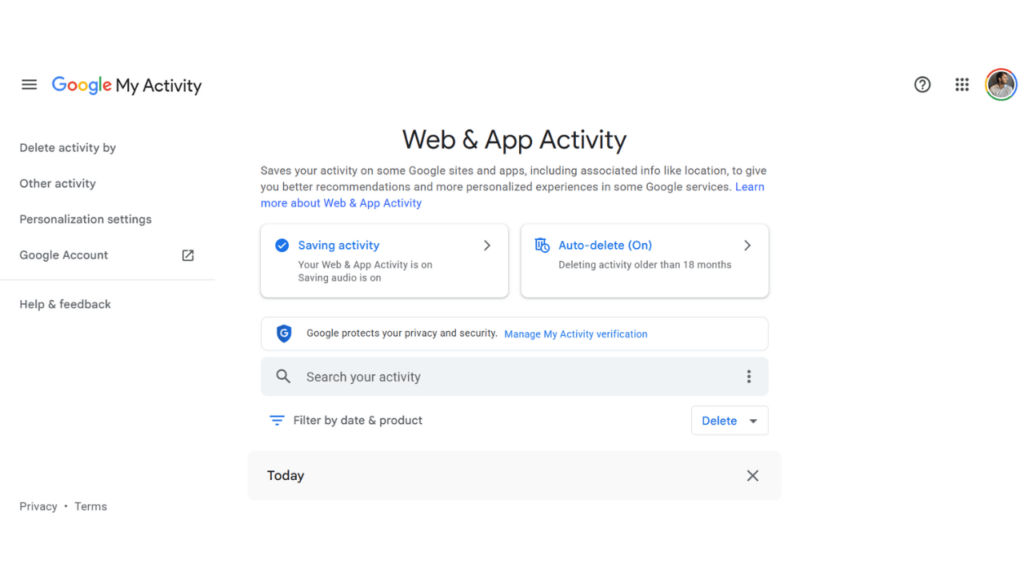
Google is rolling out two new privacy controls for accounts, notably the Search Services History and Personalized Recommendations. It is a phased rollout, and you may get it eventually if you can’t see it currently. Earlier, these options were handled through the Web & App Activity settings, but they will now appear separately under My Google Activity.
The Search Services History setting includes a new option that can save media uploaded through Google Search. According to Google, storing this information can help improve future experiences with Search features such as Google Lens and Search Live.
Also read: Apple iPhone 18 Pro Max 1TB variant may cost double price compared to iPhone 17 Pro Max
However, the company’s update also states that saved search uploads may be used to develop and improve Google services and technologies, including AI models and safety features. This means images, videos, audio files, and other uploads could contribute to the improvement of Google’s systems if the setting is enabled.
Google says users who had Web & App Activity and Search Personalization turned off before this update will keep those settings disabled. However, after the change, the controls will work separately. Turning off one setting will no longer automatically change the other, making it important for users to check their preferences.
Also read: OpenAI shuts down Atlas browser, shifts AI browsing tools to ChatGPT and Chrome
How to stop Google from saving your search media
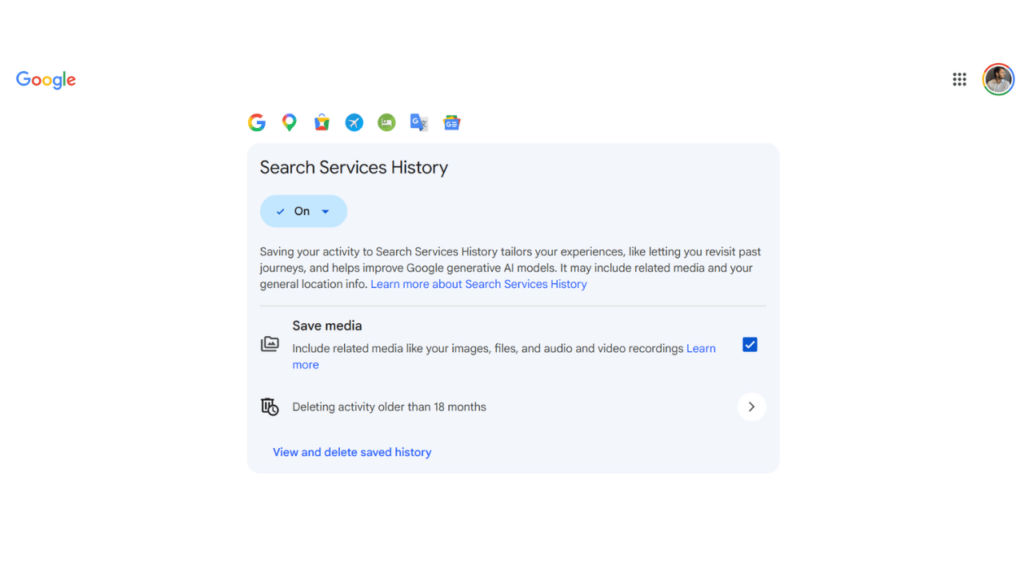
If you want Google to save your search uploads, then you can disable it. Just open your Google Account > go to My Google Activity > find the Search Services History settings > uncheck save media.
Not only that but you can also remove previously saved uploads. To do so, you need to choose the ‘View and delete saved history’ option from the same page. This allows you to review the stored search activity and delete media you no longer want connected to your account.


