
How to make personalised Rakhi stickers for WhatsApp using ChatGPT
 Follow Us
Make personalised Rakhi stickers with ChatGPT.
Create fun stickers using a simple prompt.
Save and share your stickers easily on WhatsApp.
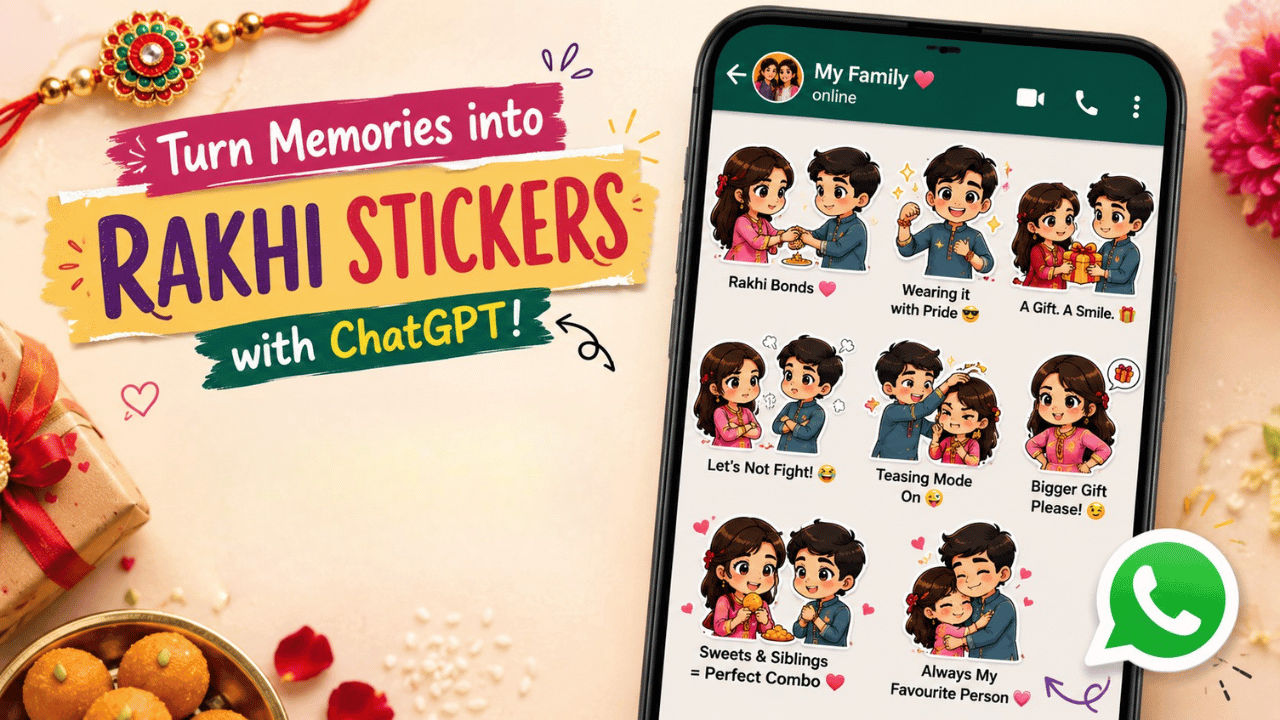

Rakhi is just around the corner, and if you want to make your sister feel extra special this year, why not surprise her with a personalised Rakhi sticker on WhatsApp? Instead of sending her the usual festive wishes, you can create a fun, customised sticker featuring you both, as it has become a great way to express your emotions online. Though the social media platforms come with a variety of built-in options, what they lack is the personal touch. However, that problem can also be solved with AI. Here is how you can turn your idea into a unique Rakhi-themed sticker in just a few simple steps using ChatGPT.
 Survey
How to create personalised AI stickers for social media
If you want to create your personalised Rakhi stickers for WhatsApp, then simply head to the ChatGPT website or app. Do not upload your and your sister’s images. Now write the prompt describing your sticker. Alternatively, you can also use the prompt we have provided below to create your Rakhi stickers. Once done, press the submit button. The AI tool will now take some time and give you the sticker. If you’re not satisfied with the result, then ask the AI tool to make edits.
ChatGPT prompt to create Rakhi stickers for WhatsApp

Copy and paste the prompt below on your ChatGPT chat to use it. Feel free to edit it to your liking:
Create a pack of 6 – 8 chibi-style stickers based on the images I’ve uploaded. Keeping their facial features recognisable but stylised in an
- Tying a Rakhi on the brother’s wrist
- Brother proudly showing off his Rakhi
- Exchanging a Rakhi gift
- Playfully arguing over the gift
- Brother teasing his sister
- Sister demanding a bigger gift with a mischievous expression
- Both enjoying sweets together
- A warm emotional Rakhi celebration with a hug or blessing
Also read: Why PlayStation gamers are angry with Sony: PS5 blackout, digital-only games, rising prices and more
How to send and save your Rakhi stickers on WhatsApp (Android and iOS)
If you wish to add the sticker to your WhatsApp, all you have to do is open the Google Photos app and upload the image that contains the stickers. Now, all you need to do is long press the sticker and tap Copy Sticker. Once done, open your WhatsApp and find the chat you want to send it to. Open the chat and paste the sticker and send it.
Alternatively, if you’re using an iPhone, then you can directly head to the default Photos app and find the image that contains stickers. Press and hold the sticker you want to copy and minimise the Photos app while holding the sticker. Make sure you don’t lift your finger as you’re holding the sticker and open WhatsApp. Head to the chat you want to send it to and drop the sticker there and press the send button.
To save the sticker for future use, simply tap the sticker and choose the ‘Add to Favourites’ or ‘Add to sticker pack’ option.


