
Learn how to prioritise someone’s posts by adding them to your ‘Favorites’ on Instagram
 Follow Us
Instagram has a feature that ensures you never miss any content from your favourite accounts– the "Favorites" feature.
When you add someone’s account to your ‘Favorites’ list on Instagram, their new posts appear higher in your feed.
You can also see posts only from your favourite accounts with the 'Favorite' feed.


In the bustling world of social media, connecting with friends and staying in the loop has become an important part of our daily lives. Meta-owned Instagram is one of the most used social networking platforms which helps us to stay connected with our friends and family.
 Survey
Staying connected with the people and content that matter most to you can sometimes feel like finding a needle in a haystack. With countless posts flooding your Instagram feed, it’s easy to miss updates from your favourite accounts. Well, the good news is that Instagram has a handy solution to ensure you never miss any content from your favourite accounts– the “Favorites” feature.
In this article, we will tell you how you can prioritise posts from your favourite accounts on Instagram.
Also read: How to share your Instagram posts, stories & reels with only close friends: Easy guide
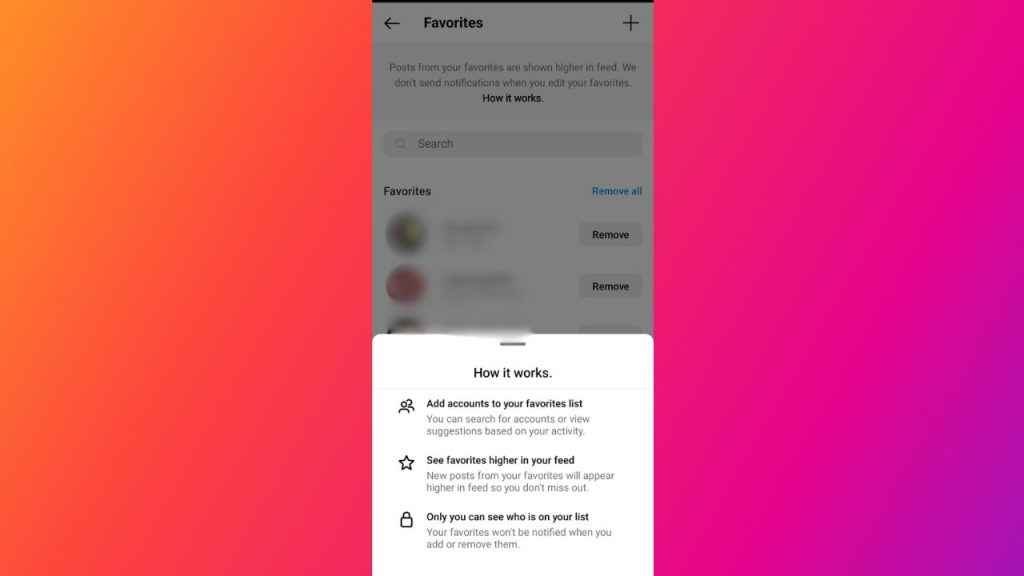
How to add someone to your ‘Favorites’ list on Instagram
When you add someone’s account to your ‘Favorites’ list on Instagram, their new posts appear higher in your feed so that you don’t miss out on anything.
Follow the below steps to add someone to your ‘Favorites’ list on Instagram.
Step 1: Open the Instagram app on your Android device or iPhone.
Step 2: Tap your profile picture present at the bottom right corner to go to your profile.
Step 3: Tap the three horizontal lines present at the top right corner.
Step 4: Select the Settings and privacy option.
Step 5: Below What you see, tap the ‘Favorites’ option.
Step 6: Now, add someone to your ‘Favorites’ list from the suggestions or search the account by tapping the plus icon present at the top right corner.
Also read: Securing your privacy: Quick guide to make your Instagram account private
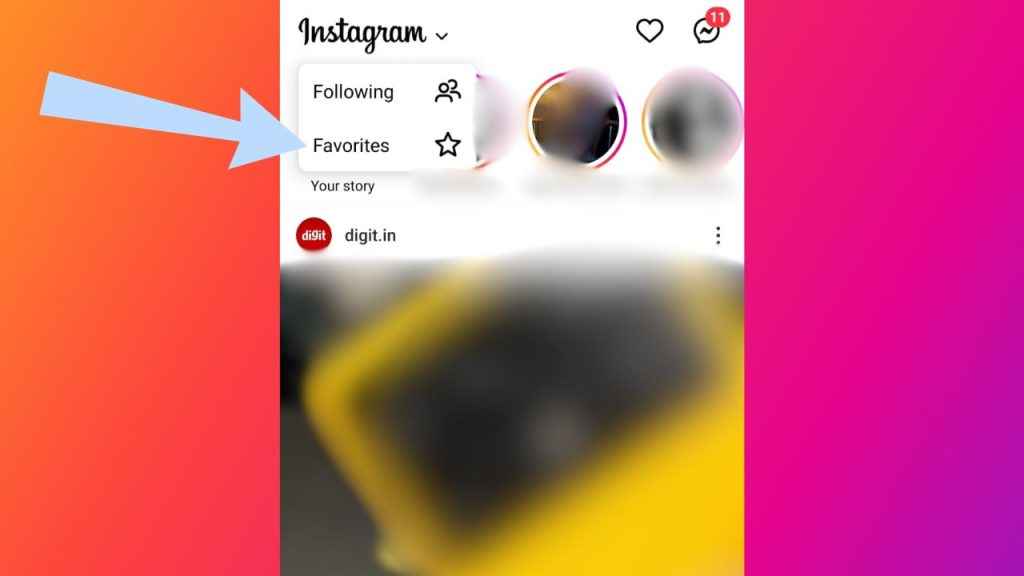
How to see posts only from your favourite accounts on Instagram
Instagram allows you to see posts only from your favourite accounts. Follow the below steps to switch to the ‘Favorites’ feed on Instagram.
Step 1: Open the Instagram app on your mobile device.
Step 2: Tap Instagram present at the top left corner of your feed.
Step 3: Select the ‘Favorites’ option.


