

Lenovo Yoga Book 9i hands-on: Are dual-screen laptops the future of work?
 Follow Us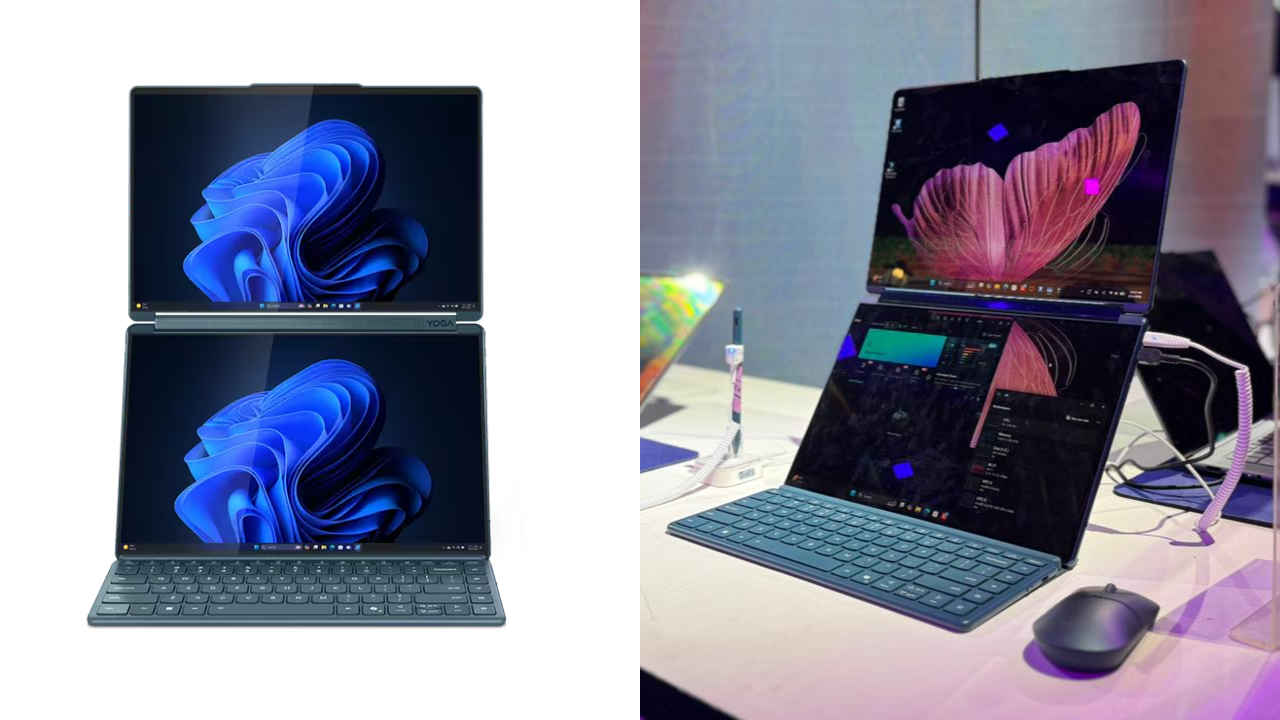

 Survey
There are a lot of days when I feel like my laptop’s screen is simply not big enough for my job. Plot twist, I use a 15-inch device which has more than adequate screen size. But still, with a Google Doc open for writing, five browser tabs for research, WhatsApp Web buzzing in the corner, and a PDF that I keep minimising and reopening every few minutes, any screen would feel limiting. Add a video call or a gameplay video into the mix and things get even more cramped. Hence, I am constantly switching windows, dragging tabs around, and resizing apps just to see what I need. So when I looked at a laptop that had not one, but two full screens, I was curious. At Lenovo Tech World 2026 in New Delhi, I spent time with the Lenovo Yoga Book 9i Gen 9 powered by an Intel Core Ultra 7 processor, and it genuinely made me question whether one screen is enough anymore.
Also read: I tried Lenovo’s glass-less 3D screen gaming laptop, here’s how it went
Two screens, one workflow
The Yoga Book 9i immediately stands out because when you open it, there is no traditional keyboard deck. Instead, you are greeted by two 13.3 inch 2.8K PureSight OLED displays. Both panels support 2880 x 1800 resolution, 100% DCI P3 colour gamut, Dolby Vision, and VESA DisplayHDR True Black 500. In simple terms, everything looks sharp, vibrant, and rich in contrast. Even text feels crisp and comfortable to read.
Despite having two displays, the device remains surprisingly portable. It weighs around 1.34kg and measures just under 16mm in thickness. In its Tidal Teal finish, it looks sleek and professional rather than experimental. You could easily carry this into a boardroom without raising eyebrows.
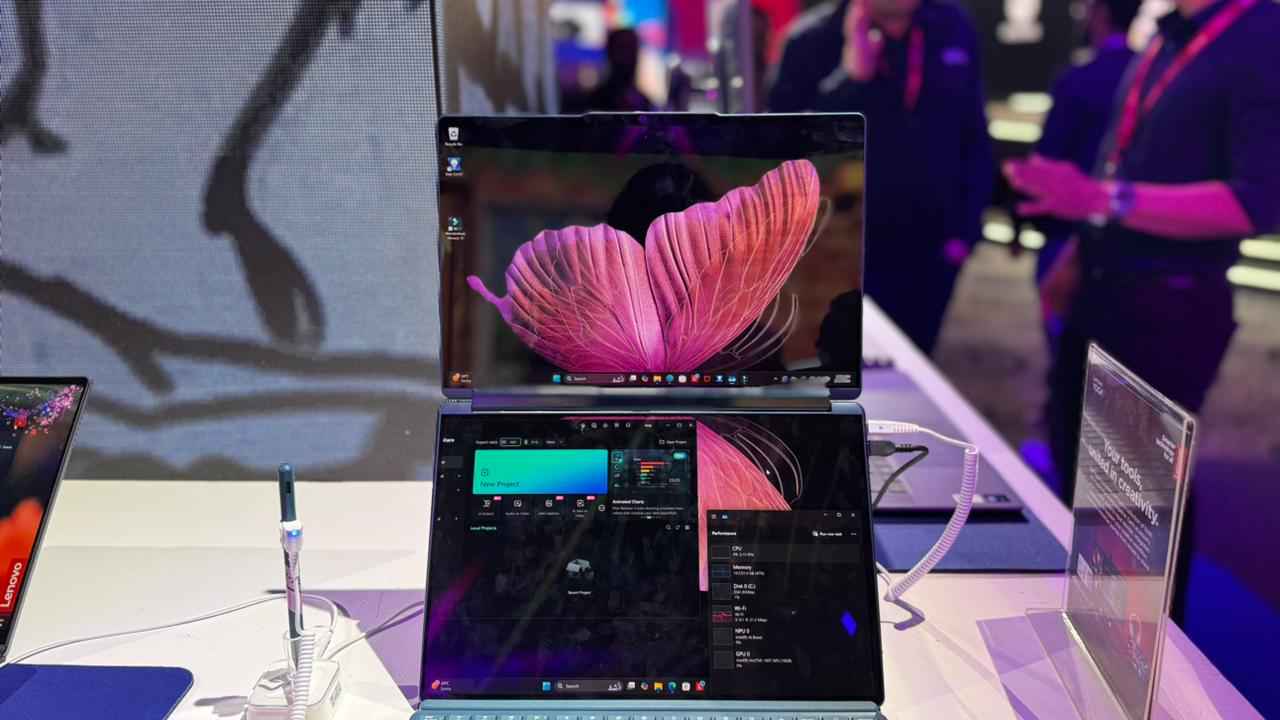
The Bluetooth keyboard attaches magnetically and snaps into place with a satisfying click. I genuinely enjoyed typing on it. There is a tactile feel that makes long writing sessions comfortable. During my time with the laptop, I kept research material open on one screen while writing on the other. For someone whose job depends on analysing multiple sources before drafting a story, this setup felt natural. I was not constantly minimising windows or flipping between tabs.
The folio case unfolds into a sturdy stand that lets you position the screens vertically or horizontally. In vertical mode, reading long articles or reviewing scripts feels intuitive. In horizontal mode, it behaves almost like a compact dual monitor setup. There is also a virtual keyboard option that can appear on the lower display, and it can be customised in terms of layout and feel. It takes a few minutes to adjust, but once you do, the flexibility becomes addictive.
So, are dual screens the future?
Under the hood, the Yoga Book 9i runs on an Intel Core Ultra 7 processor. It is paired with Intel Iris Xe integrated graphics, up to 32 GB LPDDR5X RAM, and up to 1 TB PCIe Gen 4 SSD storage. In my short time with the device, the performance felt smooth and responsive. Apps launched quickly, and switching between multiple windows did not cause noticeable slowdowns.
I even opened Filmora, which was preloaded on the unit, and it started up without hesitation. So, basic video editing, trimming clips, adding transitions, and exporting short videos feels manageable on the device. However, this is not a high-end gaming or heavy rendering machine. The integrated GPU means creators working on large 4K timelines or advanced effects may need something more powerful. But for writers, analysts, marketers, consultants, and students, this level of performance feels more than sufficient.
Battery capacity stands at 80 WHr, which should comfortably handle a full day of mixed usage. Features like Lenovo AI Engine+ and Smart Multitasking quietly optimise performance and power in the background. The device also includes a 5MP IR webcam with an e privacy shutter, WiFi 6E, Bluetooth 5.1, and Thunderbolt USB Type C ports for fast connectivity.
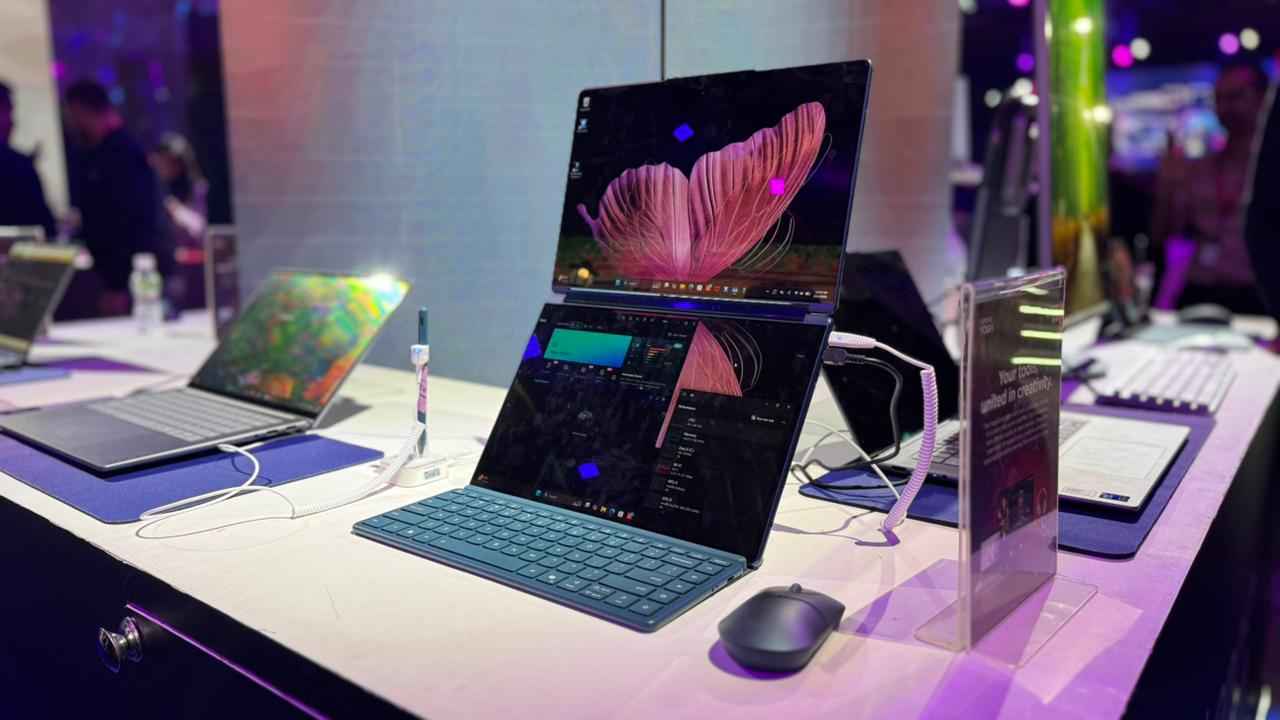
But beyond specs, the real conversation is about workflow. Dual screens reduce friction. Instead of constantly switching contexts, you simply shift your gaze. And over the course of a full workday, that small difference adds up. You think differently when you can see your references at all times. You organise tasks more clearly when emails sit on one display and your draft lives on another.
So, are dual screen laptops the future of work? For everyone, probably not. Many professionals are comfortable with a single laptop paired with an external monitor at their desk. But that setup does not travel well. The Yoga Book 9i brings that multi display experience into a portable form factor.
After spending time with it, I would not dismiss it as a gimmick. It feels like a serious attempt to rethink how we use laptops in a world where multitasking is the norm. Dual screens may not replace traditional notebooks overnight. But for people who live between research, writing, meetings, and collaboration, this feels less like an experiment and more like a preview of what portable productivity could look like next.
Also read: Lenovo Legion Go 2 first look: Bold and beautiful


