
You can set up Claude Managed Agents in 5 easy steps, here’s how
 Follow Us

The whole “AI agents will change everything” sentiment has been floating around for a while now. The problem is, actually building one often feels like trying to assemble IKEA furniture without the manual. That’s what Anthropic seems to want to change with Managed Agents which make it possible to go from “this would be cool” to “this actually works” without needing to drown in code. If you’re curious about turning a chatbot into something that does work for you, here’s a much more human way to get started.
 Survey
Also read: Claude Managed Agents explained: Everything developers need to know
1. Open the Claude Console
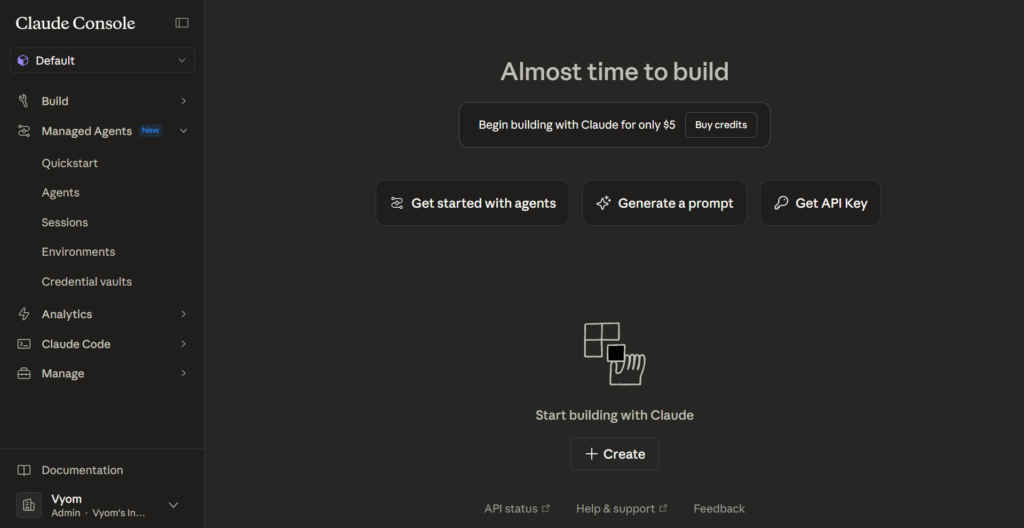
Before anything else, you need credits. Managed Agents don’t run on a regular Claude Pro plan, they live on the developer side of things. Head to the console (platform.claude.com), add some API credits (minimum $5), and you’re good to go. Think of it like a prepaid data plan. The more your agent works, the more data it uses.
2. Tell it what you actually want
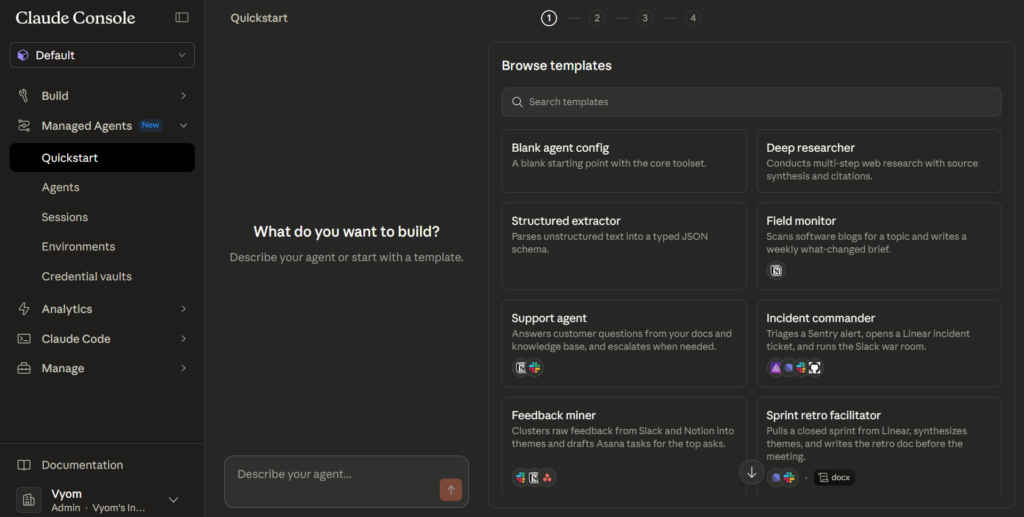
Instead of writing pages of code, you just have to explain your idea. Want an agent that acts as a customer support bot for an online clothing store? Say exactly that. The Agent Assistant takes your plain English prompt and turns it into a working setup. It’s not as much programming or coding as it is briefing a new teammate.
Also read: Claude Code’s thinking depth dropped 67%: Here’s what Anthropic actually changed and how to fix it
3. Give it a workspace
Your agent needs an environment to operate in. The workspace is basically its office. You decide how much freedom it gets. Should it roam the internet freely or stay locked into a few trusted domains? Your call. Set the boundaries here so it knows what it can and can’t touch.
4. Hook it up to your tools
An agent without tools is just a fancy chatbot. Using MCP, you can plug it into apps like Google Drive, Slack, or ClickUp in a couple of clicks. Once connected, it can actually do things like read files, send updates and move tasks around. This is what sets it apart from just going to another ChatGPT or Claude or Gemini.
5. Break it before you launch it
Before letting it loose, you should test it properly. The Quick Start panel shows you exactly how it’s thinking and acting step by step. Once you’re satisfied, drop the Agent and Environment IDs into your front-end and hit deploy. Pricing is session-based at $0.08 per hour, so you’re only paying when it’s actively working, not just sitting around.
That’s it. Five steps for what used to take days of setup. The real shift here isn’t just convenience, it’s accessibility. Suddenly, building something useful with AI doesn’t require a dev team. It just requires a clear idea and a few clicks.
Also read: Ghost Murmur explained: CIA’s heartbeat detection tool that found US pilot in Iran


