
Google Windows desktop app: 5 things it can do without a browser
 Follow Us

For years, your browser has been the most important app on your laptop. Whether you want to search something, ask a quick question or check a file in your drive, it was always the default to go to Chrome or Firefox or whatever browser you used. There is a chance that it won’t be necessary anymore. Google has announced a new desktop app for Windows that might be more capable than you would think. Here are five things it can do before you even need to look at the Chrome icon.
 Survey
Also read: Meet Luna, an AI agent running a full-fledged retail store
A shortcut to your digital world
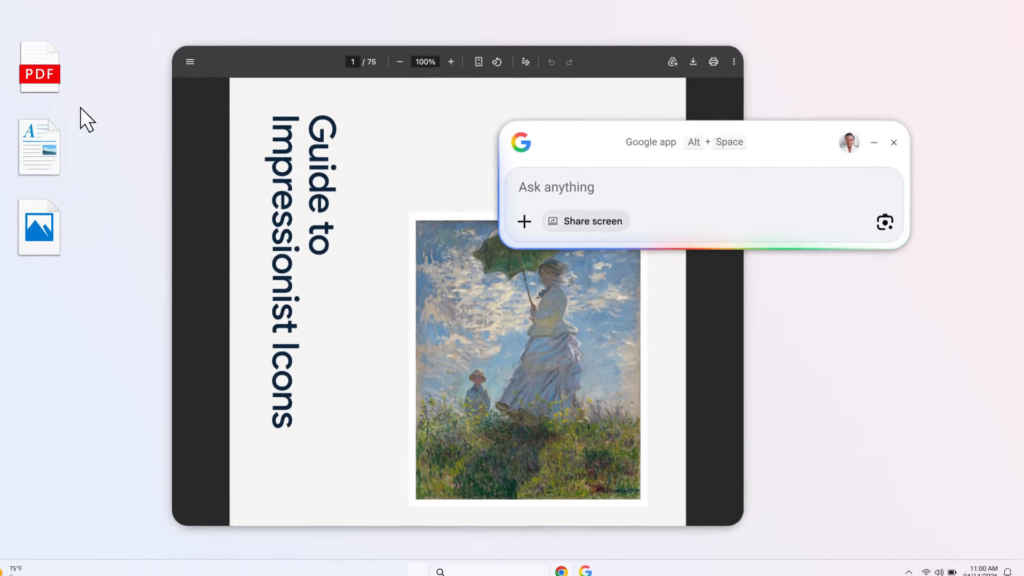
Hit Alt + Space anywhere on your desktop and a search bar will pop up. That can be used to search not just the web, but your local files, installed apps, and Google Drive documents all at the same time. This is one of the app’s best features. Rather than hunting through File Explorer or digging through Drive in a browser tab, you get a shortcut that can search your whole digital workspace.
AI mode (Yes, another one)
AI Mode is built directly into the app, which means you can have a full conversational, Gemini-powered exchange without opening a single tab. Context-switching is easily the USP for this. Every time you leave what you’re doing to look something up, you lose momentum. Having Gemini on call via a floating overlay, right over your workspace, can be useful in not losing your train of thought.
Share your screen
This is where things get sticky because not a lot of people are the biggest supporters of sharing your entire screen with an AI. You can share a specific window or your entire screen with the app, and then ask questions about what’s on it. Stuck on setting up new softwares? Trying to make sense of a report? You don’t need to describe the problem, you can just show it. The app sees what you see and responds accordingly. Just depends how comfortable you are with that.
Also read: NVIDIA Ising open-source models aim to accelerate quantum scaling with AI
Translate and decode anything visible on screen
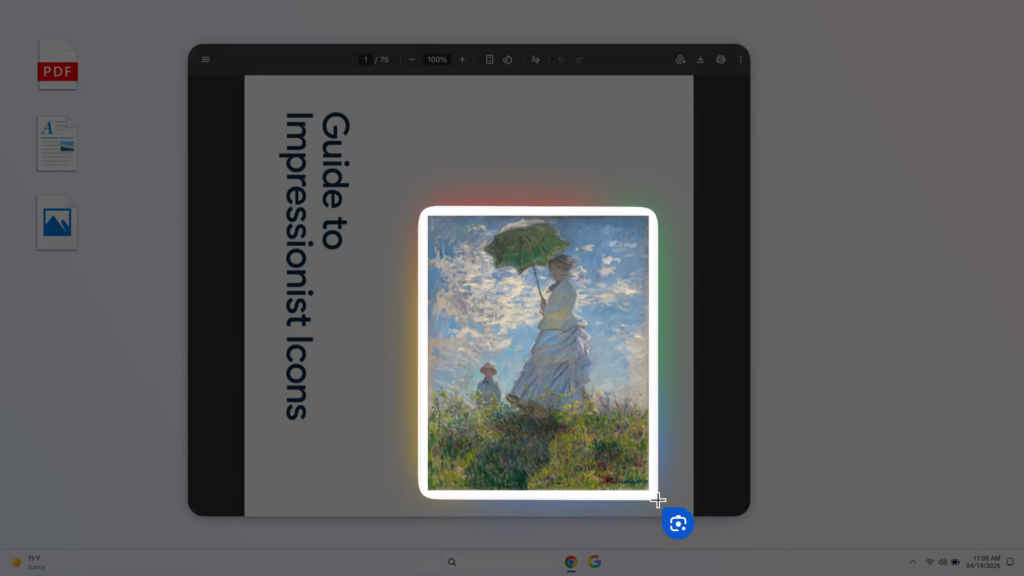
Using Google Lens, you can select any portion of your screen – an image, a graphic, a block of text – and search it directly. This is something I like a lot especially when I have some content in other languages opened up, or if I want to copy text from an image. Lens can surface meaning from visual content that text search simply can’t reach and it is something I have gotten very used to having this on my phone
Solve problems on screen
Beyond translation, the screen selection tool works as a general problem-solver. Point it at a maths problem, a code error, or an app setup, and the app can engage with it directly. It’s the same technology that made Lens a hit on mobile, now transposed to the desktop environment where, arguably, you’re more likely to need it while deep in actual work.
This isn’t really just about search. It’s about Google’s attempt to become your PC’s default layer of intelligence, a tool that lives where you already are. Can it succeed where Copilot could not? I don’t know for sure, but it is worth trying out the app.
Also read: This mom is running 11 OpenClaw instances to manage her entire family


