
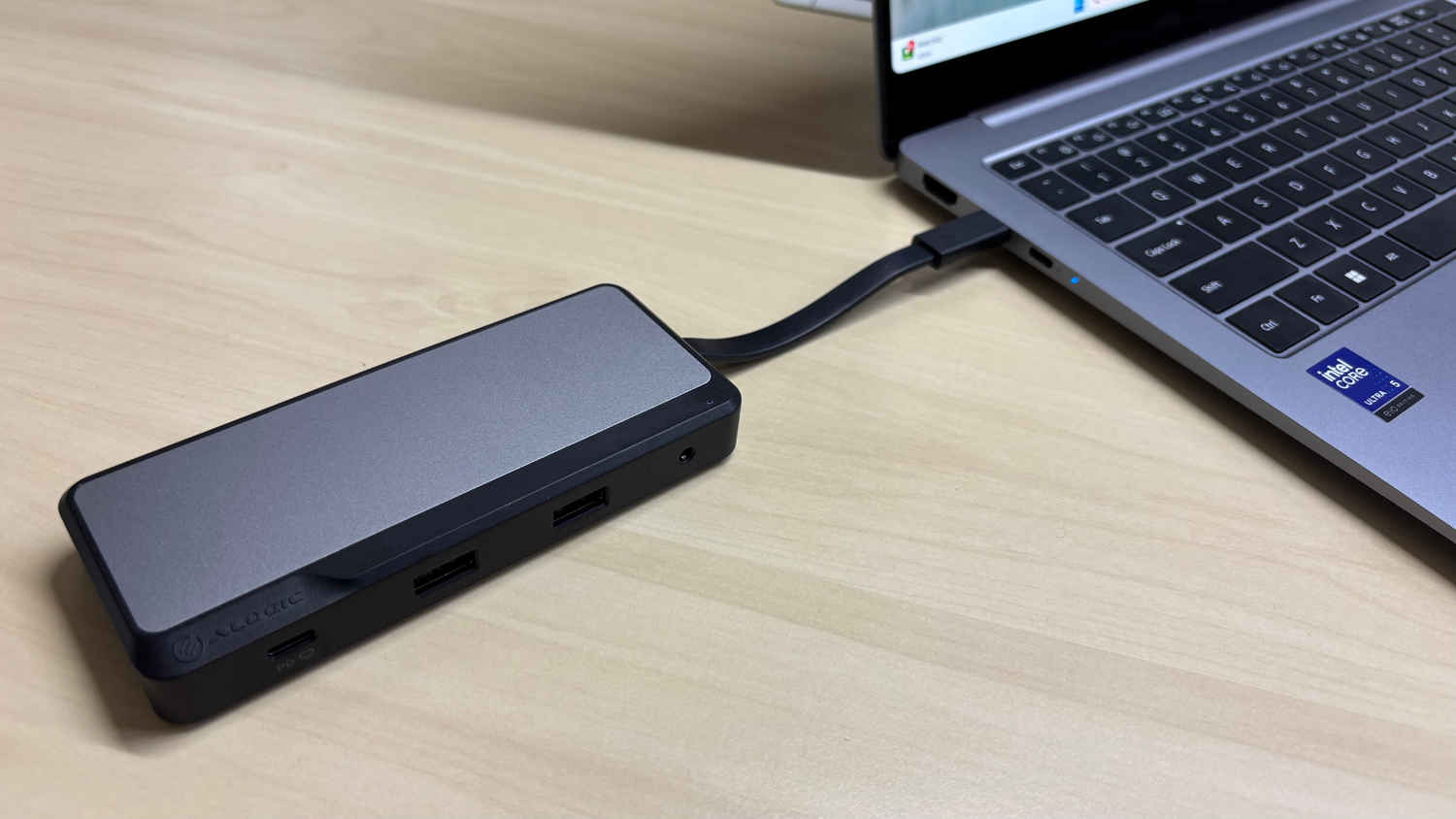
Modern laptops often sacrifice ports for slimness, which can frustrate users with multiple accessories. The ALOGIC Fusion Pro Nexus USB-C Universal Video Dock is a compact “pocket-sized powerhouse” that expands a single USB-C port into a versatile array of connections. It offers dual 4K display support, high-speed data, and even laptop charging through one hub – a promising one-stop solution for general consumers, IT professionals, and students alike.
 Survey
Also read: As AQI in Indian Cities Decay, In-House Air Quality Solutions Rise


Design and Build Quality
The Fusion Pro Nexus sports a sleek two-tone design (space gray top, black sides) with aluminum and ABS plastic construction for a premium yet durable build. The aluminum top adds a modern look while the impact-resistant ABS body handles everyday bumps. Despite its solid feel, the dock is very lightweight (~88 g) and slim, easily slipping into a bag or pocket. The integrated 23 cm USB-C cable tucks into the chassis when not in use, keeping the unit neat and ultra-portable.
Port Selection and Connectivity
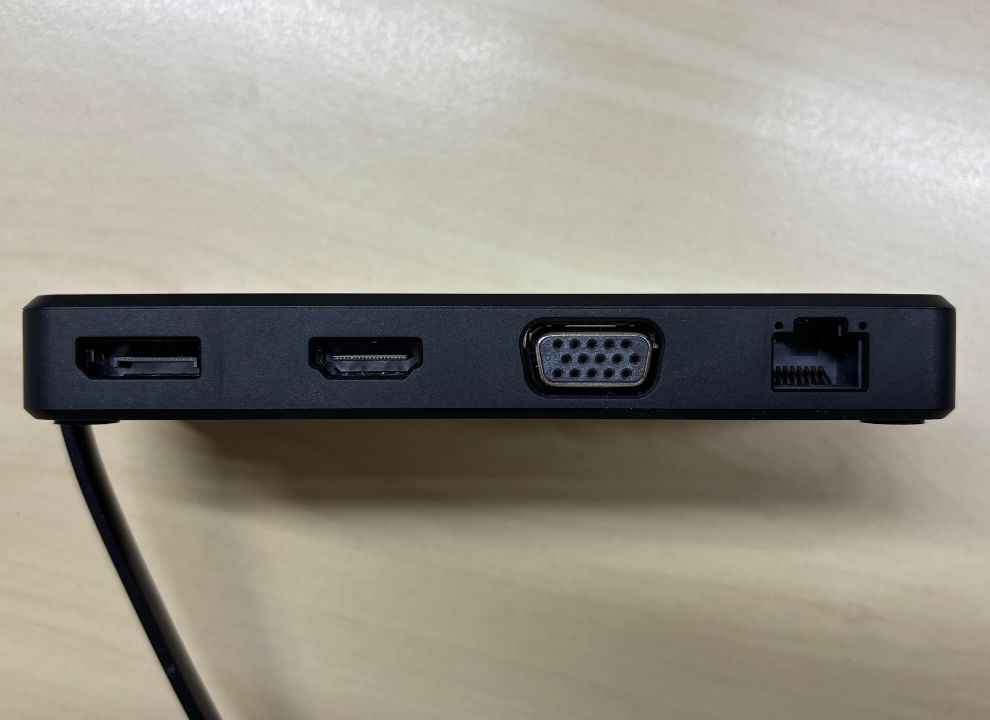
A major strength of this dock is its comprehensive port selection. It effectively provides all the common ports (and even some legacy ones) you might need:
- Video: 1 × HDMI 2.0 and 1 × DisplayPort 1.4 (both support 4K @ 60 Hz), plus 1 × VGA (for older displays)
- USB: 1 × USB-C 3.2 Gen 2 (10 Gbps data or DP Alt Mode, also accepts 100 W PD input) and 2 × USB-A 3.2 Gen 2 (10 Gbps each)
- Network: 1 × Gigabit Ethernet (RJ-45)
- Audio: 1 × 3.5 mm combo jack (headphone/mic)
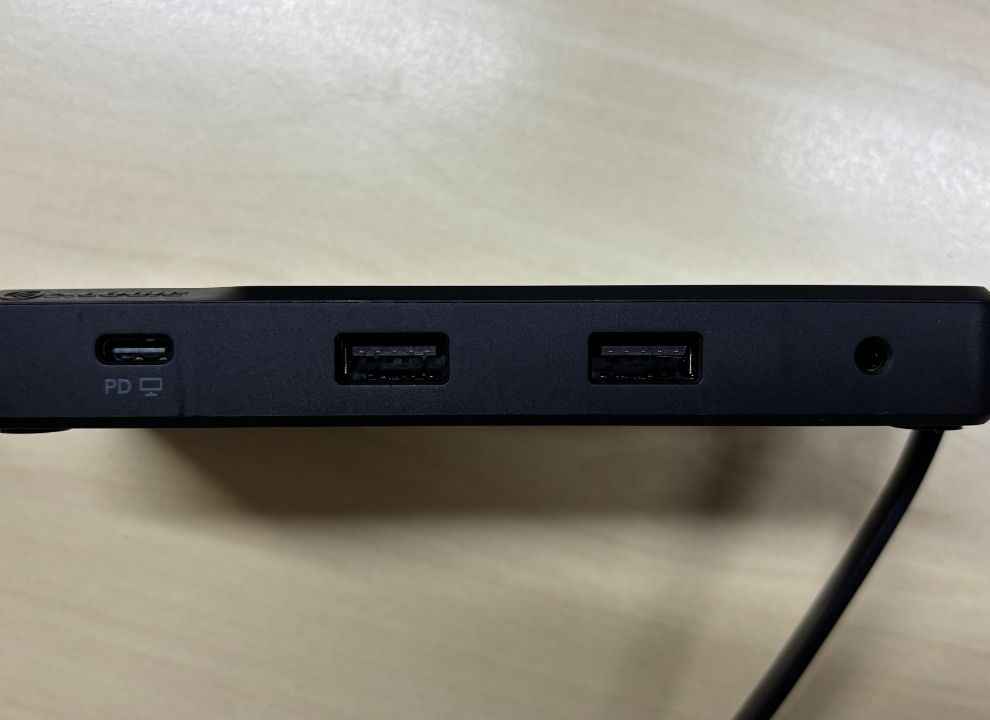
This wide array covers both modern and legacy needs, and you can even use many of them simultaneously. In practice, it’s possible to connect two external monitors, a wired network, and multiple USB peripherals all at once, effectively turning a thin laptop into a full workstation. The inclusion of VGA means you’re prepared for older projectors or monitors whenever needed.
Performance in Real-World Use
The Fusion Pro Nexus performed impressively in varied scenarios. In the home office it drove a dual-monitor setup (HDMI + DP) on a Windows laptop with no hiccups, providing ample screen space. On the road, its plug-and-play versatility shined, the VGA output saved the day for an old projector during a presentation, and the Gigabit Ethernet gave a stable connection when Wi-Fi was spotty. Even for casual gaming and streaming, the dock delivered: I noticed no lag using a gaming mouse through it, and running a game on one screen while monitoring chat on another was smooth. In each case, it felt like devices I’ve connected directly to the laptop, which is exactly what you want from a docking station.
Power Delivery and Charging
Another highlight is the dock’s power delivery (PD) capability. The Fusion Pro Nexus supports up to 100 W PD input and can pass through roughly 85 W to charge your laptop (it reserves ~15 W for itself). In practice, you can plug your laptop’s charger into the dock’s USB-C port, and the dock will keep your computer powered while simultaneously running all your devices. This makes for a true single-cable solution – one connection handles everything (power, data, and video), cutting down on clutter. Most ultrabooks and 13–15″ laptops get full-speed charging from the 85 W output, and even larger machines will at least hold their charge under load. Only the power-hungry 16″ gaming laptops laptops might need more juice than this dock provides. For the vast majority, being able to dock and charge with one cable is a huge convenience.
Ease of Use and Compatibility
Setup is straightforward and driver-free. The dock works plug-and-play with Windows, macOS, and ChromeOS – just connect it and your displays and devices are ready to go. MacBook users should note that macOS allows only one external display via this dock (the second screen will mirror), whereas Windows and ChromeOS can extend two independent monitors. This is a limitation of macOS, not the dock itself. Otherwise, any device with a USB-C port that supports DisplayPort Alt Mode (and ideally USB PD) will work fine with the Fusion Pro Nexus.
Portability and Convenience
Portability is excellent – the Fusion Pro Nexus is compact and lightweight, and the built-in cable means no extra wires to carry. It easily fits in a bag, and its sturdy build can handle travel wear and tear. This all-in-one design is incredibly convenient for students or professionals on the move, sparing them from lugging multiple dongles. You can set up a complete workstation in seconds with just one cable.
Value for Money
At around Rs 9,990, the Fusion Pro Nexus is an investment, but it delivers strong value for its feature set. It’s essentially a full docking station condensed into a travel-friendly hub. By replacing multiple adapters (display, USB, network) with one device, it can save you money and hassle over time. The high-end features – dual 4K monitor support, 100 W pass-through charging, extensive port options – plus the solid build, with a 2-year warranty, make it stand out.
Also read: ASUS ExpertBook P1 First Impressions: A No-Nonsense Business Workhorse with Surprising Power
Pros and Cons
Pros:
- Extensive Port Selection: All key ports are here – USB-C, HDMI, DP, VGA, USB-A, Ethernet, audio.
- Dual 4K Monitor Support: Drives two 4K@60 Hz external displays on compatible laptops.
- 100 W Pass-Through Charging: High-capacity PD (up to ~85 W to host) keeps your laptop powered while docking.
- Compact & Durable: Travel-friendly design (foldaway cable, aluminum/ABS build)
- Plug-and-Play: No drivers needed; works on Windows, macOS (one-display limit), and ChromeOS seamlessly.
Cons:
- Mac Display Limit: macOS allows only one external display via this dock (OS limitation)
- No Card Reader: Lacks SD/microSD slots, so media folks need a separate reader.
- Short Fixed Cable: Integrated 23 cm cable can be limiting for some setups and isn’t replaceable if damaged.
- Price vs. Basic Hubs: Costs more than simple adapters (but offers far more functionality in return).
Verdict
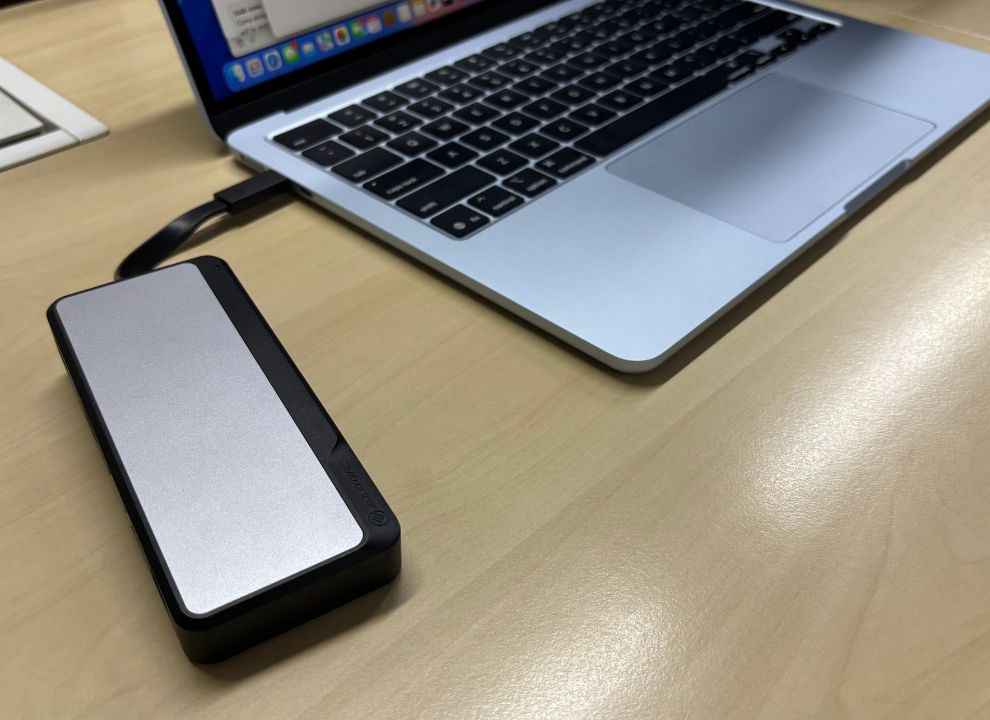
The ALOGIC Fusion Pro Nexus is a versatile USB-C dock that lives up to its “universal” promise. It’s best suited for users who frequently connect multiple devices or monitors to their laptop. Students, remote professionals, and content creators will appreciate how it streamlines their setup. If you only occasionally need an extra port, a simpler dongle might suffice – But if you’re a power user, then the ALOGIC Fusion Pro Nexus might just be the USB-C dock you’re looking for.
Also read: Slim, Smart, and Seriously Capable – Meet the Yoga Slim 7i Aura Edition
 Follow Us
Yetnesh Dubey
Yetnesh works as a reviewer with Digit and likes to write about stuff related to hardware. He is also an auto nut and in an alternate reality works as a trucker delivering large boiling equipment across Europe. View Full Profile


