

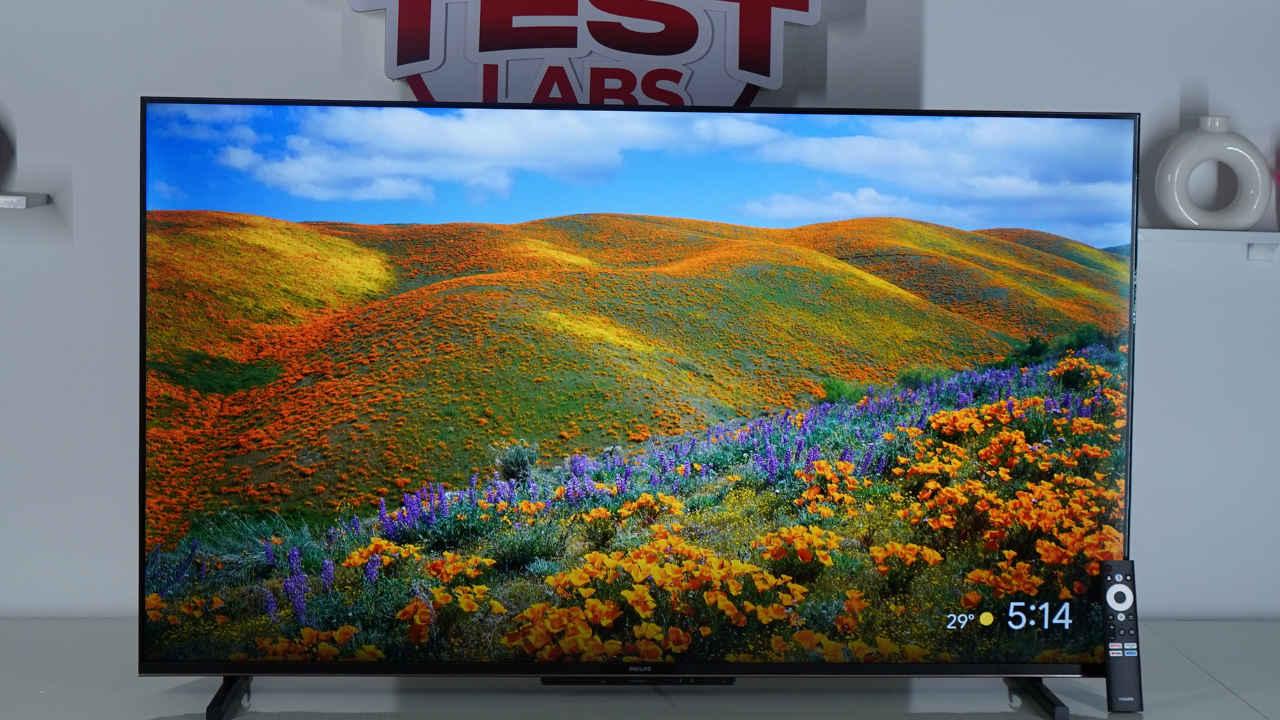
This 50-inch model of the Philips 8100 series TV offers a set of tempting features under Rs 30,000. It is a 4K QLED TV with support for Dolby Vision, promising vibrant visuals. For audio, you get a 24W surround sound output with Dolby Atmos support. Under the hood, it runs on Google TV on top of a quad-core A55 processor with 2 GB of RAM and 32 GB of internal storage. It also provides healthy input options like multiple HDMI and USB ports and features like ALLM, MEMC, eARC and more. I have used the TV for a couple of days now, and here’s the long and short of it.
Verdict
At Rs 24,999, the Philips 50-inch 8100 QLED TV offers good value with 4K QLED, Dolby Vision, Dolby Atmos, and Google TV. Its contrast and HDR performance are modest, and the interface can lag at times. Still, overall, it’s a reliable choice for casual use, enriched by practical features like ALLM, eARC, MEMC 120Hz refresh rate, and dual-band Wi-Fi.
If you want to learn more, read on. In this review, you will see how well all of the following specifications fare in real-world use.
Philips 8100 TV specifications
- Model: PQT8100/94
- Display: 50-inch, QLED
- Panel Type: VA LCD
- Display Resolution: 3840 x 2160 (4K)
- Panel Refresh Rate: 60Hz
- Supported HDR Formats: HDR10, HLG, Dolby Vision
- Speakers: 24W
- Audio Formats: Dolby Atmos, Dolby Audio
- Software: Google TV (Android TV 14)
- Screen Mirroring: Chromecast, Miracast
- HDMI: 3 HDMI ports, ALLM, eARC (on HDMI 1)
- Processor: Cortex A55 chip
- Memory: 2 GB RAM, 32 GB ROM
- Other Connectivity Options: 2x USB ports, Dual-band Wi-Fi 5, Bluetooth 5.1, AV, Ethernet, headphone
- Price: Rs. 24,999 (on Amazon India)
The Philips 8100 series TV is available in several sizes, including 43-inch, 50-inch, 55-inch, 65-inch, and 75-inch models. Our review unit is the 50-inch version, which uses a VA panel with QLED technology. The 4K resolution (3840×2160) delivers decently sharp details, but you will have to be sitting centred in front of the screen for proper viewing angles. We also didn’t observe any noticeable light bleed, which helps maintain uniform brightness across the screen.
Display Test
In our Calman measurements, the display reached a peak luminance of 241 nits in SDR mode, while black levels were measured at 0.56 nits. These results indicate average brightness but a respectable 430 contrast ratio for standard content. In HDR mode, peak brightness climbed to 297 nits and black levels dropped to 0.13 nits, improving overall dynamic range and depth with a 2,288:1 contrast. In real use, this means highlights in HDR scenes, like reflections, sunlight, or fire, appear slightly more defined, even if not as bright as on premium OLED or Mini LED TVs.

Colour accuracy is respectable for its class. The TV covers 96.3% of the SDR colour gamut, which means most standard content, such as TV shows, YouTube, and cable channels, will look natural. For HDR content, the panel achieves 94.97% UHDA-P3 coverage and 73.34% of the wider BT.2020 gamut. Overall, colours appear vibrant but not oversaturated, making it suitable for casual viewing, movies, and general entertainment.
The panel supports major HDR formats, including HDR10, HLG, and Dolby Vision. This ensures compatibility with a wide range of streaming content, where Dolby Vision can help preserve more shadow and highlight detail depending on the source.
Philips also includes a built-in light sensor that adjusts the backlight’s brightness and colour temperature based on the room lighting. This helps reduce eye strain during long viewing sessions and makes the picture appear more natural in both bright and dim environments.
Overall, while it does not match premium QLED or OLED TVs in sheer brightness or contrast, the Philips 50-inch model provides balanced performance with decent colours, good format support, and practical comfort features that should appeal to everyday users.
Also Read: Sony BRAVIA 5 vs Samsung QN90F: Mini LED TV specs comparison
Viewing experience
You can set the picture mode to Vivid, Sports, Movie, Energy Saving, or Game. We watched all content in Movie mode, with MEMC and energy-saving features turned off. For a smoother 120Hz refresh rate, you can enable MEMC or switch to Sports mode. Similarly, for low latency, use Game mode, and for more vibrant visuals, choose Vivid mode. Even in Movie mode, the TV’s visuals were slightly oversaturated, but this is typical for TVs in this range and unlikely to bother most casual users.
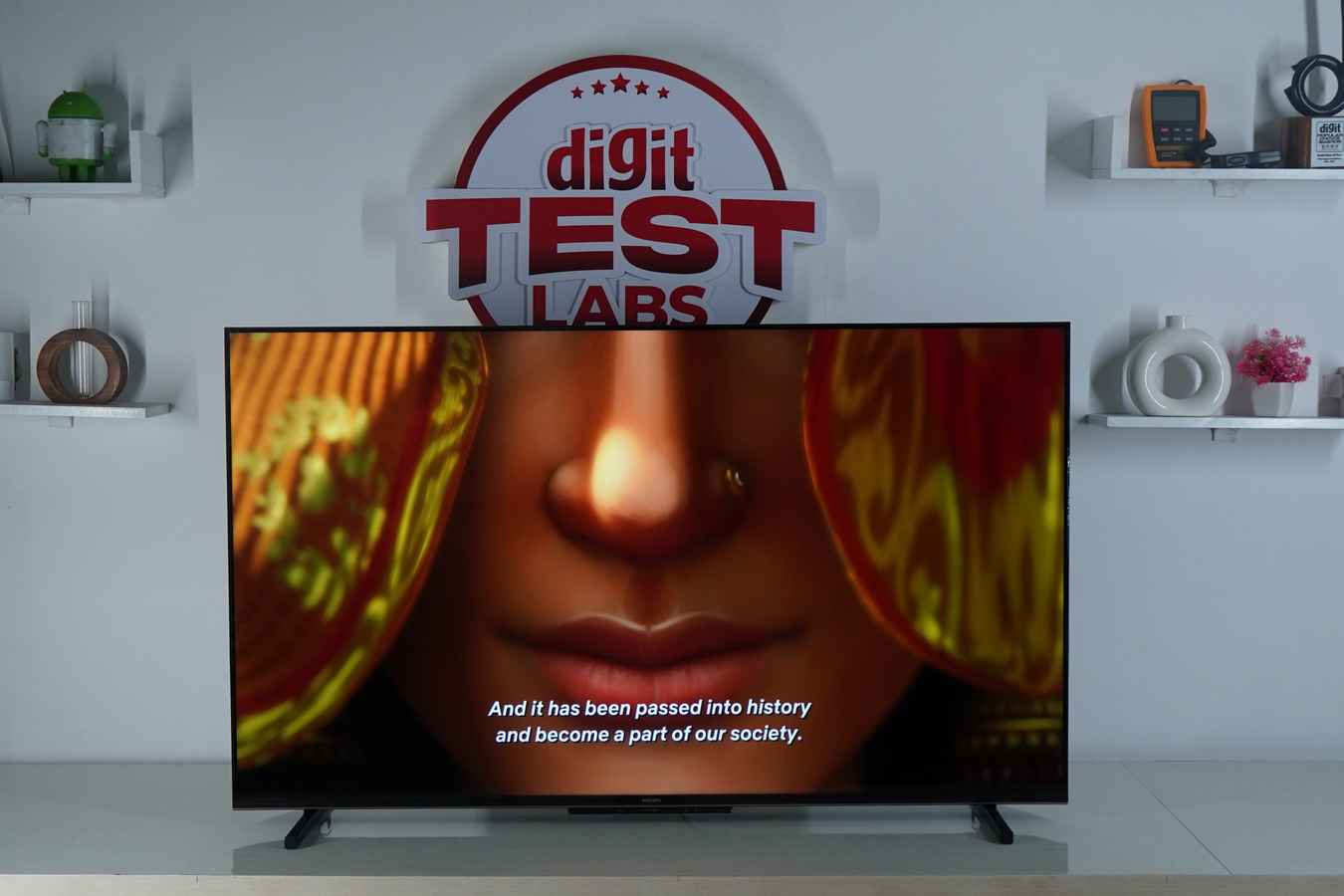
The first thing we watched was the newly released Kurukshetra show. I loved the engrossing animations of the show and felt it was the best 4K starter before I tried other treats. But while watching live-action content, the experience can be a hit or miss. While watching Batman vs Superman, the night scenes were just serviceable as some details were lost in dark sequences. Meanwhile, night scenes in Godzilla: Minus One were easily perceivable.
So, with some exceptions, you should have a fine experience playing any Dolby Vision or any HDR10 content. I didn’t have a problem watching SDR content like Friends, either.
Design and build
The Philips TV stands on a duo of flat pedestal stands, one on the left and the other on the right. The wall mount doesn’t come in the box and is chargeable.

The screen has slim bezels on three sides, and only the bottom bar is noticeably thicker. There is a Philips branding on this chin. Beneath it, there is another oblong-shaped bar with a light bar for when the TV is on. You can turn this light off in the system settings. The oblong bar also has a button to bring up quick settings like Power Off, Volume Up and Down, and Source. A short press lets you cycle through the options, and a long press lets you enable the selected option.
But you don’t have to since the bundled remote is fairly lightweight, ergonomic and simple to use. It looks similar to many stock remotes that you get with TVs of this range. The black remote has a white circular D-pad. Above it, there is the power button, a Google Assistant button, and a Settings button. And below it lies a back button, home button, input/source button, volume rocker, a mute button, a Live TV button, and popular OTT hotkeys.
Let’s now see how actually using the remote feels like navigating the given UI:
UI, connectivity and audio
Google TV (Android 14 TV-based) is a well-put-together UI, but it is known to lag in modest hardware. While the Philips TV doesn’t slow down on the homescreen and general UI, the struggle is apparent in the delay in starting OTT apps or scrolling through their content library. The thumbnails were taking time to load, although the internet speed was just fine.

A little patience can, however, let you experience a feature-rich OS, including 300+ Live TV channels, Google Assistant support, Google Photos library as screensaver, Chromecast and Miracast for casting and mirroring your phone screen to the Philips 8100’s screen.
And for broader connectivity, you get I/O options like 2x USB ports, dual-band Wi-Fi 5, Bluetooth 5.1, AV, Ethernet, a headphone jack, and 3 HDMI ports. This isn’t a gaming-centric TV, but with HDMI-enabled ALLM (Auto Low Latency Mode), you could expect a more responsive experience in less demanding titles.
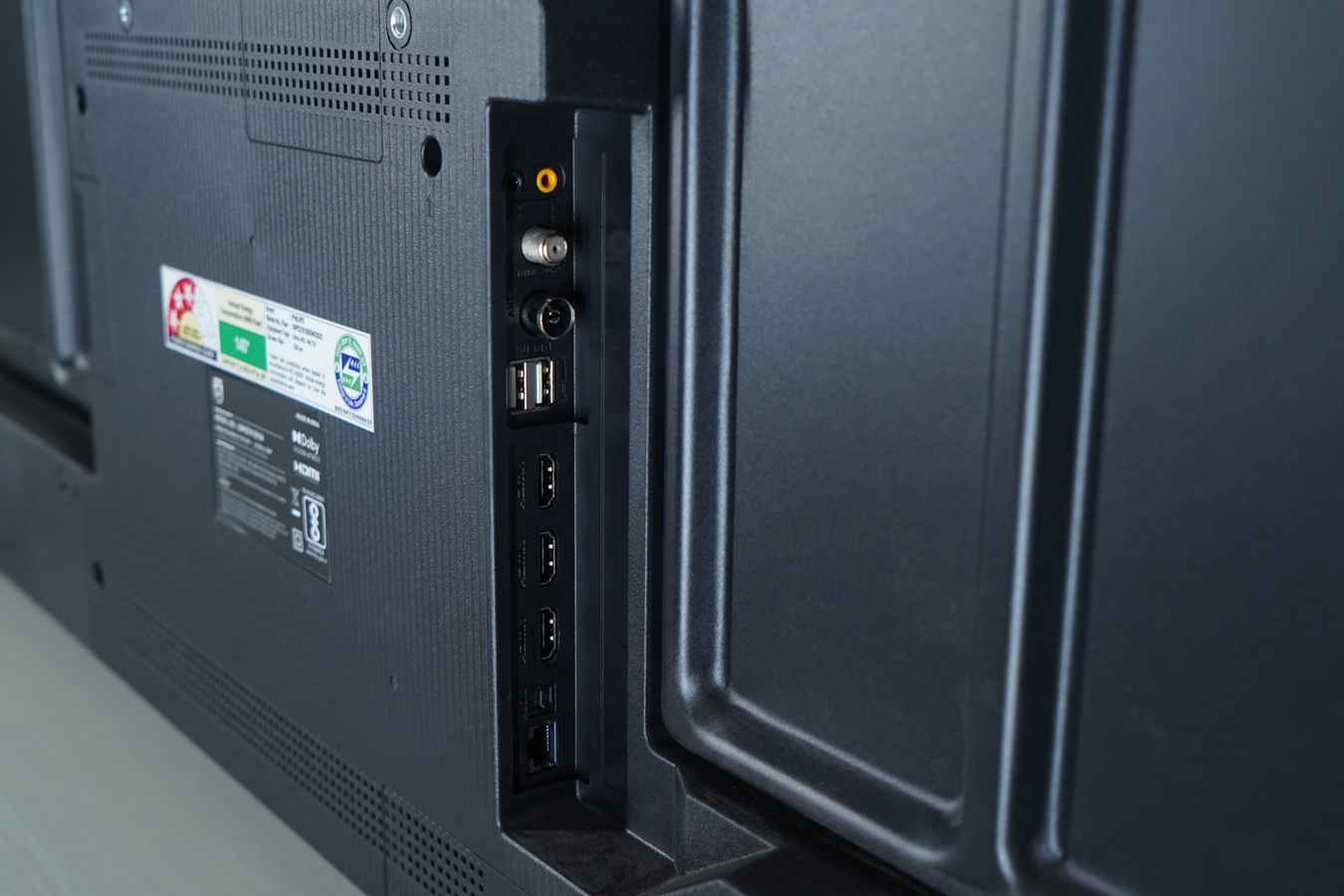
Also notably, the HDMI 1 port supports eARC, allowing high-quality, uncompressed audio through compatible soundbars or AV receivers.
So, while the 24W speaker sounds passable for a small room, if you want a fuller experience, you can plug in a soundbar through this HDMI port.
So that’s the thing. The Philips TV packs several features that enhance everyday multimedia use. But, does that answer the following question you have:
Should you buy it?
The Philips 50-inch 8100 series 4K QLED TV can be a reliable buy for its Rs 24,999 price tag. You get a decent 4K QLED panel with Dolby Vision support, Dolby Atmos audio, and the refined Google TV interface.
However, real-world use reveals some compromises. The display, while offering decent colours, doesn’t present contrast well enough to make HDR content truly stand out. Dark scenes can lose finer details, and there’s some oversaturation even in the Movie mode. The performance of Google TV is decent for casual use, but it can lag when loading apps or browsing heavy content libraries.
Still, for everyday use, the Philips 8100 series manages to deliver well-balanced visuals, good format support, and notable quality of life features, like eARC, ALLM, MEMC 120Hz refresh rate and dual-band Wi-Fi. The inclusion of Dolby Vision and Atmos at this price point gives it an edge over many similarly priced LED TVs that still skip one or both.
If you can spend around Rs 30,000 to Rs 35,000, alternatives like the Lumio Vision 7 (Rs 30,999) or Mi TV X (Rs 35,499) can offer better visuals and performance. But if you have a strict budget ceiling of Rs 25,000, the Philips 50-inch 8100 can surely be considered.
Also Read: The demand for bigger TV sizes is increasing: Arjun B
Philips Lumina Series 50 inch Ultra HD 4K Smart QLED TV (50PQT8100/94) Key Specs, Price and Launch Date
| Release Date: | |
| Market Status: | Launched |
Key Specifications
 Follow Us
G. S. Vasan
G.S. Vasan is the chief copy editor at Digit, where he leads coverage of TVs and audio. His work spans reviews, news, features, and maintaining key content pages. Before joining Digit, he worked with publications like Smartprix and 91mobiles, bringing over six years of experience in tech journalism. His articles reflect both his expertise and passion for technology. View Full Profile


