 E-Magazine
Samsung Galaxy Tab S12 Ultra review: The ultimate Android tablet gets even better
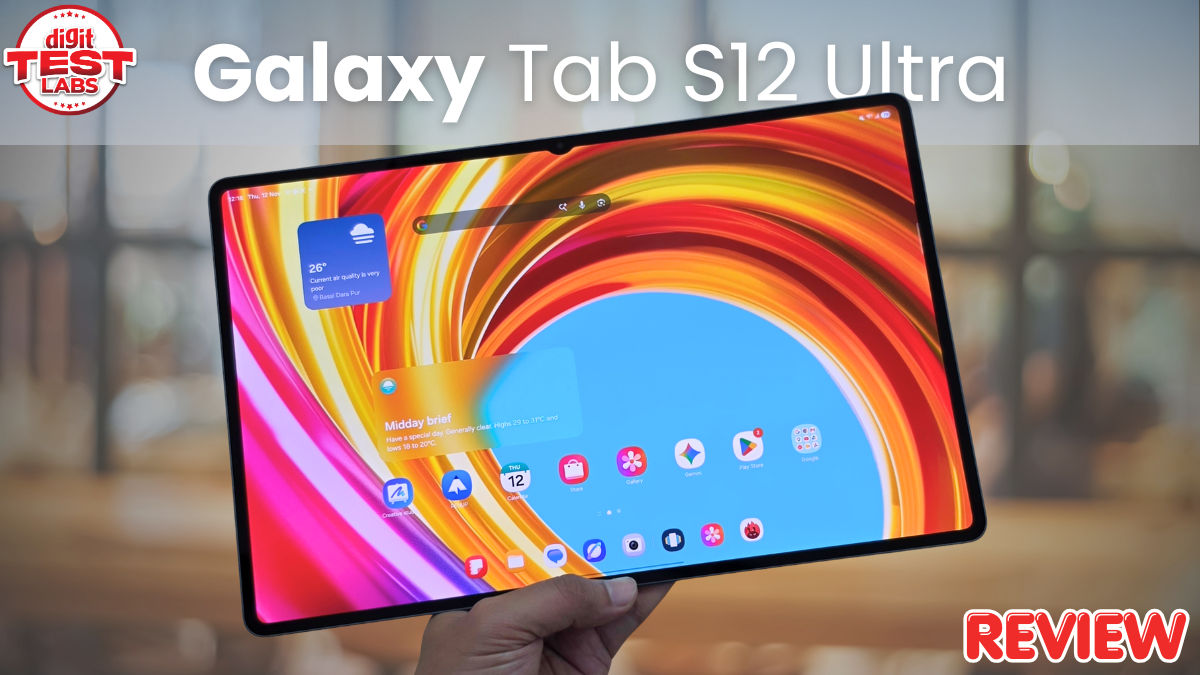
The Samsung Galaxy Tab S12 Ultra is not trying to be a tablet for everyone. At 14.6 inches, it is enormous, and its size alone makes it quite different from most tablets you would consider buying. But spend some time looking at what Samsung has put together here, and you’ll understand what I am trying to convey over here. There is a gorgeous AMOLED display, a remarkably slim aluminium body, flagship processing power, an S Pen in the box, and software designed to make the most of all that screen space. It is an ambitious device, and after spending time with it, I think Samsung has really hit it out of the park with this one. Here’s my full review.
Galaxy Tab S12 Ultra: Big, beautiful and unapologetically thin
I have already spoken about the design in my first impressions, but the Galaxy Tab S12 Ultra deserves another mention because its physical dimensions are quite impressive. This is a 14.6-inch tablet that is just 5.1mm thick and weighs 692 grams in the Wi-Fi configuration. You would expect something with this much screen real estate to feel heavier and bulkier, but Samsung has managed to keep the proportions very slim. The Enhanced Armor Aluminum construction gives it a premium feel, and the grey finish on my review unit looks particularly good. There is a certain understated elegance to the design. Samsung hasn't tried to make it look overly flashy, and I, personally, like that. The IP68 rating is another welcome addition, offering protection against dust and water.
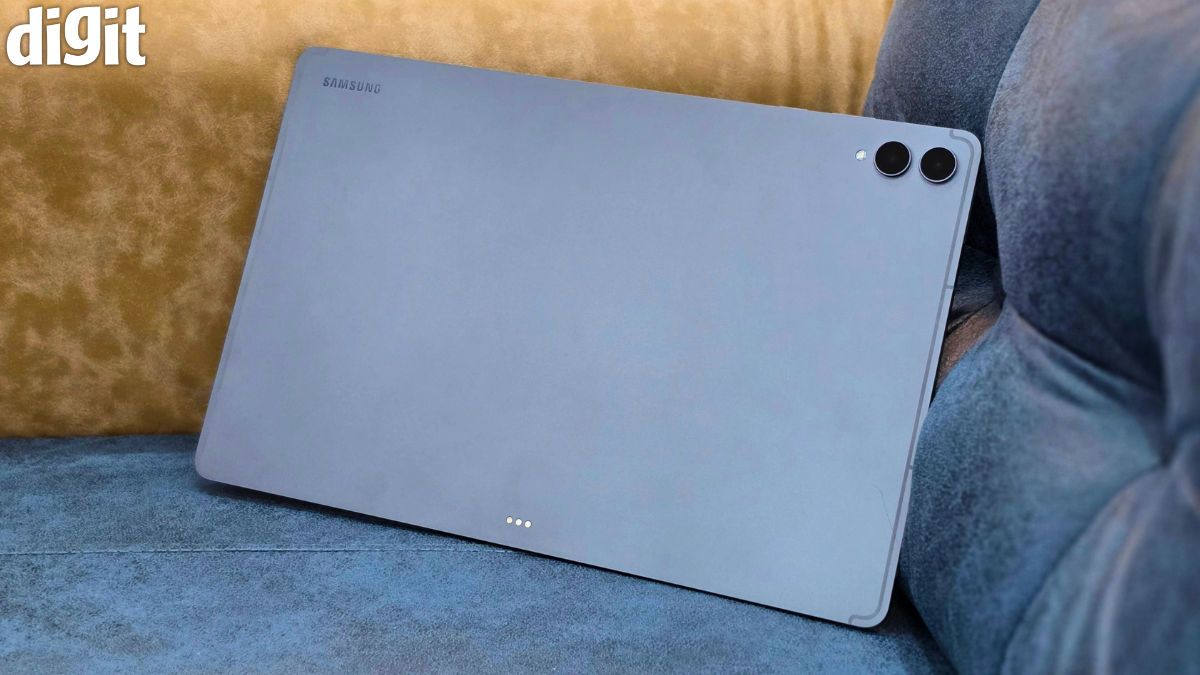
Of course, the size comes with a few practical considerations. The Galaxy Tab S12 Ultra isn't a tablet I would recommend buying if your primary intention is to hold it in one hand while scrolling through social media or reading in bed. It is simply too large for that kind of casual use. You will be much more comfortable placing it on a desk, resting it on your lap or using a stand.
But I don't necessarily see that as a drawback. The Ultra branding exists for a reason, and Samsung is clearly targeting people who want the biggest possible canvas in a tablet. If that is what you are after, the Galaxy Tab S12 Ultra delivers.
Galaxy Tab S12 Ultra: That enormous AMOLED display is the star
The display is hands-down the biggest reason to consider the Galaxy Tab S12 Ultra. Samsung has equipped it with a 14.6-inch Dynamic AMOLED 2X panel featuring a 2960 x 1848 resolution and a 120Hz refresh rate. And it is difficult not to appreciate the amount of screen real estate available here. The AMOLED technology does what Samsung's displays have traditionally done well. Colours look rich, blacks are deep, and the overall presentation is quite pleasing. Watching videos, browsing through photographs or simply navigating the interface feels more immersive because everything has so much room to breathe. The 120Hz refresh rate also makes scrolling and animations look smooth.
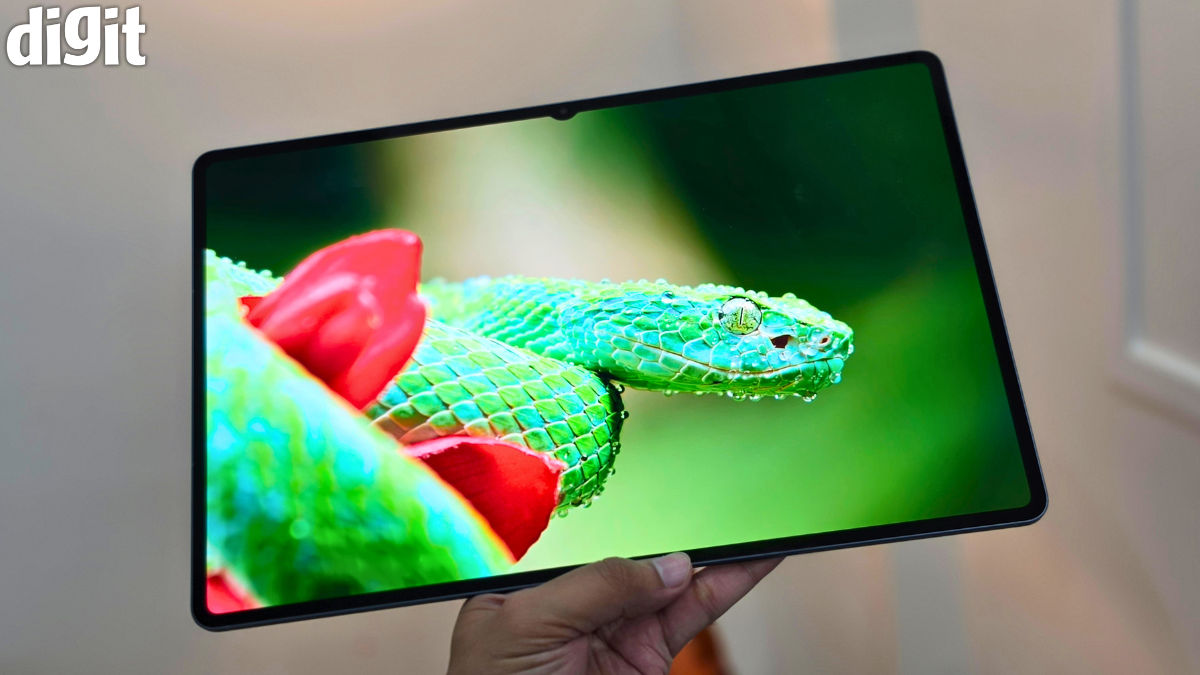
Samsung has rated the display for up to 1,600 nits of peak brightness and included Vision Booster to improve visibility in brighter surroundings. In the Digit Test Labs, using a lux meter, we recorded an HDR brightness of 1,671 nits. This makes the tablet a treat for anyone looking to use it primarily for entertainment. But what I like even more about having such a large panel is its potential beyond entertainment. A tablet with this much screen real estate can comfortably accommodate multiple applications without making everything feel cramped. You can have a document open alongside a browser window, refer to information while taking notes, or keep a video running while working on something else.
The four-speaker setup also complements the viewing experience. Samsung has equipped the Galaxy Tab S12 Ultra with a four-channel spatial audio system and Dolby Atmos support. The idea is to provide a wider and more immersive soundstage when watching compatible content. For a device that is likely to spend a considerable amount of time playing films and television shows, having a capable speaker system is certainly welcome.
S Pen is a handy tool for notes, sketches and more
One of the things I’m sure most folks will appreciate about Samsung's Ultra tablet proposition is that the S Pen comes included in the box. At this price, having to purchase a stylus separately would have been disappointing.
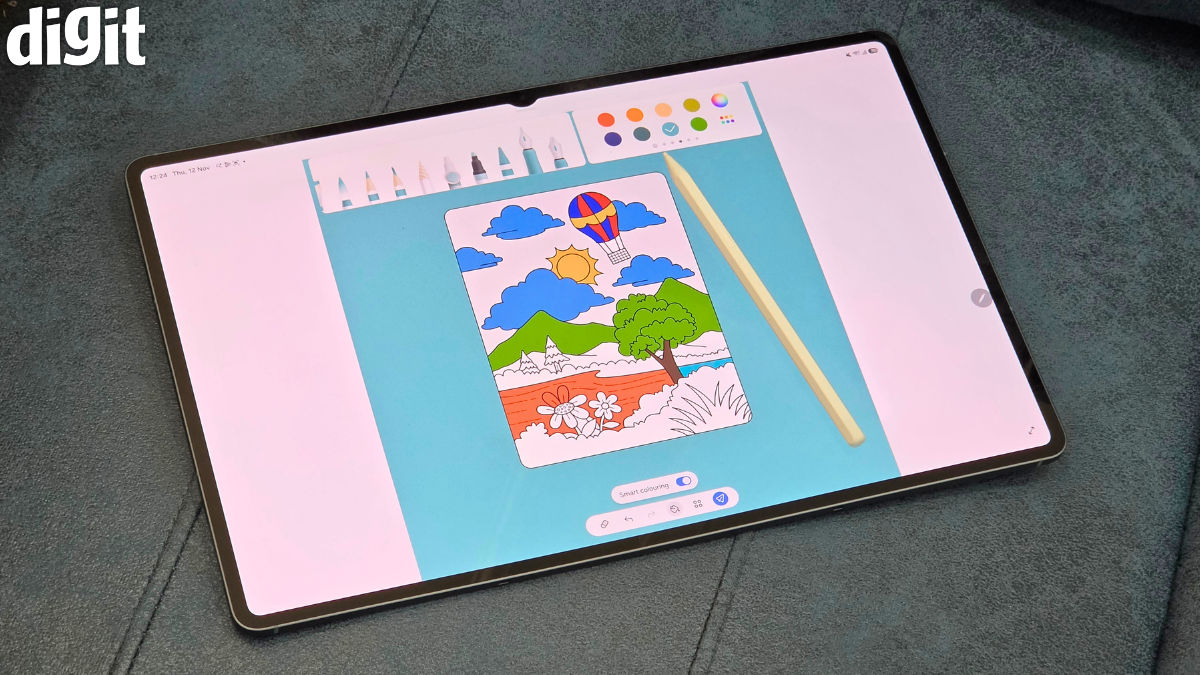
The S Pen is designed to work with the large display, making the tablet appealing to people who take handwritten notes, annotate documents, sketch or work with creative applications. Samsung Notes remains central to this experience, with features such as handwriting recognition, PDF annotation and Note Assist helping users organise their work.
For obvious reasons, the large canvas is quite relevant here. Writing on a smaller tablet can sometimes feel restrictive, but with 14.6 inches available, there is considerably more room to work with. Samsung has also introduced Creative Studio, which brings AI-assisted image creation and editing tools into the mix. The S Pen can be used to sketch ideas and add finishing touches to creative projects. There is support for applications such as Photoshop, Notability and Clip Studio Paint as well, giving the tablet a wider creative appeal.
One UI 9 makes the most of the large display
The Galaxy Tab S12 Ultra is powered by MediaTek's Dimensity 9500 processor, built on a 3nm process. Samsung has paired it with 12GB of RAM and up to 512GB of internal storage, with support for microSD expansion of up to 2TB. In terms of benchmarks, the tablet scored 2,413 in Geekbench 7's single-core test and 9,338 in the multi-core test. It also scored 3,447,024 on AnTuTu, while the 3DMark Wildlife Extreme test returned a score of 5,703, with an average frame rate of 34.15 FPS. In simple words, what you need to understand is that the Dimensity 9500 should have no trouble handling demanding apps, multitasking and games. Plus, Samsung has also included an upgraded 3D vapour chamber cooling system to help manage heat during intensive tasks, which is worth having in a tablet this thin.
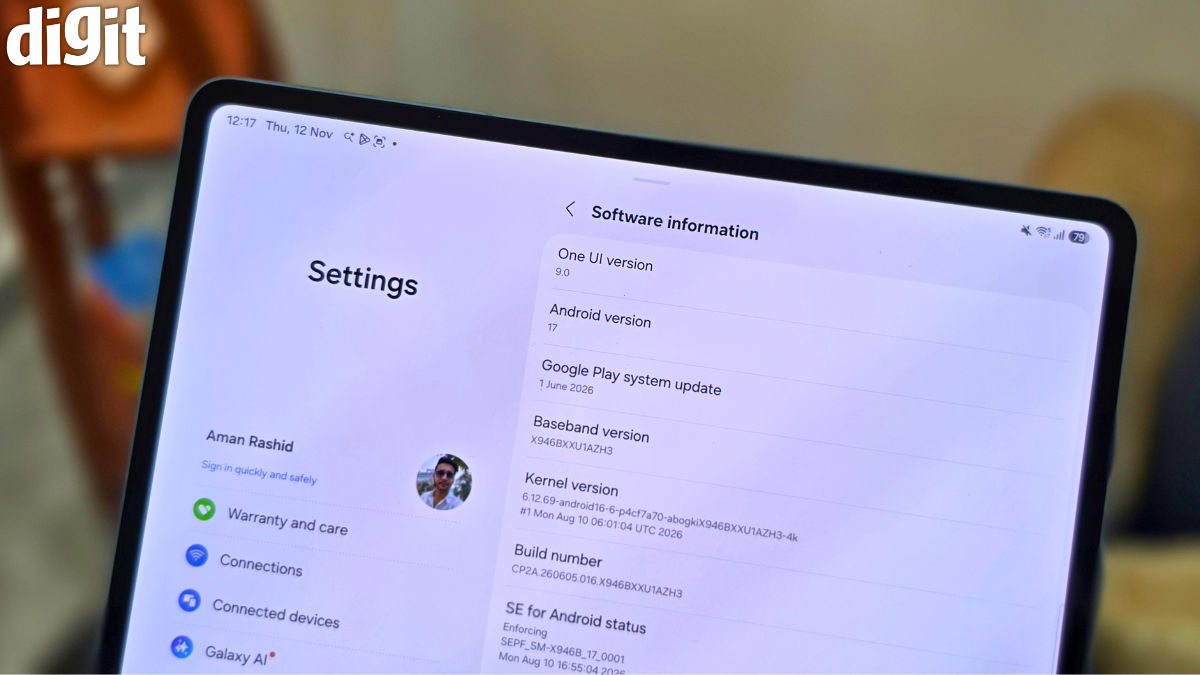
Of course, raw performance is only one side of the coin. A tablet with a 14.6-inch display needs software that makes proper use of all that screen space, and Samsung has put plenty of thought into this with One UI 9, based on Android 17. The interface offers split-screen functionality, floating windows and the option to keep multiple apps open at the same time. The three-way split-screen layout is especially useful on a display this large. You can have YouTube, Chrome and a notes app open together, for instance, without having to keep switching between them. It makes the tablet feel better suited to getting work done, rather than simply being a large screen for watching videos.
Galaxy AI adds a few useful touches to the experience. Note Assist can summarise lengthy notes, while Now Nudge uses on-screen context to suggest relevant actions. For example, it can prompt you to add an event to your calendar or open another app when it recognises that you might need it. These features won't change how everyone uses a tablet, but they can save a few steps when working across different apps.
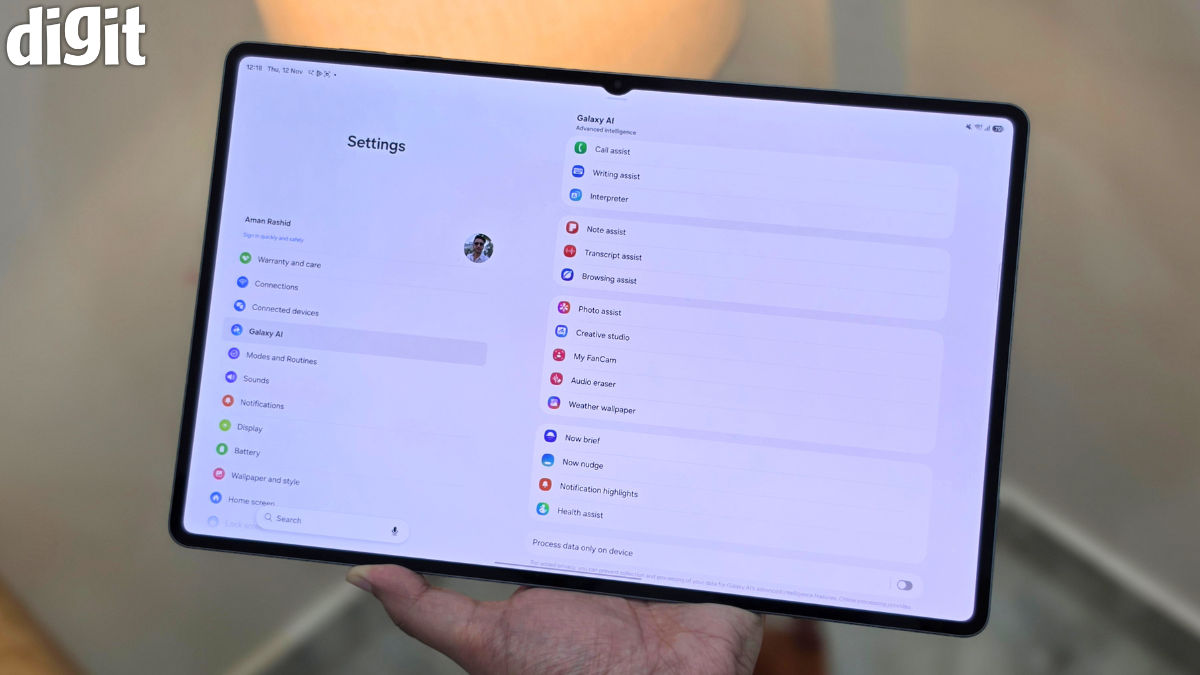
Then there’s Samsung DeX that takes the software experience a step closer to that of a desktop. It switches the usual Android interface to a desktop-style layout, with a taskbar, resizable app windows and multiple workspaces. Connect a compatible keyboard and mouse, and the Tab S12 Ultra can then handle tasks such as editing documents, working on spreadsheets and browsing the web in an environment that feels closer to using a laptop. However, I would be cautious about treating it as a complete replacement for a computer. Your experience will also depend on the apps you use and how well they work in this desktop-style interface.
You can also pair the tablet with Samsung's Pro Keyboard Book Cover, sold separately for Rs 27,999. That's a lot to spend on an accessory, especially after paying a premium for the tablet itself. I would have liked Samsung to include the keyboard in the box, given how much emphasis it places on productivity. If you do plan to use the Tab S12 Ultra for work, though, it is an accessory worth considering.
Samsung is also promising seven generations of Android OS upgrades and seven years of security updates. That's reassuring for a tablet at this price, since you’ll likely keep it for several years.
A massive tablet needs a massive battery
The Galaxy Tab S12 Ultra packs an 11,600mAh battery, and that extra capacity is welcome given the size of its 14.6-inch display. My usage is fairly mixed. I mostly use the tablet to watch OTT content at night, but I also spend time reading, browsing the web, annotating notes and writing. I even play games and make video calls on it occasionally. With around two to three hours of use each day, the tablet comfortably lasts me three to four days on a single charge. For the spec nerds, Samsung claims up to 23 hours of video playback, although that figure will depend on factors such as screen brightness, network connectivity and the content being played.
Charging is supported at up to 45W. I used a 60W GaN charger to top up the tablet, and it took around 1 hour and 31 minutes to go from empty to 100 per cent. That's a reasonable time considering the size of the battery, although I would have liked to see faster charging on a tablet in this price bracket. Still, not having to reach for the charger every night is a bigger convenience in day-to-day use, and the Tab S12 Ultra has been reliable in that regard.
Functional cameras, but they aren't the reason to buy it
I wouldn't expect anyone to buy a tablet this large for its cameras, and the Galaxy Tab S12 Ultra doesn't really change that. It has a 13MP primary rear camera, an 8MP ultra-wide camera and a 12MP front camera. The front camera is definitely the one you'll use more often, especially if you regularly attend video meetings or make video calls. Its placement is suited to using the tablet in landscape orientation, which feels like the right approach for a device of this size.
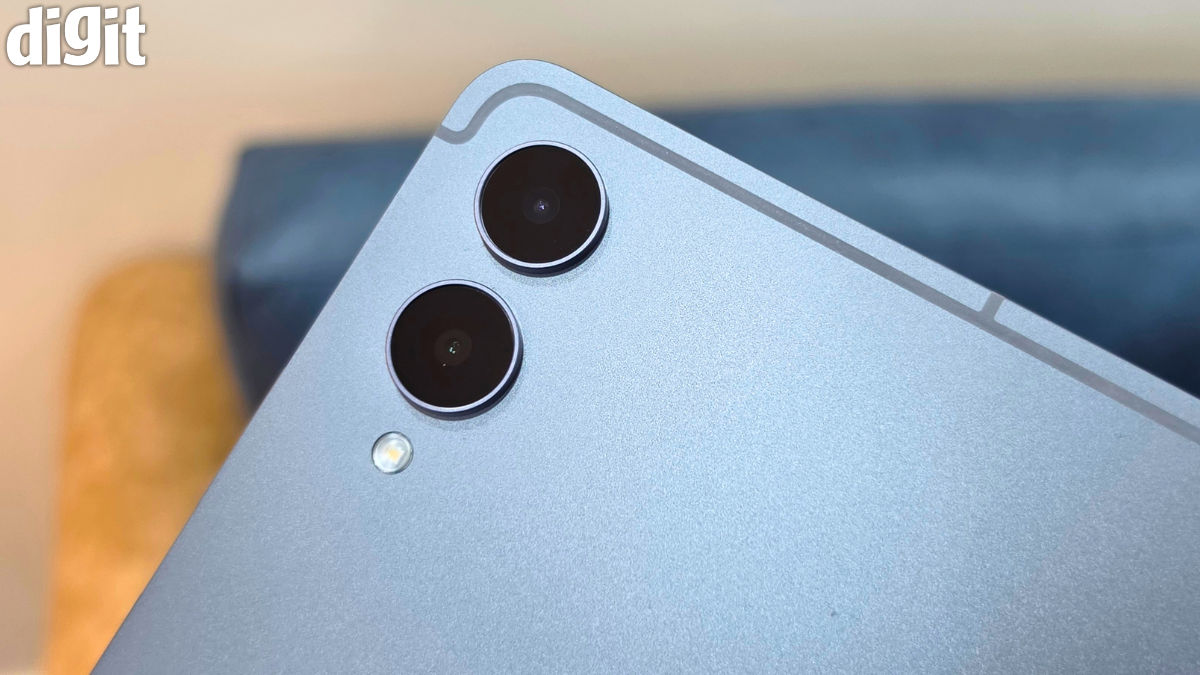
The rear cameras are useful to have, but I see them as more of a convenience than anything else. You can use them to scan documents, capture a quick photograph or take a picture of something you want to share. That's about as much as I'd expect from a tablet camera system. If photography is high on your list of priorities, this isn't the device to get excited about. That's because the Galaxy Tab S12 Ultra is built around its display, performance and battery life, rather than its cameras.
Galaxy Tab S12 Ultra verdict: Is it worth buying?
The Samsung Galaxy Tab S12 Ultra is a fantastic piece of hardware, and I have thoroughly enjoyed using it over the past few weeks. The 14.6-inch AMOLED display is a treat for watching content, reading and getting work done, while the slim aluminium design makes the tablet surprisingly easy to live with despite its size. The Dimensity 9500 delivers flagship performance, the included S Pen adds another layer of functionality, and One UI 9 makes good use of the large screen with its multitasking features. I also appreciate the battery life. With my usual mix of watching, browsing, reading, annotating notes and occasional gaming, I can comfortably get at least four days of use out of it. There is a lot to like here, and Samsung has clearly put thought into making this more than just a large screen for entertainment.
The Galaxy Tab S12 Ultra starts at Rs 1,49,999 for the 12GB RAM and 256GB Wi-Fi variant. The 5G model costs Rs 1,64,999, while the 512GB versions are priced at Rs 1,69,999 for Wi-Fi and Rs 1,84,999 for 5G. The Pro Keyboard Book Cover costs an additional Rs 27,999, which does push the overall price up if you want to use the tablet as a laptop alternative. Even so, the Tab S12 Ultra has plenty going for it. I like how Samsung has managed to fit such a large display and battery into a body that is just 5.1mm thick. Add the S Pen, the capable chipset, DeX and Samsung's seven-year software support commitment, and you have one of the most complete Android tablet packages currently available. If a premium, large-screen Android tablet is what you're after, the Galaxy Tab S12 Ultra deserves a place at the top of your list.

Aman Rashid
Aman Rashid is the Senior Assistant Editor at Digit, where he leads the website along with the brand’s YouTube, social media, and overall video operations. He has been covering consumer technology for several years, with experience across news, reviews, and features. Outside of work, Aman is a sneaker enthusiast and an avid follower of WWE, Dragon Ball, and the Marvel Cinematic Universe.
View full profileLatest Reviews
 Exclusive Stories

- Build Your Dream PC
- Shop Safely Online
- Top Podcasters
- DITAA 2026
- Unlock Your AI
- Digit's 25th Anniversary