 E-Magazine
Jabra Evolve3 75 review: Great at work but lacks comfort
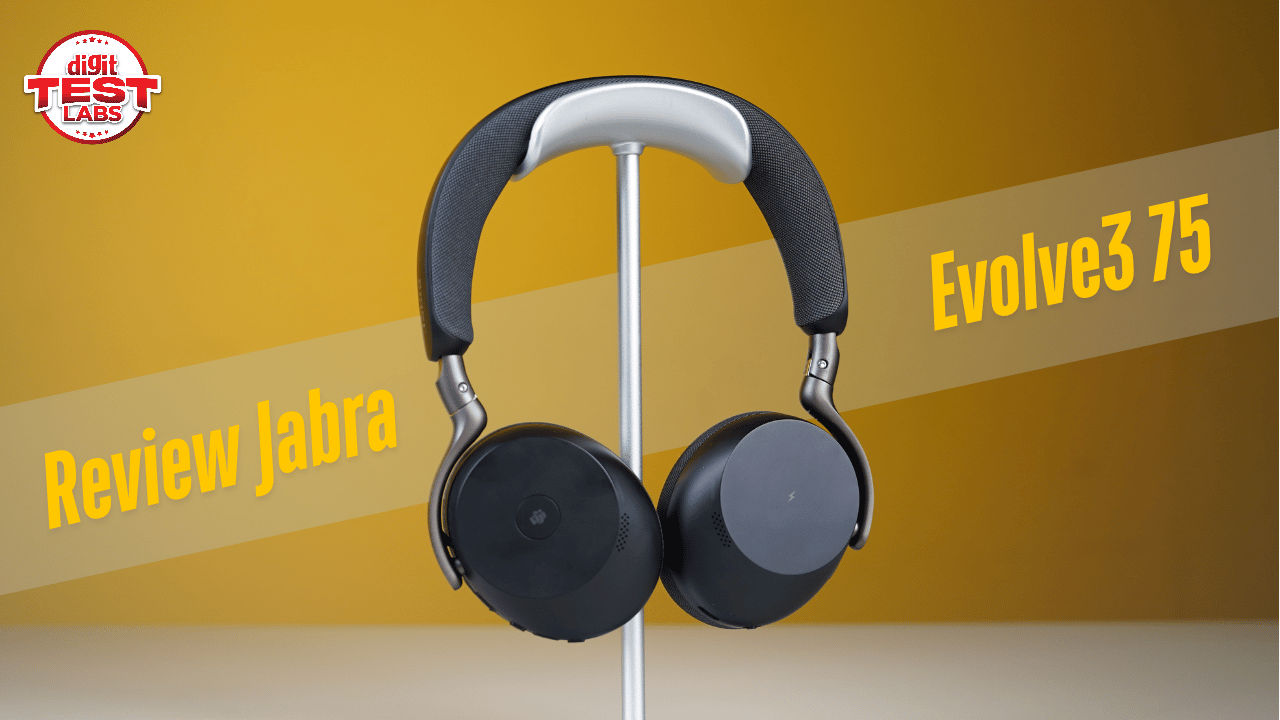
The Jabra Evolve3 75 is designed for people who spend a large part of their day on calls but still want a headset they can enjoy outside of work. It brings a boomless microphone design, active noise cancellation, a lightweight body and a long list of meeting-focused features. On paper, it sounds like a headset that can handle almost everything you throw at it. After spending time with it, I found plenty to appreciate, especially its microphone performance and portability. However, a few things about its comfort, sound quality and noise cancellation kept me from considering it a complete package, particularly at its premium price.
Jabra Evolve3 75 Design and comfort: Lightweight, but not always easy on the ears
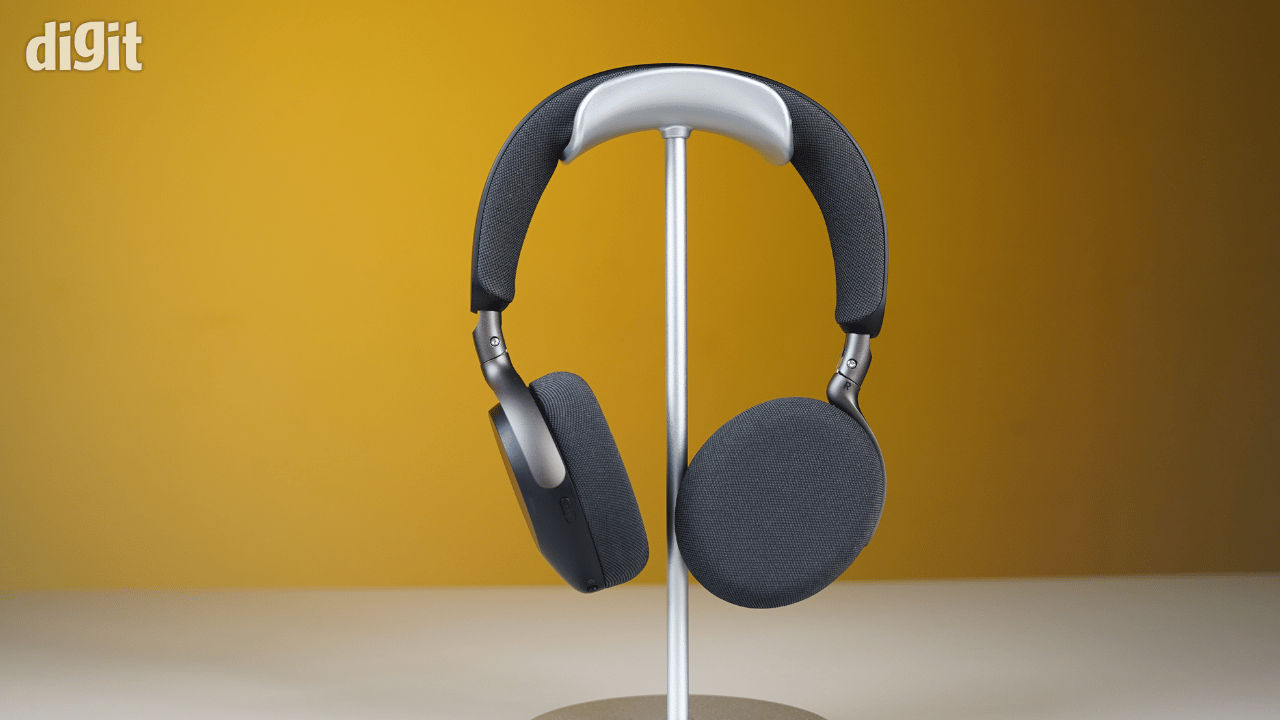
When you put the headphones on your head, you won’t feel that extra weight. The company claims that the Jabra Evolve3 75 weighs around 180 grams, and you can feel it too, as the device is easy to carry around. The folding design of the wearable makes it convenient to carry, as it can be easily packed in a bag.
Moreover, unlike traditional office headsets, the Jabra Evolve3 75 does not have a visible microphone boom sticking out from the earcup. This gives it a cleaner and more modern appearance, making it suitable for both office meetings and everyday use.
The fabric cushioning on the ears feels more breathable than the leather-like material commonly found on headphones. However, I think Jabra could have done a better job with the padding itself, as comfort is where my experience became a little disappointing.
The on-ear design puts pressure directly on your ears, and while it’s lightweight, wearing the device for prolonged periods can make your ears hurt. I wore the headsets during online meetings for about 2 hours, and I started noticing discomfort as soon as I passed the 40-minute mark. While the sound and clarity were intact, my ears started hurting. This was not the case with just me, as when my colleague tested the same thing during his meetings, he also faced a similar issue.
Since Jabra has a more comfortable over-ear option in the Evolve3 85, I’d like to see the company consider a more comfortable fit and better cushioning in future on-ear versions of the Evolve3 series.
Sound quality: Good vocals, but something is missing
Talking about the sound quality, let’s start with the bass, as it is one of the most important features of headphones. I found the bass good enough to make music enjoyable, especially considering that this device is mainly designed for meetings. However, it lacks the depth and power you would expect when listening to bass-heavy music. You can hear the low notes, but they don’t have the deep and punchy feel that makes some songs more enjoyable.
However, I felt that the sound, when increased to around 50 per cent, feels much better, as the vocals sound clear and instruments are generally easy to distinguish. Whether I was listening to music or watching videos, voices came through naturally. This is particularly useful when you are switching between meetings and entertainment throughout the day.
When you’re on a call, the device becomes a bit more transparent even with ANC enabled. You may also notice some sibilance in vocals, which is a sharp ‘tsss’ sound. You can particularly hear it when listening carefully. While it is not always distracting, it can become noticeable during calls.
ANC and transparency mode: Good enough for work
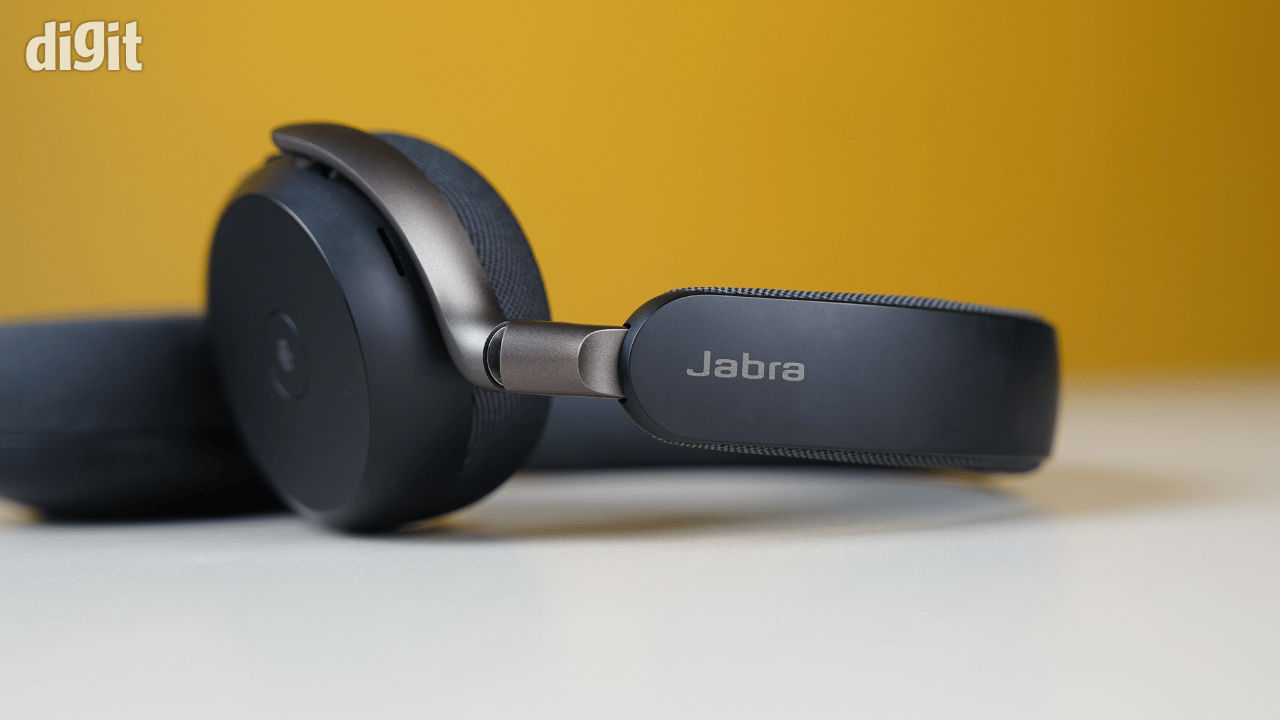
Active noise cancellation is one of the main reasons you might consider the Evolve3 75. However, my experience with it was a little mixed. The ANC does a decent job of reducing everyday distractions, especially when it comes to low-frequency sounds, such as fans and air conditioning.
However, I expected more from the noise cancellation at this price, as the Jabra Evolve3 75 does not completely block out conversations or the general noise of a busy environment.
Office chatter and other sounds can still make their way through when taking meetings at your desk. Not only that, but while travelling on a busy metro, I have to increase the volume to around 60-70 per cent to ensure that the chatter doesn’t make it through even on ANC.
Transparency mode, on the other hand, works well. It allows outside sounds to come through clearly enough for you to follow conversations or understand what is happening around you without taking the headset off. You can still tell that you are wearing headphones, but the experience is natural enough to be useful in everyday situations.
Jabra Evolve3 75 Microphone and calling experience: The biggest strength
If there is one area where the Jabra Evolve3 75 makes a strong case for itself, it is calling. During calls, the microphones isolate your voice while reducing distractions such as nearby conversations, traffic and other background sounds. In our testing, the caller and the receiver were both able to clearly hear what the other person was speaking. Not only that but despite the fact that it doesn’t have a dedicated microphone stick you’re not required to speak louder as the built in microphone can catch your normal pitched voice perfectly.
According to the spec sheet, the headphone uses a six-microphone array combined with its ClearVoice technology to capture your voice and reduce background noise.
Along with that, I also like the fact that the headset does not look like a conventional office headset. You can wear it during a meeting and continue using it afterwards without feeling like you are carrying dedicated work equipment on your head.
For anyone who regularly uses Microsoft Teams, Zoom, Google Meet or WhatsApp calls, the Evolve3 75 offers a useful combination of a discreet design and meeting-focused features.
Jabra Evolve3 75 features and controls: More than just a work headset
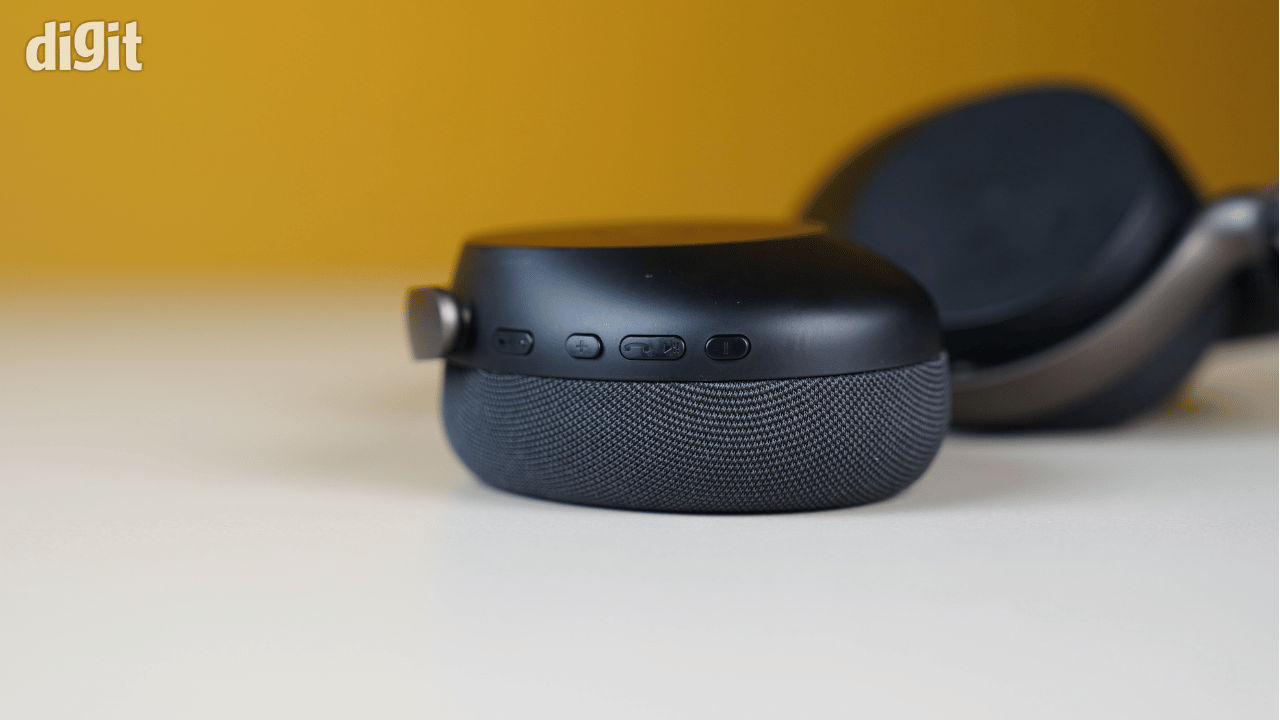
The headset also comes with physical controls for managing playback, volume, calls and microphone muting. There is a dedicated button to switch between ANC and HearThrough modes, while the Microsoft Teams-certified version also includes a separate Teams button for accessing the platform more easily.
Another feature I liked was the 360-degree Busylight. It comes in handy to let the people around you know that you’re on a call. Not only that, but the headset also supports on-head detection, allowing it to automatically pause music when you take it off.
Battery life and charging: Built for long workdays
Battery life is another area where the Jabra Evolve3 75 looks promising. According to Jabra, the headset offers up to 45 hours of music playback with ANC enabled and up to 18 hours of talk time.
In our testing, the device delivered impressive battery life. During my regular day-to-day use, I was able to get almost a full week of usage on a single charge. My daily routine included listening to music for approximately 8 hours with ANC enabled, along with around an hour of meetings and regular phone calls. Considering this level of usage, the device’s battery performance was particularly impressive.
Charging the device from 0 per cent to 100 per cent using a USB-C cable connected to my laptop takes approximately 3 hours. Wireless charging is slightly slower, as it took around 3 hours and 45 minutes to reach a full charge.
Jabra Evolve3 75 app experience: Plenty of customisation options
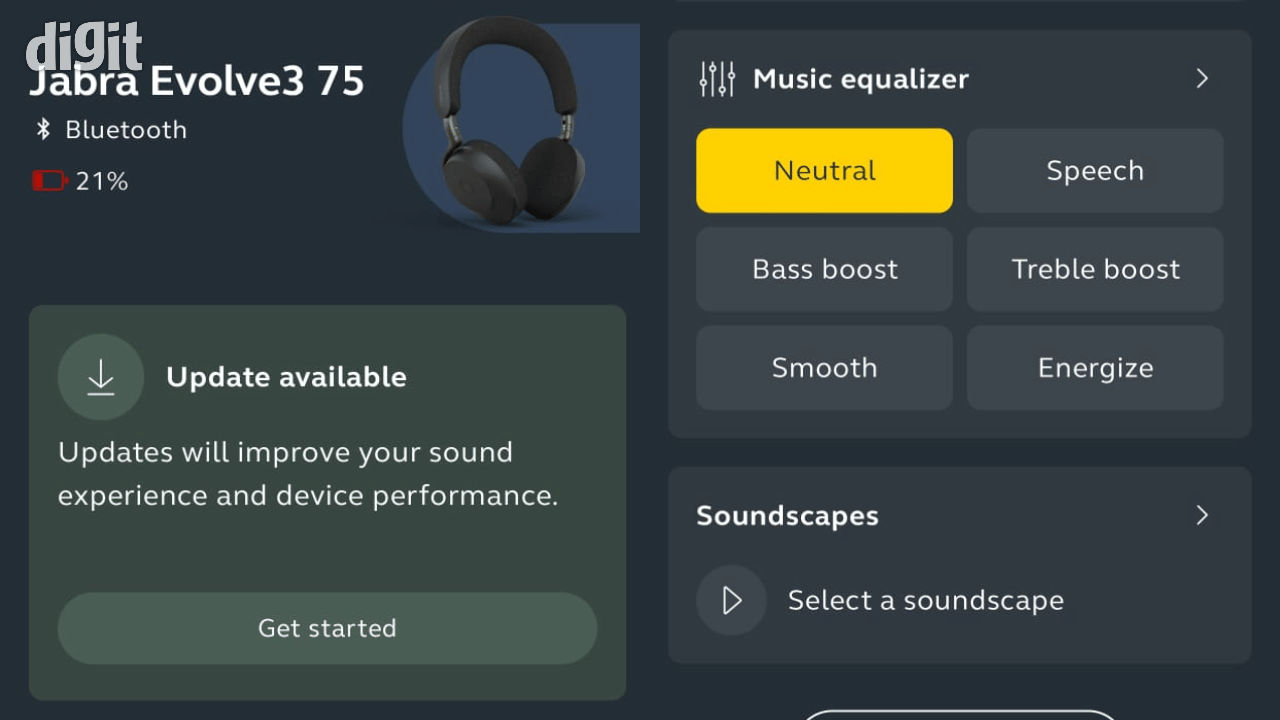
Jabra offers two companion applications for the Evolve3 75, notably the Jabra Plus for smartphones and Jabra Direct for desktop computers. Both provide access to several settings that let you customise the headset according to your preferences.
You get equaliser presets along with a five-band custom EQ, allowing you to adjust the sound rather than sticking with the default profile. The applications also include options for managing call settings, spatial audio for calls and the headset’s Busylight.
There are a few additional features worth mentioning. You can configure the headset to reject incoming calls while you are already on another call, automatically activate the Busylight and answer calls when removing the headset from its charging dock.
Not only that, but the mobile application also includes soundscapes with background sounds such as ocean waves, rainstorms and birds. These can be useful when you want some background noise while working or simply need a little help focusing.
Verdict

Bhaskar Sharma
Bhaskar Sharma Bhaskar is a Senior Copy Editor at Digit India who keeps a close watch on everything shaping the world of technology from smartphones and home appliances to AI, government tech initiatives, digital safety, and the latest industry developments. Whether it's breaking news, in-depth features, hands-on reviews, practical how-to guides, or exclusive scoops, he translates complex tech into stories that are easy to understand and worth reading. His work has been featured in iGeeksBlog, GuidingTech, and other leading publications. Before joining Digit India, he served as an assistant editor at TechBloat. A B.Tech graduate and full-time tech journalist, he is driven by just one goal, which is to help readers stay informed, stay secure, and stay ahead in an ever-changing digital world.
View full profileLatest Reviews

 Exclusive Stories

- Build Your Dream PC
- Shop Safely Online
- Top Podcasters
- DITAA 2026
- Unlock Your AI
- Digit's 25th Anniversary