
Best flagship laptops in India (2026): Top 6 picks
 Follow Us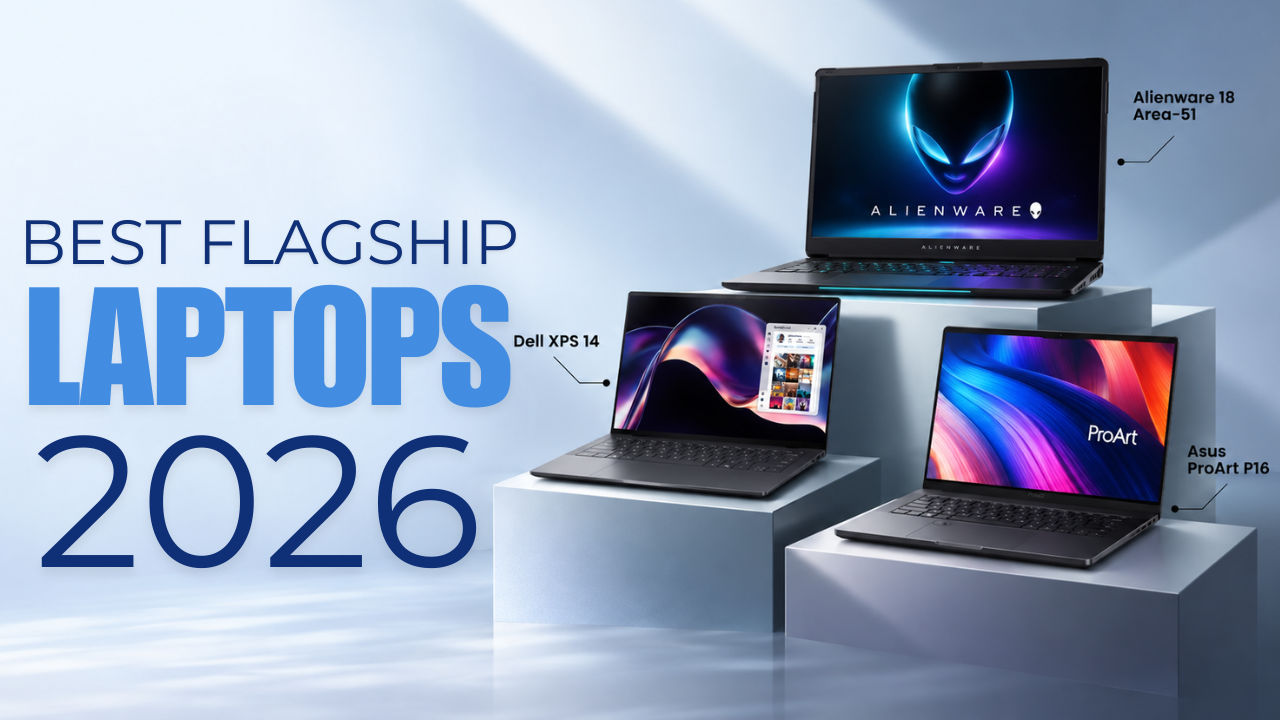

If you think that simply picking the laptop with the fastest processor or the latest GPU is the key to buying the best flagship device in the market, think again. Once you cross a certain price point, laptops start becoming much more specialised. Some are built for professionals who spend their entire day working on them while others are designed for creators who need colour-accurate displays and powerful GPUs. And then, there are machines which are desktop replacements for gamers that happen to have a screen and battery attached.
 Survey
So, there is no single high-end laptop that is perfect for everyone. The right choice depends on what you want to do with it.
For this list, we have looked at six high-end laptops across performance, display quality, build, portability, battery life, connectivity, creative workloads and gaming capability. We have also considered the intended use of each machine, because comparing a business laptop with a desktop-replacement gaming laptop purely on benchmark scores would not make much sense.
So without further ado, here are the best high-end laptops in India in 2026. Do remember that the prices mentioned here can change over time. So, it is best to check the exact configuration and current price before buying.
Best flagship laptops (2026) in India: At a glance
| Rank | Laptop | Best for | Key feature | Price |
| 1 | Dell XPS 14 | Premium productivity | 2.8K OLED, strong performance and long battery life | Rs 2,57,890 |
| 2 | Asus ProArt P16 | Professional creators | 4K 120Hz OLED and RTX 5090 | Rs 4,49,990 |
| 3 | Alienware 18 Area-51 | Gaming | RTX 5090 and 18-inch 300Hz display | Rs 4,95,390 |
| 4 | Asus ExpertBook Ultra | Business | 990g body and matte 3K OLED | Rs 2,39,990 |
| 5 | MSI Prestige 16 AI Evo | Creators and professionals | RTX 4060 and colour-accurate 16-inch display | Rs 2,12,990 |
| 6 | HP EliteBook X G2i 14 | Compact business use | Lightweight design and strong battery life | Around Rs 2.5 lakh |
How we choose the best flagship laptops
A high-end laptop needs to do more than simply post impressive benchmark numbers. We look at the entire experience and consider what each laptop is actually designed to do.
Performance
We consider processor and GPU performance, benchmark results and real-world responsiveness. For creator laptops, rendering and GPU performance matter heavily. For business machines, sustained productivity and efficiency are more important.
Display
A laptop costing more than Rs 2 lakh should have a display that justifies its price. We consider resolution, refresh rate, colour coverage, brightness, contrast and panel technology.
Build and portability
We look at chassis quality, durability, hinge design, weight and how practical each laptop is to carry around.
Battery life
Battery life is particularly important for productivity and business laptops. A powerful machine is not particularly useful on the road if you are constantly looking for a charger.
Use case
Not every high-end laptop is designed for gaming. We consider gaming performance where relevant, while also looking at video editing, rendering and other demanding workloads.
Keyboard, touchpad, speakers and webcam
These are the things you use every day. A laptop can have incredible benchmark numbers and still be frustrating if the keyboard, touchpad or webcam is poor.
Connectivity and features
Ports, wireless connectivity, AI features, security tools and other additions can have a significant impact on how useful a laptop is in the real world.
Value for money
At this price level, specifications alone are not enough. We consider what you are getting for your money and, more importantly, whether you actually need all that hardware.
Top 6 flagship laptops in India
Now, let’s take a closer look at the best flagship laptops that you can opt for in India right now.
1. Dell XPS 14
Price: Rs 2,57,890
Best for: Professionals and power users who want a premium Windows laptop for demanding productivity and creative work.
Key specifications
| Processor | Intel Core Ultra X7 358H |
| CPU cores | 16 |
| RAM | 32GB LPDDR5 |
| Storage | 1TB SSD |
| Display | 14-inch 2.8K OLED touchscreen |
| Colour coverage | 100% DCI-P3 and sRGB |
| Brightness | 500 nits peak |
| Webcam | 1080p |
| Wi-Fi | Wi-Fi 7 |
| Bluetooth | 6.0 |
| Battery | 70Wh |
| Ports | USB-C/Thunderbolt, headphone jack |
Why it is the best premium productivity laptop
The Dell XPS 14 is the laptop here that focuses most heavily on refining the everyday experience.
At first glance, the design is quite understated. The matte black finish and subtle branding do not scream for attention, but the build quality is excellent. The chassis feels solid, there is minimal flex on the lid and the weight distribution makes the laptop easy to open with one hand.
The zero-lattice keyboard takes some getting used to if you are coming from a conventional keyboard, but the keys feel firm and responsive. The haptic touchpad is even better. It blends into the chassis, feels smooth and responsive, and was good enough during use to replace a mouse.
The 14-inch 2.8K OLED display is another major highlight. It covers 100% of DCI-P3 and sRGB, and the colours look rich and vibrant. Blacks are deep, contrast is excellent and content looks fantastic. The 500-nit peak brightness is also enough for outdoor use, although reflections are noticeable under harsh lighting.
Then there is performance.
The Intel Core Ultra X7 358H handled demanding workloads without a problem. In benchmark testing, the laptop scored 6,045 in 3DMark Time Spy, 7,181 in PCMark 10, 2,850 in Geekbench 6 single-core and 16,148 in multi-core. Cinebench R23 produced 2,051 in single-core and 13,894 in multi-core.
The XPS 14 also has surprisingly good speakers. They get loud, have noticeable bass and retain plenty of detail. The 1080p webcam is another strong point for video meetings.
Battery life is without a doubt its biggest advantage. The laptop lasted around 17 hours at 70% brightness in our internal battery test. During a real workday involving video meetings, browsing and YouTube, it still had around 40% battery remaining.
The only problem here though is connectivity. The laptop has three USB-C ports with Thunderbolt support and a headphone jack, but there is no USB-A or HDMI. At this price, having to carry a dongle around is frustrating.
Pros
- Excellent build quality
- Strong performance
- Gorgeous 2.8K OLED display
- Excellent speakers
- Good webcam
- Very good battery life
- Excellent haptic touchpad
Cons
- Expensive
- Limited ports
- OLED reflections can be noticeable
- Touchscreen has limited practical value
Verdict: The Dell XPS 14 is a polished premium Windows laptop that gets most of the everyday experience right. It is not a gaming laptop, but for productivity, creative work, meetings and media consumption, it is an excellent machine. The price and limited connectivity are its biggest drawbacks.
2. Asus ProArt P16
Price: Rs 4,49,990
Best for: Professional creators who need serious CPU and GPU performance alongside a high-quality display.
Key specifications
| Processor | AMD Ryzen AI 9 HX 370 |
| CPU | 12 cores, 24 threads |
| NPU | Up to 50 TOPS |
| GPU | Nvidia GeForce RTX 5090 Laptop GPU |
| GPU memory | 24GB GDDR7 |
| RAM | 64GB LPDDR5X |
| Storage | 2TB PCIe 4.0 SSD |
| Display | 16-inch 4K OLED touchscreen |
| Refresh rate | 120Hz |
| Peak brightness | 664 nits in testing |
| Colour coverage | 100% sRGB |
| Average Delta E | 1.2 |
Why buy it
The Asus ProArt P16 is built for people who need more from a laptop than conventional productivity machines can offer.
Its biggest strength is the combination of display and hardware. The 16-inch 4K OLED panel is excellent, with rich colours, deep blacks and sharp details. Testing recorded a peak brightness of 664 nits and an average Delta E of 1.2, making it well suited to colour-sensitive creative work.
The hardware is even more impressive.
The reviewed configuration combines AMD’s Ryzen AI 9 HX 370 with 64GB RAM, a 2TB SSD and Nvidia’s RTX 5090 Laptop GPU with 24GB of GDDR7 memory.
PCMark 10 Extended scored 10,776, while Cinebench R23 returned 1,957 in single-core and 20,930 in multi-core. The laptop also scored 8,532 in 3DMark Time Spy Extreme and 9,586 in Fire Strike Ultra.
Creative applications such as Premiere Pro feel fast and responsive, and the combination of CPU, GPU and memory gives the laptop plenty of headroom for demanding workloads.
Gaming is possible, but this is not a gaming laptop. The creator-focused tuning and lack of a MUX switch mean it is not designed to chase maximum gaming frame rates.
The biggest issue is the price. At Rs 4,49,990 for the most premium model, the ProArt P16 is a serious investment. The trackpad is also not as precise as a MacBook’s, while the matte finish can pick up marks and scratches.
Pros
- Excellent 4K OLED display
- RTX 5090 with 24GB VRAM
- Strong CPU performance
- 64GB RAM
- 2TB SSD
- Premium build quality
- Good keyboard
- Good speakers
Cons
- Extremely expensive
- Trackpad could be better
- Fans become audible under load
- Gets warm during demanding workloads
- Not designed primarily for gaming
- Matte finish can show marks
Verdict: The ProArt P16 makes sense for professional creators who can actually use its combination of display quality, GPU power, memory and processing performance. It is not a laptop you should buy simply because it has an RTX 5090. You need a workload that can take advantage of it.
3. Alienware 18 Area-51
Price: Rs 4,95,390
Best for: Gamers who want desktop-level performance and a huge high-refresh-rate display and are willing to keep the laptop mostly on a desk.
Key specifications
| Processor | Intel Core Ultra 9 275HX |
| GPU | Nvidia GeForce RTX 5090 Laptop GPU |
| GPU memory | 24GB GDDR7 |
| RAM | 64GB DDR5 |
| Storage | 2TB SSD |
| Display | 18-inch WQXGA |
| Resolution | 2560 × 1600 |
| Refresh rate | 300Hz |
| Brightness | 500 nits |
| Colour coverage | 130% sRGB, 99.4% DCI-P3 |
| Battery | 96Wh |
| Weight | 4.3kg |
| Charger | 360W |
Why buy it
The Alienware 18 Area-51 is in a completely different category from the other laptops here.
At 4.3kg without the charger, this is not something you casually put in a backpack. The 360W charger is also huge, and the laptop is best treated as a desktop replacement.
But if gaming is the priority, those compromises start making sense.
The laptop combines Intel’s Core Ultra 9 275HX with Nvidia’s RTX 5090 Laptop GPU and an 18-inch WQXGA 300Hz display. The panel covers 99.4% of DCI-P3 and 130% of sRGB, making it useful for more than just gaming.
The gaming numbers are impressive.
Doom: The Dark Ages reached around 115 to 130fps at 2K Ultra Nightmare settings. Dragon Age: The Veilguard reached around 170fps at 2K high settings, while Monster Hunter Wilds managed around 150fps at 2K. Forza Horizon 5 reached around 250fps at 2K Extreme settings.
Even Silent Hill f managed around 85fps at 2K on the highest settings.
Synthetic benchmarks tell a similar story. The laptop scored 23,783 in 3DMark Time Spy and 12,379 in Time Spy Extreme. Cinebench R23 multi-core performance reached 36,928, while Geekbench 6 multi-core reached 21,469.
Battery life is the obvious compromise. It lasted around an hour during proper gaming and roughly two hours during basic tasks. PCMark’s battery test averaged around 1 hour and 15 minutes. Using quiet mode, power saver settings and the integrated GPU pushed this to around three hours.
Pros
- Exceptional gaming performance
- RTX 5090 Laptop GPU
- Huge 18-inch 300Hz display
- Excellent colour coverage
- Strong CPU performance
- Mechanical keyboard
- Good speakers
- Very fast storage
Cons
- Extremely heavy
- Huge 360W charger
- Poor battery life
- Very expensive
- Desk-first design
Verdict: The Alienware 18 Area-51 is more of a desktop replacement for gamers rather than a genuinely portable laptop. If maximum gaming performance and an enormous high-refresh-rate display are your priorities, this is the machine here designed specifically for that job.
4. Asus ExpertBook Ultra
Price: Rs 2,39,990
Best for: Professionals who prioritise portability, battery life, reliability and comfortable long-term productivity.
Key specifications
| Processor | Intel Core Ultra X7 358H |
| GPU | Intel Arc Graphics |
| RAM | 64GB LPDDR5x |
| Display | 14-inch 3K Tandem OLED touchscreen |
| Refresh rate | 120Hz |
| Weight | 990g |
| Ports | 2x USB-C, 2x USB-A, HDMI, 3.5mm |
| Webcam | 1080p |
| Wi-Fi | Wi-Fi 7 |
| Bluetooth | 6.0 |
| Battery | Nearly 12 hours in PCMark |
| Charging | 50% in 30 minutes |
Why buy it
The ExpertBook Ultra is almost the opposite of the Alienware 18 Area-51. Instead of trying to be the most powerful laptop in the room, it focuses on being the laptop you can carry into that room without thinking twice.
At just 990g, the 14-inch ExpertBook Ultra is exceptionally light. The magnesium-aluminium chassis feels sturdy, with no visible flex on the lid or keyboard deck under normal pressure.
The design is conservative, but that is not necessarily a problem for a business laptop. It looks at home in a meeting room rather than a gaming setup.
The display is interesting here. Asus has used a 14-inch 3K Tandem OLED panel with a 120Hz refresh rate and a matte anti-reflection coating. Reflections are almost non-existent, which makes it much easier to use in bright offices.
The matte coating does reduce the depth of blacks compared with a glossy OLED display, but the trade-off makes sense for a professional machine.
Performance is also strong. The laptop handled more than 40 Chrome tabs alongside WhatsApp Web, music streaming, productivity applications and background processes without slowing down.
It scored 2,867 in Geekbench 6 single-core and 16,297 in multi-core. Cinebench R23 recorded 1,950 in single-core and 17,732 in multi-core, while PCMark 10 returned 7,761.
Battery life is another major strength. The ExpertBook Ultra lasted nearly 12 hours in the PCMark battery test at 50% brightness and reached 50% charge in 30 minutes.
The speakers are also better than what you typically get from a business laptop.
The biggest issue is price. At Rs 2,39,990, it is an expensive machine, especially when the design itself is fairly conservative.
Pros
- Extremely light at 990g
- Excellent matte OLED display
- Strong productivity performance
- Nearly 12-hour battery life
- Good keyboard and touchpad
- Excellent speakers
- Good port selection
- Strong build quality
Cons
- Expensive
- Conservative design
- Fan noise can become distracting
- Webcam struggles in poor lighting
- Not designed for serious gaming
Verdict: The ExpertBook Ultra is the laptop to consider if your workday revolves around productivity, meetings, travel and long hours of typing. Its combination of 990g weight, matte OLED display, strong performance and battery life makes it particularly well suited to professionals.
5. MSI Prestige 16 AI Evo
Price: Rs 2,12,990
Best for: Creators and professionals who need strong performance, a colour-accurate display and an RTX GPU without moving into the Rs 4 lakh-plus segment.
Key specifications
| Processor | Intel Core Ultra 9 185H |
| GPU | Nvidia GeForce RTX 4060 |
| GPU memory | 8GB GDDR6 |
| RAM | 32GB LPDDR5 |
| Storage | 1TB SSD |
| Display | 16-inch display |
| Colour coverage | 97.2% sRGB, 99.3% DCI-P3 |
| Average Delta E | 1.7 |
| Battery | 99.9Wh |
| Webcam | 1080p |
| Ports | USB-C, USB-A, HDMI, Ethernet |
Why buy it
The MSI Prestige 16 AI Evo takes a different approach from the ProArt P16. It is still a creator-first laptop, but it does not attempt to compete with machines carrying an RTX 5090.
Instead, MSI focuses on giving professionals a strong combination of CPU performance, colour accuracy, portability and GPU acceleration at a much lower price.
The 16-inch display is one of its biggest strengths. It covers 97.2% of sRGB and 99.3% of DCI-P3, while the average Delta E of 1.7 means colour differences are difficult to spot with the naked eye.
Performance is strong as well. The Core Ultra 9 185H, 32GB RAM and RTX 4060 handled demanding workloads without much fuss.
PCMark 10 Extended returned 7,810, while Cinebench R23 produced 1,864 in single-core and 14,525 in multi-core. The RTX 4060 also delivered respectable graphics benchmark scores, including 5,776 in Time Spy and 12,852 in Fire Strike.
Gaming is possible, but the Prestige 16 AI Evo is not a gaming laptop. Modern games can run well after dropping the resolution to 1080p or 1200p. Clair Obscur: Expedition 33, for example, reached around 80 to 90fps at 1920 × 1200 on medium settings.
Battery life is also good. The 99.9Wh battery lasted through an eight-hour workday with around 20% remaining during real-world use. The PCMark battery test lasted around eight hours at full brightness.
The compromises are mostly around the secondary hardware. The webcam is average, the speakers lack bass and the rear port placement can be inconvenient.
Pros
- Excellent display for creative work
- Strong CPU performance
- RTX 4060 GPU
- 32GB RAM
- 1TB SSD
- Good battery life
- Good selection of ports
- Large 16-inch screen
Cons
- Average webcam
- Underwhelming speakers
- Rear port placement can be inconvenient
- Some lid flex
- Not designed primarily for gaming
Verdict: The MSI Prestige 16 AI Evo is a sensible option for creators and professionals who need GPU-accelerated workloads but cannot justify spending more than Rs 4 lakh on a ProArt-class machine. It is not a gaming laptop, but the RTX 4060 gives it enough graphics power to handle occasional gaming.
6. HP EliteBook X G2i 14
Price: Around Rs 2.5 lakh
Best for: Professionals who want a compact enterprise laptop with strong performance, a good webcam and long battery life.
Key specifications
| Processor | Intel Core Ultra X7 |
| GPU | Intel Arc B390 |
| RAM | 32GB LPDDR5x |
| Storage | 1TB SSD |
| Display | 14-inch IPS touchscreen |
| Refresh rate | 60Hz |
| Webcam | 1080p |
| Wi-Fi | Wi-Fi 7 |
| Ports | 3x USB-C, 1x USB-A, HDMI 2.1, headphone jack |
| Battery | Nearly 12 hours in PCMark |
| Charging | 50% in 30 minutes |
| OS | Windows 11 Pro |
Why buy it
The HP EliteBook X G2i 14 is built around a straightforward idea: make a compact laptop that can handle a demanding professional workday without getting in the way.
The design is conservative, with a professional finish and a sturdy chassis. The 180-degree hinge is particularly useful for collaboration, allowing the screen to be folded flat when sharing content with colleagues.
The keyboard is comfortable for long typing sessions and the haptic touchpad is responsive and precise. The 1080p webcam is another strength. Under office lighting, it produces clear and vivid video, and the physical privacy shutter is useful for professionals who spend a lot of time on video calls.
Performance is strong enough for demanding productivity. The laptop handled dozens of browser tabs, productivity applications, messaging and video calls without struggling.
It scored 7,409 in PCMark 10, while 3DMark Time Spy and Fire Strike returned 7,724 and 13,322 respectively.
Battery life is also one of its strongest points. The laptop lasted nearly 12 hours in the PCMark battery test at 50% brightness and reached 50% charge in 30 minutes.
The problem, for some users, may be the display.
The 14-inch IPS panel is bright and sharp, but at this price, an OLED panel would have been more fitting. The integrated privacy screen also affects viewing angles and causes colours to shift when viewed from the side. The 60Hz refresh rate feels dated for a premium laptop in 2026. That said, for users who need a device for solely productivity purposes, this is still a great laptop.
Pros
- Strong productivity performance
- Compact form factor
- Good 1080p webcam
- Solid battery life
- Comfortable keyboard
- Precise haptic touchpad
- Useful 180-degree hinge
- Enterprise-focused features
Cons
- Very expensive
- Privacy screen affects viewing angles
- 60Hz display feels dated
- Display lacks OLED-level contrast and vibrancy
Verdict: The EliteBook X G2i 14 is a capable professional machine that gets the fundamentals right. Its compact design, performance, camera and battery life make it useful for business users, but the display makes the high price harder to justify for buyers who are not specifically looking for its enterprise features.
High-end laptop comparison: Which one should you buy?
| Feature | Dell XPS 14 | Asus ProArt P16 | Alienware 18 Area-51 | Asus ExpertBook Ultra | MSI Prestige 16 AI Evo | HP EliteBook X G2i 14 |
| Price | Rs 2,57,890 | Rs 4,49,990 | Rs 4,95,390 | Rs 2,39,990 | Rs 2,12,990 | Around Rs 2.5 lakh |
| Primary use | Productivity | Creative work | Gaming | Business | Creative work | Business |
| Processor | Core Ultra X7 358H | Ryzen AI 9 HX 370 | Core Ultra 9 275HX | Core Ultra X7 358H | Core Ultra 9 185H | Core Ultra X7 |
| GPU | Intel Arc Graphics | RTX 5090 24GB | RTX 5090 24GB | Intel Arc Graphics | RTX 4060 8GB | Arc B390 |
| Display | 14-inch 2.8K OLED | 16-inch 4K OLED, 120Hz | 18-inch WQXGA, 300Hz | 14-inch 3K OLED, 120Hz | 16-inch creator display | 14-inch IPS, 60Hz |
| RAM | 32GB | 64GB | 64GB | 64GB | 32GB | 32GB |
| Storage | 1TB | 2TB | 2TB | 3 TB | 1TB | 1TB |
| Battery | 70Wh | 90Wh | 96Wh | 70Wh | 99.9Wh | 68Wh |
| Weight | 1.36 kg | Around 1.95kg | 4.3kg | 990g | Around 1.6kg | Around 1 kg |
| Best for | Premium productivity | Professional creators | Serious gaming | Business users | Creator/ professional | Enterprise users |
Quick recommendations
Choose the Dell XPS 14 if: You want a premium Windows laptop for productivity, creative work, meetings and media consumption, and battery life matters.
Choose the Asus ProArt P16 if: You are a professional creator who needs a high-end OLED display, powerful CPU and RTX 5090 GPU.
Choose the Alienware 18 Area-51 if: Gaming performance is your primary concern and you are comfortable treating the laptop as a desktop replacement.
Choose the Asus ExpertBook Ultra if: You travel frequently and want an extremely light business laptop with a great display and long battery life.
Choose the MSI Prestige 16 AI Evo if: You are a creator who needs an RTX GPU and colour-accurate display without spending Rs 4 lakh-plus.
Choose the HP EliteBook X G2i 14 if: You need a compact enterprise-focused laptop and value its business features, webcam and battery life.
How to choose the best high-end laptop
1. Don’t buy based on the processor alone
A high-end processor does not automatically make a laptop the right choice.
The Alienware 18 Area-51 and Asus ProArt P16 are dramatically more powerful than the business machines here, but they are also much heavier and less practical for everyday travel.
Meanwhile, the ExpertBook Ultra’s appeal comes from how effectively it combines performance with a 990g chassis and long battery life.
Think about what you actually do before deciding how much processing power you need.
2. Decide whether you need a dedicated GPU
A dedicated GPU changes the type of work your laptop can handle.
If you edit video, work with 3D applications or use GPU-accelerated creative software, laptops such as the ProArt P16 and MSI Prestige 16 AI Evo make more sense.
If your work is mainly documents, spreadsheets, browsing, meetings and communication, a powerful integrated graphics solution can be enough.
And if gaming is your priority, look specifically at gaming-focused hardware. The Alienware 18 Area-51 is designed around that use case, while the ProArt and Prestige treat gaming as a secondary capability.
3. Don’t overlook the display
At this price, the display should be one of your biggest considerations.
OLED panels on the XPS 14, ExpertBook Ultra and ProArt P16 provide deep blacks and strong contrast. The ProArt’s 4K 120Hz OLED panel is particularly suited to creators, while the ExpertBook’s matte OLED panel is designed to reduce reflections in professional environments.
The HP EliteBook X G2i 14 shows why panel technology matters. Its IPS display is perfectly usable, but the privacy layer affects viewing angles and the 60Hz refresh rate feels less premium than the OLED alternatives.
4. Think about portability before buying a powerful laptop
The difference between 990g and 4.3kg is enormous.
The ExpertBook Ultra can easily be carried around all day. The Alienware 18 Area-51 is effectively a desktop replacement.
Neither approach is inherently better. It depends on whether the laptop spends most of its life on a desk or travels with you.
5. Battery life matters more for productivity laptops
Gaming laptops generally sacrifice battery life for performance.
The Alienware 18 Area-51 lasted around an hour during proper gaming, while the Dell XPS 14 managed around 17 hours in the battery test. The ExpertBook Ultra and HP EliteBook X G2i 14 both came close to 12 hours in PCMark.
If you regularly spend an entire workday away from a charger, this difference matters far more than a benchmark score.
6. Check the ports before buying
Premium laptops are increasingly moving towards USB-C, but that does not mean everyone wants to carry dongles.
The XPS 14 is a good example. Its Thunderbolt-capable USB-C ports are versatile, but the lack of USB-A and HDMI can become annoying.
The MSI Prestige 16 AI Evo takes the opposite approach with USB-C, USB-A, HDMI and Ethernet, although its rear-mounted ports can be inconvenient to access.
7. Consider the keyboard and touchpad
If you spend eight hours a day writing, the keyboard matters.
The ExpertBook Ultra has a comfortable 1.5mm travel keyboard, while the XPS 14’s zero-lattice design feels firm and snappy once you get used to it. The ProArt P16 and MSI Prestige 16 AI Evo also offer comfortable typing experiences.
The same applies to the touchpad. A good haptic touchpad can eliminate the need to carry a mouse for many users.
High-end laptops: category-wise recommendations
| Requirement | Recommended laptop |
| Best premium productivity | Dell XPS 14 |
| Best gaming | Alienware 18 Area-51 |
| Best professional creator laptop | Asus ProArt P16 |
| Best business laptop | Asus ExpertBook Ultra |
| Best creator laptop below Rs 2.5 lakh | MSI Prestige 16 AI Evo |
| Best compact business laptop | HP EliteBook X G2i 14 |
| Best display for creators | Asus ProArt P16 |
| Best battery life | Dell XPS 14 |
| Best portability | Asus ExpertBook Ultra |
| Best raw gaming performance | Alienware 18 Area-51 |
| Best RTX laptop below Rs 2.5 lakh | MSI Prestige 16 AI Evo |
FAQs
Which is the best high-end laptop in India in 2026?
The Dell XPS 14 is our pick for the best premium productivity laptop in this list. It combines strong performance, a 2.8K OLED display, excellent build quality, good speakers and webcam, and impressive battery life.
Which is the best gaming laptop in this list?
The Alienware 18 Area-51 is the gaming-focused choice. It combines an RTX 5090 Laptop GPU with an Intel Core Ultra 9 processor and an 18-inch 300Hz display.
Which laptop is best for professional creators?
The Asus ProArt P16 is the most creator-focused option here. The reviewed configuration combines an AMD Ryzen AI 9 HX 370 processor, RTX 5090 Laptop GPU, 64GB RAM, 2TB SSD and a 4K 120Hz OLED display.
Which is the most portable high-end laptop?
The Asus ExpertBook Ultra weighs just 990g, making it the lightest laptop in this comparison.
Which laptop has the best battery life?
The Dell XPS 14 delivered around 17 hours in the battery test at 70% brightness. The Asus ExpertBook Ultra and HP EliteBook X G2i 14 both lasted nearly 12 hours in PCMark.
Is the MSI Prestige 16 AI Evo a gaming laptop?
No. It has an RTX 4060 and can run modern games well after lowering the resolution, but it is primarily designed for creators and professionals. Gaming is a secondary capability rather than its main purpose.
Is the Asus ProArt P16 good for gaming?
It can handle modern games, but it is not designed as a dedicated gaming laptop. Its creator-focused power and thermal tuning and lack of a MUX switch mean serious gamers may prefer a gaming-focused machine such as the Alienware 18 Area-51.
Is the Dell XPS 14 good for gaming?
The XPS 14 can handle demanding creative workloads and some gaming, but it should primarily be considered a premium productivity laptop rather than a gaming machine.
Which laptop should I buy for office work?
For professionals who travel frequently, the Asus ExpertBook Ultra’s 990g weight, matte OLED display and long battery life make it particularly suited to office work. The Dell XPS 14 is another option if you want a more premium design and stronger multimedia experience.
Which high-end laptop is the best value?
The answer depends on the workload. For creators who need a dedicated GPU without moving into the Rs 4 lakh-plus segment, the MSI Prestige 16 AI Evo provides a strong combination of performance, a colour-accurate display and RTX 4060 graphics. For business users, the ExpertBook Ultra offers a strong combination of portability, performance and battery life.


