NotebookLM adds Brief and Explainer video formats for dynamic summaries
New Nano Banana styles bring Whiteboard, Anime, and Retro visuals
Google’s AI notebook evolves into a creative multimedia storytelling tool
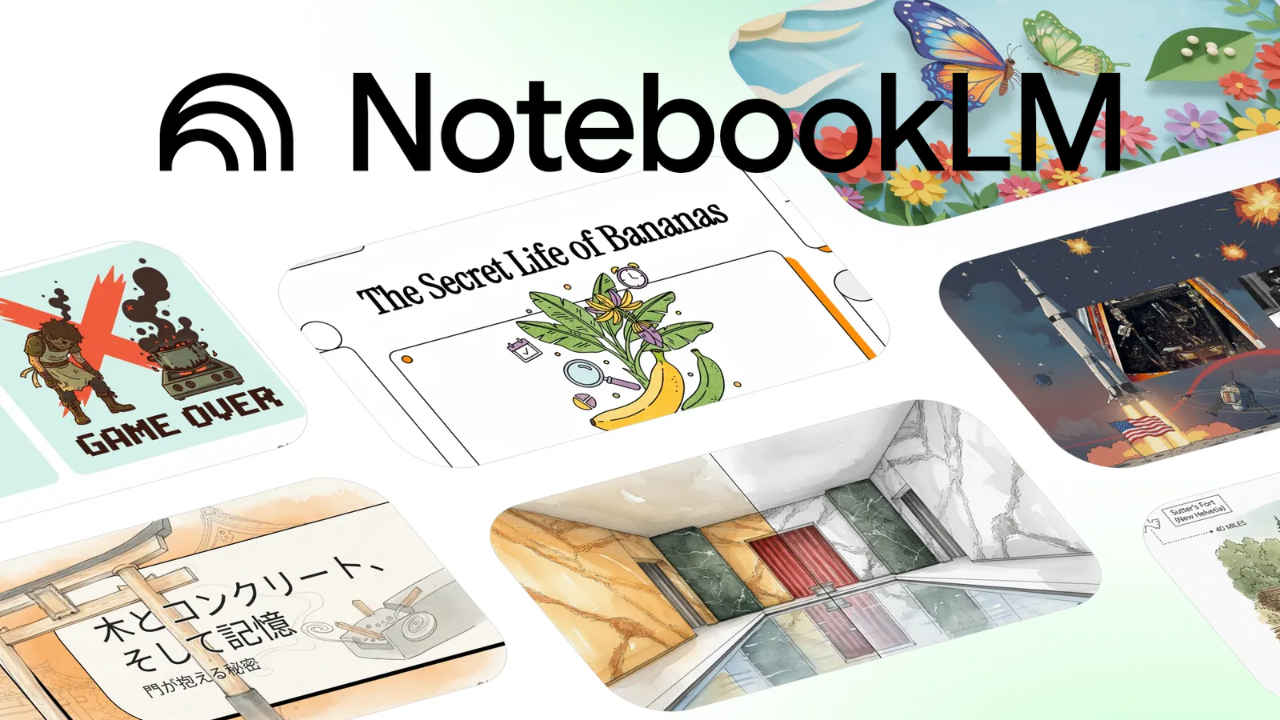
Google is pushing its AI research assistant NotebookLM into more creative territory. The latest update introduces new video overview formats and visual styles powered by Google’s in-house “Nano Banana” image generation model, part of the Gemini 2.5 Flash suite. These upgrades transform NotebookLM from a text-based summarization tool into a more visual, expressive, and storytelling-oriented workspace, one that helps users turn research and notes into engaging multimedia summaries.
 Survey
Also read: Google’s viral Nano Banana AI coming to Search, NotebookLM and Photos


NotebookLM’s growing creative toolkit
NotebookLM was initially launched as an experimental project to help users “think with their notes.” It analyzes uploaded documents, transcripts, or links, and generates context-aware summaries or explanations. Over time, it has evolved into a full-fledged AI notebook capable not just of summarizing, but of connecting ideas and producing shareable content.
The newest update expands that mission by adding two new video overview formats and a range of AI-generated visual styles, making it easier to personalize how information is presented.
Two new video formats: Brief and Explainer
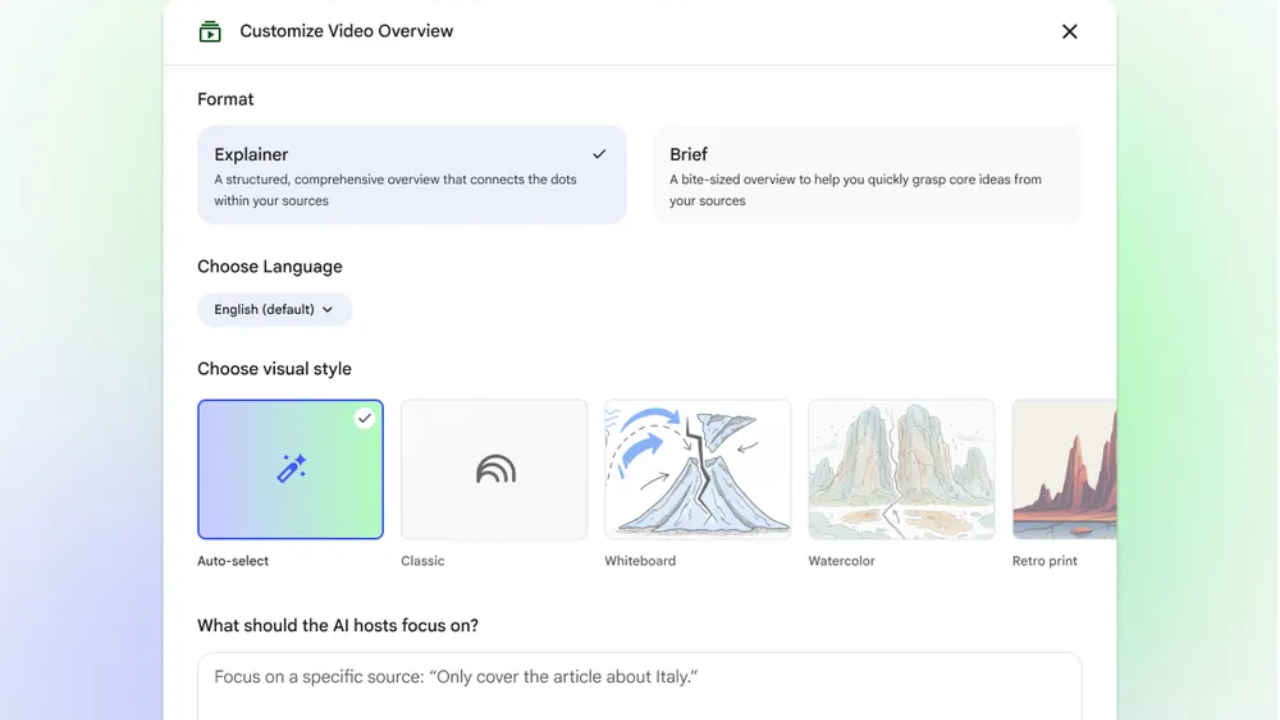
Until now, NotebookLM generated a single type of video overview: a standard AI-narrated summary based on your sources. With the update, users can now choose between two presentation formats – Brief and Explainer.
- Brief offers a condensed, bite-sized summary ideal for quick updates, news briefs, or meeting recaps. It focuses on the key points, stripping away excess context.
- Explainer, on the other hand, dives deeper. It connects ideas, outlines reasoning, and adds narrative flow, perfect for class notes, research digests, or concept breakdowns.
By offering both, Google gives users more control over the depth of their AI-generated videos, depending on whether they need fast insight or a structured walkthrough.
Six new visual styles powered by Nano Banana
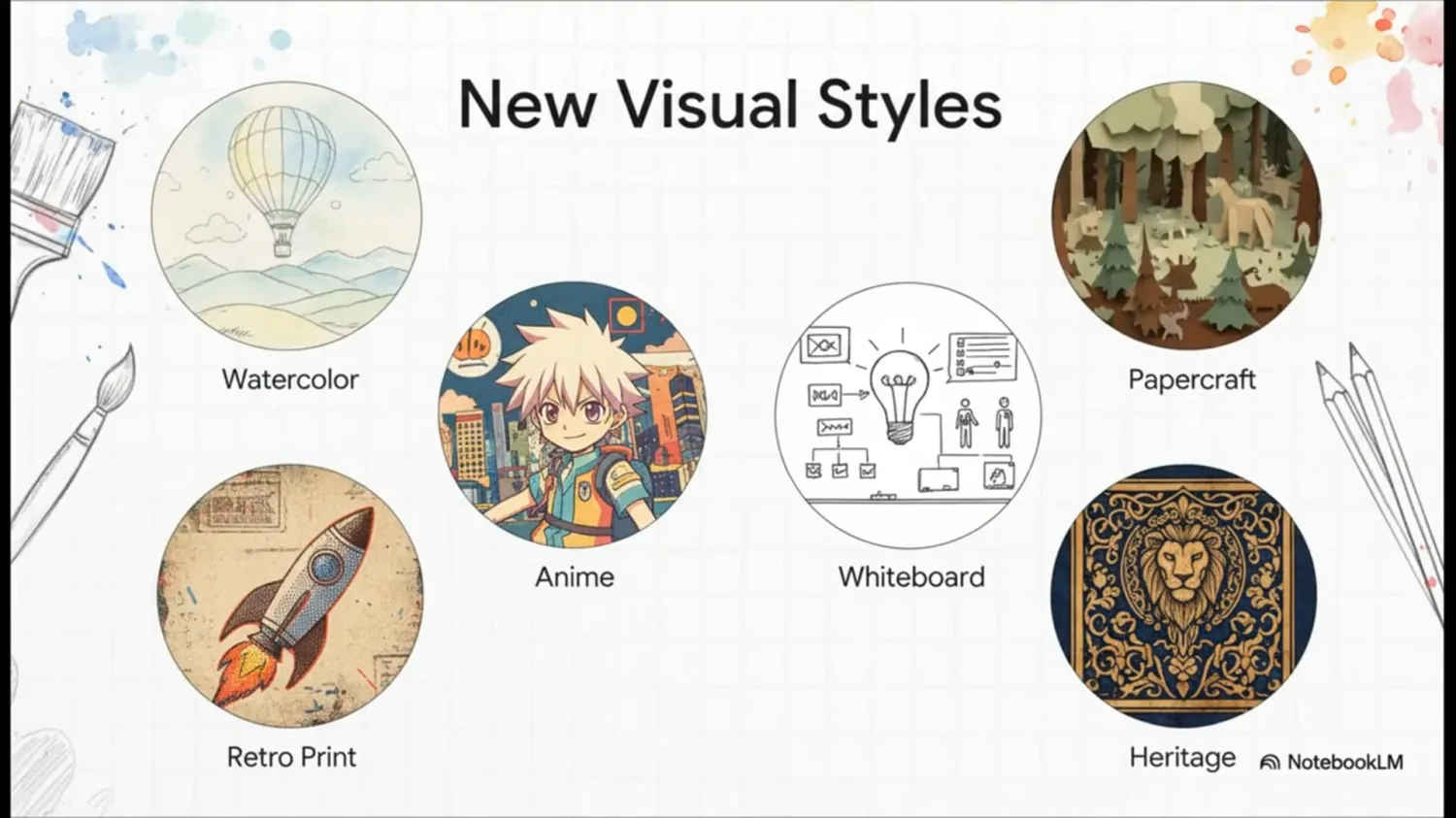
A standout addition is the integration of Google’s Nano Banana image generation engine, a compact model derived from Gemini 2.5 Flash. It powers six new visual styles that completely change how NotebookLM’s video summaries look and feel.
The new styles are:
- Whiteboard: clean, minimalist, with simple sketches.
- Watercolor: soft, fluid transitions resembling hand-painted visuals.
- Retro Print: vintage newspaper aesthetic, ideal for editorial content.
- Heritage: rich tones and ornate textures for historical or cultural material.
- Paper-Craft: layered cut-paper look with subtle shadows.
- Anime: stylized, energetic visuals popular with digital creators.
Also read: What is MAI-Image-1: Microsoft’s first in-house text-to-image generation AI model
There’s also an Auto-select option that lets the AI choose the most fitting style based on your content type. Together, these styles make NotebookLM feel more like a creative studio than a research tool.
Smarter customization and controls
Google has also fine-tuned the interface. A pencil icon in the NotebookLM Studio panel now lets users edit overview settings directly. You can select a style, adjust pacing, or regenerate segments.
A new prompt box lets you guide the AI’s focus, for instance:
“Summarize only from Source 2 and keep the tone conversational,” or, “Make this an explainer with examples from the research paper.”
This level of customization helps users craft summaries that match their audience and intent, whether they’re preparing lecture material or a project overview.
How to use the new features
- Upload your sources – PDFs, notes, or web links – to NotebookLM.
- Click Create Video Overview.
- Choose Brief or Explainer.
- Select a visual style, or use Auto-select.
- Use the prompt box to steer tone, focus, or structure.
- Hit Generate and review your video summary inside the app.
Within minutes, you’ll have an AI-narrated video complete with visuals, transitions, and structured narration ready to export or share.
Rollout and availability
The new features are rolling out first to NotebookLM Pro subscribers and will reach free users in the coming weeks. Google says this staged release helps refine the experience and ensure quality across devices.
With this update, Google is positioning NotebookLM not just as a research assistant but as a creative AI workspace, one that blends knowledge synthesis with visual storytelling. For educators, students, and content creators, these tools bridge the gap between raw information and engaging presentation.
As AI assistants become more multimodal, NotebookLM’s evolution shows where productivity is heading: from plain summaries to visually expressive, personalized, and shareable knowledge experiences.
Also read: xAI is building AI models for gaming and robotics: Here’s what we know
 Follow Us
Vyom Ramani
A journalist with a soft spot for tech, games, and things that go beep. While waiting for a delayed metro or rebooting his brain, you’ll find him solving Rubik’s Cubes, bingeing F1, or hunting for the next great snack. View Full Profile


