
5 best prompts to convert photos into polaroid style image using Gemini
 Follow Us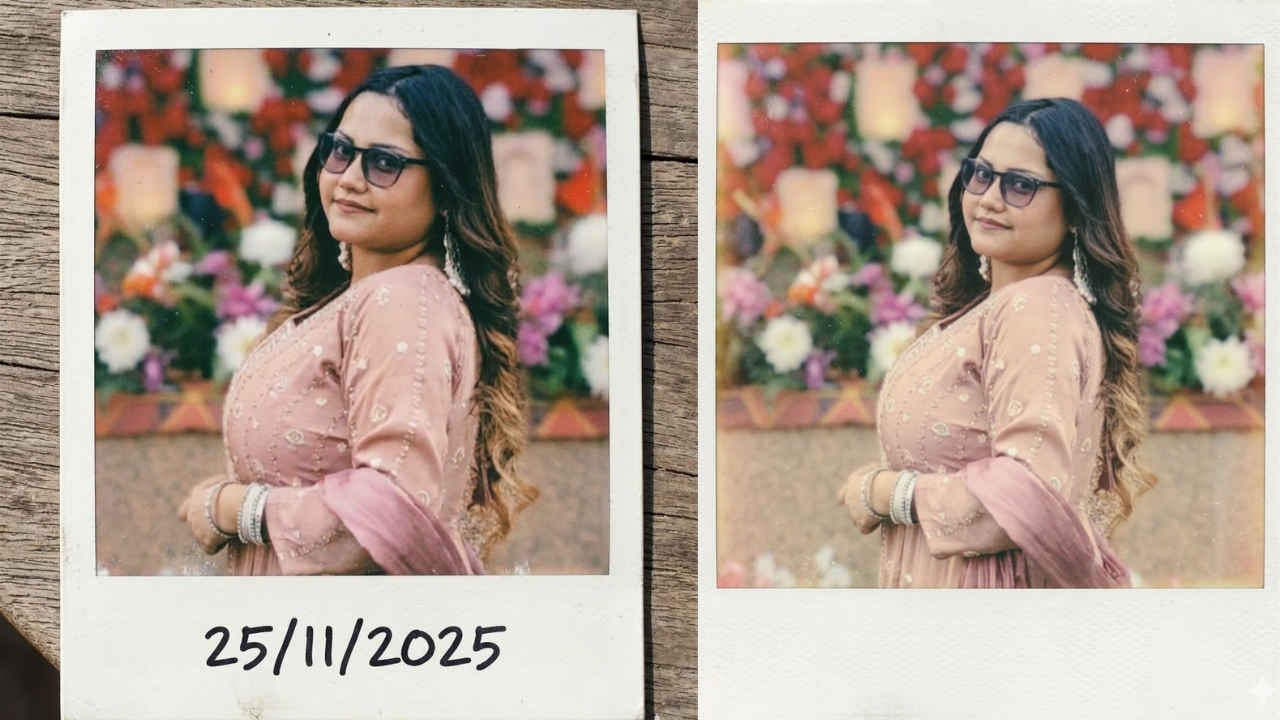

Polaroid-style photos have a special charm that makes any picture feel nostalgic. The white borders, slightly faded colours, and soft vintage look remind people of classic instant cameras. Well, you don’t need a real instant camera to get that aesthetic. With AI tools like Google Gemini, you can easily turn your normal photos into beautiful Polaroid-style images just by using the right prompts. Whether you want to make your photos look retro or create aesthetic social media posts, polaroid-style images are a fun way to transform normal pictures. Below, I’ve listed five simple and effective prompts you can use with Gemini to convert your photos into polaroid-style images quickly and easily.
 Survey
✅ Thank you for completing the survey!
How to convert a photo into polaroid style image
- Step 1: Open the Gemini app or head to https://gemini.google.com/
- Step 2: Upload the image you want to convert.
- Step 3: Type the prompt or use one of the sample prompts provided at the end of the article.
- Step 4: Once the image is generated, you can download it.
Prompts to convert photos into Polaroid style image
- Convert this image into a classic Polaroid instant photograph, vintage film look, soft faded colours, slightly warm tones, subtle film grain, authentic Polaroid white border with thicker bottom margin, realistic analog film texture, gentle blur and light leaks, nostalgic 1980s aesthetic, natural lighting, photorealistic.
- Transform the photo into an authentic 1980s Polaroid instant photo, vintage color fading, warm nostalgic tones, film grain, slight overexposure, soft focus, Polaroid white frame with large bottom caption space, analog imperfections, light leaks, subtle vignette, old film camera aesthetic, retro atmosphere.
- A realistic Polaroid instant photo print of this image, placed on a wooden table, classic white Polaroid frame with thick bottom border, slight curling edges, film grain texture, faded vintage colors, soft natural lighting, analog camera imperfections, nostalgic mood, photorealistic.
- Turn this image into a vintage Polaroid photograph with authentic instant film colours, soft faded tones, subtle film grain, white Polaroid frame with thick bottom border, handwritten caption on the bottom margin, nostalgic retro lighting, analog photography aesthetic, realistic texture
- Transform this image into a realistic Polaroid instant photo, authentic analog film texture, vintage faded colours, soft warm tones, subtle film grain, light leaks, slight blur, nostalgic 1980s photography style, classic white Polaroid border with thick bottom margin, photorealistic instant film aesthetic


