We tested Zoho Scanner OCR and translation with mixed results
Excellent for workflow automation but weak in multilingual text handling
Premium plan shines for business users needing seamless document management
In the relentless quest for a truly paperless workspace, our smartphones have become the new file cabinets. The mobile scanning application is now a critical piece of software, tasked with turning messy, physical documents into clean, searchable digital assets. Stepping into this crucial space is the Zoho Scanner app. Backed by the enterprise suite giant, Zoho, this AI-powered tool doesn’t just promise simple digitization; it vows to be the single, integrated solution for scanning, signing, and automating documents.
 Survey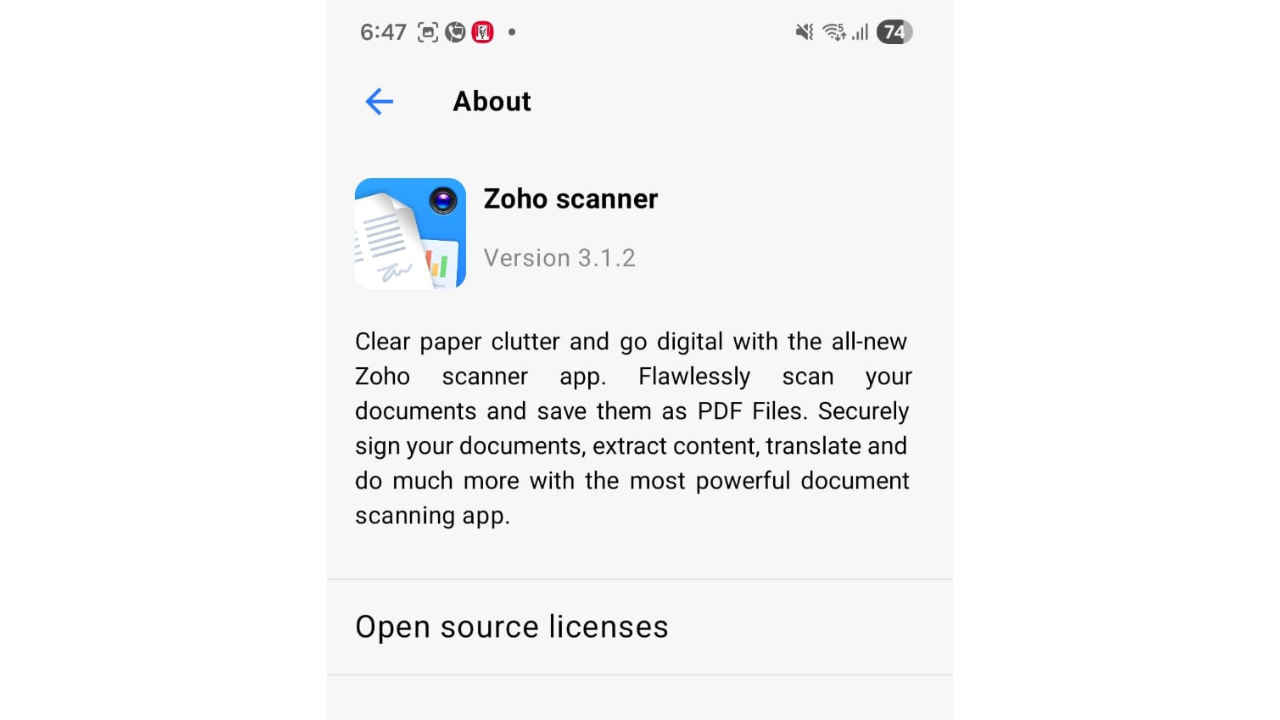
We put the Zoho Scanner app (version 3.1.2) through a rigorous test on a Samsung Galaxy S25 smartphone, using both Wi-Fi and 5G Data connectivity. Our focus was specifically on the powerful features that cement it into a modern business workflow, and, more importantly, evaluating the claims around its Optical Character Recognition (OCR) and multi-language functionality. What we found is a study in contrasts: a phenomenal workflow engine attached to an inconsistent linguistic core.


Workflow mastery and premium features
For individuals and organizations deeply entrenched in digital processes, the Zoho Scanner’s document management and automation capabilities are truly best-in-class, earning it top marks for pure business utility.
The app’s functionality is clearly tiered across its two plans: Essential and Premium. The Essential plan is already robust enough for high-volume personal or small-team use, offering unlimited document scanning capacity. Users can organize effortlessly by creating folders, applying aesthetic filters, cropping, and rotating. Furthermore, it allows for basic export to major cloud storage platforms like Google Drive and OneDrive, providing a solid, secure foundation.
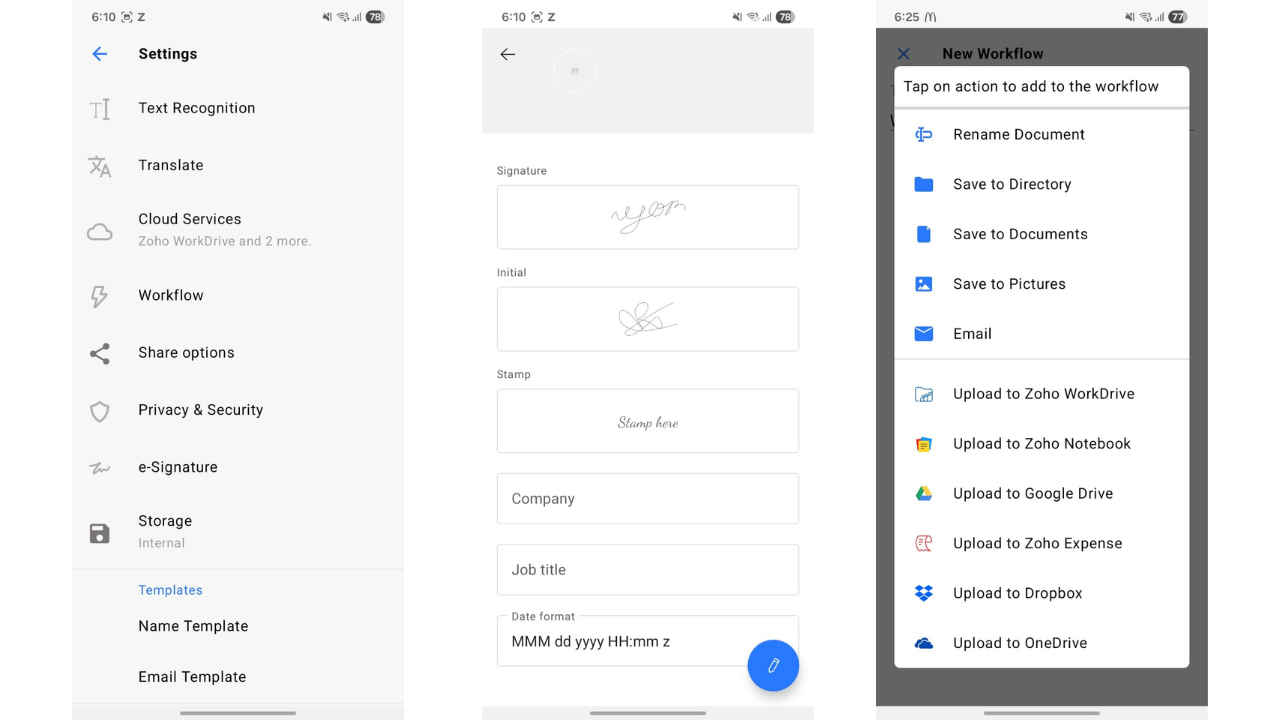
However, the real transformative power is unlocked in the Premium tier, which shifts the scanner from a utility into a comprehensive workflow automation tool.
- Unlimited Workflows & Auto-Upload: This is arguably the app’s greatest strength. The Premium plan ensures users aren’t manually repeating filing tasks. You can set up custom, multi-step actions – filing a receipt, notifying an accounts team, or routing a contract – all in one motion. Imagine scanning a vendor invoice; the workflow automatically uploads it to Zoho Expense, tags it as a “Q3 Expense,” and emails a copy to your bookkeeper.
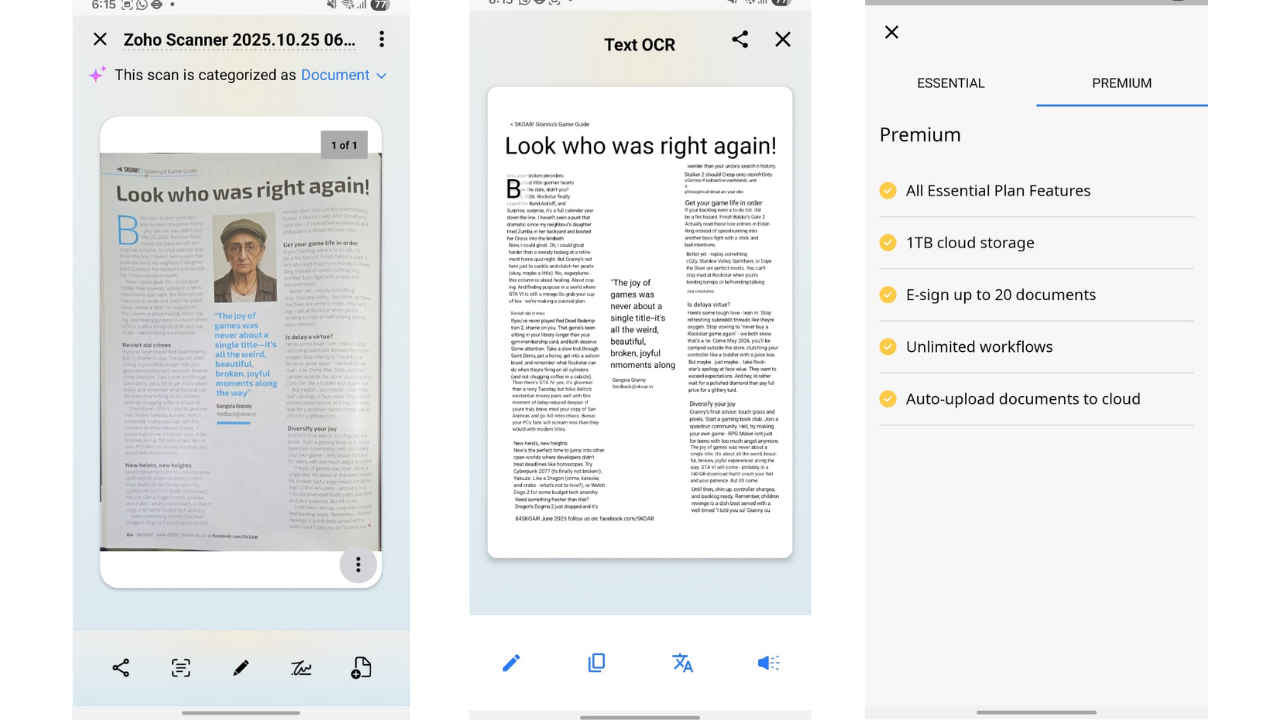
- Integrated E-Signing: The digital signature feature, seamlessly powered by Zoho Sign, works flawlessly. It’s a clean, professional solution that eliminates the cumbersome print-scan-sign-send cycle. Users can quickly initial, add a full signature, or even apply a stamp directly onto the scanned PDF. With the Premium plan allowing e-sign for up to 20 documents, contract and form completion is swift and legally compliant.
- Storage and Sync: Premium users benefit from a significant 1 TB of dedicated cloud storage, and the documents reliably sync across all connected devices, including the handy web app interface. This ensures that a receipt scanned on your phone during a client lunch is instantly accessible on your desktop back at the office.
In terms of organization, security, and digital workflow management, the Zoho Scanner is unquestionably a powerful and effective tool, laying a strong foundation for a true paperless office.
A frustrating user experience flaw
Before diving into the complex language capabilities, a significant, yet common, flaw emerged in the basic user experience: the speed of automatic capture.
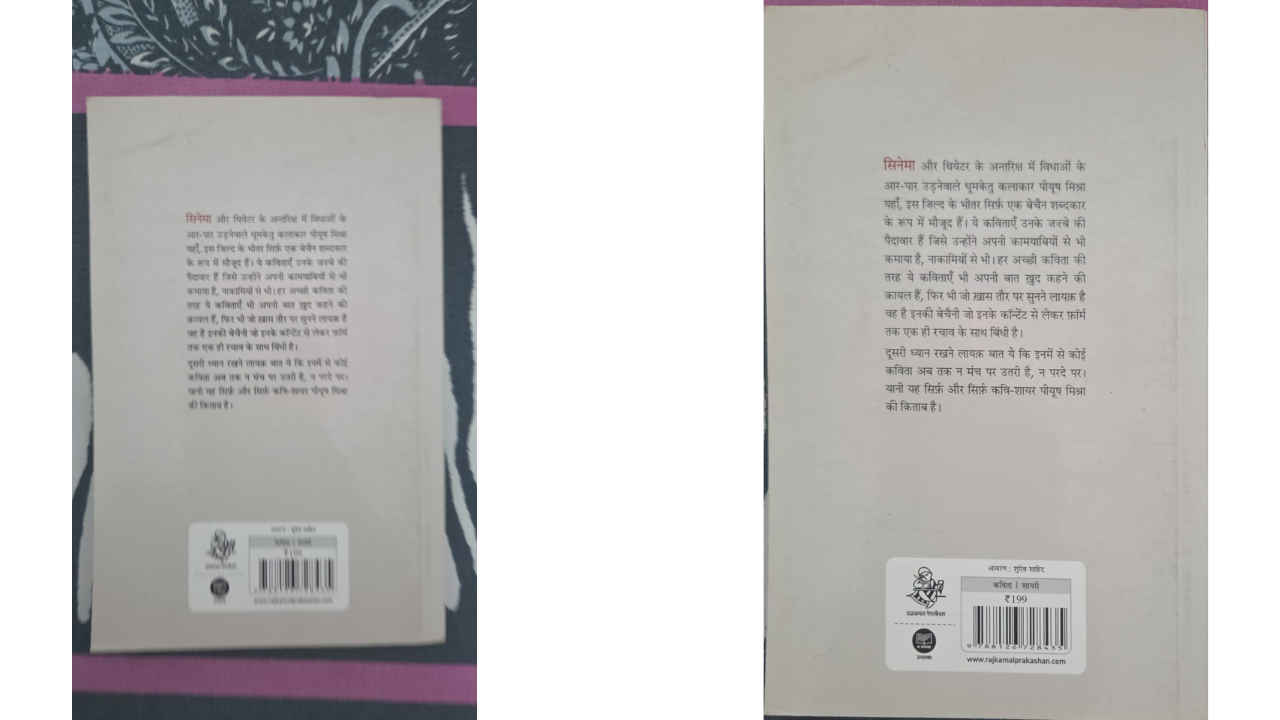
The app’s AI is designed to auto-detect document edges and snap the photo instantly. In a perfect, well-lit setting with a perfectly steady hand, this is brilliant. In the real world, however, the capture trigger is often too quick, failing to wait for the camera to fully stabilize or for minor hand jitters to subside.
The result is a noticeable number of blurry or slightly out-of-focus scans. Users find themselves having to manually retake the picture multiple times to achieve the desired crisp, clear image quality. This “snap-happy” nature of the scanner directly undermines the primary benefit of the “auto-detect” feature. For an application built on precision, this flaw is a constant source of frustration and adds unnecessary manual effort to a process that is supposed to be hands-free. A simple “confidence setting” or an adjustable delay for the auto-capture would be a welcome and necessary quality-of-life improvement.
OCR and multi-language performance
The true measure of a “smart” scanner lies in its ability to handle text across different languages. This is where the Zoho Scanner delivers mixed and ultimately disappointing results, despite its bold claims.
OCR (text recognition) inconsistency
The app promises text recognition in over 25 languages.
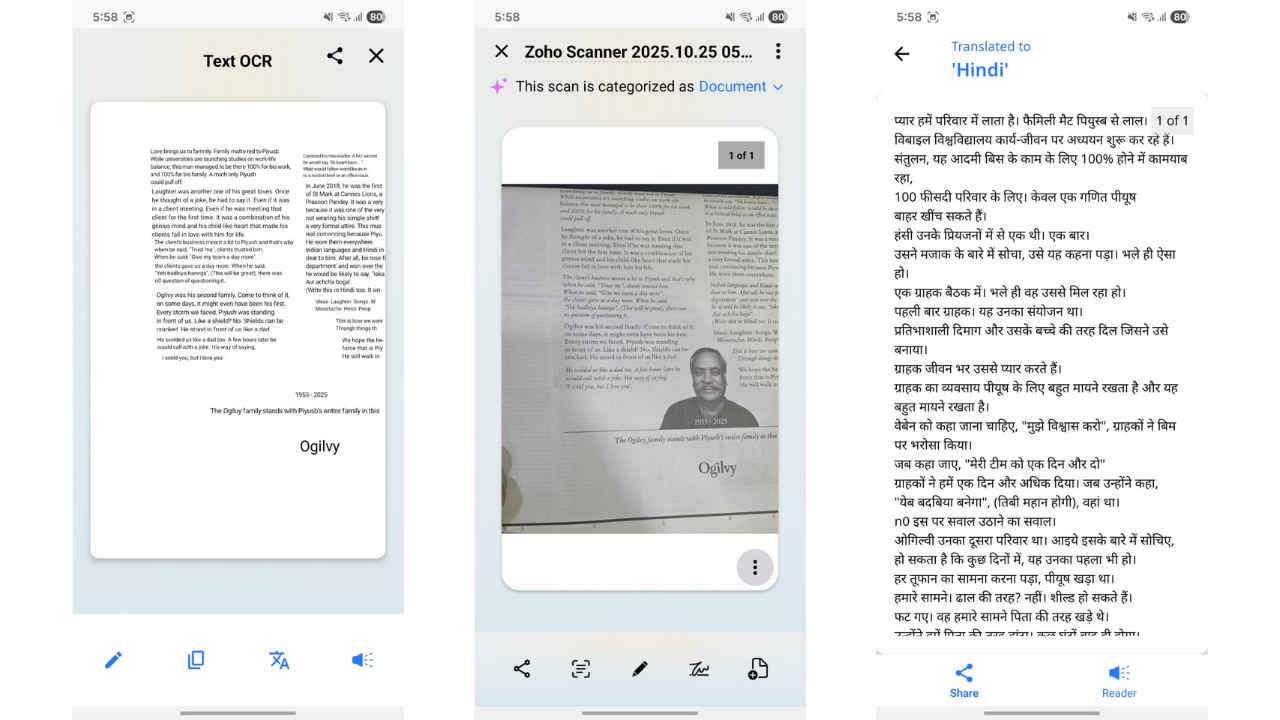
- English Performance: While generally strong for Latin scripts, we found inconsistencies that break its “highly effective” label. The OCR can be erratic even with common words (e.g., converting “Family” to “Famnily” in one place, yet correctly spelling it elsewhere). This lack of consistency forces manual proofreading even on English documents, undercutting its reliability promise.
- Non-English (Devanagari) Performance: This remains a major issue. The app struggles considerably with non-Latin scripts, specifically the Devanagari script (Hindi and marathi). The detection of these characters is often inconsistent, resulting in inaccurate character mapping and a corrupted digital text output. For users in markets where vernacular or multilingual documents are common, this weakness is a critical roadblock.
Translation support: Decent quality, critical roadblock
The app features in-built translation into 18 languages – a major feature meant to appeal to global users.
- Quality Assessment: When we could access the feature, the translation into vernacular languages like Hindi and Marathi was surprisingly decent, offering a good contextual grasp of the content. This is a clear improvement over generic machine translation.
- The Access Bug (Critical): My first attempt at translating English text to Hindi was really good but after that I encountered a major user experience flaw that prevented reliable testing. Upon attempting to click the “translate” function, the app repeatedly displayed the Premium version feature list instead of executing the translation. Crucially, I was faced with this bug when testing on the Premium subscription. This renders a touted multilingual feature effectively inaccessible or deeply unreliable for paying users, suggesting a significant platform bug that Zoho needs to address.
Final verdict
The Zoho Scanner app offers an exceptional platform for workflow automation, document organization, and digital signature integration, features that easily justify the Premium plan for business users. The Essential plan is a powerful and highly functional starting point for high-volume scanning, especially when combined with its superior English OCR.
However, the combination of the frustratingly quick camera trigger and the inconsistent performance with non-English OCR and translation reveals a platform that is excellent on the workflow front but still immature on the linguistic intelligence front.
Our Recommendation:
- For English-Only Businesses & Professionals: If your primary needs are e-signing contracts and automating document routing in English, the Premium plan is an invaluable, highly efficient tool. Be aware that even Latin OCR may require a quick proofread.
- For Multilingual or Vernacular Users: If accurate Devanagari OCR or reliable translation is a mission-critical requirement, you cannot depend on the current version of the Zoho Scanner. You would be better off utilizing specialized, third-party OCR tools to process those specific documents before importing them into your Zoho ecosystem, and hope that the translation access bug is addressed in a future update.
 Follow Us
Vyom Ramani
A journalist with a soft spot for tech, games, and things that go beep. While waiting for a delayed metro or rebooting his brain, you’ll find him solving Rubik’s Cubes, bingeing F1, or hunting for the next great snack. View Full Profile


