
Google Pixel Watch 5 review: Different and smart, with a Gemini coach on your wrist
 Follow Us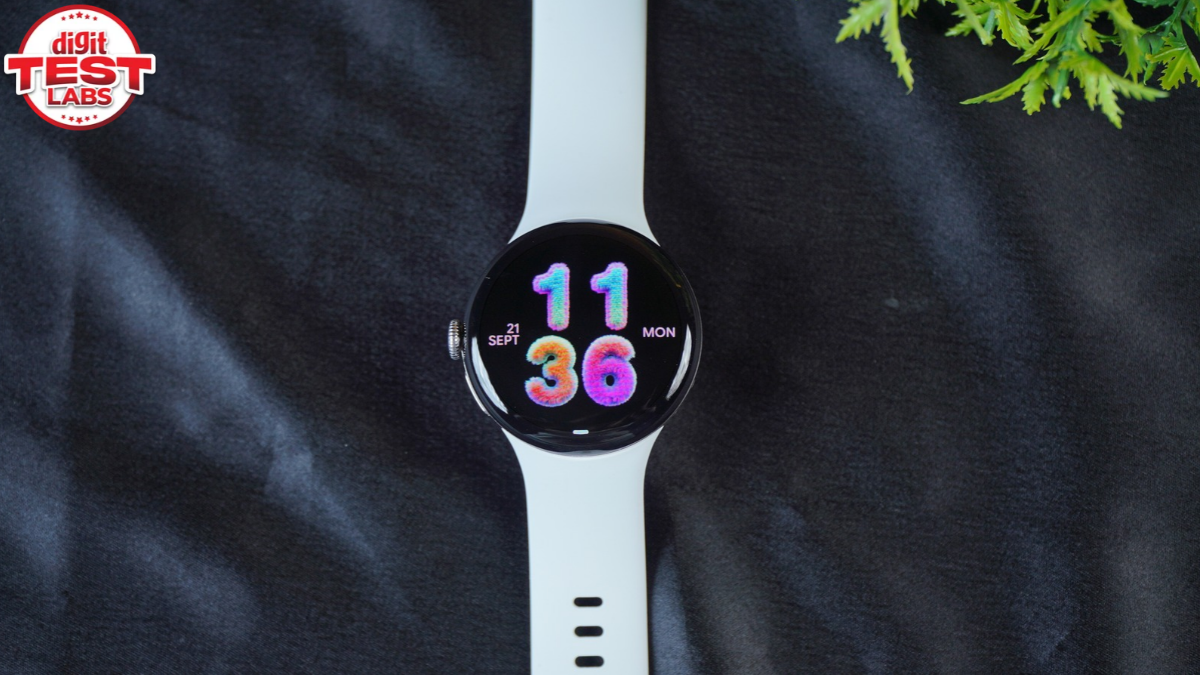

When I got the Google Pixel 5, I was already reviewing a different watch, so I gave it to my wife. She has been wearing it for a month or so now, and during this time, she also accompanied me on a trip to Kerala. She donned it with different dresses during the trip and after. And this 41mm timepiece was her closest companion (pun intended) for most of the journey. Once the trip was over, I suggested that she use the new Google Health Coach feature to track her workouts at the gym, sleep and everyday health. And here you get a collaborative review, if you will, that covers the full experience of using that domed glass display, Pixel Watch UI features, and how useful the Gemini-based health advisor is. And by the end, you’ll know if it is worth paying Rs 42,990 for this Google watch.
Stylish and comfortable design
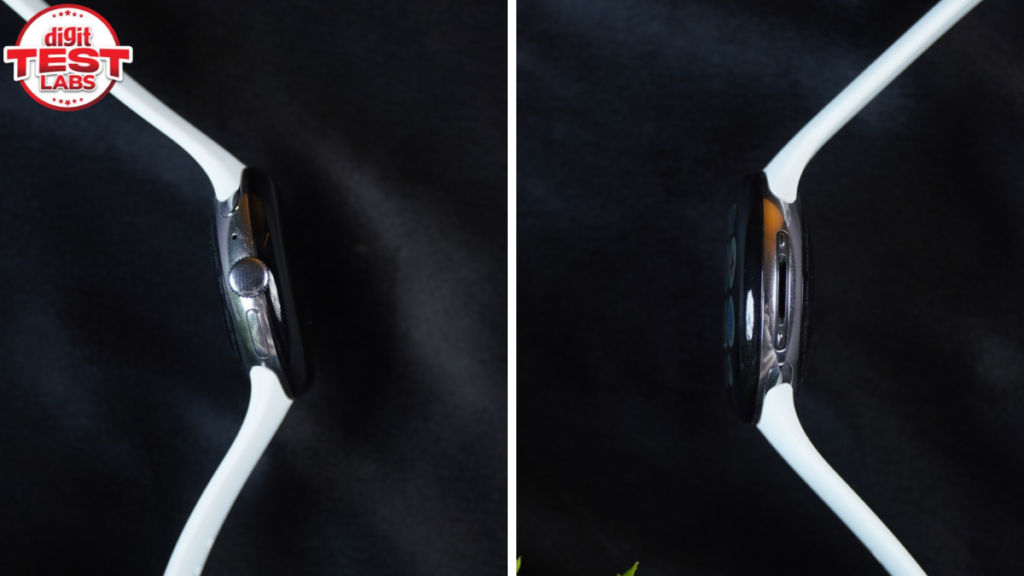
The Pixel Watch 5 comes in 41mm and 45mm sizes. Both are 12.3mm thick. Ours is the 41mm variant that weighs 31g without the strap. That’s too light, and along with the smooth Active Band 2, it’s comfortable to wear for a long time. This is important as the core of Google Health and fitness tracking relies on you wearing it consistently throughout the day.
The watch is rated IP68 for dust and water resistance and 5 ATM for water resistance, so rain and surface swimming are within its intended use. The Active Band also works well for sweaty workouts.
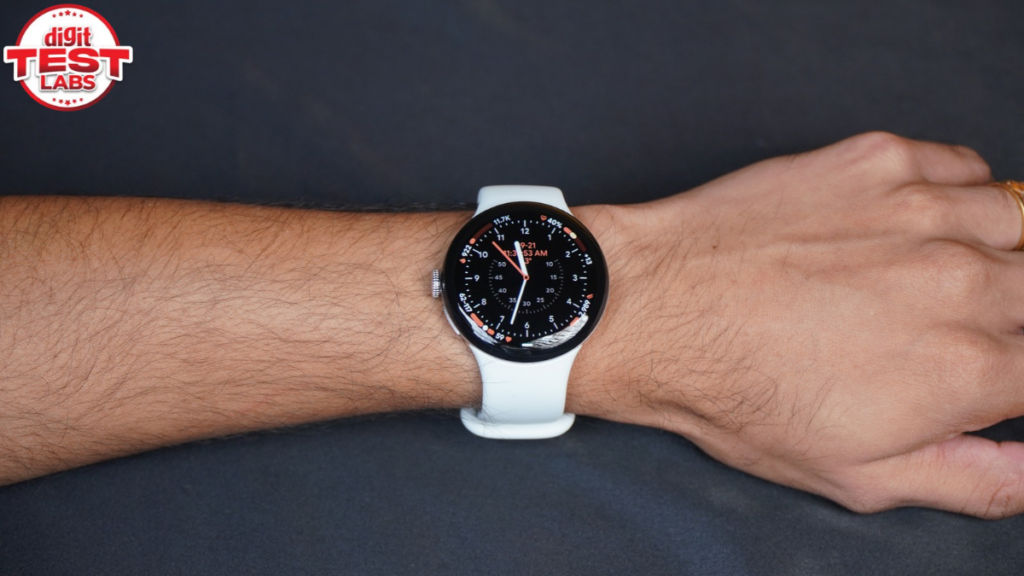
The rounded pebble-like case with a curved display and the rubbery strap looks cute. Despite the Gorilla Glass 5 build, I am concerned about the long-term durability of the exposed edges. The curves also don’t look particularly masculine in the traditional sense, and the whole design has a very ‘Googley’ character. My wife adores this look, while I don’t mind the whole playful vibe it has. It is just that I can’t accessorise it with anything I wear. Still, I appreciate that it is distinct and simple.
The strapping mechanism shares that distinct yet simple design language. It is easy to buckle in and stay put. There are enough holes on the strap to adjust it till you get a snug fit. The bands can be attached and detached using a sliding mechanism. I referred to a YouTube video to learn how it’s to be done. While I would’ve preferred a conventional pogo-pin-based strap, I don’t mind this bundled strap finish, and if you want more options, you can shop on the Google Store.
Bright domed display and loaded software
The 1.2-inch coloured AMOLED LTPO screen is plenty bright, smooth, and responsive. It can go up to a 60Hz refresh rate and drop to 1 nit for the AoD mode. Text elements were legible indoors and out under the sun.
The combination of the above panel, Wear OS 7 (with Pixel Watch UI), Qualcomm’s Snapdragon W5 Gen 2 Accelerated processor, and 64GB of eMMC storage resulted in a lag- and hiccup-free experience.
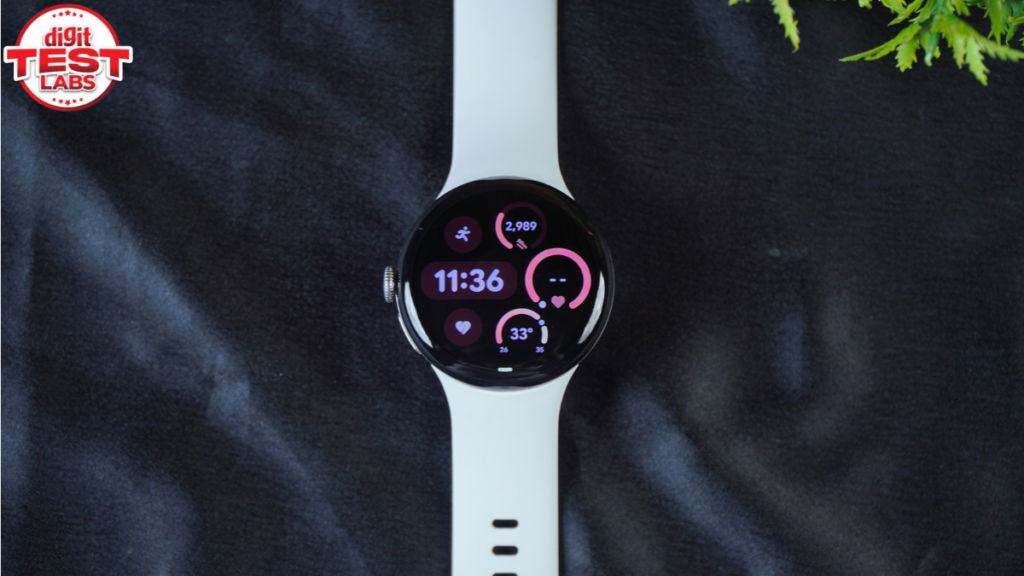
You can customise the watch’s fascia with the default watch faces or download/purchase ones you like from the Play Store. One gripe I have to share about the built-in watch faces is that they have a lot of black space. The software bezel is also thick, so the display could appear smaller or less visually engaging, especially compared to the UI and watch faces you get on the Galaxy and Apple watches.
That said, Google has armed the Pixel Watch UI with a lot of ease-of-use features and functionalities. This includes Gemini, which can work without the internet to trigger alarms, timers, open apps, change settings and control workouts. Music Controls can automatically appear on the watch. Calls can be answered on the watch. Notifications can be answered with quick replies, and the company’s apps like Google Maps are practical additions to the daily experience.
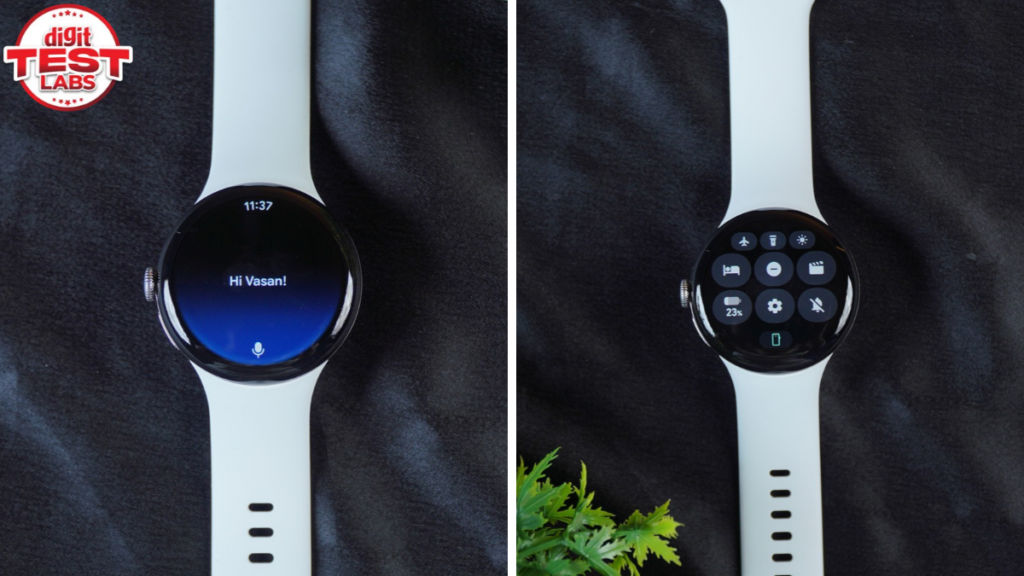
With the above features and the fact that the Pixel Watch can operate independently with LTE, you don’t need to carry the phone along. While in Kerala, my wife used to wear the watch while going to the beach or poolside near our hotel room. Talk about convenience!
Google has also added some gestures, which you can toggle on/off from the Settings or Pixel Watch app. When they work, they are interesting. The double pinch to control music playback or notifications didn’t work as intended in my test, and I didn’t use it much.
But there’s more to it than this software experience.
Also Read: Sony LinkBuds Clip review: Premium, good-sounding open-ear earbuds
Extensive tracking and AI Coach
Google Health is now the centre of the experience if you are into health and fitness tracking. The app has four tabs: Today, Fitness, Sleep and Health. You can guess what each of them holds, but the amount of information and number of metrics is really a lot. That is a compliment if you haven’t gotten the whiff. The interface is Gemini-like, as that’s the underlying engine/brain.
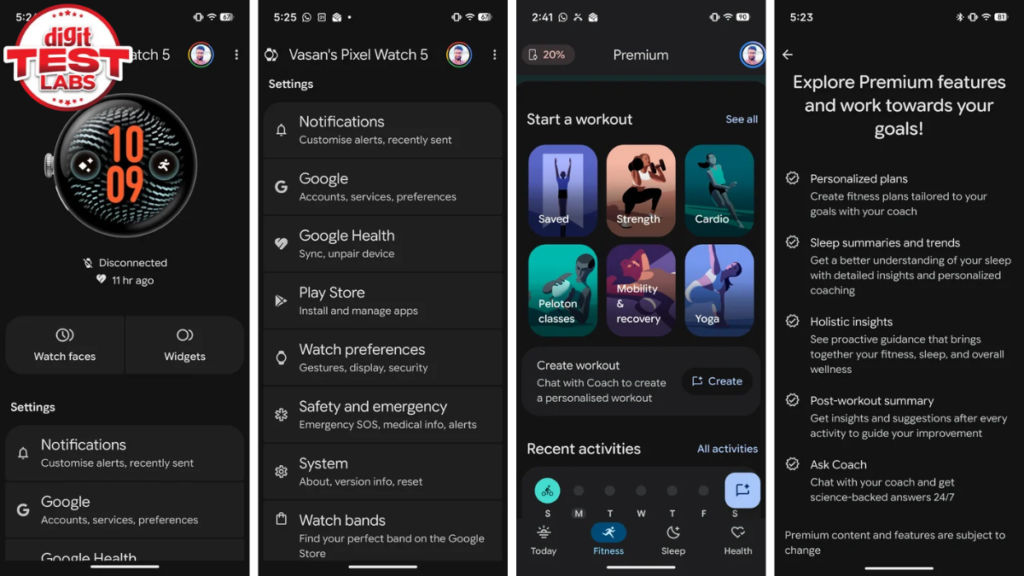
If you are a premium subscriber to this service, you can get personalised plans, summaries, insights, trends, and you can chat with this so-called Google Health Coach as you’d with Gemini or any other chatbot.
The Health Coach can be helpful, but it needs patience. You have to use it for some weeks to learn your goals and build personalised guidance. It can connect to different parts of your routine like activities, sleep, and other health information, and alert/ inform you accordingly.
There is also the risk of factual hallucinations that an AI can make. So, don’t entirely rely on the estimates the Google Coach gives you. Needless to say, I would treat the workout and health tracking data from this, or any other watch, with some caution.
The Pixel Watch 5 supports an exhaustive list of over 50 exercises, like running, walking, cycling, swimming, weightlifting, tennis, HIIT, hiking, elliptical, and rowing. Automatic activity detection works for activities such as walking, running, cycling, sports, elliptical, and rowing, generally after a few minutes of continuous activity.
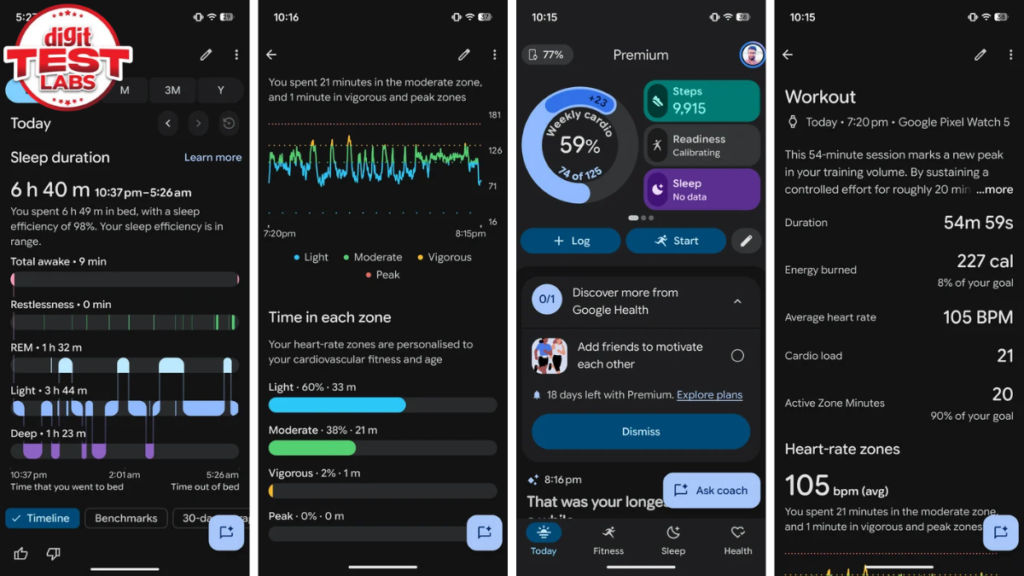
Similarly, this Pixel Watch can measure the main health metrics expected from a premium smartwatch, such as heart rate, resting heart rate, HRV, SpO2, breathing rate, skin-temperature variation, ECG, stress/body-response tracking, and sleep. You also get Cardio Load, Target Cardio Load, and Daily Readiness, which can be helpful in recovery.
Speaking of recovery, the sleep tracking was also rich in information and useful in knowing what happens when I am not in sense. There are, of course, discrepancies, like the wake-up time getting mistaken for when I checked the watch.
All these results were fairly consistent and detailed, and I was learning more about my body and routines thanks to the watch and coach. Even my wife was logging her periods and symptoms, and it helped her better estimate her next cycle.
Ample battery life
The 41mm has a 332mAh battery and is rated for up to 30 hours with the Always-On Display enabled. Google also claims up to 48 hours in Battery Saver mode. Personally, I got 33 hours 45 minutes, or close to 1 day and 10 hours in one test, and in another test, I got 2 days 6 hours of runtime.
In regular mixed use, the 41mm is easily a one-day watch with a sensible charging habit. I could get through a normal day and sleep tracking, but I still had to think about when to charge it. And if you are conservative, you can easily wear it for 2 days before looking for the charger.
The charging speed is good. Google says the 41mm can reach 50% in around 15 minutes and 100% in about 45 minutes. Although I didn’t time it, I didn’t feel like it was slow.
Should you buy the Google Pixel Watch 5?
The Pixel Watch 5 is one of those watches where your reason for buying matters more than the specification sheet. At Rs 42,900, I would not buy it simply to have a smartwatch on my wrist. For notifications, calls, music controls and the occasional workout, there are cheaper options that can do enough.
What makes the Pixel Watch 5 more interesting is the way Google has combined its hardware and software. The watch looks distinct, feels simple and is comfortable to wear, while the software has enough depth to appeal to someone buying their first premium smartwatch, particularly if they are already part of the Android ecosystem.
Much like Android and the Pixel UI, the experience brings together a lot of UI choices and features. These are neatly put together. It also brings the metrics, recommendations, and estimates you’d expect from a modern smartwatch. The workout tracking is capable, and the amount of health data and guidance you get from the new Google Health Coach service is extensive.
For the full experience, you’d have to wear the watch throughout the day, letting its sensors quietly collect data about your health and activity, and feed it into the Google Health app. The Health Coach uses Gemini to make sense of this information and accordingly offers personalised insights, suggestions and plans. You can also chat with it much like you would with any other generative AI chatbot.
There is clearly a lot going on here, which can feel overwhelming when you first start using it. But use it consistently for some time, and you begin to understand what matters to you. It is similar to using Gemini or any other chatbot for the first time. There is a learning curve before the experience starts feeling natural.
Ultimately, the Pixel Watch 5 is as much about Google’s health platform as it is about the watch itself. You are paying for the hardware, the tracking capabilities, and the software intelligence built around your data. Whether that combination makes sense depends on how deeply you intend to use it. Think of it as a smartwatch that is smart enough to help you make sense of the features it has and, to some extent, make sense of you.
Keep reading Digit.in for similar reviews.
Also Read: Samsung Galaxy Watch 9 review: Big main character energy


