
Best popular mid-range laptops in India (2026): Top 5 picks
 Follow Us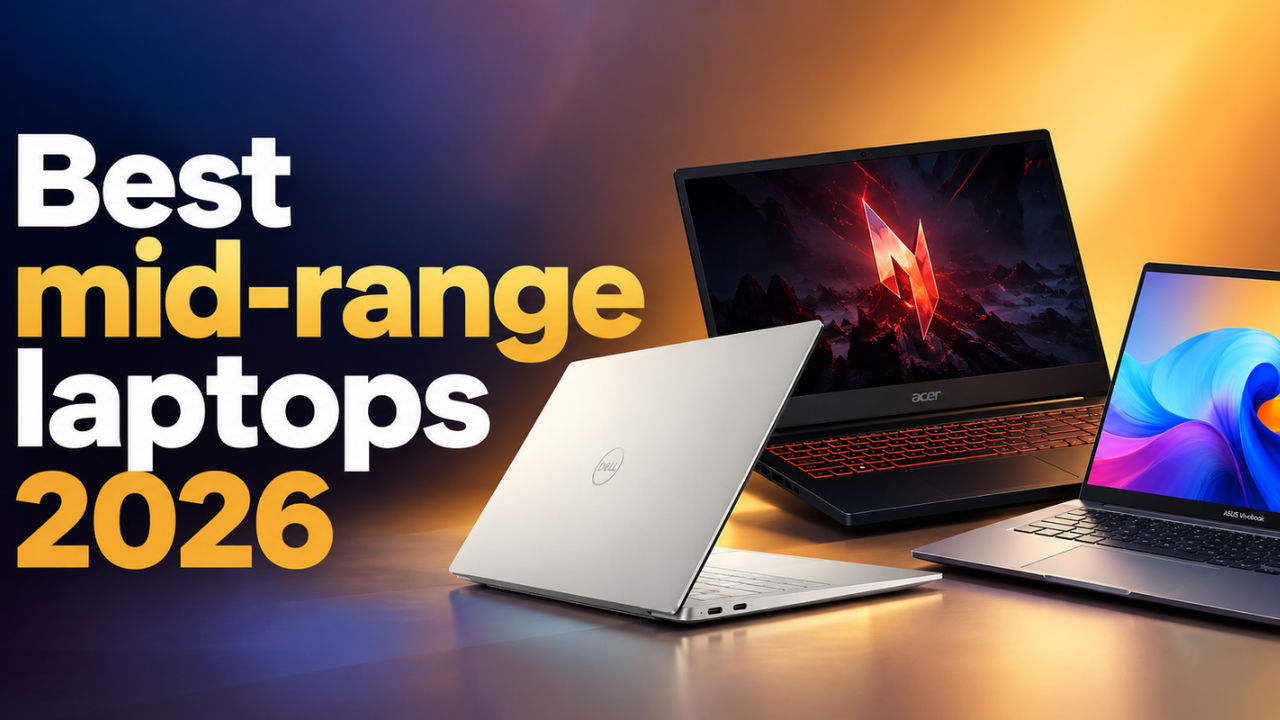

The mid-range laptop market in India has become far more interesting than it used to be. You can now find laptops focused on portability, battery life, large displays and gaming without necessarily spending flagship-level money. The catch, however, is that these machines are designed for very different users.
 Survey
A student may want a laptop that can comfortably handle online classes, documents and entertainment, while a professional may care more about portability and battery life. Then there are those who want a laptop that can also handle gaming or GPU-heavy creative applications.
That is why simply looking at the processor or the price is not enough. A laptop with an efficient processor and excellent battery life may be a better fit for one buyer, while another may be better served by a machine with a dedicated GPU and a high-refresh-rate display.
So, here are the best five mid-range laptops that you can consider buying. Before we get to the details, do note that prices can change depending on the configuration and offers available at the time of purchase. So, check the exact model and current price before buying.
Best popular mid-range laptops in India (2026): At a glance
| Rank | Laptop | Best for | Key feature | Price |
| 1 | Dell XPS 13 | Premium productivity and portability | 2.5K 120Hz touchscreen | Rs 79,990 |
| 2 | HP Omnibook 5 | Battery life and portability | Nearly 17-hour battery life and 1.3kg weight | Rs 1,24,999 |
| 3 | Asus Vivobook 16 | Work and study | Large 16-inch display and strong battery life | Rs 68,990 |
| 4 | Acer Nitro Lite 16 | Gaming and content creation | RTX 4050 and 165Hz display | Rs 93,990 |
| 5 | Lenovo IdeaPad Slim 3i Gen 11 | Everyday productivity | Intel Core Ultra 5 322 and upgradeable memory | Rs 1,09,990 |
How we choose the best mid-range laptops
A mid-range laptop needs to get the basics right because this is where most buyers are looking for a balance rather than maximum specifications. We consider performance, display quality, build, battery life and everyday usability, while also taking the intended use of each machine into account.
Performance
We look at processor performance, benchmark results and how the laptop handles everyday workloads. For gaming laptops, dedicated GPU performance becomes an important part of the assessment, while thin-and-light machines are judged more on how well they handle regular productivity.
Display
The display can make a significant difference to the everyday experience. We consider resolution, refresh rate, brightness, colour coverage and panel technology. For creator-focused or gaming laptops, colour accuracy and refresh rate also matter.
Build and portability
A laptop needs to be practical to carry and use. We consider the chassis, weight, thickness, hinge and overall build quality.
Battery life
Battery life is especially important for students and professionals who may spend several hours away from a charger. We consider both benchmark results and real-world usage where available.
Keyboard, touchpad, speakers and webcam
These are the components you interact with every day. A laptop may have a good processor, but that does not mean much if the keyboard is uncomfortable or the webcam and speakers are poor.
Gaming and graphics
For laptops with dedicated GPUs, we look at actual gaming performance alongside synthetic benchmarks. For productivity-focused machines, we consider whether integrated graphics are sufficient for the intended workload.
Connectivity and features
Ports, wireless connectivity, charging and other useful features can make a significant difference to how practical a laptop is.
Value for money
Finally, we look at what the laptop offers at its price and whether its hardware matches the audience it is designed for.
Top 5 popular mid-range laptops in India
Now, let’s take a closer look at the five laptops that stand out for different types of buyers.
1. Dell XPS 13
Price: Rs 79,990
Best for: Professionals and students who want a compact premium Windows laptop for everyday productivity.
Key specifications
| Processor | Intel Core 5 320 |
| CPU cores | 6 |
| RAM | 8GB LPDDR5X |
| Storage | 512GB PCIe NVMe SSD |
| Display | 13.4-inch 2.5K touchscreen |
| Refresh rate | 30Hz to 120Hz |
| Brightness | Up to 500 nits |
| Graphics | Integrated Intel Graphics |
| Operating system | Windows 11 Home |
Why buy it
The Dell XPS 13 is aimed at those who want a compact laptop without giving up on a premium display. At Rs 79,990, it also sits below the Rs 1 lakh mark, which makes its combination of portability and display technology particularly interesting.
The 13.4-inch 2.5K touchscreen has a variable refresh rate of up to 120Hz and can reach 500 nits of brightness. The InfinityEdge design also keeps the bezels slim, giving the laptop a modern look without making the chassis unnecessarily large.
Under the hood, the laptop uses Intel’s Core 5 320 processor with six cores, paired with 8GB LPDDR5X RAM and 512GB PCIe NVMe storage. Integrated Intel Graphics handles the visual workload.
This is primarily a productivity laptop. It should be well suited to writing, browsing, office applications, video calls and content consumption, but it is not designed for demanding gaming or heavy GPU-based creative work.
The biggest advantage here is the compact form factor. If you regularly move between classrooms, offices, meetings or different workspaces, a smaller laptop can be considerably easier to live with than a larger 15- or 16-inch machine.
The trade-off is screen size. The 13.4-inch panel is excellent for portability, but users who spend most of their day working with large spreadsheets or multiple windows may prefer larger displays on other laptops.
Pros
- Compact and portable design
- 2.5K touchscreen
- Up to 120Hz refresh rate
- 500-nit brightness
- Premium positioning below Rs 1 lakh
Cons
- Small display for multitasking
- Integrated graphics limit gaming
- 512GB storage may feel restrictive for some users
Verdict: The Dell XPS 13 is a good option for anyone who values portability and a premium display over raw performance. It is particularly suited to students and professionals who spend a lot of time moving around with their laptop.
2. HP Omnibook 5
Price: Rs 1,24,999
Best for: Students and professionals who prioritise portability and long battery life.
Key specifications
| Processor | Intel Core Ultra 7 355 |
| RAM | 16GB LPDDR5X, 6800MHz |
| Storage | 1TB NVMe SSD |
| Display | 14-inch 2K OLED |
| Refresh rate | 60Hz |
| Brightness | 300 nits |
| Webcam | 1080p |
| Weight | 1.3kg |
| Thickness | 13.6mm |
Why buy it
The HP Omnibook 5 is built around portability and battery life. At just 1.3kg and 13.6mm thick, it is considerably easier to carry than many larger laptops, while the 14-inch 2K OLED display gives it a more premium visual experience.
The display is one of the laptop’s strongest features. Colours are accurate, blacks are deep and the matte finish helps reduce reflections. The main compromise is the 60Hz refresh rate, which is fine for productivity and content consumption but less exciting if you also want to game.
Performance is handled by Intel’s Core Ultra 7 355, paired with 16GB LPDDR5X RAM and a 1TB NVMe SSD. In testing, the laptop scored 7,482 in PCMark 10. Cinebench R23 returned 10,067 points in multi-core and 1,899 points in single-core, while Geekbench 6 produced 2,734 single-core and 11,093 multi-core points.
The laptop can also handle some gaming. Jedi: Survivor maintained around 60fps, while Valorant reached around 200fps at low graphics settings. However, the 60Hz display means you cannot actually see all of those frames.
Battery life is where the Omnibook 5 really separates itself from most laptops in this category. It lasted 1,017 minutes in the PCMark 10 Modern Office test, which works out to just under 17 hours.
There is one important caveat. Under sustained heavy workloads, the processor gets hot. During the Cinebench stress test, CPU temperatures reached 96.3°C and repeated runs showed a performance drop.
Pros
- Excellent battery life
- Lightweight 1.3kg design
- 2K OLED display
- Good colour accuracy
- 1TB SSD
- Capable everyday performance
Cons
- 60Hz display
- Gets hot under sustained workloads
- Not designed for demanding gaming
Verdict: The HP Omnibook 5 is a strong choice for people who want a laptop that can easily get through a long work or study day without a charger. Its low weight and nearly 17-hour battery result make it especially appealing to mobile users.
3. Asus Vivobook 16
Price: Rs 68,990
Best for: Students and professionals who want a large display for work and study.
Key specifications
| Processor | Snapdragon X X1 26 100 |
| CPU cores | 8 |
| RAM | 16GB LPDDR5X |
| Storage | 512GB M.2 NVMe PCIe 4.0 SSD |
| Display | 16-inch 16:10 IPS |
| Resolution | 1920 × 1200 |
| Graphics | Integrated graphics |
| Wi-Fi | Wi-Fi 6E |
| Bluetooth | 5.3 |
| Weight | Around 1.8kg |
Why buy it
The Asus Vivobook 16 takes a very different approach from the compact XPS 13 and Omnibook 5. Instead of focusing on minimum weight, Asus gives you a much larger 16-inch display that is better suited to multitasking.
The 16:10 IPS panel has a 1920 × 1200 resolution, giving you more vertical screen space than a conventional 16:9 display. This is useful when working with documents, spreadsheets, browser windows and other productivity applications.
The laptop weighs around 1.8kg, so it is portable enough to move around occasionally, although it is not the best option for someone who carries a laptop to work every single day.
The Snapdragon X processor is paired with 16GB LPDDR5X RAM and a 512GB PCIe 4.0 SSD. In testing, the Vivobook 16 scored 6,599 in Cinebench R23 multi-core and 964 in single-core. Geekbench 6 scores stood at 2,109 in single-core and 10,386 in multi-core.
This makes it well suited to browsing, documents, video calls, light photo editing and web-based AI tools. It is not designed for demanding rendering or serious gaming.
Battery life is another strength. The laptop managed around 900 minutes in the PCMark Modern Office battery test at 200 nits, which works out to approximately 15 hours.
The main compromise is the display’s colour performance. Testing recorded an average Delta E of 5.2 and 57 percent sRGB coverage. That is fine for office work and casual content consumption, but not ideal for professional photo or video work.
The laptop also has a useful selection of ports, including two USB 4.0 Type-C ports, two USB Type-A ports, HDMI 2.1 TMDS and a 3.5mm audio jack.
Pros
- Large 16-inch display
- 16:10 aspect ratio
- Around 15-hour battery life
- Good everyday performance
- Useful port selection
- Wi-Fi 6E and Bluetooth 5.3
Cons
- Average colour accuracy
- Around 1.8kg
- Speakers lack depth
- Not designed for heavy gaming
Verdict: The Vivobook 16 is a practical choice if screen size matters more to you than portability. Its large 16:10 display and strong battery life make it particularly useful for students and professionals who spend most of their day working on documents, browsers and productivity applications.
4. Acer Nitro Lite 16
Price: Rs 98,990
Best for: Gamers and users who need dedicated graphics for gaming or creative workloads.
Key specifications
| Processor | Intel Core i5-13420H |
| GPU | Nvidia GeForce RTX 4050 Laptop GPU |
| GPU memory | 6GB GDDR6 |
| RAM | 16GB LPDDR5 |
| Storage | 512GB SSD |
| Display | 16-inch IPS |
| Refresh rate | 165Hz |
| Brightness | 300 nits |
| Colour coverage | 99.2% sRGB |
Why buy it
The Acer Nitro Lite 16 is the gaming-focused option in this list. While the other laptops are primarily designed around productivity and portability, Acer has equipped this machine with a dedicated Nvidia GeForce RTX 4050 GPU and a 165Hz display.
That immediately gives it an advantage in gaming and GPU-accelerated applications.
The laptop uses an Intel Core i5-13420H processor with 16GB LPDDR5 RAM and 512GB SSD storage. Its 16-inch IPS display runs at 165Hz and reaches up to 300 nits of brightness. It also covers 99.2 percent of the sRGB colour gamut, although testing recorded an average Delta E of 5.
In gaming, the RTX 4050 gives the Nitro Lite 16 enough power to handle modern titles. Elden Ring averaged around 53fps at the highest graphics preset, while Forza Horizon 4 reached around 130fps at ultra settings. Valorant and Mortuary Assistant also ran smoothly.
The 165Hz panel makes more sense here than the 60Hz displays found on some productivity laptops. Fast-paced games can actually take advantage of the higher refresh rate.
The compromise is battery life. The laptop lasted 7 hours and 32 minutes in the Modern Office benchmark, and gaming will drain the battery much faster. The fans also become clearly audible when the GPU is pushed.
Still, at under Rs 1 lakh, the Nitro Lite 16 offers a very different proposition from the thin-and-light laptops in this list.
Pros
- RTX 4050 dedicated GPU
- 165Hz display
- Strong gaming performance
- 99.2% sRGB coverage
- Good option for GPU-heavy workloads
- Priced under Rs 1 lakh
Cons
- Shorter battery life
- Fans become loud under load
- Display colour accuracy could be better
- Less portable than thin-and-light laptops
Verdict: The Acer Nitro Lite 16 is the laptop to consider if gaming is an important part of your buying decision. The RTX 4050 and 165Hz display give it capabilities that the integrated-graphics laptops here simply cannot match.
5. Lenovo IdeaPad Slim 3i Gen 11
Price: Rs 1,09,990
Best for: Students, office users and home users who need a mainstream laptop for everyday productivity.
Key specifications
| Processor | Intel Core Ultra 5 322 |
| CPU platform | Panther Lake-H |
| RAM | 16GB DDR5-5600 |
| Maximum memory | Up to 40GB |
| Storage | 512GB NVMe SSD |
| Display | 15.3-inch WUXGA |
| Resolution | 1920 × 1200 |
| Refresh rate | 60Hz |
| Brightness | Up to 400 nits |
| Battery | 60Wh |
| Webcam | FHD IR |
| Wi-Fi | Wi-Fi 6 |
| Bluetooth | 5.3 |
Why buy it
The Lenovo IdeaPad Slim 3i Gen 11 is the most straightforward laptop on this list. It is built for people who need a dependable machine for documents, browsing, online classes, video calls, streaming and other everyday tasks.
The laptop uses Intel’s Core Ultra 5 322 processor from the Panther Lake-H platform. The reviewed configuration comes with 16GB DDR5-5600 memory and 512GB NVMe storage. One advantage here is memory upgrade potential, with Lenovo listing support for up to 40GB.
The 15.3-inch WUXGA display uses a 16:10 aspect ratio and supports up to 400 nits of brightness. It also carries TÜV Low Blue Light certification.
Performance is suitable for everyday productivity. In Geekbench 6, the laptop scored 2,516 in single-core and 8,099 in multi-core. Cinebench R23 returned 1,819 points in single-core and 7,492 in multi-core.
The integrated Intel Graphics is not intended for demanding gaming. The laptop scored 232 in the 3DMark Steel Nomad test, with a graphics test result of 2.32fps.
Battery life is considerably more impressive for a productivity laptop. The 60Wh battery lasted 13 hours and 59 minutes in testing. Lenovo’s Rapid Charge Boost can also provide up to two hours of usage from a 15-minute charge, and this was achieved during testing.
Connectivity is another useful feature. You get USB Type-A, USB Type-C with DisplayPort and Power Delivery, HDMI 1.4, an SD card reader and a 3.5mm audio jack, along with Wi-Fi 6 and Bluetooth 5.3.
Pros
- Good everyday performance
- Upgradeable memory
- Nearly 14-hour battery life
- Useful port selection
- 16:10 display
- FHD IR webcam
- Rapid charging support
Cons
- Integrated graphics limit gaming
- 60Hz display
- Not designed for demanding creative workloads
- 512GB storage may be limiting for some users
Verdict: The IdeaPad Slim 3i Gen 11 is a sensible mainstream laptop for students and office users. It does not try to be a gaming or creator machine, but its processor, memory upgrade potential, battery life and useful connectivity make it a practical everyday computer.
Mid-range laptop comparison: Which one should you buy?
| Feature | Dell XPS 13 | HP Omnibook 5 | Asus Vivobook 16 | Acer Nitro Lite 16 | Lenovo IdeaPad Slim 3i Gen 11 |
| Price | Rs 94,990 | Rs 1,24,999 | Check current price | Under Rs 1 lakh | Rs 1,09,990 |
| Primary use | Productivity | Productivity | Work and study | Gaming | Productivity |
| Processor | Intel Core 5 320 | Core Ultra 7 355 | Snapdragon X | Core i5-13420H | Core Ultra 5 322 |
| GPU | Intel Graphics | Integrated | Integrated | RTX 4050 | Intel Graphics |
| Display | 13.4-inch 2.5K touchscreen | 14-inch 2K OLED | 16-inch FHD+ IPS | 16-inch IPS | 15.3-inch WUXGA |
| Refresh rate | Up to 120Hz | 60Hz | 60Hz | 165Hz | 60Hz |
| RAM | 8GB LPDDR5X | 16GB LPDDR5X | 16GB LPDDR5X | 16GB LPDDR5 | 16GB DDR5 |
| Storage | 512GB | 1TB | 512GB | 512GB | 512GB |
Quick recommendations
Choose the Dell XPS 13 if: You want a compact laptop with a high-resolution touchscreen and premium positioning for everyday productivity.
Choose the HP Omnibook 5 if: Battery life and portability are your biggest priorities. Its 1.3kg body and nearly 17-hour battery result make it particularly suited to mobile users.
Choose the Asus Vivobook 16 if: You want a large display for work, study and multitasking and do not need professional-grade colour accuracy.
Choose the Acer Nitro Lite 16 if: Gaming is important to you and you want an RTX 4050 GPU and 165Hz display without spending flagship-level money.
Choose the Lenovo IdeaPad Slim 3i Gen 11 if: You want a mainstream productivity laptop with good battery life, useful ports and the option to upgrade the memory.
How to choose the best mid-range laptop
1. Decide what you actually need the laptop for
The five laptops here are designed for different users.
The Dell XPS 13 and HP Omnibook 5 make more sense for people who move around frequently. The Vivobook 16 is better suited to someone who wants a large workspace, while the Nitro Lite 16 is aimed at gamers.
The IdeaPad Slim 3i Gen 11 sits closer to the traditional mainstream laptop, focusing on everyday productivity.
Think about your workload first rather than starting with the processor name.
2. Do you need a dedicated GPU?
For most office and study work, integrated graphics are perfectly adequate.
You only really need a dedicated GPU if gaming, video editing, 3D work or other GPU-heavy applications are important to you. The RTX 4050 in the Acer Nitro Lite 16 gives it a clear advantage in these workloads.
The other four laptops are primarily designed around productivity and everyday use.
3. Consider screen size carefully
A 13.4-inch laptop such as the XPS 13 is easier to carry, but a 16-inch laptop such as the Vivobook 16 gives you considerably more room to work.
If you spend most of your day writing or browsing, the larger display can make multitasking more comfortable. If you travel frequently, the smaller chassis may matter more.
4. Battery life can be more important than benchmark scores
The HP Omnibook 5 lasted nearly 17 hours in the PCMark Modern Office test, while the Vivobook 16 managed around 15 hours and the IdeaPad Slim 3i Gen 11 nearly 14 hours.
The Nitro Lite 16, meanwhile, lasted 7 hours and 32 minutes in the same general battery testing environment.
That difference matters if you regularly work away from a charger.
5. Check the display if you create content
Not every high-resolution display is suitable for professional creative work.
The HP Omnibook 5 has strong colour accuracy thanks to its OLED panel, while the Acer Nitro Lite 16 covers 99.2 percent of sRGB but recorded an average Delta E of 5.
The Vivobook 16, meanwhile, recorded 57 percent sRGB coverage and an average Delta E of 5.2. It is therefore better suited to productivity and casual content consumption than colour-sensitive work.
6. Think about portability
There is a substantial difference between a compact 13.4-inch laptop and a 16-inch machine.
The HP Omnibook 5 is particularly easy to carry at 1.3kg. The Vivobook 16 weighs around 1.8kg, making it more suitable for users who do not need to carry their laptop around constantly.
7. Look at the ports you actually use
A laptop can have an excellent processor and display, but limited connectivity can become frustrating.
The Vivobook 16 offers two USB 4.0 Type-C ports, two USB Type-A ports, HDMI and a headphone jack. The IdeaPad Slim 3i Gen 11 also includes USB Type-A, USB Type-C, HDMI, an SD card reader and a headphone jack.
If you regularly connect external drives, displays, cameras or other accessories, check the port selection before buying.
Mid-range laptops: Category-wise recommendations
| Requirement | Recommended laptop |
| Best for portability | Dell XPS 13 |
| Best battery life | HP Omnibook 5 |
| Best large-screen laptop | Asus Vivobook 16 |
| Best gaming laptop | Acer Nitro Lite 16 |
| Best everyday productivity | Lenovo IdeaPad Slim 3i Gen 11 |
| Best display for productivity | Dell XPS 13 |
| Best display for colour accuracy | HP Omnibook 5 |
| Best dedicated GPU | Acer Nitro Lite 16 |
| Best large-screen battery life | Asus Vivobook 16 |
| Best memory upgrade potential | Lenovo IdeaPad Slim 3i Gen 11 |
FAQs
Which is the best mid-range laptop in India in 2026?
There is no single laptop that suits every mid-range buyer. The Dell XPS 13 is focused on compact productivity, the HP Omnibook 5 prioritises battery life and portability, the Asus Vivobook 16 offers a large display, the Acer Nitro Lite 16 focuses on gaming, and the Lenovo IdeaPad Slim 3i Gen 11 is designed for everyday productivity.
Which is the best mid-range laptop for students?
The right choice depends on what you need from the laptop. The HP Omnibook 5 is useful if portability and battery life are important, while the Asus Vivobook 16 is better suited to students who want a larger screen for documents, online classes and multitasking.
Which is the best laptop for gaming in this list?
The Acer Nitro Lite 16 is the gaming-focused option. Its Nvidia GeForce RTX 4050 GPU and 165Hz display give it considerably more gaming capability than the integrated-graphics laptops in this list.
Which laptop has the best battery life?
The HP Omnibook 5 recorded the longest battery life in the testing shared for these laptops, lasting 1,017 minutes or just under 17 hours in the PCMark 10 Modern Office test.
Which is the most portable laptop in this list?
The HP Omnibook 5 weighs 1.3kg, making it one of the easiest laptops here to carry around. The Dell XPS 13 is also designed around a compact form factor.
Is the Asus Vivobook 16 good for work?
Yes. The Vivobook 16 is designed for everyday productivity and offers a large 16-inch 16:10 display, good battery life and enough performance for browsing, documents, video calls, light photo editing and web-based AI tools.
Is the Acer Nitro Lite 16 good for office work?
Yes, it can handle office work, browsing and other everyday tasks, but its main advantage is the RTX 4050 GPU and 165Hz display. If you do not need gaming or GPU-heavy workloads, a thinner productivity-focused laptop may be more practical.
Is the HP Omnibook 5 good for gaming?
It can handle some games, but gaming is not its primary purpose. The laptop managed around 60fps in Jedi: Survivor and up to 200fps in Valorant at low settings, but its 60Hz display means it cannot make full use of very high frame rates.
Which laptop is best for everyday office work?
The Dell XPS 13, HP Omnibook 5 and Lenovo IdeaPad Slim 3i Gen 11 are all designed around productivity. The choice comes down to priorities, with the XPS 13 focusing on compactness, the Omnibook 5 on battery life and the IdeaPad Slim 3i Gen 11 on mainstream features and upgrade potential.
Which mid-range laptop is best for a large display?
The Asus Vivobook 16 has the largest display among the five laptops, with a 16-inch 16:10 IPS panel. It is particularly suited to users who spend a lot of time working with documents, browsers and multiple applications.
Which laptop should I buy if I want both gaming and productivity?
The Acer Nitro Lite 16 is the most suitable option in this list if you want gaming alongside everyday productivity. Its RTX 4050 GPU gives it significantly more graphics performance than the integrated-graphics laptops here, while its 165Hz display is also better suited to gaming.


