macOS Tahoe 26 is now available
The new macOS was unveiled in June this year
It brings a new Liquid Glass design, smarter features, and more
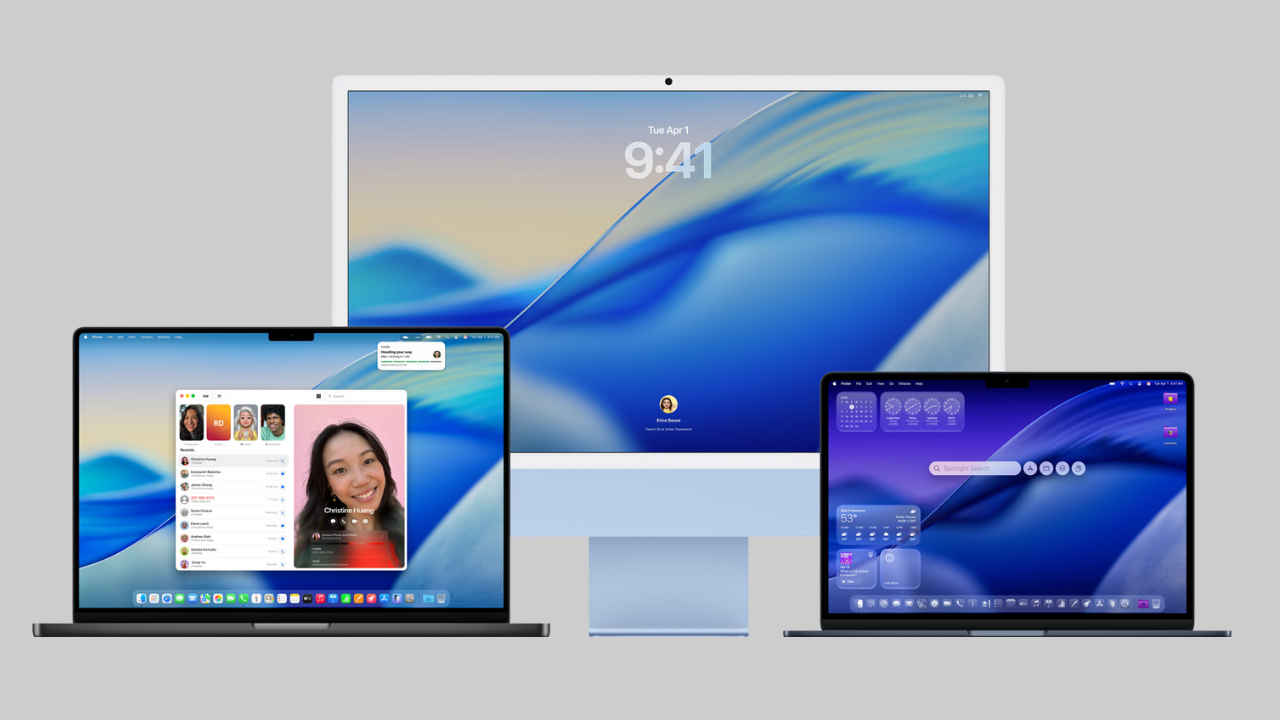
Remember when Apple unveiled the latest upgrade to its Mac operating system in June during WWDC? The update is now available for users on compatible devices and brings several thoughtful tweaks and new features that users will appreciate. The macOS Tahoe 26 brings smoother iPhone integration, smarter tools, and a more polished look that will elevate your device’s aesthetics. If you have been wondering about the new update and want to know how to get it, read on. We break down what’s fresh in Tahoe 26, how to get it, and what features are most likely to affect your day-to-day use. Whether you’re drafting documents, switching between iPhone and Mac, or just enjoying a more consistent, refined interface, there’s something in here for you.
 Survey
Also read: Apple’s 2025 MacBook Air with M4 chip available at huge discount on Amazon, details here


What’s New in macOS Tahoe 26
The macOS Tahoe 26 feels like one of those updates designed to quietly make your everyday use smoother. Some of the biggest talking points are the new Liquid Glass design, more personalisation options, Spotlight doubling up as a faster action hub, iPhone-Mac continuity, and so on. Here is a look at all that is new:
Liquid Glass design and personalisation options
Tahoe 26 brings Apple’s “Liquid Glass” aesthetic across many UI elements from transparent menu bars and mist-tinted overlays to new icon and folder colour variations. If you spend hours looking at menus and app toolbars, these changes may reduce visual fatigue and simply feel more pleasant.
You also get more customisation like colour options for folders, app icons, emojis/symbols to tag folders, themed wallpapers, and tweaks to how the Control Center lays out controls.
Sharper spotlight and smart shortcuts integration
Spotlight is now smarter with more “quick actions” built in like sending an email or creating a calendar event directly without opening the app. Apart from this, there is also better previews of files and apps in the search results. Moreover, the Shortcuts app sees tighter integration with on-device Apple Intelligence, helping automate repetitive tasks more intuitively. For many users, this means fewer clicks or app launches to get simple jobs done.
Deeper Mac-iPhone Continuity
Tahoe 2.6 pushes the idea of a seamless Apple ecosystem further. The Phone app on Mac now has expanded capabilities, including more access to Recents, Favorites, Voicemails, and better call management. Live Activities from your iPhone can surface in the menu bar on your Mac, so updates like deliveries, flights, or timers stay visible without flipping between devices. Simply put, for those who frequently use both devices, it helps reduce friction.
Expanded Apple Intelligence Features
The macOS Tahoe 26 also brings some expanded Apple Intelligence features. To mention a few standout additions, there is Live Translation (text/audio) so languages are less of a barrier, Genmoji & Image Playground for creative expression, and smarter, more capable Shortcut automations. These features tie into user workflows like writing messages, translating content, or automating repetitive steps.
How to Update to macOS Tahoe 26
So, how do you update to the latest macOS? To get the new version on compatible devices, simply open System Settings – General – Software Update and follow the prompts. And as always, make sure your data is backed up before updating – Time Machine or external drive backups are still your safest bet.
PS: Some features, especially those involving Apple Intelligence, translations, or iPhone continuity, may require more recent hardware. Older Macs may see fewer aesthetic effects (e.g., transparency) and could experience lesser gains. Regional or language support for certain features may roll out more slowly.
Also read: Apple’s 2026 MacBook Pro OLED tipped to come with Samsung display, all details
 Follow Us
Divyanshi Sharma
Divyanshi Sharma is a media and communications professional with over 8 years of experience in the industry. With a strong background in tech journalism, she has covered everything from the latest gadgets to gaming trends and brings a sharp editorial lens to every story. She holds a master’s diploma in mass communication and a bachelor’s degree in English literature. Her love for writing and gaming began early—often skipping classes to try out the latest titles—which naturally evolved into a career at the intersection of technology and storytelling. When she’s not working, you’ll likely find her exploring virtual worlds on her console or PC, or testing out a new laptop she managed to get her hands on. View Full Profile


