New Gmail View is being rolled out to all users.
It brings all the Google chat apps under one umbrella.
Here, we will see how to switch between the new and old Gmail interfaces.
Google has a host of communication apps and services with mostly unique use cases while parts of them have intertwined feature set. The whole Google messaging and communication offering is a bit confusing and difficult to keep up with, which could be why the company is huddling all of them together. This way, for the end user, all of these solutions would be easier to access too. In this vein, Gmail, which is the most popular email client out there, is getting a new facelift.
 Survey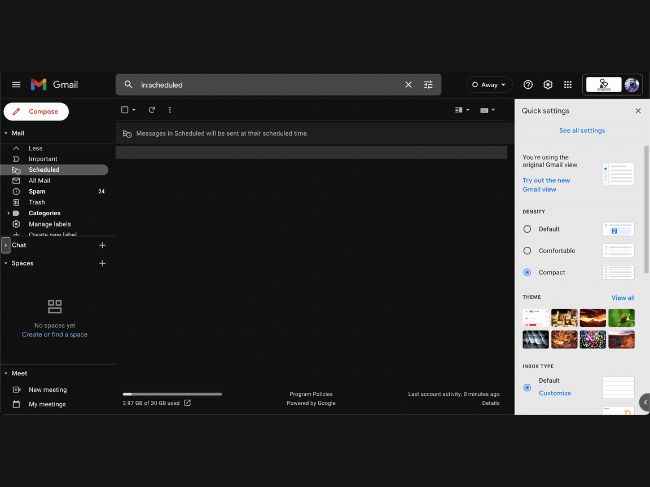


Although the new Gmail view was available since February 2022, it has started going live for larger audience from this past Tuesday only.
Here’s how to switch to the new Gmail View
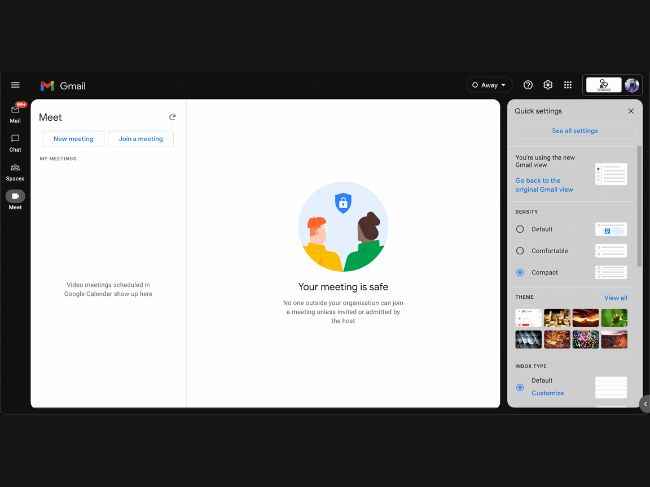
Well, you don’t have to do anything as you will automatically be switched to the new Gmail interface. But, if you want to switch between old and new Gmail UI, you can do that this way:
- Go to mail.google.com.
- Click on the cogwheel icon on the top right corner.
- One of the top options available will be — Try out the new Gmail view.
- On the flipside, if you want to revert to the old view, you can do that by going to the same place and clicking on the ‘Go back to the original Gmail view’ option.
That’s all.
 Follow Us
G. S. Vasan
G.S. Vasan is the chief copy editor at Digit, where he leads coverage of TVs and audio. His work spans reviews, news, features, and maintaining key content pages. Before joining Digit, he worked with publications like Smartprix and 91mobiles, bringing over six years of experience in tech journalism. His articles reflect both his expertise and passion for technology. View Full Profile


