Google’s Gemini is one of the most complete AI tools out there. Not only does it answer your questions, but one of its most popular features is its ability to create images using Nano Banana 2. But honestly, most people don’t even scratch past the surface of all the capabilities the tool possesses.
Let’s take a look at some of the best tips and prompts you can use to create exceptional images using Google Gemini’s Nano Banana 2. It will make you an expert in making better-than-average AI-generated images through Gemini’s Nano Banana 2 tool for sure.
Also Read: How to set up parent-managed account on WhatsApp: Step-by-step guide
It’s important to understand that every generated image is different from the others. Using a tool like Nano Banana 2, it’s possible to create a variety of images. Ideally, we would recommend not just sticking to the prompts mentioned – rather, it would be a lot better if you tweaked these prompts based on how you like the image.
The idea is to give you an idea of how to move beyond your all creative limits, conceptually. The more detailed prompts you give out, the better images Nano Banana is going to give out. If you’re having trouble writing the prompts, we would recommend using the prompt enhancer tools available on the web, as they’re very useful in these situations.
Another small tip is to just give out reference images to the tool and not just the prompts. Even though Gemini is smart enough to understand the language of prompts, it’s always better to give out reference images too, so that the results are as accurate as possible.
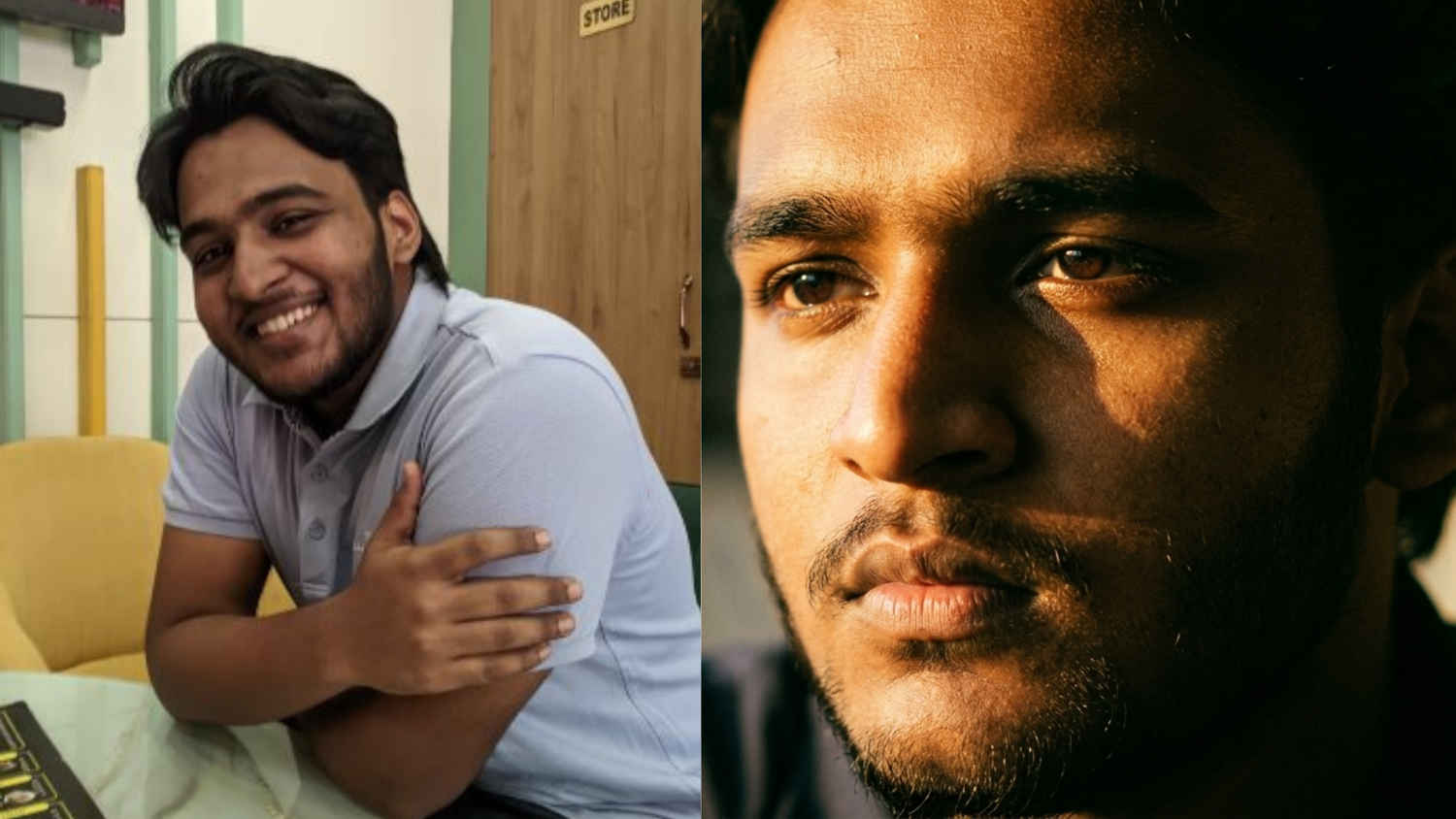
First up, talking about portraits, cinematic portraits are something that is getting quite popular these days. And the most interesting thing that Gemini does is how well it is able to play with lighting. The latest Nano Banana 2 responds very well to lighting descriptions. Adding terms like ‘side lighting’ or ‘golden hour’ gives image-generation tools a good sense of the image’s nature, resulting in far more cinematic portraits.
To enhance an image into a cinematic portrait, follow the steps below:
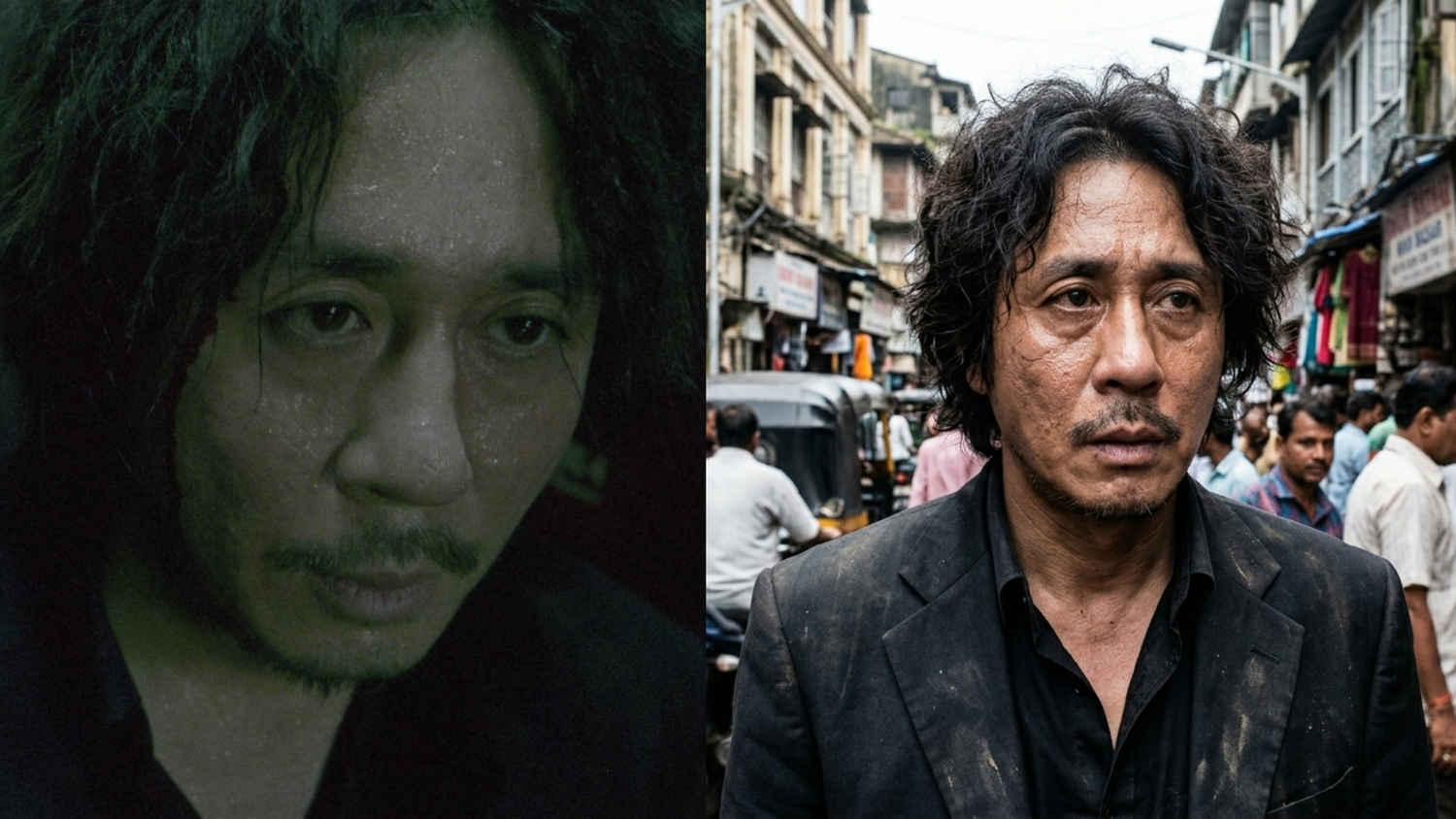
Street photography is awesome; capturing the vibes of a busy street often gives off some exceptional images. Though, not everyone has a professional camera which could capture the raw emotions. But with the help of Nano Banana 2, it’s very much possible to enhance some great portraits while also capturing the vibes of the street. Gemini really likes listening to prompts with local names and cities, so you can go as detailed as you want, and the tool will be very accurate.
To enhance an image into a street portrait, follow the steps below:
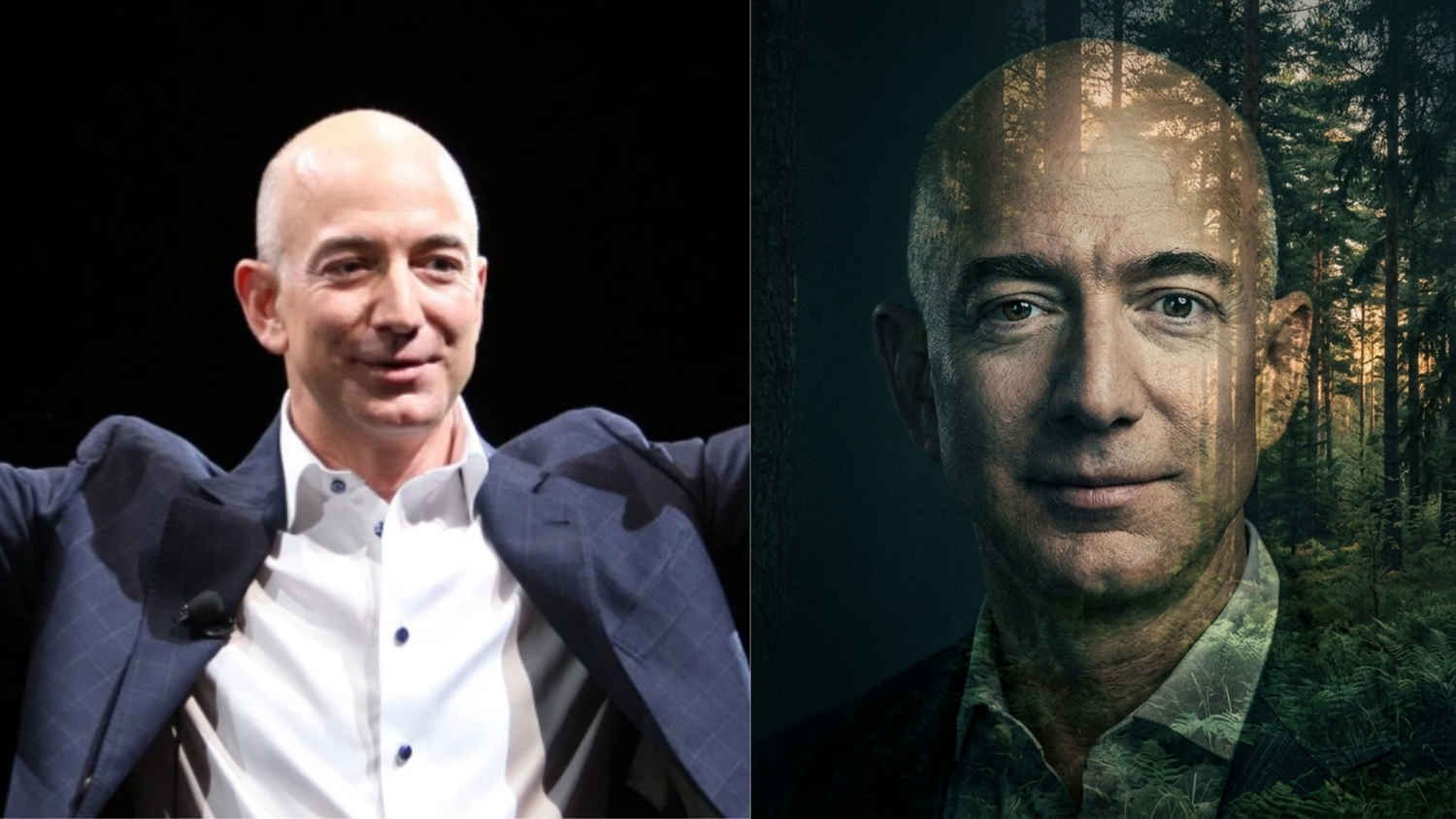
Trust me when I say this, but double-exposure portraits are something that is extremely hard to pull off. Not only do you need great lighting and a good environment, but more importantly, it’s essential to have know-how of every single camera setting possible, be it the ISO, shutter speed, exposure, aperture or everything else.
For beginners, it’s close to impossible to capture something like this. But with the help of Gemini and Nano Banana 2, it’s getting very easy. As long as you have a good portrait for reference and you use a well-detailed prompt, the tool will be able to give out some exceptional shots.
To enhance an image into a double-exposure portrait, follow the steps below:
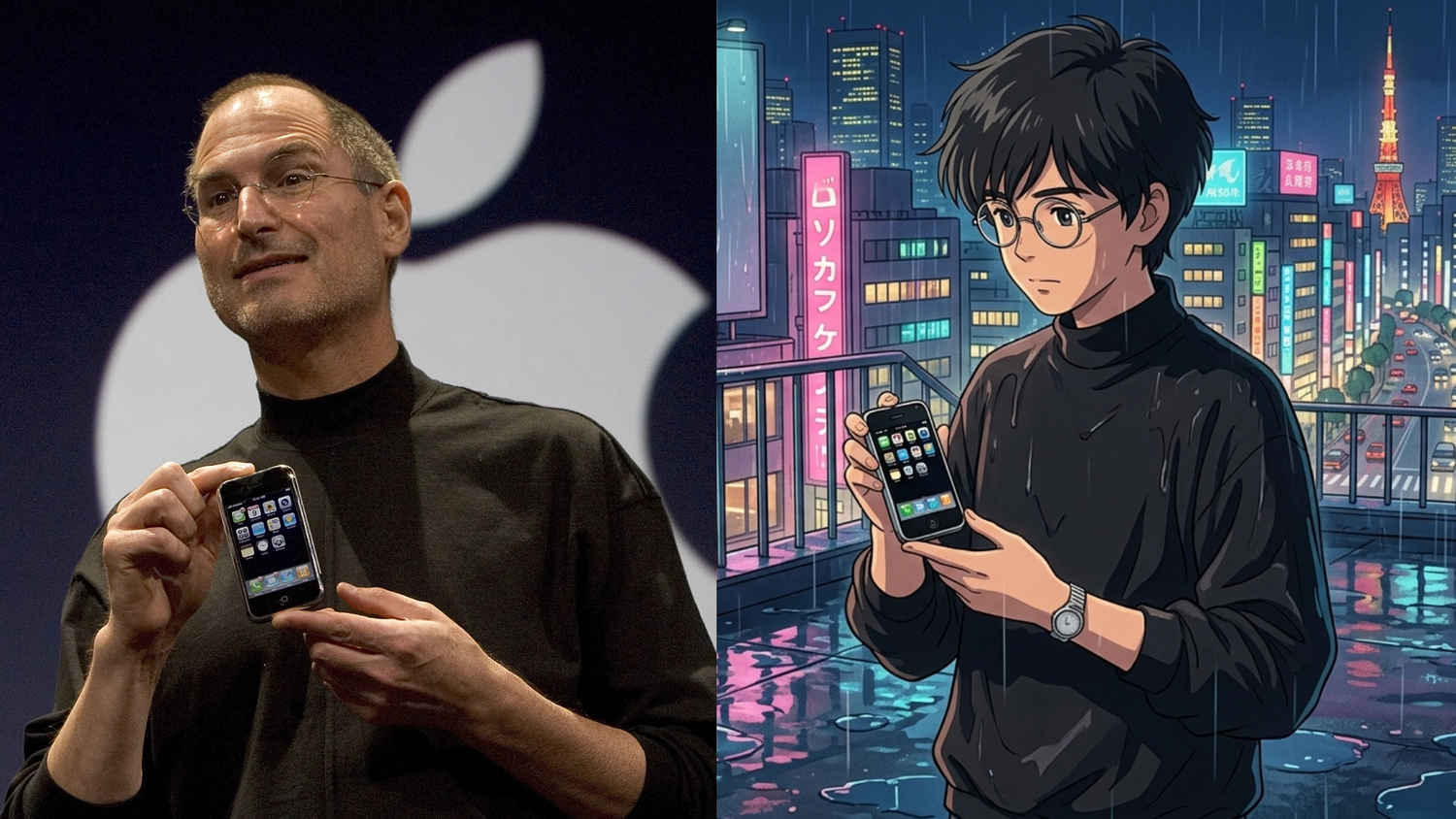
Moving on, we also have anime-styled portraits. These types of images are never going out of fashion, because of the way the results come out. A few months back, the Ghibli trend became very popular because of ChatGPT too. But moving beyond that, let’s have a look at some other styles too. Gemini really pairs environmental detail like rain or neon lighting that makes the anime art pop.
To create an anime-styled portrait, follow the steps below:
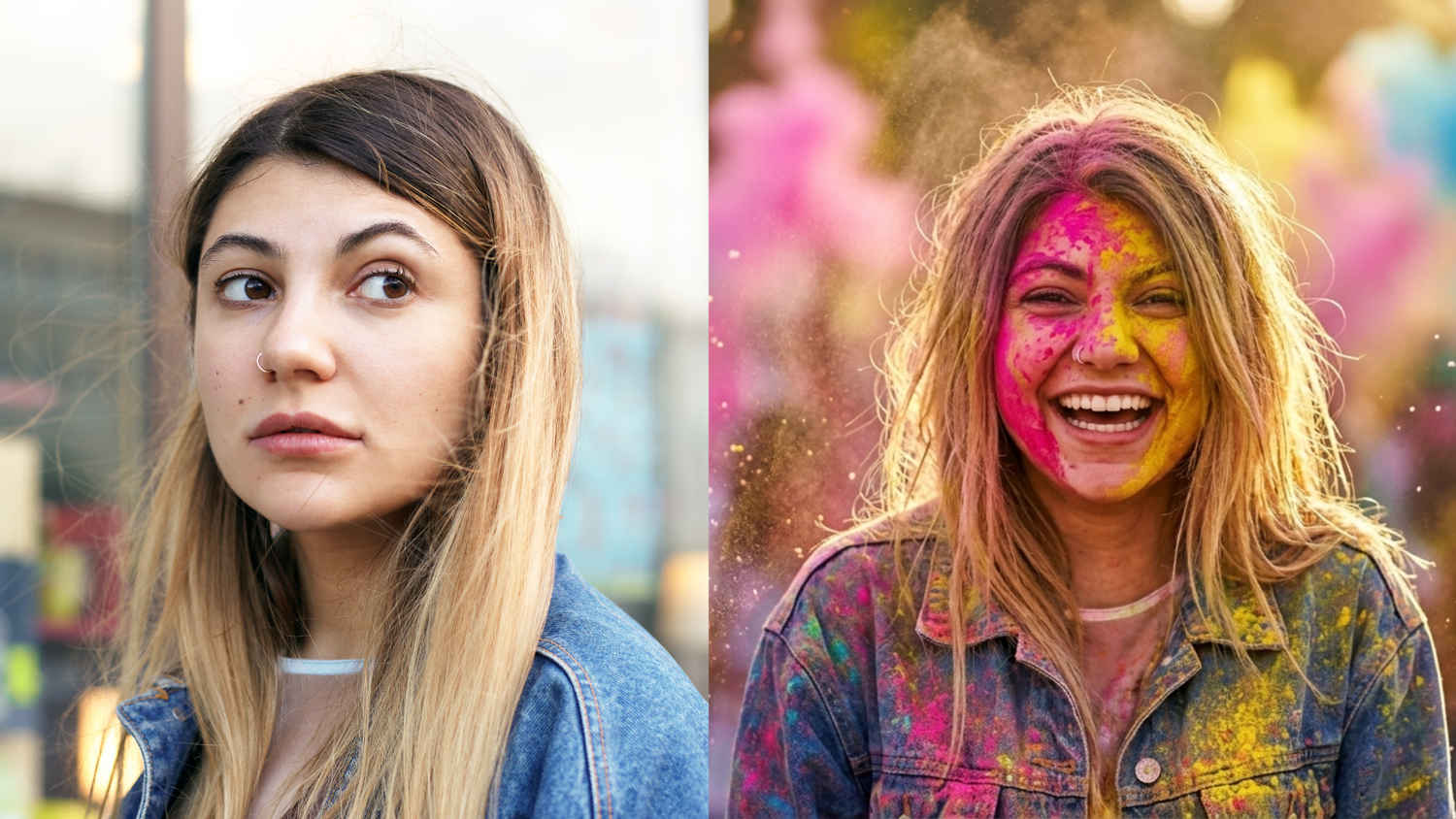
Last but not least, if you’re a fan of festival special images and are willing to try something new, then you should definitely give this Holi image a shot. On Nano Banana 2, when you describe emotion words like “mid-celebration” and “laughing expression”, it pushes the model toward dynamic, energetic images rather than static posed shots.
To create a festival special image, Holi in this case, follow the steps below:
Hopefully, you learned a few things about creating images with Nano Banana 2 and how detailed prompts can help you get there with relative ease. Enjoy creating images with Nano Banana 2!
Also Read: How to book AC service online before the seasonal price hike: Complete guide